Amazon Ads has opened another planning workflow for more technical advertisers and agencies. In its official Amazon Ads API release notes, Amazon announced a closed beta for the media plan API, built to help advertisers create and manage media plans programmatically across Amazon DSP and sponsored advertising accounts.
For US ecommerce operators, this is not a basic Seller Central update. It is a signal about where Amazon Ads operations are moving: from manual campaign planning toward connected planning systems, forecast data, audience opportunity analysis, and budget allocation workflows.
What Changed
Amazon says the media plan API is available in closed beta and supports programmatic media planning for Amazon DSP and sponsored advertising accounts. The official release notes describe capabilities for creating plans, submitting them for processing, and accessing outputs such as audience sizing, audience insights, performance forecasts, traffic insights, and optimized budget allocations.
Amazon also lists availability across several marketplaces, including the United States, and identifies agencies, managed-service advertisers, self-service advertisers, vendors, authors, book publishers, enterprises, and manager accounts as users who may benefit from the API.
Source: Amazon Ads official API release notes for the media plan API.
Why This Matters for Amazon Sellers and Agencies
Amazon Ads planning is becoming more data-driven before budget is committed. For agencies and service providers, that changes the standard of preparation. Media planning can no longer be limited to a spreadsheet, a past-month ACoS review, and a budget split by campaign type.
The media plan API points toward a more structured planning layer where audience sizing, traffic insight, forecast logic, and budget allocation can be connected to campaign execution. That is especially relevant for brands running both Amazon DSP and sponsored ads, because upper-funnel and lower-funnel activity need to be planned together rather than reviewed separately after spend has already happened.
For Amazon sellers, the practical takeaway is not that every brand needs to build against the API tomorrow. The immediate takeaway is that sellers should expect better planning discipline from their internal teams and agency partners. If an Amazon Ads account is spending meaningful budget, planning should connect audience assumptions, product readiness, retail media goals, inventory, promotions, and measurement.
What Operators Should Prepare Now
- Clean up account structure: Media planning works better when campaign naming, portfolio structure, products, objectives, and reporting windows are consistent.
- Define planning inputs: Document audience assumptions, target products, retail moments, budget limits, launch dates, and marketplace priorities before building plans.
- Separate forecast from promise: Treat API-generated forecasts as planning inputs, not guaranteed outcomes. Review actual performance against the assumptions used.
- Connect DSP and sponsored ads: If your brand uses Amazon DSP, plan how prospecting, retargeting, Sponsored Products, Sponsored Brands, and Brand Stores support the same commercial goal.
- Review measurement readiness: Make sure your Amazon Ads reporting, Seller Central sales data, and marketplace performance metrics can support post-campaign review.
Agency Strategy Implications
For Amazon service providers, this update is a reminder that clients will increasingly expect planning systems, not only campaign launches. A stronger Amazon Ads workflow should show how budget decisions are made, what audience opportunity is being pursued, and how performance will be judged after launch.
This also matters for client communication. If a plan uses forecasts, audience sizing, or optimized budget allocation, the agency should explain what those outputs mean, where they may be limited, and how they connect to a practical Amazon marketplace strategy.
Advertpreneur’s Amazon PPC management guide covers the lower-funnel campaign discipline behind profitable Sponsored Products execution. The media plan API adds a planning-layer conversation for brands that need to connect Amazon Ads activity across more of the funnel.
SEO and Marketplace Growth Angle
For US sellers, advertising planning cannot be separated from retail readiness. If listing content is weak, inventory is unstable, pricing is misaligned, or product detail pages are not conversion-ready, a more sophisticated media plan will still underperform.
The highest-value use of Amazon Ads planning is to connect spend with the actual marketplace conditions that shape return. That includes Amazon SEO, Brand Registry health, product images, A+ Content, reviews, promotions, and fulfillment performance. Better forecasts help, but stronger execution still depends on the retail foundation.
Conclusion
The Amazon Ads media plan API is currently a closed beta, but its direction is clear. Amazon is giving advanced advertisers and agencies more ways to build structured planning workflows before campaigns go live.
Sellers do not need to chase every API release. They do need to raise their planning standard. The next advantage in Amazon Ads will come from teams that can connect audience insight, budget allocation, campaign execution, and retail readiness into one operating system.
Amazon Ads has moved another part of advanced campaign operations closer to programmatic management. In its official Amazon Ads API release notes, Amazon confirmed that Proposal Management Unified APIs are now generally available and that documentation is available for Sponsored Products video ad extensions in the United States.
For Amazon sellers, agencies, and service providers managing larger advertising accounts, this is not a cosmetic update. It changes how media proposals, deal workflows, video creative attachments, and reporting preparation can be handled at scale.
What Amazon Changed
Amazon’s official release notes list two updates that matter for operators working inside Amazon Ads and connected advertising systems.
First, Amazon Ads Proposal Management Unified APIs are now generally available. Amazon says these APIs support programmatic proposal management across Amazon-owned publishers, Amazon Publisher Direct, Amazon Publisher Cloud, and Netflix inventory workflows. For agencies and enterprise advertisers, that creates a more structured path to build, query, price, forecast, and manage proposal workflows through API-connected systems.
Second, Amazon published documentation for Sponsored Products video ad extensions. Amazon describes video ad extensions as a way to attach video creative to an existing Sponsored Products ad while keeping the campaign, budget, bid, and targeting structure unchanged. Amazon also notes that video renders on eligible placements, while the same ad can still render as a standard image elsewhere.
Source: Amazon Ads API official release notes.
Why This Matters for Amazon Sellers and Agencies
The practical value is control. Amazon Ads accounts are becoming more complex, especially for brands running Sponsored Products, Amazon DSP, retail media planning, and upper-funnel campaigns in parallel. Manual workflows can still work for smaller accounts, but they become fragile when teams manage multiple brands, marketplaces, creatives, and reporting layers.
The Proposal Management Unified APIs matter most for Amazon service providers, advertising technology partners, and in-house teams that need repeatable planning workflows. Instead of treating proposal work as a series of manual steps, teams can begin designing systems around supplier targeting, ad products, pricing, proposal destinations, and deal forecasts.
The Sponsored Products video documentation matters for sellers because video is no longer only a brand-awareness asset. When video can be attached to an existing Sponsored Products ad, operators can test creative lift without rebuilding the full campaign structure. That is especially useful for Amazon FBA brands that already have proven keyword targeting but need stronger engagement on competitive placements.
Operator Checklist for Amazon Ads Teams
- Audit your Sponsored Products winners: Identify campaigns where the keyword structure is already profitable and video could improve click-through rate or conversion confidence.
- Separate creative testing from bid testing: Because the video extension can sit on an existing ad, use it to test creative impact without changing every campaign variable at once.
- Review API readiness: Agencies and service providers should confirm whether their internal tools can support the newer Amazon Ads API workflow before promising scaled automation to clients.
- Update reporting templates: Video extensions require performance review beyond standard sales and ACoS. Add video engagement metrics where available.
- Protect Brand Registry and catalog basics first: Video can improve presentation, but weak product detail pages, incomplete images, poor A+ Content, and thin Amazon SEO still limit conversion.
SEO and Marketplace Strategy Angle
For US sellers, this update points to a broader Amazon marketplace trend: advertising operations are becoming more systemized. The brands that win will not only launch more Amazon Ads campaigns. They will build cleaner data flows between Seller Central, Amazon Ads, creative testing, and listing optimization.
That matters because Amazon PPC performance is rarely isolated. A Sponsored Products video test can raise engagement, but the full return depends on product images, price position, reviews, inventory, listing copy, and organic keyword relevance. The stronger the retail foundation, the more useful each advertising update becomes.
Advertpreneur’s existing Amazon PPC management guide explains the campaign structure side of that equation, while the Amazon Sponsored Brands guide covers brand-level advertising strategy.
Conclusion
This Amazon Ads API update is most relevant for serious operators: agencies managing multiple accounts, brands investing in video, and Amazon sellers preparing for a more automated advertising environment.
The immediate move is simple. Review your strongest Sponsored Products campaigns, identify where video could add buying confidence, and make sure your reporting can separate creative lift from normal bid and keyword movement. The long-term move is bigger: build Amazon advertising operations that are structured enough to scale without becoming manual and reactive.
Amazon Sponsored Brands help sellers boost visibility and clicks fast. Firstly, they place your brand at the top of results. Secondly, they drive strong brand awareness and higher click rates.
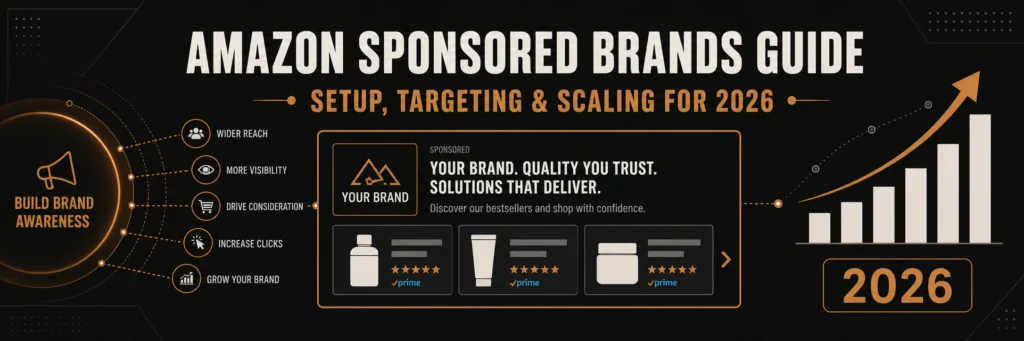
Table of Contents
- What Are Amazon Sponsored Brands
- Why Use Amazon Sponsored Brands
- Sponsored Brands Campaign Setup
- Targeting Strategies That Work
- Creative Best Practices
- Using Amazon Video Ads
- Sponsored Brands vs Sponsored Products
- Scaling Your Campaigns
- Metrics and Optimization
- Conclusion
What Are Amazon Sponsored Brands
Firstly, Amazon Sponsored Brands are banner ads on search pages. Secondly, they show your logo, headline, and products together.
Additionally, these ads used to be headline search ads. However, Amazon renamed them and added more formats.
Most importantly, they push your brand to the top of results. Therefore, you gain more clicks and faster growth.
- Show brand logo and custom headline
- Drive traffic to Store or product pages
- Appear above search results
- Support image and video formats
Why Use Amazon Sponsored Brands
Firstly, these ads build brand awareness at scale. Secondly, they help shoppers remember your brand name.
In addition, they support multiple products in one ad. Therefore, you can cross sell and lift order value.
Also, they pair well with amazon ads strategies. As a result, you cover the full funnel.
- Top of search placement
- Higher click share
- Better brand recall
- Support for Stores traffic
Sponsored Brands Campaign Setup
To begin with, open the ads console on Seller Central. Then, choose Sponsored Brands and start a new campaign.
Step by Step Setup
- Choose campaign name and daily budget
- Select targeting type, keywords or product
- Add brand logo and write a clear headline
- Pick landing page, Store or product list
- Upload image or video creative
- Set bids and launch
Secondly, keep budgets simple at the start. Therefore, you can test fast and adjust later.
Pro Tip: Use short headlines with one clear benefit. Short lines get more clicks.
Keyword Structure
Firstly, group keywords by intent. Secondly, keep tight themes in each ad group.
- Brand terms for defense
- Category terms for reach
- Competitor terms for conquest
For instance, use data from Helium 10 to find search volume. As a result, you pick terms with real demand.
Targeting Strategies That Work
Firstly, keyword targeting gives control. Secondly, product targeting helps you appear on rival pages.
However, you should not mix all intents in one group. Instead, split by funnel stage.
Keyword Targeting
- Exact for high intent terms
- Phrase for mid intent queries
- Broad for discovery
Additionally, add negatives to cut waste. Therefore, you protect budget and improve ACOS.
Product Targeting
Secondly, target competitor ASINs with strong reviews. Also, target your own listings for defense.
- Competitor ASINs with high traffic
- Category pages with filters
- Your listings to block rivals
Warning: Do not bid high on weak pages. Poor pages waste Spend Fast.
Creative Best Practices
Firstly, your creative drives clicks. Secondly, clear design beats complex layouts.
Headlines
Use one benefit and one product type. In other words, keep it simple and direct.
- Focus on one promise
- Avoid long phrases
- Use easy words
Images
Additionally, use clean images with high contrast. Therefore, your ad stands out in search.
- White or simple backgrounds
- Clear product focus
- Consistent brand colors
Using Amazon Video Ads
Firstly, Amazon video ads auto play in search. Secondly, they grab attention fast.
In addition, short clips work best. Therefore, keep videos under 20 seconds.
- Show product in use
- Start with a strong hook
- Add captions for silent view
Sponsored Brands vs Sponsored Products
Firstly, both formats drive sales. Secondly, they serve different goals.
| Feature | Sponsored Brands | Sponsored Products |
|---|---|---|
| Placement | Top of search | Throughout results |
| Creative | Logo, headline, video | Product only |
| Goal | Brand awareness | Direct sales |
| Clicks | Often higher CTR | Stable CTR |
Table: Key differences between Sponsored Brands and Sponsored Products
In contrast, Sponsored Products focus on single items. Meanwhile, Amazon Sponsored Brands build brand presence.
Scaling Your Campaigns
Firstly, scale only winners. Secondly, raise bids on high converting terms.
- Find keywords with sales
- Increase bids by small steps
- Expand with new related terms
- Test new creatives weekly
Additionally, duplicate strong campaigns for new regions. Therefore, you grow reach without risk.
Metrics and Optimization
Firstly, track CTR and CVR. Secondly, watch ACOS and TACOS closely.
- CTR shows creative strength
- CVR shows page quality
- ACOS shows cost control
- TACOS shows total impact
However, do not chase low ACOS only. Instead, balance growth with profit.
Frequently Asked Questions
What are Amazon Sponsored Brands?
They are banner ads with logo and headline at the top of results. How do I start a sponsored brands campaign setup?
Open ads console, pick Sponsored Brands, add budget, targeting, and creative. Do Amazon video ads perform better?
Yes, they often get higher clicks due to motion and auto play. What is the difference in Sponsored Brands vs Sponsored Products?
Brands focus on awareness, Products focus on single item sales. How much should I bid?
Start low, test, then raise bids on winning keywords.
Ready to grow your Amazon business?
Get a free strategy call with Advertpreneur.Book Your Free Consultation
Conclusion
Amazon Sponsored Brands help you win top search space fast. Firstly, they build brand awareness with strong visuals. Secondly, they drive clicks that feed your funnel.
In addition, smart setup and testing lead to steady growth. Therefore, use clear creatives, tight targeting, and data driven bids.
Finally, pair these campaigns with amazon ads for full coverage. As a result, you scale sales and keep profit in control.
Most Amazon sellers are still optimizing for a search algorithm that no longer runs the show alone.
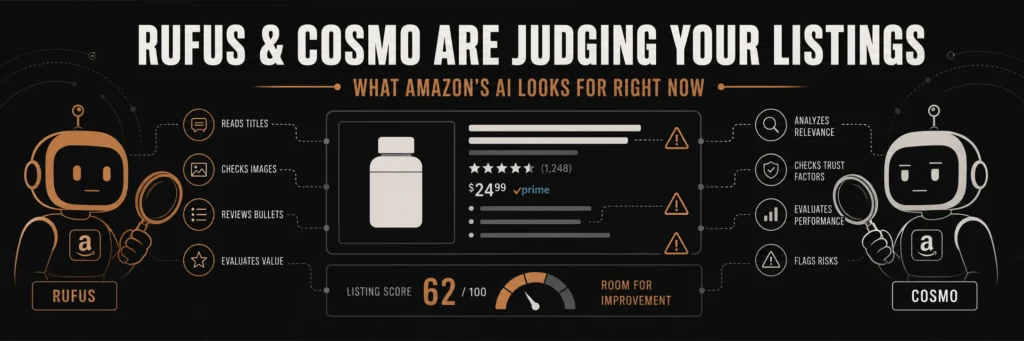
They’re counting keyword frequency. Stuffing backends. Tweaking titles for A9. Meanwhile, Amazon has quietly deployed two AI systems, Rufus and Cosmo, that evaluate your listings in ways A9 never did. And the rules are different.
This is not a future thing. Rufus handled 274 million daily queries by late 2024. During Black Friday 2025, it ran inside 38% of all Amazon shopping sessions. Shoppers who used it were 60% more likely to complete a purchase than those who did not. Amazon projects it will add $10 billion in annualized sales.
Your listing is already being read by an AI that your optimization strategy was not written for.
What Rufus Actually Does (And Why It Is Not A9)
Rufus is Amazon’s generative AI shopping assistant. It sits inside the mobile app and desktop experience, and shoppers talk to it the way they would talk to a knowledgeable friend.
“What’s a good running shoe for flat feet under $100?” “Which of these coffee makers is quieter in the morning?” “Is this supplement safe to take with blood pressure medication?”
Rufus reads your full listing, including title, bullets, description, A+ content, Q&A, and customer reviews, and decides whether your product fits the shopper’s intent. Then it either recommends you or skips you.
The difference from A9 is significant. A9 matched keywords. Rufus evaluates meaning. It does not care how many times you wrote “waterproof vinyl sticker” in your backend. It cares whether your listing clearly answers the question a shopper just asked out loud.
Rufus also does not just read your page. It reads the web. External blog posts, trade publications, YouTube videos, all of it can influence which products Rufus recommends. A competitor with one mention in a well-indexed industry article may outrank your fully optimized listing if Rufus finds that external source more relevant to the query.
What Cosmo Does on Top of That
Cosmo is the ranking system that works alongside Rufus. Rufus handles the conversational layer. Cosmo handles semantic relevance at the ranking level. Together they form the AI backbone of how Amazon now mediates product discovery.
Cosmo looks at use-case fit. It evaluates whether your listing communicates the real-world situations where your product works. A sticker listing that says “weatherproof vinyl decal for outdoor use” will rank differently in Cosmo’s eyes than one that says “vinyl decal” followed by a list of dimensions.
Context of use matters now. Compatibility matters. The answers your Q&A section provides matter. Cosmo reads all of it.
ZonGuru now offers a Cosmo and Rufus AI Readiness Report specifically designed to tell sellers whether their listings are built for this new layer of evaluation. The fact that a tool like this exists tells you how real the shift already is.
What Rufus Is Actually Looking For In Your Listing
Here is what earns Rufus recommendations, based on how the system evaluates product pages.
Use-case clarity. Rufus rewards listings that name real situations. “For dogs with joint pain” beats “for all dogs.” “Ideal for apartment balconies” beats “great for outdoor spaces.” Specificity is the signal.
Natural language, not keyword strings. The old way was keyword density. The new way is a listing that reads like a knowledgeable person wrote it. “Orthopedic dog bed for large breeds with joint pain, featuring washable memory foam that supports hip and spine health during sleep” outperforms “dog bed large dog bed washable dog bed orthopedic dog bed.” Rufus is trained on conversation. Robotic keyword strings fail on both the human and AI side.
Q&A depth. For any ASIN doing over $10,000 monthly revenue, target 15 to 20 substantive Q&As. Rufus reads this section when evaluating your product against conversational queries. Thin Q&A is invisible Q&A.
Review content that covers multiple use cases. Rufus uses reviews as evidence. If your reviews describe five to eight distinct use cases, Rufus has more surface area to match your product against shopper queries. If all your reviews say “great product, fast shipping,” Rufus has nothing to work with.
A+ content depth. Two or three basic A+ modules no longer cut it. Sellers in competitive categories are reporting organic ranking changes on ASINs where they expanded A+ depth. Rufus reads A+ content and weighs it as part of Listing Completeness.
Rating hygiene. Rufus factors in review ratings as a trust signal. A product with 3.8 stars competes at a disadvantage in AI-mediated recommendations regardless of keyword optimization.
The Visibility Problem Sellers Have No Control Over
Here is the uncomfortable part. Amazon provides no reporting on Rufus performance. No dashboard. No Rufus-specific impressions. No transparency into why it recommended your product or why it skipped you.
What you can do: check your Search Query Performance reports for movement on conversational long-tail queries. If you see impression share climbing on queries that read like questions, such as “stickers for outdoor use in rain” or “vinyl decals that don’t fade in sun,” Rufus is likely routing some of that traffic your way. If those impressions drop on head terms without a corresponding revenue drop, Rufus may be rerouting discovery traffic through its own recommendation layer.
Brand-registered sellers can find partial Rufus attribution data inside Brand Analytics. It is incomplete, but it gives you directional signals.
How Traditional Amazon SEO Fits Into This
Traditional search still drives roughly 80 to 85% of discovery traffic as of early 2026. Rufus is not replacing A9. It is layering on top of it.
Optimize for both. Your keywords still matter for the majority of searches. But Rufus is growing fast, from roughly 13% of Amazon searches in late 2024 to projections of 35% by end of 2025, and sellers who do not adapt now will face a painful catch-up later.
The practical approach: write listings for humans first, structure them so AI can parse them second. Listings that read naturally and answer real questions perform well under both systems. Keyword-stuffed, robotic listings lose under both.
An Honest Look at What You Need to Change
If your current Listing Optimization strategy looks like this:
- Title: max characters with primary keyword at the front
- Bullets: 5 lines of feature dumps
- Description: copy-pasted from bullets
- A+: basic template with 3 modules
- Q&A: left to customers to answer
You are optimizing for 2022. In 2026, the listing that wins under Rufus looks more like this:
- Title: Keyword-rich and descriptive of the actual use case
- Bullets: Each one answers a real shopper question (“Will this stick to my car door in the rain?”)
- A+: Expanded with clear use-case context, comparison modules, lifestyle imagery with descriptive alt text
- Q&A: Proactively populated with 15 or more questions that real buyers ask
- Reviews: Managed to surface varied real-world applications, not just star ratings
- Backend: Still keyword-loaded, but structured around intent terms, not just search volume
What This Means for Sellers With Large Catalogs
If you manage dozens or hundreds of ASINs, you cannot rewrite every listing at once. Prioritize by revenue. Start with your top 20% of ASINs by monthly revenue and run a Rufus readiness audit on each one.
Ask yourself four questions per ASIN:
- Does the listing name at least three distinct real-world use cases?
- Does the Q&A section answer questions a shopper might ask conversationally?
- Does the A+ content go beyond three basic feature modules?
- Do the reviews cover multiple applications, or only generic praise?
Any ASIN where you answer “no” to two or more of these is underperforming in Rufus, even if it ranks fine in traditional search today.
The Window to Move Early Is Open Right Now
Rufus optimization is still a young discipline. Most sellers are not doing it. Most agencies are not offering it as a distinct service. The sellers who audit and rewrite their listings for AI-mediated discovery in the next six months will have a structural advantage before this becomes standard practice.
The intent gap is real. Rufus closes the distance between what a shopper asks and what they actually buy, but only for products whose listings give it enough signal to work with. Listings that communicate clearly, answer real questions, and cover realistic use cases earn AI recommendations. Listings that do not get skipped by an AI that handles tens of millions of daily queries.
Your competitors’ listings are being evaluated right now. So are yours.
Need Help Optimizing Your Listings for Rufus and Cosmo?
At Advertpreneur, we have been optimizing Amazon listings since 2016. We understand how Amazon’s search systems evolve and we build listing strategies that perform across both traditional and AI-mediated discovery.
If you want a Rufus readiness audit on your catalog or a full listing rewrite built for 2026’s search landscape, reach out to us at advertpreneur.
If you are running Amazon ads and watching your ACOS climb every week without knowing why, you have probably asked yourself whether to outsource Amazon PPC management or keep grinding through it yourself. That question comes up constantly in seller communities, and the answer is rarely obvious.
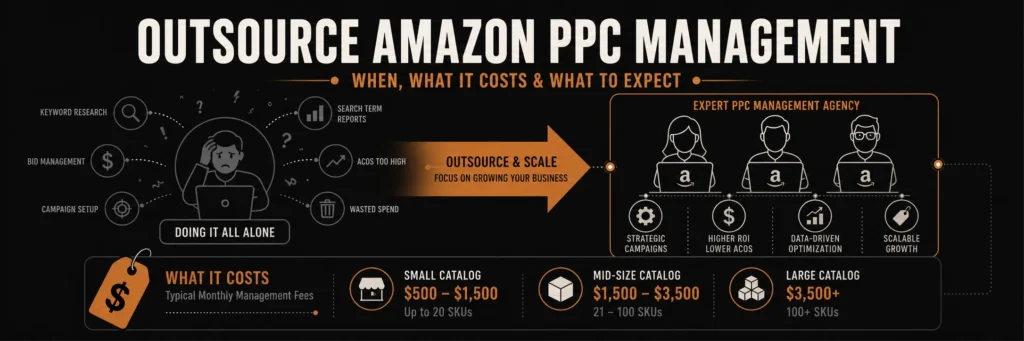
This guide cuts through the noise. You will find the real signs that point toward hiring help, a breakdown of what Amazon PPC management actually costs, and an honest comparison of going with an agency versus a freelancer. By the end, you will know which path fits your situation.
What Outsourcing Amazon PPC Management Actually Means
Outsourcing your Amazon PPC means handing campaign strategy, bid management, keyword research, and performance reporting to someone outside your team. That person or team handles your Sponsored Products, Sponsored Brands, and Sponsored Display campaigns so you stop managing bids manually and start focusing on sourcing, inventory, or scaling your catalog.
It is not about giving up control. A good Amazon advertising management service works with your goals and reports to you regularly. You stay in the loop on spend, ACOS, TACOS, and return on ad spend. The difference is that an expert who lives inside these dashboards all day is making the decisions instead of you fitting it in around everything else.
5 Signs You Should Outsource Amazon PPC Management
1. Your ACOS Is Rising but Sales Are Not
ACOS creeping up without a sales increase is the clearest signal that your campaigns need attention you are not giving them. Unmanaged keyword bids, broad match terms pulling irrelevant traffic, and neglected negative keywords all push ACOS up steadily. If you are not running weekly search term reports and adjusting, that number will keep climbing.
2. You Are Spending More Than 10 Hours a Week on PPC
Amazon Sponsored Products management takes real time done properly. Keyword harvesting, bid adjustments, campaign restructuring, dayparting tests, and placement modifier tuning are not quick tasks. If ads are eating your week, you are paying for it in time even if you are not paying an agency.
3. You Do Not Understand Your Own Campaign Structure
If you cannot explain why your auto campaigns feed your manual campaigns, or why you separate match types into different ad groups, the structure likely has gaps. Poor PPC campaign structure wastes budget at scale. Every dollar going to a poorly targeted keyword is a dollar not going to a converting one.
4. You Are About to Scale or Launch a New Product
This is the moment most sellers regret not hiring help earlier. Launching without a tested keyword strategy, without a launch budget model tied to your TACOS Amazon advertising targets, and without a bid ramp-up plan burns money fast. Getting a specialist in before the launch costs less than recovering from a bad one.
5. Your Competitor’s Ads Are Showing Up on Your Own Listings
If your competitors are stealing impressions on your own product pages, your defensive campaign strategy has gaps. This is a structural problem that requires a full audit, not just a bid increase. An experienced Amazon PPC professional spots this in an account review.
Amazon PPC Agency vs In-House: The Real Comparison
The Amazon PPC agency vs in-house debate comes down to volume, budget, and how much specialized knowledge your team already carries.
An in-house hire makes sense when you have 50 or more ASINs, ad spend above $30,000 per month, and enough work to keep someone busy full-time. You get full focus on your account, faster responses, and someone who learns your brand deeply over time. The cost is $4,000 to $8,000 per month in salary plus benefits, with a ramp-up period of several months before they operate independently.
An agency or freelancer makes more sense at lower volumes. You pay for the expertise without the overhead. You also benefit from pattern recognition across multiple accounts, which a new in-house hire simply does not have on day one.
Here is a practical breakdown:
| Factor | Agency | Freelancer | In-House |
|---|---|---|---|
| Cost per month | $800 to $5,000 | $500 to $2,500 | $4,000 to $8,000 |
| Expertise level | Team with specializations | Usually one generalist | Depends on hire |
| Response time | Business hours | Varies | Immediate |
| Best for | Scaling brands | Small to mid sellers | High-volume operations |
| Contract flexibility | Monthly or quarterly | Monthly | Full-time commitment |
How Much Does Amazon PPC Management Cost?
Amazon advertising agency pricing varies significantly based on ad spend, number of ASINs, and the service model. Here are the three most common structures:
Flat Monthly Retainer: Ranges from $800 to $3,000 per month for small to mid sellers. You get a defined scope of work regardless of how much you spend. Good when your budget is predictable.
Percentage of Ad Spend: Typically 10 to 20 percent of monthly ad spend. At $5,000 monthly spend, that is $500 to $1,000. At $20,000, it scales up to $2,000 to $4,000. Aligns the agency’s incentive with managing your budget carefully, though some agencies with this model have an incentive to grow spend rather than improve efficiency.
Hybrid Model: A base retainer plus a small percentage of ad spend. This is common with boutique agencies and full-service Amazon partners. It balances fixed costs with growth-linked fees.
For sellers spending under $3,000 per month on ads, an Amazon PPC freelancer is almost always the better starting point. Agencies at that spend level often have minimum fees that do not make economic sense.
What to Expect in the First 90 Days
The first 30 days of any new Amazon PPC engagement should be a full account audit. A competent specialist will review your campaign structure, search term reports, match type distribution, negative keyword gaps, bid history, and placement data before touching anything.
Days 30 to 60 are typically restructuring and testing. New campaigns get built, old inefficient structures get paused or cleaned up, and a fresh keyword strategy rolls out based on your product margins and your Amazon ad spend ROI targets.
By day 60 to 90, you should start seeing ACOS stabilization. Not necessarily a dramatic drop, but the upward drift should stop. TACOS Amazon advertising improvements take longer because organic rank needs time to respond to improved relevance and conversion rate.
If an agency promises massive ACOS drops in 30 days, treat that as a red flag. Real improvement is methodical, not instant.
Amazon PPC Freelancer vs Agency: Which One Should You Hire?
For sellers under $10,000 per month in ad spend, an Amazon PPC freelancer usually delivers better value. You get direct access to the person doing the work, lower fees, and more flexibility to adjust scope month to month.
For sellers above $10,000 monthly in spend with 30 or more active ASINs, a boutique Amazon advertising agency with a dedicated account manager is worth the higher cost. The team structure means someone is watching your campaigns even when your point of contact is unavailable.
When evaluating either, ask these questions:
- Can you show me a case study with ACOS before and after data?
- What does your campaign audit process look like?
- How do you structure Sponsored Products campaigns for a new ASIN?
- How often do you adjust bids, and what triggers an adjustment?
- Do you manage Sponsored Brands and Sponsored Display, or just Sponsored Products?
The answers reveal experience level quickly. Vague answers about “proprietary processes” without specifics are a warning sign.
What Happens When You Keep Managing PPC Yourself
Sellers who manage their own Amazon ads without the right training or time tend to fall into the same patterns. Bids set once and forgotten. Auto campaigns running without harvesting search terms into manual campaigns. Broad match terms eating budget on irrelevant queries. Sponsored Products campaigns structured around product groupings instead of match type logic.
None of this is immediately catastrophic, but it compounds. A 40% ACOS that should be 25% costs you hundreds or thousands in margin every month. At scale, that gap is the difference between a profitable brand and one that is funding Amazon’s revenue instead of your own.
If your Amazon ads are wasting money and you are not sure where the leak is, an audit is the right first step before committing to any management service. At Advertpreneur, we offer Amazon PPC audits that show you exactly where your ad spend is going and what a realistic ACOS target looks like for your category.
How Advertpreneur Handles Amazon PPC Management
Advertpreneur is a full-service Amazon agency built for small to mid-size sellers who want professional results without enterprise pricing. Our Amazon Sponsored Products management covers campaign builds, ongoing optimization, weekly reporting, and TACOS tracking tied to your organic ranking goals.
We work with sellers across a range of categories, from consumables to home goods to apparel, and our campaigns are built around your margin targets from day one. No generic templates, no set-it-and-forget-it management.
If you are considering whether to outsource Amazon PPC management, start with a conversation. You can learn more about our Amazon advertising management services and see how we structure campaigns for sellers at your stage.
Common Questions About Outsourcing Amazon PPC
Is outsourcing Amazon PPC worth it for small sellers? For sellers doing $5,000 to $15,000 per month in revenue, outsourcing often pays for itself within the first 60 days through ACOS reduction alone. The key is finding a freelancer or boutique agency that works at your scale, not an enterprise agency with minimum fees above your budget.
Can I outsource just part of my Amazon PPC? Yes. Some sellers keep basic Sponsored Products management in-house and outsource Sponsored Brands video campaigns or DSP to a specialist. A hybrid approach works when your team has some PPC knowledge but lacks expertise in a specific format.
How do I know if my current Amazon PPC management is underperforming? Compare your ACOS and TACOS against category benchmarks. Most categories perform well with an ACOS between 15 and 30 percent. If yours sits significantly above that with flat or declining sales, the current approach is not working.
Final Thoughts
Deciding to outsource Amazon PPC management is not admitting defeat. It is a business decision based on time, expertise, and the cost of not optimizing. The sellers who scale consistently are almost never the ones managing their own bids manually at $20,000 per month in ad spend.
If you are spending more than you should, missing launch windows, or simply running out of hours in the day, the math on hiring help is usually straightforward. Start with an audit, get clear on your ACOS targets, and choose a partner who can show you results from accounts similar to yours.
For more on building a profitable Amazon presence, read our guide on Amazon Listing optimization and our breakdown of how Amazon SEO works in 2025.
Amazon PPC optimization with AI is no longer a nice-to-have. It’s what separates sellers who scale profitably from those who burn budget and wonder why their ACoS keeps climbing. In 2026, the Amazon ad platform has grown into a $60 billion ecosystem, and the old way of managing bids by hand simply can’t keep up.
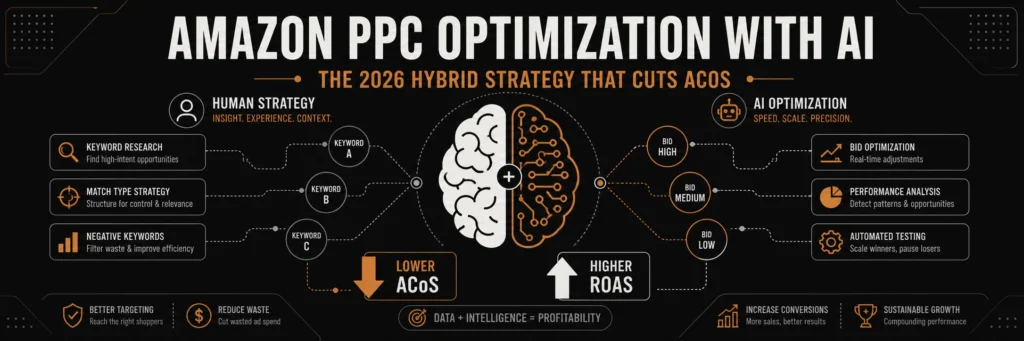
This guide breaks down exactly how the hybrid human-machine approach works. You’ll learn what AI handles best, what still needs a human brain, and how to build a system that grows your sales without wrecking your margins.
Table of Contents
- Why AI Matters for Amazon Advertising in 2026
- What AI Does Best in Amazon PPC Campaigns
- The Hybrid Human-Machine Strategy Explained
- How to Reduce ACoS with AI Without Losing Sales
- ROAS Optimization on Amazon: A Practical Breakdown
- Choosing the Right Amazon PPC Management Agency
- AI Tools vs Manual Management: Side-by-Side Comparison
- Frequently Asked Questions
- Conclusion
Why AI Matters for Amazon Advertising in 2026
AI Amazon advertising 2026 is a fundamentally different game from what sellers faced just two years ago. Amazon’s own algorithm now evaluates intent, creative quality, and historical performance signals all at once. Manual bid management can’t process that volume of data fast enough to stay competitive.
According to recent benchmarks, AI-managed accounts see a 34% improvement in ROAS compared to accounts relying purely on manual optimization. That gap grows wider every quarter as the platform gets more complex.
So what changed? Firstly, Amazon introduced Performance+ campaigns, which use deep-learning models to predict shopper behaviour. Secondly, the rise of Amazon’s Rufus AI assistant shifted how shoppers discover products. As a result, sellers who haven’t adapted their ad strategy are now competing at a structural disadvantage.
For example, a seller still using a basic exact-match-only structure will struggle against a competitor running an AI-supported system that adjusts bids every hour based on real conversion data. In short, the platform has outgrown the spreadsheet era.
Pro Tip: If your Amazon PPC campaigns haven’t been restructured in the past six months, you’re likely losing ground to sellers who have adopted AI-assisted bidding. Start by auditing your ACoS at keyword level before making any changes.
What AI Does Best in Amazon PPC Campaigns
AI tools genuinely excel at tasks that require processing enormous amounts of data in real time. That’s their core strength, and smart sellers use them for exactly that. Here’s what AI handles better than any human team:
- Real-time bid adjustments: AI systems evaluate conversion probability for every auction and adjust bids within milliseconds. No human team can match that speed.
- Keyword harvesting from auto campaigns: AI scans search term reports and promotes high-converting terms to exact-match campaigns automatically. This process used to take hours each week.
- Negative keyword identification: AI spots irrelevant traffic patterns faster than manual review. Cutting that waste directly helps reduce ACoS with AI-driven precision.
- Dayparting optimisation: AI identifies peak conversion windows by hour and day, then shifts budget toward those windows without any manual scheduling.
- Budget pacing: AI prevents budget from running out at 2pm and missing peak evening shopping periods, which is one of the most common and costly errors in manual management.
- Inventory-linked pausing: Advanced AI tools pause ads automatically when stock drops below a threshold. That stops wasted spend on products that can’t ship.
However, AI is not magic. It needs clean campaign structure, high-quality listings, and clear goals to perform well. Feed it a broken account and it optimises the chaos, not the results.
The Hybrid Human-Machine Strategy Explained
The most successful sellers in 2026 don’t choose between AI and human management. They combine both. Specifically, they let AI do the heavy data processing and humans do the thinking that machines still can’t replicate.
Here’s what the hybrid model looks like in practice:
- Humans set the strategy: Target ACoS, budget allocation, product launch priorities, and seasonal adjustments all need human judgment. AI doesn’t know your margin structure or your Q4 goals unless you tell it.
- AI runs the execution: Once goals are set, the automated bidding strategy takes over. Bids, dayparting, negative keyword additions, and budget pacing all happen without manual intervention.
- Humans review the outputs: Weekly, a human checks whether AI decisions align with business goals. If AI is scaling a product with a margin problem, a human catches it. AI won’t.
- AI scales what works: When a keyword or placement proves profitable, AI increases spend systematically. This is where AI earns its keep, because it scales faster and more consistently than manual adjustments.
- Humans handle creative: Ad copy, product images, A+ Content, and listing quality all remain human responsibilities. AI bidding performs poorly when the underlying listing is weak.
Most importantly, the hybrid model avoids the two biggest failure modes. One is the “set it and forget it” trap where sellers trust AI to manage everything and never review outputs. The other is the manual micromanagement trap where sellers change bids daily and disrupt the algorithm’s learning period.
Warning: Never make manual bid changes every few hours inside an AI-managed campaign. Experts recommend a 48 to 72 hour evaluation window to let the AI collect enough data. Constant manual overrides destroy the learning process and push your costs up, not down.
How to Reduce ACoS with AI Without Losing Sales
Reducing ACoS is the goal every seller chases. But cutting ACoS the wrong way just kills your sales velocity and drops your organic ranking. AI helps you reduce ACoS with AI-powered precision, targeting the specific levers that matter most.
Here are the most effective AI-driven ACoS reduction tactics you can implement right now:
Isolate converting keywords into exact match
AI tools identify which broad and phrase-match terms are actually converting. Then they push those terms into exact match campaigns where you control the bid precisely. This single step can cut wasted spend by 20 to 30 percent according to sellers who’ve made the switch.
Use search term reports as your primary data source
Your own campaign data is more reliable than any third-party tool. AI analyses search term performance daily and flags terms that get clicks but no sales. Removing those terms quickly stops budget drain before it compounds.
Improve Your listing conversion rate
AI bidding cannot fix a weak listing. If your main image is unclear or your bullets don’t answer shopper questions, every click costs more than it should. A stronger listing directly lowers your effective ACoS because more clicks convert into sales. In other words, listing quality and PPC performance are permanently linked.
Target TACoS, not just ACoS
Total Advertising Cost of Sale (TACoS) accounts for both paid and organic revenue. AI tools that integrate with Amazon Marketing Cloud can calculate lifetime TACoS and justify bidding more aggressively on products with strong repeat purchase rates. For example, a subscribe-and-save product might show a high initial ACoS but an extremely healthy 12-month customer value.
ROAS Optimization on Amazon: A Practical Breakdown
ROAS optimization Amazon requires a different mindset than chasing low ACoS. High ROAS means you’re generating more revenue per dollar spent. Sometimes that means accepting a slightly higher ACoS on high-volume, high-margin products.
AI tools approach ROAS optimization through three lenses:
Placement-level ROAS analysis
AI evaluates performance separately for top-of-search, rest-of-search, and product detail page placements. Then it shifts budget toward whichever placement delivers the strongest ROAS for each campaign. Most sellers run the same bid adjustment across all placements. That’s a significant efficiency loss.
Audience signal integration
Advanced AI platforms now integrate with Amazon DSP audience data. They identify which shopper segments convert at the highest rate and weight bids accordingly. Specifically, they can separate first-time buyers from repeat customers and bid differently for each group.
Dynamic budget reallocation
AI monitors ROAS across your full campaign portfolio in real time. When one campaign underperforms its ROAS target, AI shifts budget to campaigns that are hitting or exceeding their targets. As a result, your total portfolio ROAS improves without you having to manually shuffle budgets every day.
Still, ROAS optimization Amazon is not purely a numbers exercise. You also need to consider your product lifecycle. A new launch justifies lower ROAS expectations because you’re buying ranking momentum. An established hero product should be held to a strict ROAS floor. AI needs those goal parameters from a human strategist to work properly.
For a deeper look at how leading brands are implementing this, the 2026 AI Amazon PPC Playbook from Stormy AI breaks down real account data with specific ROAS gains by category. It’s worth reading before you restructure your campaigns.
Choosing the Right Amazon PPC Management Agency
Not every agency offering AI-powered Amazon PPC actually uses it effectively. Choosing the wrong Amazon PPC management agency can set your account back by months. Here’s how to evaluate your options clearly.
Ask about their AI stack
A credible Amazon PPC management agency names the tools it uses. Platforms like Teikametrics Flywheel, Quartile, BidX, and Helium 10 Adtomic are industry standards. If an agency says it uses “proprietary AI” but can’t explain what that means, treat that as a red flag.
Look for a hybrid model, not full automation
The best agencies combine AI execution with human strategy oversight. An agency that promises to “set it and let the AI handle everything” is describing a recipe for drift and budget waste. You want weekly human review built into the process.
Demand transparent reporting
A good agency shares search term reports, ACoS breakdowns by campaign type, and placement performance data. If reporting is a black box of summary numbers, you can’t verify whether the AI decisions are actually serving your goals.
Check for listing optimisation as part of the offering
As mentioned earlier, AI PPC performs poorly on weak listings. An agency that only manages ads without addressing listing quality is optimising one part of the machine while ignoring the engine. The best agencies audit your listings before scaling your ad spend.
Additionally, the Innels 2026 Amazon PPC guide on what’s changed and what works now provides a detailed breakdown of how agency management structures are evolving this year. It’s a useful benchmark for evaluating any agency pitch you receive.
AI Tools vs Manual Management: Side-by-Side Comparison
Below is a direct comparison of what AI-assisted management delivers versus pure manual management across the key performance factors sellers care about most.
Table: AI-Assisted Amazon PPC vs Manual PPC Management in 2026
| Factor | AI-Assisted Management | Manual Management |
|---|---|---|
| Bid adjustment speed | Real-time (milliseconds) | Daily or weekly |
| Keyword harvesting | Automated and continuous | Manual weekly review |
| Negative keyword management | AI flags and adds within hours | Relies on human review cycle |
| Dayparting optimisation | Fully automated by hour | Requires scheduled rules setup |
| ROAS improvement (average) | Up to 34% better than manual | Baseline performance |
| Time saved per week | 5 to 14 hours per account | Full manual workload |
| Creative and strategy decisions | Still requires human input | Fully human-controlled |
| Risk of unchecked spend drift | Medium without human review | Low with experienced manager |
| Scalability across SKUs | Excellent for large catalogues | Limited by human bandwidth |
| Best suited for | Sellers with 10+ active ASINs | Sellers with 1 to 5 ASINs |
To summarise, AI wins on speed and scale. Manual management wins on strategic nuance. The hybrid model combines both.
Frequently Asked Questions
Does AI really lower ACoS on Amazon?
Yes, AI lowers ACoS on Amazon when it’s implemented correctly. AI tools identify irrelevant search terms faster than manual review, remove them, and reallocate budget to keywords that actually convert. According to industry benchmarks, AI-managed accounts consistently outperform manual accounts on ACoS reduction. However, AI alone won’t fix a structural problem. If your campaign architecture is poor or your listing converts badly, AI optimises those problems rather than solving them. You need clean structure and a strong listing first. What is hybrid Amazon PPC management?
Hybrid Amazon PPC management combines AI automation with human strategic oversight. AI handles the tasks it does best: real-time bid adjustments, keyword harvesting, negative keyword management, and budget pacing. Humans handle the tasks that require judgment: goal-setting, creative decisions, listing quality, and weekly performance reviews. The hybrid model avoids two major failure modes. The first is over-relying on AI and never reviewing outputs. The second is micromanaging the AI and disrupting its learning cycle. Most top-performing seller accounts in 2026 use some version of this model. How do I lower Amazon advertising cost of sale in 2026?
Start by auditing your search term reports to find keywords that spend without converting. Add those as negatives immediately. Next, move your top-converting terms from broad or phrase match into exact match campaigns where you control the bid. Then improve your listing, because a stronger main image and clearer bullet points directly increase conversion rate and lower your effective ACoS. Finally, use an automated bidding strategy to maintain bid discipline around your target ACoS rather than adjusting manually. Combining those steps consistently brings ACoS down without sacrificing sales volume. Is manual Amazon PPC still worth it in 2026?
Manual Amazon PPC management still works for sellers with a small catalogue of one to five ASINs where the bid volume is manageable. In those cases, an experienced manager can often match what AI delivers because the data set is small enough to process by hand. But for sellers with ten or more active ASINs, manual management struggles to keep up. The volume of auctions, keywords, and placement decisions simply exceeds what a human can optimise in a reasonable amount of time. Most sellers find that an automated bidding strategy combined with weekly human review gives them better results with less effort than manual management alone. What is the best automated bidding strategy for Amazon PPC?
The best automated bidding strategy depends on your goal. If you’re launching a new product and want impressions and data, dynamic bids (down only) gives the algorithm room to learn without overspending. If you have an established product and want to maximise sales at a target ACoS, dynamic bids (up and down) lets AI push bids higher on high-conversion queries. For brand defence on your own product names, fixed bids give you total control over placement costs. Most serious sellers run a mix of all three across different campaign types, with AI monitoring performance across all of them simultaneously. How do I choose a good Amazon PPC management agency in 2026?
Look for an Amazon PPC management agency that names the AI tools it uses, shows you transparent reporting at keyword and placement level, and includes human strategic review as a regular part of its process. The agency should also address your listing quality, because AI bidding performs poorly on weak product pages. Ask specifically how often a human reviews campaign performance and what triggers a manual override of the AI’s decisions. Agencies that can answer those questions clearly are running a genuine hybrid model. Agencies that can’t are likely running full automation with minimal oversight. How long does it take for AI to improve Amazon PPC performance?
Initial signals from AI-managed campaigns typically appear within 7 to 14 days. However, meaningful optimisation requires 30 to 60 days of data because Amazon’s attribution window can extend up to two weeks depending on the ad format. Consequently, you should not judge AI performance within the first two weeks. Sellers who make major changes to campaigns during the learning period disrupt the algorithm and reset the data collection process. Give the system at least 30 days before drawing firm conclusions about performance improvement.
Ready to grow your Amazon business?
Get a free strategy call with Advertpreneur. Our team builds hybrid AI and human PPC systems that cut ACoS and scale your revenue without wasted spend.Book Your Free Consultation
Conclusion
Amazon PPC optimization with AI is the clearest competitive advantage available to sellers right now. The sellers who treat AI as a tool within a thoughtful human strategy are pulling ahead. Those who ignore it or over-rely on it without oversight are falling behind.
To summarise, the hybrid approach works because it plays to the strengths of both sides. AI processes data at a scale and speed no human team can match. Humans apply the judgment, creativity, and goal alignment that no AI has yet learned to replicate. Together, they produce better results than either can achieve alone. That’s the core principle behind every successful AI Amazon advertising 2026 strategy.
Finally, if you’re serious about growing your Amazon business, start with an honest audit of your current campaign structure. Fix your listing quality. Set clear ROAS and ACoS targets. Then introduce an automated bidding strategy with weekly human review built in. That process, applied consistently, is how profitable Amazon sellers are winning in 2026. Our team at Advertpreneur is ready to help you build it.
The amazon marketplace no longer sits inside one store alone. Instead, Amazon now pushes its tools across the wider web. For sellers, that shift creates fresh reach, but also fresh risk. Therefore, you need a plan before bigger brands move first.
Table of Contents
- Why amazon marketplace is changing
- What Amazon is building outside its store
- Why this move matters for sellers
- The risks of staying Amazon only
- What sellers should do now
- A simple plan for 2026
- Reference points from Amazon and Shopify
- Frequently Asked Questions
- Conclusion
Why amazon marketplace is changing
Firstly, Amazon wants a larger share of online demand. It no longer wants to win only inside its own walls.
Secondly, brands want more control over traffic and customer data. So Amazon built tools that work beyond the main store.
Thirdly, customer trust already sits with Amazon. Therefore, Amazon can turn that trust into a wider service business.
That move changes how the amazon marketplace fits your growth plan. In other words, Amazon now acts like a sales channel and a logistics layer.
- Amazon can power checkout on brand owned sites.
- Amazon can ship orders from one inventory pool.
- Amazon can support growth across more channels.
Pro Tip: Treat Amazon as a profit channel and a support system. Build both at the same time.
Many sellers still think in old terms. However, 2026 needs a wider view.
If you only watch ranking inside the amazon marketplace, you miss the bigger shift. Meanwhile, stronger brands build reach across many touchpoints.
What Amazon is building outside its store
To begin with, Amazon offers Buy with Prime for brand sites. That tool adds Prime perks to direct sales pages.
Next, Amazon offers Multi Channel Fulfillment, often called MCF. That service ships orders from channels beyond Amazon.
In addition, Amazon now has a Shopify app for both tools. So sellers can connect store orders with Amazon fulfillment.
You can read more about Amazon Multi Channel Fulfillment for ecommerce brands. Also, Shopify explains setup in its guide for selling with Amazon tools on Shopify.
Buy with Prime changes the buying moment
For instance, amazon buy with prime gives shoppers a familiar option. That can reduce doubt on a brand owned store.
As a result, Amazon can help brands convert traffic they already own. But the sale does not need to start inside Amazon.
MCF changes the fulfillment model
Similarly, MCF lets brands use Amazon stock for outside orders. That means one pool can serve many channels.
In fact, Amazon states MCF works for businesses that do not sell on Amazon. So the service reaches beyond the amazon marketplace itself.
Shopify links the two worlds
Specifically, the new app supports shopify amazon integration inside Shopify admin. Therefore, more sellers can test Amazon tools without leaving their core store. :contentReference[oaicite:6]{index=6}
That matters because many private label brands already use Shopify. So Amazon now meets them where they work.
Table: Amazon tools now serve more than one sales path.
| Tool | Main job | Where it helps | What sellers gain |
|---|---|---|---|
| Buy with Prime | Boosts trust and speed at checkout | Brand owned site | Higher chance of conversion |
| MCF | Ships non Amazon orders | Shopify and other channels | One stock pool, faster shipping |
| Amazon app for Shopify | Connects orders and setup | Shopify admin | Smoother daily operations |
Why this move matters for sellers
Most importantly, this move changes seller economics. You can now keep Amazon strengths without keeping all sales inside Amazon.
That opens a real amazon multi channel strategy. In other words, you can use Amazon where it helps, then own more of the customer journey elsewhere.
- Keep fast fulfillment without full marketplace dependence.
- Build a brand site with better customer control.
- Spread risk across channels and traffic sources.
However, this shift also raises the bar. Basic sellers will struggle because strong brands will move faster.
For example, one brand may rank on Amazon, run ads on Meta, and close sales on Shopify. Meanwhile, Amazon still fulfills those orders in the background.
That is an ecommerce omnichannel strategy in simple terms. You meet the buyer on many paths, but you keep the brand story strong.
If you want that kind of growth, fix your store basics first. Then Improve Your Amazon SEO so your catalog can pull demand from search.
Also, you need clean ad data to guide budget moves. So sharpen your Amazon PPC before you expand traffic.
Warning: More channels do not solve weak offers. Poor listings and weak margins still hurt growth.
The risks of staying Amazon only
Firstly, one channel can change your costs fast. A fee shift or ad spike can hit profit hard.
Secondly, one channel can limit brand memory. Many buyers remember Amazon first, not your brand.
Thirdly, one channel can limit customer data. So repeat sales get harder over time.
In contrast, sellers who sell outside amazon platform can build email lists and repeat demand. They can also test offers with more freedom.
Still, you should not quit the amazon marketplace. Instead, you should stop treating it as your only home.
- Keep Amazon for search demand and trust.
- Use your own site for retention and bundles.
- Use outside traffic to lower total dependence.
That balance matters most in 2026. As a consequence, smart brands build both reach and control.
What sellers should do now
To clarify, you do not need a huge team. You need a clear order of moves.
1. Audit your catalog
Firstly, find products with steady reviews and good margins. Those items work best for wider expansion.
Next, check stock depth and shipping cost. You cannot scale if your core SKUs run thin.
2. Build a store that can convert
Secondly, fix your product pages before new traffic arrives. Add better photos, clear copy, and stronger proof.
For instance, show use cases, FAQs, and simple comparisons. That helps when buyers do not start inside the amazon marketplace.
3. Test Amazon powered fulfillment
Thirdly, review whether MCF fits your margins. Then test one small group of SKUs first.
You can start with the official page for fulfillment across multiple sales channels. Also, Amazon states MCF can fulfill in as fast as two days.
4. Add Buy with Prime where it helps
Additionally, use amazon buy with prime for items that need trust fast. This often works well for known hero products.
But do not force it on every SKU. Instead, test where the lift can cover the added cost.
5. Track profit by channel
Most importantly, split reports by source. Otherwise, you will scale vanity sales and miss real profit.
Look at ad spend, refund rate, and repeat rate. Then compare each channel with Your Amazon marketplace results.
A simple plan for 2026
Above all, keep the plan simple. Complexity kills speed for small teams.
Phase one, fix the base
- Improve listing copy and images.
- Clean your PPC waste.
- Protect margin on core SKUs.
Phase two, expand one sales path
- Launch one strong product on Shopify.
- Test shopify amazon integration for operations.
- Send a small traffic batch to that page.
Phase three, widen the system
- Add bundles for your direct site.
- Collect email and SMS leads.
- Retarget visitors who do not buy first.
Finally, build process before scale. That means fewer surprises as orders rise.
In short, the best 2026 plan uses Amazon in two ways. It wins demand inside the amazon marketplace, and support outside sales too.
What good execution looks like
A strong brand ranks on Amazon and runs clean ads. Then it sends outside traffic to pages built to convert.
Meanwhile, the team watches profit by SKU and channel. Therefore, budget shifts follow real numbers.
- Pick one hero SKU.
- Build one strong landing page.
- Test one outside traffic source.
- Measure repeat buyers after thirty days.
Reference points from Amazon and Shopify
Amazon says its Shopify integration can sync orders, products, and returns in Shopify admin. It also says sellers can use the same Amazon inventory for Shopify orders.
Shopify says merchants in the United States can import and fulfill Shopify orders through the Amazon MCF and Buy with Prime app. It also outlines setup steps in Shopify admin.
Recent reporting also says Amazon has tested Prime shipping on outside sites without an Amazon login for some merchants. That points to an even wider push beyond the core amazon marketplace.
These points matter because they show direction, not hype. Amazon wants a bigger role in commerce infrastructure.
Frequently Asked Questions
Why is Amazon moving beyond its main store?
Amazon wants more order flow, more merchant ties, and more logistics volume. So it now supports sales outside its core store too. Does this mean Amazon Sellers need Shopify now?
No, but many sellers should test a brand site. That gives more control over repeat sales and customer data. What is amazon buy with prime in simple terms?
It adds Prime style delivery and checkout trust to your own site. As a result, some shoppers feel safer buying direct. Can brands use MCF if they do not sell on Amazon?
Yes. Amazon states MCF is open to businesses that do not sell on Amazon. Should I leave the amazon marketplace and focus only on my site?
No. Keep Amazon as a core channel. Then build your own site so you gain more control and reduce channel risk. What is the first step for private label brands?
Ready to grow your Amazon business?
Get a free strategy call with Advertpreneur.Book Your Free Consultation
Conclusion
The amazon marketplace still matters, but its role has changed. It now acts as a store, a trust layer, and a shipping engine.
Therefore, sellers who adapt early can win more control and better reach. They can keep Amazon strengths while building direct brand value.
To conclude, do not wait for the shift to become obvious. Build your amazon multi channel strategy now, test smart, and grow with intent.
Amazon ppc costs are rising fast in 2026. As a result, many sellers now struggle to stay profitable.
Firstly, ad competition keeps growing across every niche. Therefore, you must adapt your strategy or lose margins.
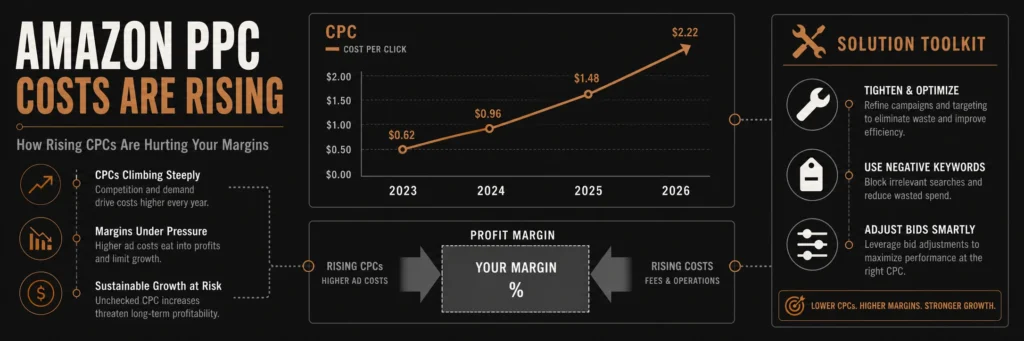
Table of Contents
- Why amazon ppc Costs Are Rising
- Impact on Profit Margins
- Common Seller Mistakes
- Winning amazon ads strategy 2026
- ppc optimization amazon Framework
- amazon ad bidding Explained
- FAQ
- Conclusion
Why amazon ppc Costs Are Rising
Firstly, more sellers enter Amazon every month. As a result, keyword bids rise quickly.
Secondly, brands invest heavily in ads to defend rankings. Therefore, small sellers feel pressure.
- More competition in every category
- Higher bid prices for main keywords
- Brands dominate top placements
In addition, retail media grows fast globally. That means Amazon pushes ads more aggressively.
For example, sponsored placements now fill most search results. Consequently, organic reach drops.
Meanwhile, many sellers share their struggles on real seller discussions on Reddit.
Warning: If you ignore rising CPC trends, your profits will shrink fast.
Impact on Profit Margins
Firstly, higher CPC means higher spend per sale. As a result, margins shrink quickly.
Secondly, many sellers chase revenue instead of profit. Therefore, they lose money without noticing.
In fact, most sellers ignore true costs. That means they only track sales, not profit.
Similarly, rising fees add more pressure on margins. Consequently, ads become harder to justify.
| Metric | 2022 | 2026 |
|---|---|---|
| Average CPC | $0.75 | $1.40 |
| ACOS | 25% | 40% |
| Profit Margin | 20% | 8% |
Table: Rising PPC costs vs shrinking margins
Common Seller Mistakes
Firstly, sellers target broad keywords without control. As a result, spend increases fast.
Secondly, many ignore negative keywords completely. Therefore, waste keeps growing daily.
- No keyword segmentation
- Poor campaign structure
- Weak listing conversion
However, poor listings make ads expensive. That means low conversion leads to higher ACOS.
In contrast, strong listings reduce ad cost naturally. Consequently, better conversion lowers spend.
Pro Tip: Fix your listing before scaling ads. Conversion drives profit.
Winning amazon ads strategy 2026
Firstly, focus on intent based keywords only. As a result, you reduce wasted clicks.
Secondly, separate campaigns by match type clearly. Therefore, control improves.
- Exact match for profit keywords
- Phrase match for scaling
- Broad match for discovery
Additionally, test bids slowly instead of aggressively. That means better control over spend.
For instance, lowering bids slightly can protect margins. Consequently, efficiency improves.
To learn official guidance, check Amazon advertising platform insights.
PPC Optimization Amazon Framework
Firstly, review search term reports weekly. As a result, you find waste fast.
Secondly, move winning keywords into exact campaigns. Therefore, control increases.
- Identify high spend low conversion terms
- Add negative keywords quickly
- Increase bids on converting keywords
In addition, track TACOS not just ACOS. That means full business view improves decisions.
Meanwhile, focus on lowering acos amazon through better targeting. Consequently, profit grows.
Also, consider expert help from Amazon PPC specialists for faster results.
Amazon Ad Bidding Explained
Firstly, Amazon uses auction based bidding system. As a result, higher bids win placements.
Secondly, bid strategy impacts cost directly. Therefore, control is critical.
- Dynamic bids up and down
- Fixed bids for stability
- Placement adjustments for visibility
However, many sellers overbid without reason. That means wasted budget increases.
In contrast, smart bidding improves efficiency. Consequently, results become predictable.
Frequently Asked Questions
Why is amazon ppc getting expensive?
Competition is increasing fast and more brands invest in ads. How can I reduce ACOS?
Focus on better targeting, strong listings, and proper keyword structure. Is PPC still worth it in 2026?
Yes, but only with strong strategy and strict cost control. What is the best bidding strategy?
Start with dynamic down and adjust based on performance data. Should beginners run ads?
Yes, but start small and test before scaling.
Conclusion
amazon ppc is no longer simple or cheap. As a result, strategy matters more than ever.
Firstly, you must focus on profit not just sales. Therefore, track every dollar carefully.
Secondly, smart optimization protects your margins. In short, better decisions drive growth.
Finally, sellers who adapt early will win. That means now is the time to act.
Ready to grow your Amazon business?
Get a free strategy call with Advertpreneur. Book Your Free Consultation
Starting with Amazon PPC can feel overwhelming. However, understanding the basics makes everything easier. Therefore, this guide breaks down Amazon PPC basics in simple terms. Additionally, you’ll learn how to set up your first campaign successfully.
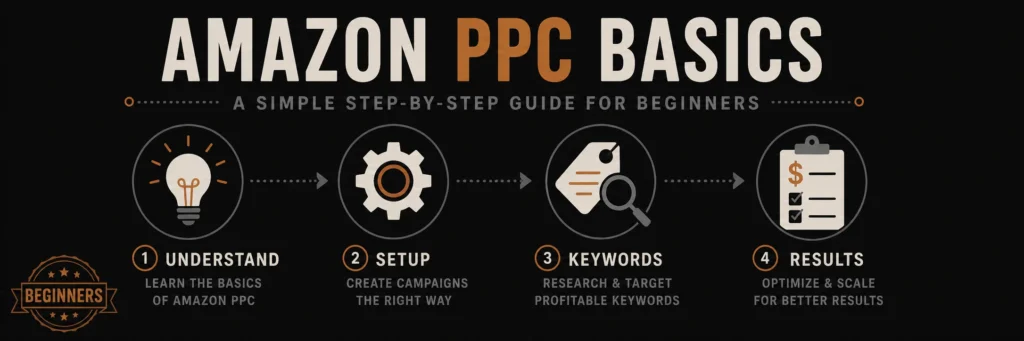
Amazon PPC does not need to be complicated when you are starting out. This guide breaks down the basics in plain steps any new seller can follow.
!Amazon PPC dashboard showing campaign setup interface
What is Amazon PPC?
Amazon PPC stands for Pay-Per-Click advertising. Essentially, you pay Amazon when someone clicks your ad. Meanwhile, your product appears in search results. Consequently, customers see your listing. If they click, you pay a small fee. Therefore, this is how Amazon PPC basics work.
Why Use Amazon PPC?
First, Amazon PPC increases visibility. Specifically, your products show up at the top of search results. Second, it drives sales quickly. Unlike organic ranking, results come fast. Third, you learn what works. Moreover, Amazon PPC provides valuable data about your customers. Finally, it’s scalable. Therefore, you can increase or decrease spending anytime.
Understanding Amazon PPC Campaign Types
Amazon offers three main campaign types. Additionally, each serves a different purpose. Therefore, understanding these Amazon PPC basics helps you choose wisely.
Automatic Campaigns
Automatic campaigns are perfect for beginners. Specifically, Amazon does the work for you. Meanwhile, the system matches your product to relevant searches. Therefore, you simply set a daily budget. Then, Amazon finds customers automatically. Consequently, this is the easiest way to start with Amazon PPC basics.
When to Use Automatic Campaigns:
- You’re new to Amazon PPC
- You want to discover keywords
- You need quick setup
- You’re testing a new product
Manual Campaigns
Manual campaigns give you full control. Specifically, you choose every keyword yourself. Additionally, you set individual bids. Moreover, you decide when ads show. However, this requires more work but offers better results. Therefore, mastering manual campaigns is essential for Amazon PPC success.
When to Use Manual Campaigns:
- You know your best keywords
- You want precise control
- You’re ready to optimize
- You have campaign experience
Product Targeting Campaigns
Product targeting shows ads on specific product pages. For example, you target competitor listings. Additionally, you target complementary products. Therefore, this advanced strategy captures ready-to-buy customers. However, it’s powerful but requires careful setup.
Setting Up Your First Amazon PPC Campaign
Follow these steps to create your first campaign. Therefore, this Amazon PPC basics guide makes it simple.
Step 1: Choose Your Campaign Type
Start with an automatic campaign. Specifically, it’s the easiest option for beginners. Later, you can add manual campaigns. For now, focus on learning Amazon PPC basics.
Step 2: Set Your Daily Budget
Begin with $10-20 per day. This gives you enough data without overspending. Additionally, you can increase it later. Remember, you only pay when someone clicks.
Step 3: Select Your Products
Choose 3-5 products to start. Specifically, pick your best sellers. These products already convert well. Therefore, they’ll perform better in Amazon PPC campaigns.
Step 4: Set Your Default Bid
Use Amazon’s suggested bid as a starting point. However, don’t bid too low. Low bids mean fewer impressions. Therefore, start with the suggested amount. Then, adjust based on performance.
Step 5: Launch and Monitor
Launch your campaign. Then, check it daily for the first week. Meanwhile, watch for clicks and sales. Additionally, look for any issues. Make small adjustments as needed.
Understanding Amazon PPC Metrics
Learning these metrics is crucial for Amazon PPC basics. Specifically, they tell you how your campaigns perform.
Impressions
Impressions show how many times your ad appeared. High impressions mean good visibility. However, low impressions suggest your bids are too low. Therefore, aim for consistent impressions.
Clicks
Clicks show customer interest. Specifically, people see your ad and click it. More clicks mean more traffic. However, clicks alone don’t guarantee sales.
Click-Through Rate (CTR)
CTR is clicks divided by impressions. A good CTR is 0.5% or higher. Additionally, higher CTR means better ad relevance. Therefore, improve your listing to increase CTR.
Conversion Rate
Conversion rate shows sales per click. A 5% conversion rate is good. Moreover, higher rates mean better product listings. Therefore, optimize your listing to improve conversions.
ACoS (Advertising Cost of Sale)
ACoS is your advertising cost divided by sales. Lower ACoS is better. Specifically, aim for 15-25% ACoS. This means you’re profitable. However, higher ACoS needs optimization.
ROAS (Return on Ad Spend)
ROAS shows revenue per dollar spent. For example, a 4:1 ROAS means $4 revenue for every $1 spent. Higher ROAS is always better. Therefore, track this metric closely.
Common Amazon PPC Mistakes to Avoid
Avoiding these mistakes saves money and time. Therefore, these Amazon PPC basics help you succeed faster.
Mistake 1: Setting and Forgetting
Many sellers create campaigns and ignore them. This wastes money. Instead, check campaigns weekly. Additionally, make adjustments regularly. Consequently, active management improves results.
Mistake 2: Bidding Too Low
Low bids seem safe but hurt performance. Specifically, your ads won’t show often. Therefore, you’ll get little data. Start with suggested bids. Then, increase for better visibility.
Mistake 3: Ignoring Search Terms
Search term reports reveal customer behavior. Specifically, they show what people actually search. Therefore, review these reports weekly. Additionally, use insights to improve campaigns.
Mistake 4: Not Using Negative Keywords
Negative keywords block irrelevant searches. Without them, you waste money. Therefore, add negatives from search term reports. Specifically, block terms that don’t convert.
Amazon PPC Optimization Tips
These tips improve your campaigns quickly. Therefore, apply them to see better results.
Tip 1: Start Small, Scale Gradually
Begin with a small budget. Then, learn how campaigns work. Once profitable, increase spending. However, scaling too fast wastes money.
Tip 2: Focus on Profitable Keywords
Identify keywords that convert well. Then, increase bids on these terms. Additionally, pause keywords with zero sales. Therefore, focus budget on winners.
Tip 3: Optimize Your Product Listing
Better listings convert more clicks. Specifically, improve your title and images. Additionally, write compelling bullet points. Consequently, higher conversions lower ACoS.
Tip 4: Test Different Bids
Experiment with bid amounts. For example, try increasing bids 20%. Then, monitor results. Adjust based on performance. Therefore, find the sweet spot.
Creating Your First Manual Campaign
Once comfortable with automatic campaigns, try manual campaigns. Therefore, this advanced step improves control.
Choose Your Keywords
Select 10-20 relevant keywords. Specifically, use Amazon’s keyword suggestions. Additionally, include your main product terms. Moreover, add related search terms.
Set Match Types
Start with exact match. Specifically, it’s most precise. Later, add phrase and broad match. However, each match type serves different purposes.
Set Individual Bids
Bid higher on important keywords. Meanwhile, lower bids on test keywords. Then, monitor performance closely. Adjust bids based on results.
Monitor and Optimize
Check performance daily initially. Additionally, pause non-performing keywords. Then, increase bids on winners. Therefore, continuously refine your approach.
When to Increase Your Amazon PPC Budget
Increase budget when campaigns are profitable. Specifically, look for these signs:
- ACoS is below your target
- Campaigns are generating sales
- You have room to scale
- Keywords are performing well
Increase budget gradually. However, don’t double it overnight. Instead, add 20-30% weekly. Then, monitor results carefully.
Amazon PPC Best Practices
Follow these practices for better results. Specifically, they’re essential Amazon PPC basics.
Practice 1: Regular Monitoring
Check campaigns at least weekly. Additionally, review metrics. Then, look for trends. Therefore, make data-driven decisions.
Practice 2: Continuous Testing
Test new keywords regularly. Meanwhile, try different bid amounts. Additionally, experiment with match types. Consequently, learning never stops.
Practice 3: Focus on Profitability
Don’t chase sales volume alone. Instead, focus on profitable campaigns. Specifically, lower ACoS means better margins. Therefore, profitability matters most.
Practice 4: Use Data to Decide
Base decisions on data, not guesses. Specifically, review reports carefully. Then, look for patterns. Therefore, let numbers guide you.
Tools to Help with Amazon PPC
Several tools make Amazon PPC easier. They help with optimization and management.
Amazon’s Built-In Tools
- Campaign Manager: Create and manage campaigns
- Search Term Reports: Find new keywords
- Performance Reports: Track metrics
- Bid+ Feature: Automatic bid increases
Third-Party Tools
- Helium 10: Keyword research and management
- Jungle Scout: Market research
- Sellics: Comprehensive PPC management
- AMZScout: Campaign optimization
Common Questions About Amazon PPC Basics
How much should I spend on Amazon PPC?
Start with $10-20 daily per campaign. Then, increase as you see results. However, there’s no set amount. Therefore, spend what you can afford to test.
How long until I see results?
Most campaigns show results within 1-2 weeks. However, optimization takes longer. Therefore, give campaigns 4-6 weeks to stabilize.
What’s a good ACoS?
Target 15-25% ACoS for most products. Specifically, lower is better. However, higher means you need optimization. Therefore, adjust based on your profit margins.
Should I use automatic or manual campaigns?
Start with automatic campaigns. Specifically, they’re easier for beginners. Once comfortable, add manual campaigns. Therefore, use both for best results.
Next Steps After Learning Amazon PPC Basics
Now that you understand Amazon PPC basics, take action. Specifically, create your first campaign today. Start small. Then, learn as you go. Additionally, optimize continuously. Therefore, success comes with practice.
Remember, every expert was once a beginner. However, don’t expect perfection immediately. Keep learning. Meanwhile, keep testing. Moreover, keep improving. Consequently, your Amazon PPC skills will grow over time.
Conclusion
Amazon PPC basics aren’t complicated once you understand them. Start with automatic campaigns. Then, learn the metrics. Additionally, avoid common mistakes. Moreover, optimize regularly. Therefore, with practice, you’ll master Amazon PPC and grow your sales.
The key is to begin. However, don’t wait for perfect knowledge. Instead, start your first campaign. Then, learn from experience. Additionally, adjust as you go. Therefore, success in Amazon PPC comes from taking action and learning continuously.
Need help with Amazon PPC? Contact advertpreneur for expert Amazon PPC management. We help beginners and experienced sellers optimize campaigns for better results.
Amazon Sponsored Products campaigns can transform your sales, but only if optimized correctly. This guide reveals 7 proven Amazon Sponsored Products strategies that have helped sellers reduce ACoS by 40% while scaling revenue.
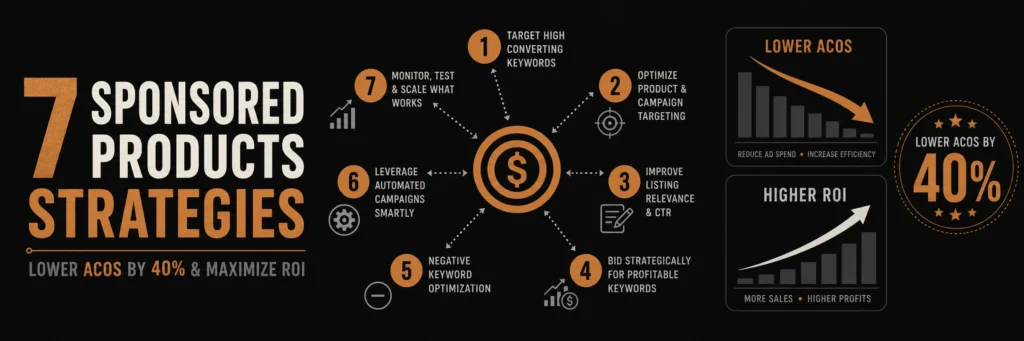
These 7 Sponsored Products strategies are specifically designed to reduce wasted ad spend and bring ACoS down by up to 40 percent without cutting visibility.
!Amazon Sponsored Products optimization dashboard showing campaign performance metrics
What Are Amazon Sponsored Products?
Amazon Sponsored Products are pay-per-click (PPC) ads that appear in Amazon search results and on product detail pages. These Amazon Sponsored Products ads help sellers increase visibility and drive sales through targeted advertising. When customers click your Amazon Sponsored Products ad, you pay a bid amount, making optimization crucial for profitability.
Why Sponsored Products Matter
- Increased Visibility: Products appear in top search results
- Higher Conversion Rates: Targeted ads convert better than organic listings
- Scalable Growth: Increase sales without waiting for organic rankings
- Data Insights: Learn which keywords drive sales
Table of Contents
- What Are Amazon Sponsored Products?
- Strategy 1: Start with Automatic Campaigns
- Strategy 2: Use Exact Match for High-Intent Keywords
- Strategy 3: Implement Negative Keywords
- Strategy 4: Optimize Bids Based on Time
- Strategy 5: Create Product-Specific Ad Groups
- Strategy 6: Leverage Product Targeting
- Strategy 7: Continuously Test and Optimize
Strategy 1: Start with Automatic Campaigns for Keyword Discovery
Automatic campaigns are your secret weapon for finding profitable keywords. Amazon’s algorithm automatically matches your products to relevant searches, revealing opportunities you might miss.
How Automatic Campaigns Work
Amazon uses three targeting methods:
- Close Match: Exact or close variations of your product
- Loose Match: Related searches and synonyms
- Substitutes: Alternative products customers consider
- Complements: Products bought together
Best Practices
- Run for 2-4 Weeks: Collect enough data (at least 1,000 impressions)
- Monitor Search Terms: Export search term reports weekly
- Extract Winners: Move high-performing keywords to manual campaigns
- Add Negatives: Block irrelevant terms immediately
Real Example
A seller running automatic campaigns discovered “wireless earbuds for gym” was converting at 8% with $0.45 CPC. They moved this to a manual campaign and scaled it to $5,000 monthly sales.
Strategy 2: Use Exact Match for High-Intent Keywords
Exact match targeting in Amazon Sponsored Products gives you complete control over when your ads appear. Use it for Amazon Sponsored Products keywords with proven conversion history.
When to Use Exact Match
- High-Converting Keywords: Terms that already convert well
- Branded Searches: Your brand name and product names
- Specific Products: Exact product model numbers
- Competitor Names: When customers search competitor brands
Exact Match Best Practices
- Start with High Bids: Bid 20-30% above suggested bid
- Monitor Closely: Check performance daily for first week
- Scale Winners: Increase budget on profitable keywords
- Pause Losers: Stop spending on keywords with 0 sales after 7 days
Strategy 3: Implement Negative Keywords Strategically
Negative keywords prevent wasted ad spend in Amazon Sponsored Products campaigns. This is one of the most overlooked Amazon Sponsored Products optimization strategies.
Finding Negative Keywords
- Search Term Reports: Export weekly and analyze
- High Spend, Zero Sales: These are your negative candidates
- Irrelevant Terms: Block terms that don’t match your product
- Competitor Brands: If you don’t sell competitor products
Negative Keyword Examples
For premium headphones ($200+):
- “cheap headphones”
- “budget headphones”
- “under $50”
- “free shipping headphones”
Implementation
Add negatives at both campaign and ad group levels:
- Campaign Level: Block terms irrelevant to entire campaign
- Ad Group Level: Block terms specific to product type
Strategy 4: Optimize Bids Based on Time of Day and Day of Week
Bid adjustments in Amazon Sponsored Products can significantly improve efficiency. Amazon allows bid modifiers for different times and days in your Amazon Sponsored Products campaigns.
Time-Based Optimization
Analyze your conversion data to identify peak performance times:
- Morning Hours: Often higher conversion for B2B products
- Evening Hours: Better for consumer products
- Weekends: May have different patterns than weekdays
How to Implement
- Export Performance Data: Get hourly and daily reports
- Identify Patterns: Find when conversions are highest
- Adjust Bids: Increase bids 20-30% during peak times
- Decrease Off-Peak: Lower bids 10-20% during slow periods
Example Bid Schedule
- Monday-Friday, 6 PM – 10 PM: +25% bid adjustment
- Saturday-Sunday, 10 AM – 2 PM: +20% bid adjustment
- Weekdays, 2 AM – 6 AM: -15% bid adjustment
Strategy 5: Create Product-Specific Ad Groups
Grouping similar products in dedicated Amazon Sponsored Products ad groups improves relevance and conversion rates for your Amazon Sponsored Products campaigns.
Ad Group Structure
Create separate ad groups for:
- Product Categories: Different product types
- Price Ranges: Budget vs. premium products
- Use Cases: Different customer needs
- Brands: If selling multiple brands
Benefits
- Better Relevance: Ads match customer intent more closely
- Easier Management: Optimize each group independently
- Improved Quality Score: Higher relevance = lower CPC
- Better Data: Clearer performance insights
Strategy 6: Leverage Product Targeting for Competitor Conquest
Amazon Sponsored Products product targeting lets you show ads on competitor product pages, capturing customers ready to buy. This advanced Amazon Sponsored Products feature helps you compete effectively.
Product Targeting Strategies
- Competitor Products: Target top-selling competitor listings
- Complementary Products: Products bought together
- Substitute Products: Alternative solutions
- Your Own Products: Cross-sell related items
Best Practices
- Target High-Review Products: Products with 100+ reviews
- Monitor Performance: Track which competitor pages convert
- Adjust Bids: Higher bids for high-converting pages
- Add Negatives: Block pages that don’t convert
Strategy 7: Continuously Test and Optimize
Amazon Sponsored Products optimization is ongoing. Regular testing and adjustments are essential for maintaining low ACoS in your Amazon Sponsored Products campaigns.
Weekly Optimization Checklist
Monthly Deep Dive
Common Amazon Sponsored Products Mistakes
Mistake 1: Setting and Forgetting
Many sellers create campaigns and never optimize them. Regular monitoring and adjustments are crucial for success.
Solution: Schedule weekly optimization sessions. Set calendar reminders to review performance.
Mistake 2: Ignoring Search Term Reports
Search term reports reveal what customers actually search for. Ignoring them means missing optimization opportunities.
Solution: Export search term reports weekly. Analyze and take action on findings.
Mistake 3: Bidding Too Low
Low bids mean your ads rarely show, limiting data collection and sales opportunities.
Solution: Start with suggested bids, then adjust based on performance. Don’t be afraid to bid higher for proven keywords.
Mistake 4: Not Using Negative Keywords
Without negative keywords, you’ll waste budget on irrelevant clicks that never convert.
Solution: Build negative keyword lists from search term reports. Add them proactively based on product knowledge.
Measuring Success: Key Metrics
Primary Metrics
- ACoS (Advertising Cost of Sale): Target 15-25% for most products
- ROAS (Return on Ad Spend): Aim for 4:1 or higher
- Conversion Rate: Track and improve over time
- Click-Through Rate (CTR): Higher CTR = better ad relevance
Secondary Metrics
- Impressions: Ensure adequate visibility
- Clicks: Monitor click volume trends
- Spend: Track daily and monthly budgets
- Sales: Total revenue from ads
Tools for Amazon Sponsored Products Management
Amazon Native Tools
- Campaign Manager: Built-in campaign management
- Search Term Reports: Keyword discovery
- Performance Reports: Detailed analytics
- Bid+: Automatic bid increases for top placements
Third-Party Tools
- Helium 10: Keyword research and campaign management
- Jungle Scout: Market research and optimization
- Sellics: Comprehensive PPC management
- PPC Entourage: Advanced campaign optimization
Advanced Tips for Lower ACoS
Tip 1: Use Broad Match for Discovery
Broad match helps find new keyword opportunities. Use it alongside exact and phrase match for comprehensive coverage.
Tip 2: Implement Dayparting
Adjust bids based on time of day when your customers are most active. This can reduce wasted spend during low-conversion periods.
Tip 3: Leverage Seasonal Trends
Increase bids and budgets during peak seasons (holidays, Prime Day, etc.) when conversion rates are typically higher.
Tip 4: A/B Test Ad Copy
Test different product images and titles in your listings to see which combinations drive better ad performance.
Real Success Story
A seller implementing these 7 strategies reduced their ACoS from 45% to 27% in 8 weeks while increasing ad sales by 60%. Key changes included:
- Systematic negative keyword management
- Time-based bid adjustments
- Product targeting on competitor pages
- Weekly optimization routine
Conclusion
Amazon Sponsored Products success requires strategy, not just spending. By implementing these 7 proven Amazon Sponsored Products strategies—starting with automatic campaigns, using exact match effectively, managing negative keywords, optimizing bids, creating proper ad groups, leveraging product targeting, and continuous testing—you can significantly reduce ACoS while scaling sales.
Remember, Amazon Sponsored Products optimization is an ongoing process. What works today may need adjustment tomorrow. Stay active, monitor your Amazon Sponsored Products performance, and continuously refine your approach to maximize ROI from your Amazon Sponsored Products campaigns.
Ready to optimize your Amazon Sponsored Products campaigns? Contact advertpreneur for expert Amazon PPC management services. We help sellers reduce ACoS, improve ROI, and scale profitable advertising campaigns.