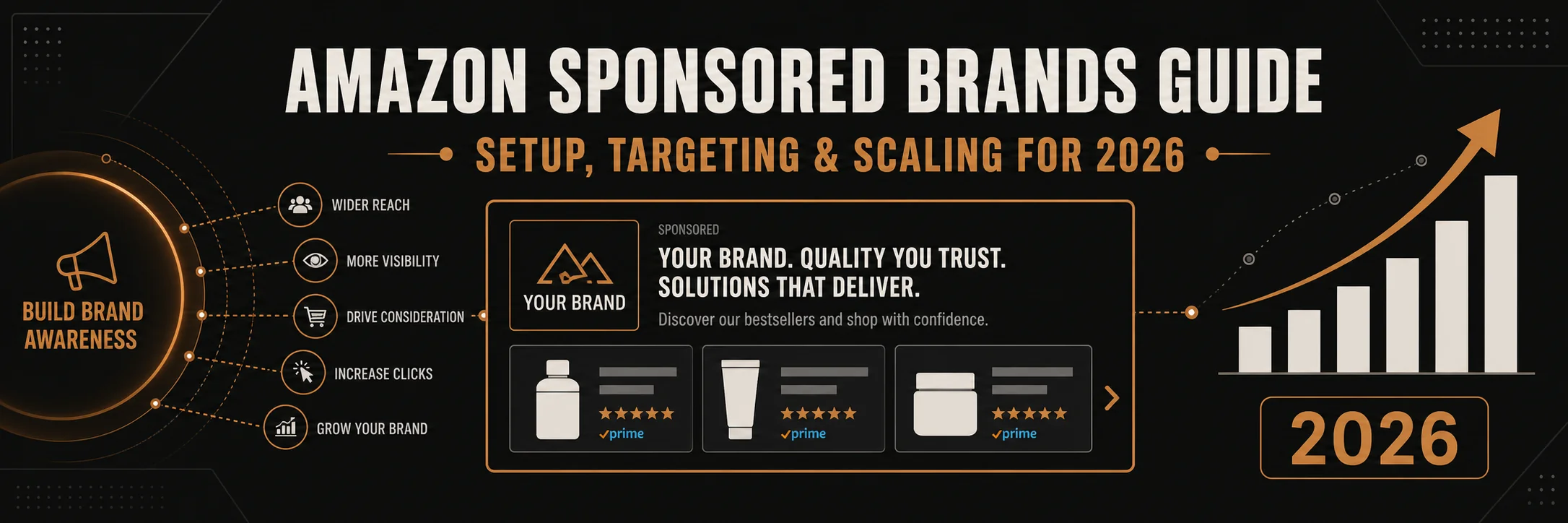
Amazon Sponsored Brands help sellers boost visibility and clicks fast. Firstly, they place your brand at the top of results. Secondly, they drive strong brand awareness and higher click rates.
Table of Contents
- What Are Amazon Sponsored Brands
- Why Use Amazon Sponsored Brands
- Sponsored Brands Campaign Setup
- Targeting Strategies That Work
- Creative Best Practices
- Using Amazon Video Ads
- Sponsored Brands vs Sponsored Products
- Scaling Your Campaigns
- Metrics and Optimization
- Conclusion
What Are Amazon Sponsored Brands
Firstly, Amazon Sponsored Brands are banner ads on search pages. Secondly, they show your logo, headline, and products together.
Additionally, these ads used to be headline search ads. However, Amazon renamed them and added more formats.
Most importantly, they push your brand to the top of results. Therefore, you gain more clicks and faster growth.
- Show brand logo and custom headline
- Drive traffic to Store or product pages
- Appear above search results
- Support image and video formats
Why Use Amazon Sponsored Brands
Firstly, these ads build brand awareness at scale. Secondly, they help shoppers remember your brand name.
In addition, they support multiple products in one ad. Therefore, you can cross sell and lift order value.
Also, they pair well with amazon ads strategies. As a result, you cover the full funnel.
- Top of search placement
- Higher click share
- Better brand recall
- Support for Stores traffic
Sponsored Brands Campaign Setup
To begin with, open the ads console on Seller Central. Then, choose Sponsored Brands and start a new campaign.
Step by Step Setup
- Choose campaign name and daily budget
- Select targeting type, keywords or product
- Add brand logo and write a clear headline
- Pick landing page, Store or product list
- Upload image or video creative
- Set bids and launch
Secondly, keep budgets simple at the start. Therefore, you can test fast and adjust later.
Pro Tip: Use short headlines with one clear benefit. Short lines get more clicks.
Keyword Structure
Firstly, group keywords by intent. Secondly, keep tight themes in each ad group.
- Brand terms for defense
- Category terms for reach
- Competitor terms for conquest
For instance, use data from Helium 10 to find search volume. As a result, you pick terms with real demand.
Targeting Strategies That Work
Firstly, keyword targeting gives control. Secondly, product targeting helps you appear on rival pages.
However, you should not mix all intents in one group. Instead, split by funnel stage.
Keyword Targeting
- Exact for high intent terms
- Phrase for mid intent queries
- Broad for discovery
Additionally, add negatives to cut waste. Therefore, you protect budget and improve ACOS.
Product Targeting
Secondly, target competitor ASINs with strong reviews. Also, target your own listings for defense.
- Competitor ASINs with high traffic
- Category pages with filters
- Your listings to block rivals
Warning: Do not bid high on weak pages. Poor pages waste Spend Fast.
Creative Best Practices
Firstly, your creative drives clicks. Secondly, clear design beats complex layouts.
Headlines
Use one benefit and one product type. In other words, keep it simple and direct.
- Focus on one promise
- Avoid long phrases
- Use easy words
Images
Additionally, use clean images with high contrast. Therefore, your ad stands out in search.
- White or simple backgrounds
- Clear product focus
- Consistent brand colors
Using Amazon Video Ads
Firstly, Amazon video ads auto play in search. Secondly, they grab attention fast.
In addition, short clips work best. Therefore, keep videos under 20 seconds.
- Show product in use
- Start with a strong hook
- Add captions for silent view
Sponsored Brands vs Sponsored Products
Firstly, both formats drive sales. Secondly, they serve different goals.
| Feature | Sponsored Brands | Sponsored Products |
|---|---|---|
| Placement | Top of search | Throughout results |
| Creative | Logo, headline, video | Product only |
| Goal | Brand awareness | Direct sales |
| Clicks | Often higher CTR | Stable CTR |
Table: Key differences between Sponsored Brands and Sponsored Products
In contrast, Sponsored Products focus on single items. Meanwhile, Amazon Sponsored Brands build brand presence.
Scaling Your Campaigns
Firstly, scale only winners. Secondly, raise bids on high converting terms.
- Find keywords with sales
- Increase bids by small steps
- Expand with new related terms
- Test new creatives weekly
Additionally, duplicate strong campaigns for new regions. Therefore, you grow reach without risk.
Metrics and Optimization
Firstly, track CTR and CVR. Secondly, watch ACOS and TACOS closely.
- CTR shows creative strength
- CVR shows page quality
- ACOS shows cost control
- TACOS shows total impact
However, do not chase low ACOS only. Instead, balance growth with profit.
Frequently Asked Questions
What are Amazon Sponsored Brands?
They are banner ads with logo and headline at the top of results. How do I start a sponsored brands campaign setup?
Open ads console, pick Sponsored Brands, add budget, targeting, and creative. Do Amazon video ads perform better?
Yes, they often get higher clicks due to motion and auto play. What is the difference in Sponsored Brands vs Sponsored Products?
Brands focus on awareness, Products focus on single item sales. How much should I bid?
Start low, test, then raise bids on winning keywords.
Ready to grow your Amazon business?
Get a free strategy call with Advertpreneur.Book Your Free Consultation
Conclusion
Amazon Sponsored Brands help you win top search space fast. Firstly, they build brand awareness with strong visuals. Secondly, they drive clicks that feed your funnel.
In addition, smart setup and testing lead to steady growth. Therefore, use clear creatives, tight targeting, and data driven bids.
Finally, pair these campaigns with amazon ads for full coverage. As a result, you scale sales and keep profit in control.
Architect Signature
Hasnain
Runs Amazon SEO and listing optimization for the Advertpreneur portfolio. He researches keywords and rebuilds listing architecture at the intersection of algorithm understanding and conversion copywriting.