How amazon A10 Algorithm Optimization Drives Rankings and Sales
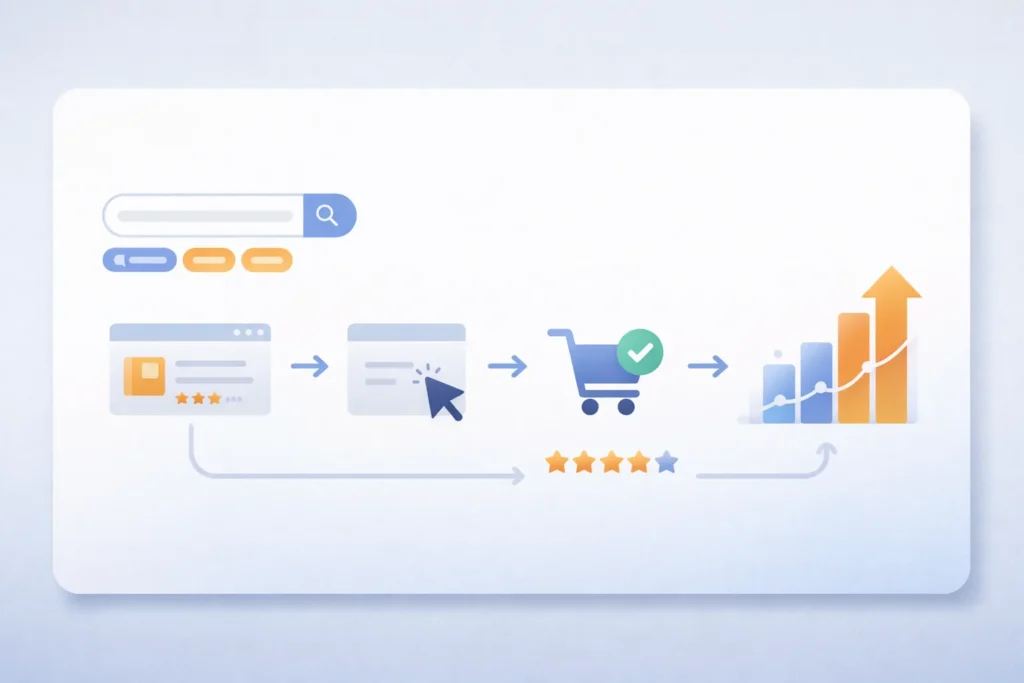
Amazon A10 Algorithm Optimization helps sellers rank higher and sell more. Firstly, it focuses on user intent and real engagement signals.
Secondly, it rewards listings that convert and satisfy buyers. Therefore, sellers must focus on both traffic and conversion.
Table of Contents
- What is Amazon A10 Algorithm
- How Amazon A10 Algorithm Optimization Works
- Key Ranking Factors
- Amazon A10 Algorithm Optimization Strategy
- A9 vs A10 Comparison
- Frequently Asked Questions
- Conclusion
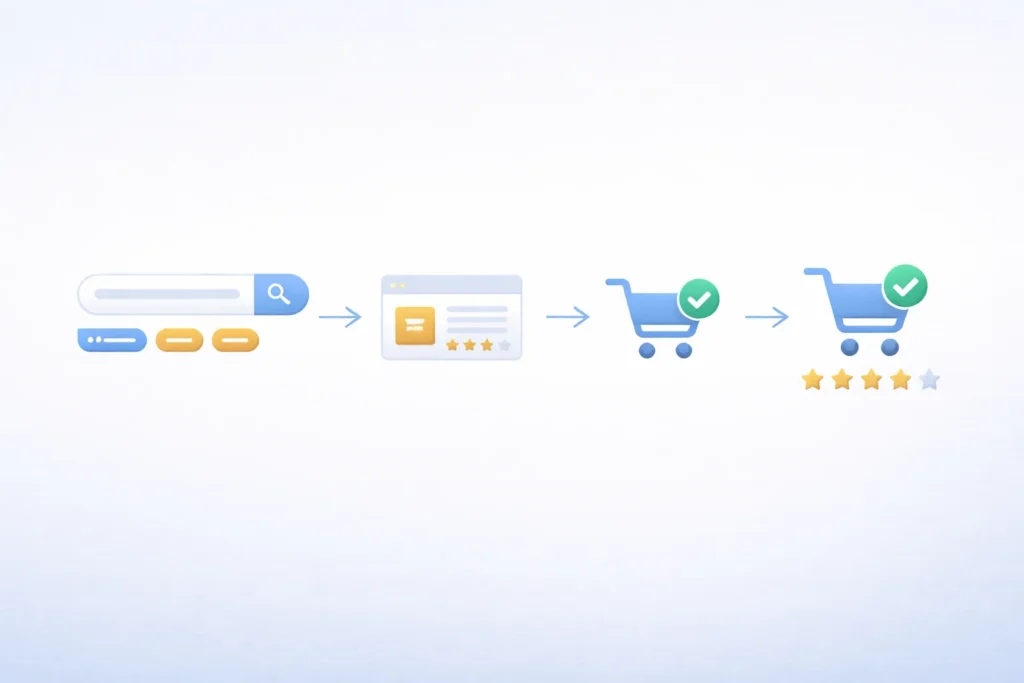 Amazon Listing Optimization Service workflow showing ranking and conversion process” class=”wp-image-7092″/>
What is Amazon A10 Algorithm
Firstly, Amazon A10 decides which products appear in search results. It ranks listings based on performance and relevance.
Secondly, it focuses more on organic signals than ads. Therefore, sellers must build strong listings.
Why A10 matters for sellers
Most importantly, A10 rewards listings that convert well. As a result, better listings get more visibility.
- Higher conversion improves ranking
- Better reviews increase trust
- Relevant keywords improve discoverability
In addition, using an Amazon SEO approach helps improve results.
How Amazon A10 Algorithm Optimization Works
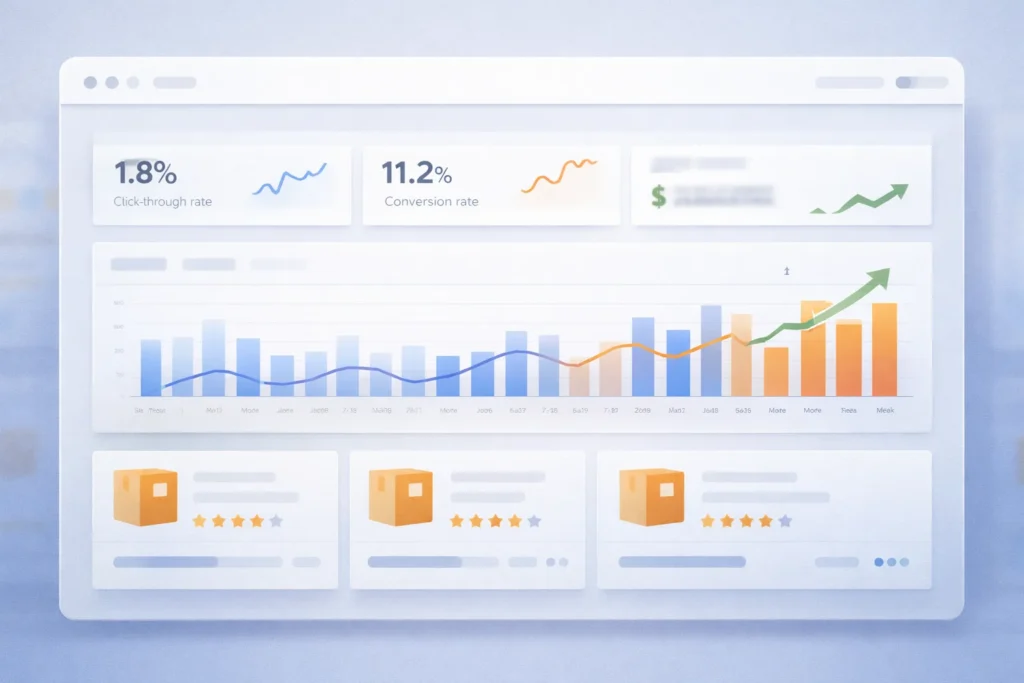
Firstly, A10 looks at shopper behaviour and purchase intent. Then, it ranks products based on performance.
Secondly, it values organic sales more than paid traffic. That means strong listings win long term.
Main working logic
- Customer searches for a keyword
- Amazon matches relevant listings
- System ranks based on performance
- Top listings get more clicks and sales
For example, products with better click rates rank higher. As a result, visibility grows faster.
Pro Tip: Focus on improving click rate and conversion first
Key Ranking Factors
Firstly, A10 uses several signals to rank listings. Secondly, each factor impacts visibility and sales.
Important ranking signals
- Keyword relevance
- Sales velocity
- Customer reviews
- Click through rate
- Conversion rate
In contrast, weak listings struggle to rank. Therefore, you must improve every factor.
Role of keywords
Specifically, keywords help Amazon understand your product. In fact, better keyword use improves ranking.
That means you should use Amazon Product Listing Optimization techniques. Additionally, include keywords naturally.
Role of conversion
Above all, conversion matters the most. Consequently, listings with higher sales rank higher.
For instance, better images increase buyer trust. As a result, sales improve quickly.
Warning: Do not stuff keywords as it hurts readability
Amazon A10 Algorithm Optimization Strategy
Firstly, you need a clear strategy to rank. Secondly, you must optimise both SEO and conversion.
Step by step strategy
- Research high intent keywords
- Optimise title and bullets
- Improve images and A Plus Content
- Drive initial traffic
- Collect reviews and feedback
Additionally, using an Amazon SEO Optimization Service helps speed up results. In other words, experts handle complex tasks.
Meanwhile, a strong Amazon Listing Optimization Service improves conversion rates. As a result, ranking improves faster.
Also, you can book a Free Amazon Consultation to plan growth.
A9 vs A10 Comparison
| Factor | A9 Algorithm | A10 Algorithm |
|---|---|---|
| Focus | Sales driven | User behaviour driven |
| Ads impact | High | Lower |
| Organic ranking | Less priority | More priority |
| External traffic | Limited value | Higher value |
Table: Key differences between Amazon A9 and A10 ranking systems

However, A10 focuses more on user experience. Therefore, better listings always win.
Similarly, external traffic boosts ranking. As a consequence, brands should drive traffic outside Amazon.
Frequently Asked Questions
What is Amazon A10 Algorithm Optimization?
It is the process of improving listings to rank higher in Amazon search results. Does A10 prefer organic sales?
Yes, it values organic sales more than paid ads. How do keywords affect ranking?
Keywords help Amazon understand relevance and match search queries. Do reviews impact ranking?
Yes, positive reviews improve trust and increase conversions. Should I use external traffic?
Yes, external traffic helps improve ranking signals and visibility.
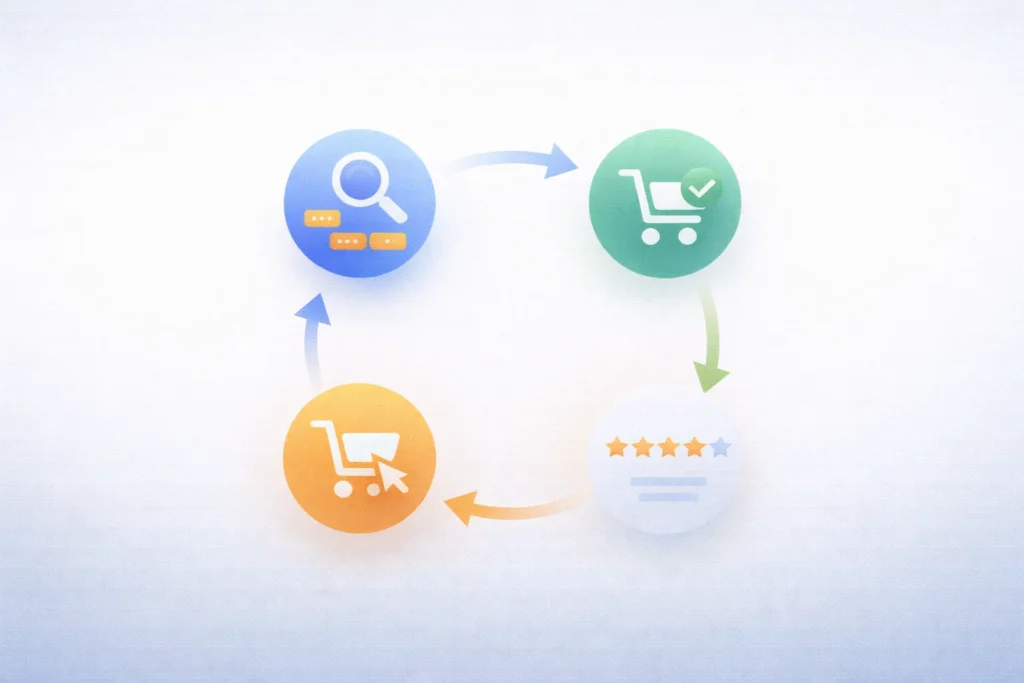
Ready to grow Your Amazon business?
Get a free strategy call with Advertpreneur.Book Your Free Consultation
Conclusion
Amazon A10 Algorithm Optimization plays a key role in ranking. Firstly, it rewards strong listings and real engagement.
Secondly, it focuses on conversion and user behaviour. Therefore, sellers must optimise every part of the listing.
Finally, consistent optimisation leads to long term growth. In short, better listings always win on Amazon.
Why shopify-vs-wordpress-2026/”>your-products-on-page-1-in-2025/”>amazon marketplace Growth Outside Amazon Matters in 2026
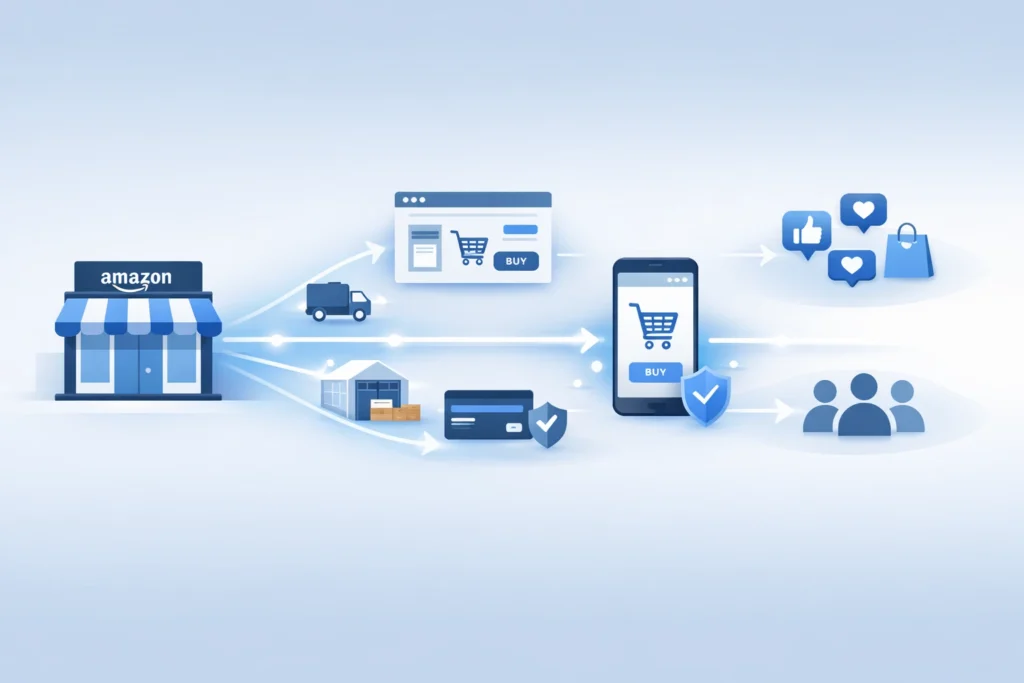
The amazon marketplace no longer sits inside one store alone. Instead, Amazon now pushes its tools across the wider web. For sellers, that shift creates fresh reach, but also fresh risk. Therefore, you need a plan before bigger brands move first.
Table of Contents
- Why amazon marketplace is changing
- What Amazon is building outside its store
- Why this move matters for sellers
- The risks of staying Amazon only
- What sellers should do now
- A simple plan for 2026
- Reference points from Amazon and Shopify
- Frequently Asked Questions
- Conclusion
Why amazon marketplace is changing
Firstly, Amazon wants a larger share of online demand. It no longer wants to win only inside its own walls.
Secondly, brands want more control over traffic and customer data. So Amazon built tools that work beyond the main store.
Thirdly, customer trust already sits with Amazon. Therefore, Amazon can turn that trust into a wider service business.
That move changes how the amazon marketplace fits your growth plan. In other words, Amazon now acts like a sales channel and a logistics layer.
- Amazon can power checkout on brand owned sites.
- Amazon can ship orders from one inventory pool.
- Amazon can support growth across more channels.
Pro Tip: Treat Amazon as a profit channel and a support system. Build both at the same time.
Many sellers still think in old terms. However, 2026 needs a wider view.
If you only watch ranking inside the amazon marketplace, you miss the bigger shift. Meanwhile, stronger brands build reach across many touchpoints.
What Amazon is building outside its store
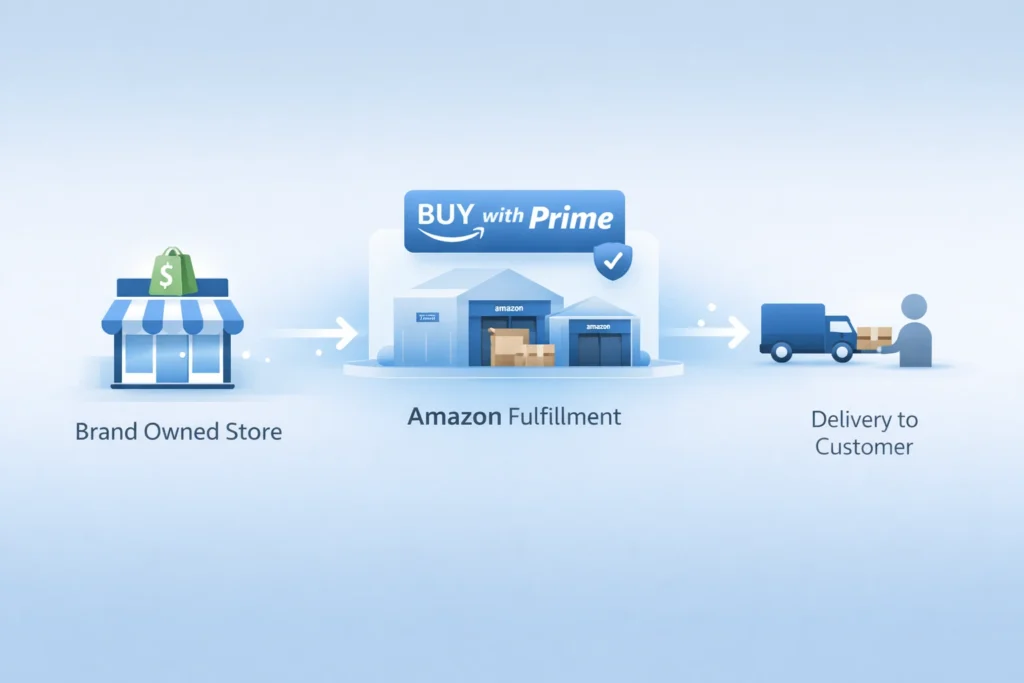
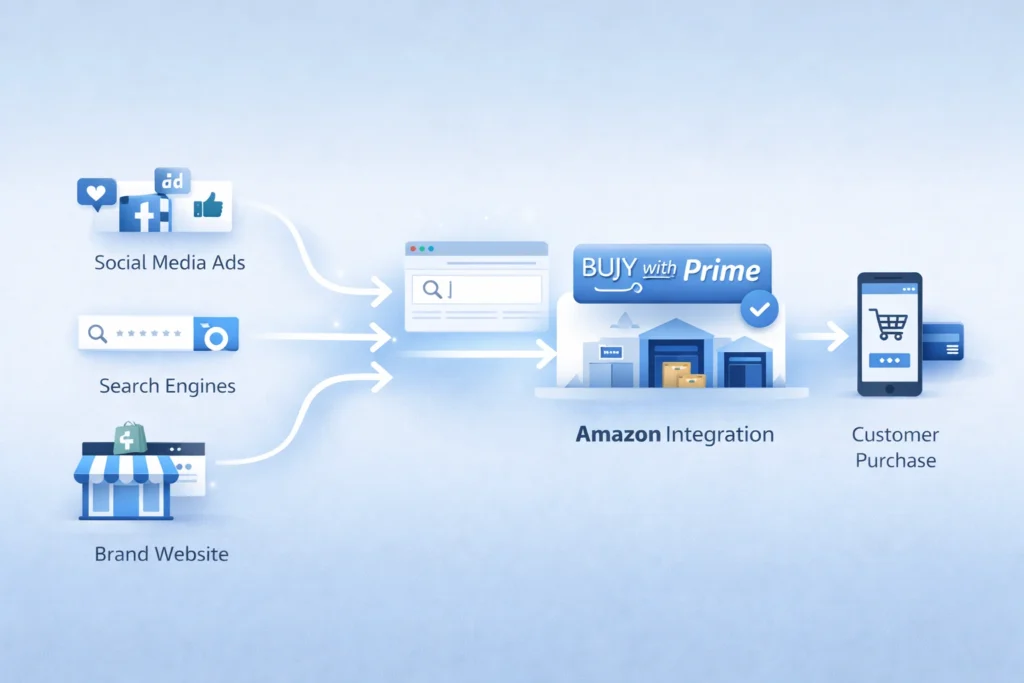
To begin with, Amazon offers Buy with Prime for brand sites. That tool adds Prime perks to direct sales pages.
Next, Amazon offers Multi Channel Fulfillment, often called MCF. That service ships orders from channels beyond Amazon.
In addition, Amazon now has a Shopify app for both tools. So sellers can connect store orders with Amazon fulfillment.
You can read more about Amazon Multi Channel Fulfillment for ecommerce brands. Also, Shopify explains setup in its guide for selling with Amazon tools on Shopify.
Buy with Prime changes the buying moment
For instance, amazon buy with prime gives shoppers a familiar option. That can reduce doubt on a brand owned store.
As a result, Amazon can help brands convert traffic they already own. But the sale does not need to start inside Amazon.
MCF changes the fulfillment model
Similarly, MCF lets brands use Amazon stock for outside orders. That means one pool can serve many channels.
In fact, Amazon states MCF works for businesses that do not sell on Amazon. So the service reaches beyond the amazon marketplace itself.
Shopify links the two worlds
Specifically, the new app supports shopify amazon integration inside Shopify admin. Therefore, more sellers can test Amazon tools without leaving their core store. :contentReference[oaicite:6]{index=6}
That matters because many private label brands already use Shopify. So Amazon now meets them where they work.
Table: Amazon tools now serve more than one sales path.
| Tool | Main job | Where it helps | What sellers gain |
|---|---|---|---|
| Buy with Prime | Boosts trust and speed at checkout | Brand owned site | Higher chance of conversion |
| MCF | Ships non Amazon orders | Shopify and other channels | One stock pool, faster shipping |
| Amazon app for Shopify | Connects orders and setup | Shopify admin | Smoother daily operations |
Why this move matters for sellers
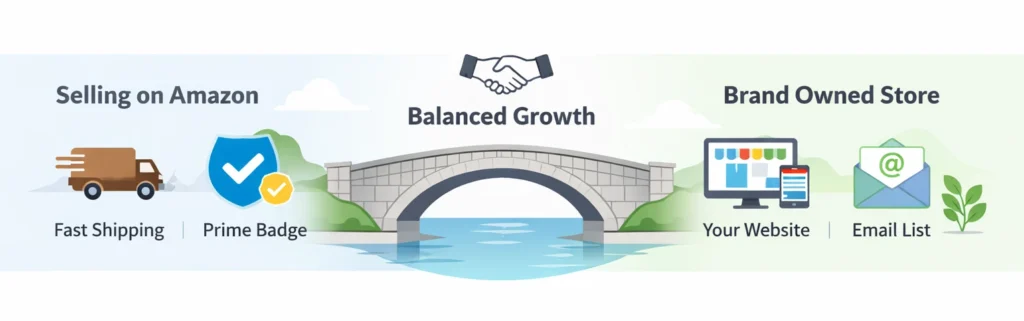
Most importantly, this move changes seller economics. You can now keep Amazon strengths without keeping all sales inside Amazon.
That opens a real amazon multi channel strategy. In other words, you can use Amazon where it helps, then own more of the customer journey elsewhere.
- Keep fast fulfillment without full marketplace dependence.
- Build a brand site with better customer control.
- Spread risk across channels and traffic sources.
However, this shift also raises the bar. Basic sellers will struggle because strong brands will move faster.
For example, one brand may rank on Amazon, run ads on Meta, and close sales on Shopify. Meanwhile, Amazon still fulfills those orders in the background.
That is an ecommerce omnichannel strategy in simple terms. You meet the buyer on many paths, but you keep the brand story strong.
If you want that kind of growth, fix your store basics first. Then Improve Your Amazon SEO so your catalog can pull demand from search.
Also, you need clean ad data to guide budget moves. So sharpen your Amazon PPC before you expand traffic.
Warning: More channels do not solve weak offers. Poor listings and weak margins still hurt growth.
The risks of staying Amazon only
Firstly, one channel can change your costs fast. A fee shift or ad spike can hit profit hard.
Secondly, one channel can limit brand memory. Many buyers remember Amazon first, not your brand.
Thirdly, one channel can limit customer data. So repeat sales get harder over time.
In contrast, sellers who sell outside amazon platform can build email lists and repeat demand. They can also test offers with more freedom.
Still, you should not quit the amazon marketplace. Instead, you should stop treating it as your only home.
- Keep Amazon for search demand and trust.
- Use your own site for retention and bundles.
- Use outside traffic to lower total dependence.
That balance matters most in 2026. As a consequence, smart brands build both reach and control.
What sellers should do now
To clarify, you do not need a huge team. You need a clear order of moves.
1. Audit your catalog
Firstly, find products with steady reviews and good margins. Those items work best for wider expansion.
Next, check stock depth and shipping cost. You cannot scale if your core SKUs run thin.
2. Build a store that can convert
Secondly, fix your product pages before new traffic arrives. Add better photos, clear copy, and stronger proof.
For instance, show use cases, FAQs, and simple comparisons. That helps when buyers do not start inside the amazon marketplace.
3. Test Amazon powered fulfillment
Thirdly, review whether MCF fits your margins. Then test one small group of SKUs first.
You can start with the official page for fulfillment across multiple sales channels. Also, Amazon states MCF can fulfill in as fast as two days.
4. Add Buy with Prime where it helps
Additionally, use amazon buy with prime for items that need trust fast. This often works well for known hero products.
But do not force it on every SKU. Instead, test where the lift can cover the added cost.
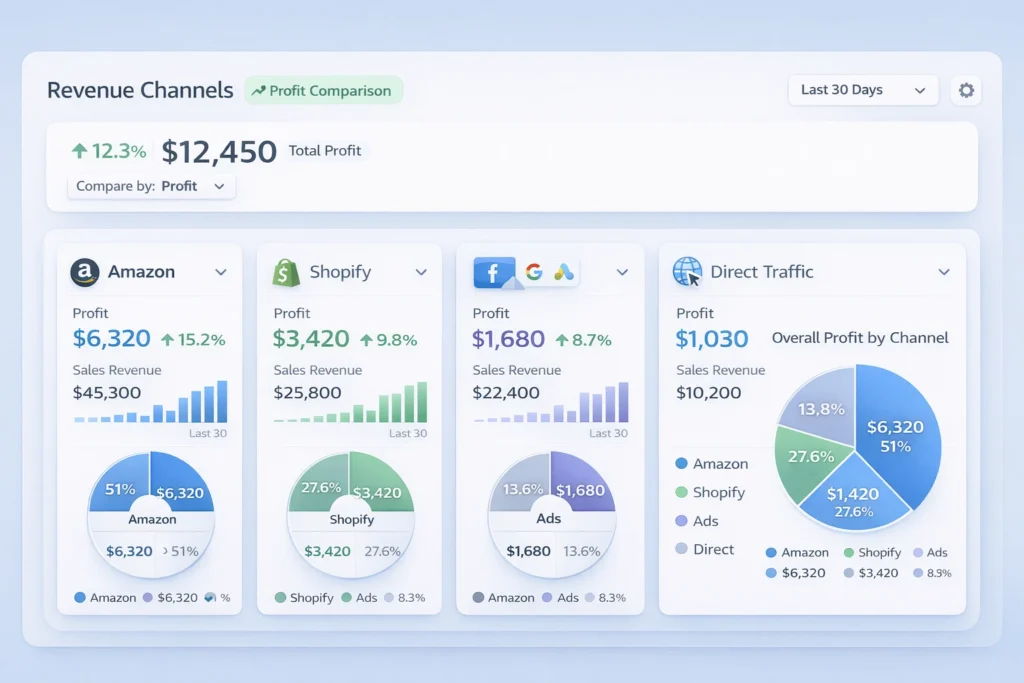
5. Track profit by channel
Most importantly, split reports by source. Otherwise, you will scale vanity sales and miss real profit.
Look at ad spend, refund rate, and repeat rate. Then compare each channel with Your Amazon marketplace results.
A simple plan for 2026
Above all, keep the plan simple. Complexity kills speed for small teams.
Phase one, fix the base
- Improve listing copy and images.
- Clean your PPC waste.
- Protect margin on core SKUs.
Phase two, expand one sales path
- Launch one strong product on Shopify.
- Test shopify amazon integration for operations.
- Send a small traffic batch to that page.
Phase three, widen the system
- Add bundles for your direct site.
- Collect email and SMS leads.
- Retarget visitors who do not buy first.
Finally, build process before scale. That means fewer surprises as orders rise.
In short, the best 2026 plan uses Amazon in two ways. It wins demand inside the amazon marketplace, and support outside sales too.
What good execution looks like
A strong brand ranks on Amazon and runs clean ads. Then it sends outside traffic to pages built to convert.
Meanwhile, the team watches profit by SKU and channel. Therefore, budget shifts follow real numbers.
- Pick one hero SKU.
- Build one strong landing page.
- Test one outside traffic source.
- Measure repeat buyers after thirty days.
Reference points from Amazon and Shopify
Amazon says its Shopify integration can sync orders, products, and returns in Shopify admin. It also says sellers can use the same Amazon inventory for Shopify orders.
Shopify says merchants in the United States can import and fulfill Shopify orders through the Amazon MCF and Buy with Prime app. It also outlines setup steps in Shopify admin.
Recent reporting also says Amazon has tested Prime shipping on outside sites without an Amazon login for some merchants. That points to an even wider push beyond the core amazon marketplace.
These points matter because they show direction, not hype. Amazon wants a bigger role in commerce infrastructure.
Frequently Asked Questions
Why is Amazon moving beyond its main store?
Amazon wants more order flow, more merchant ties, and more logistics volume. So it now supports sales outside its core store too. Does this mean Amazon Sellers need Shopify now?
No, but many sellers should test a brand site. That gives more control over repeat sales and customer data. What is amazon buy with prime in simple terms?
It adds Prime style delivery and checkout trust to your own site. As a result, some shoppers feel safer buying direct. Can brands use MCF if they do not sell on Amazon?
Yes. Amazon states MCF is open to businesses that do not sell on Amazon. Should I leave the amazon marketplace and focus only on my site?
No. Keep Amazon as a core channel. Then build your own site so you gain more control and reduce channel risk. What is the first step for private label brands?
Ready to grow your Amazon business?
Get a free strategy call with Advertpreneur.Book Your Free Consultation
Conclusion
The amazon marketplace still matters, but its role has changed. It now acts as a store, a trust layer, and a shipping engine.
Therefore, sellers who adapt early can win more control and better reach. They can keep Amazon strengths while building direct brand value.
To conclude, do not wait for the shift to become obvious. Build your amazon multi channel strategy now, test smart, and grow with intent.
How amazon A content-boosts-conversion-rates-fast/”>Plus Content Design Helps You Increase Conversions Fast
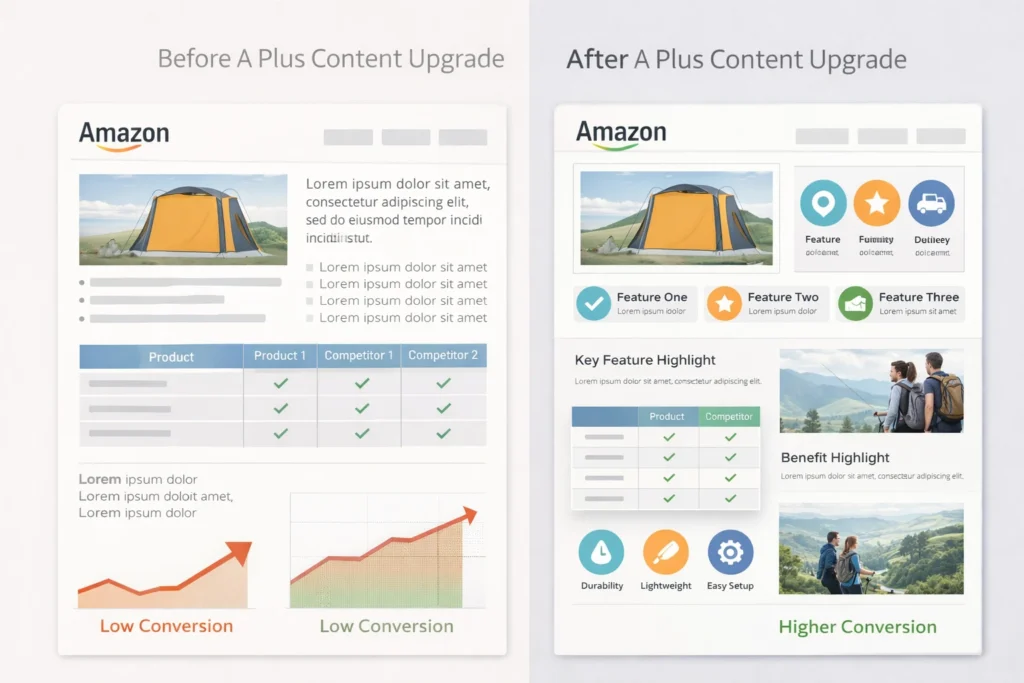
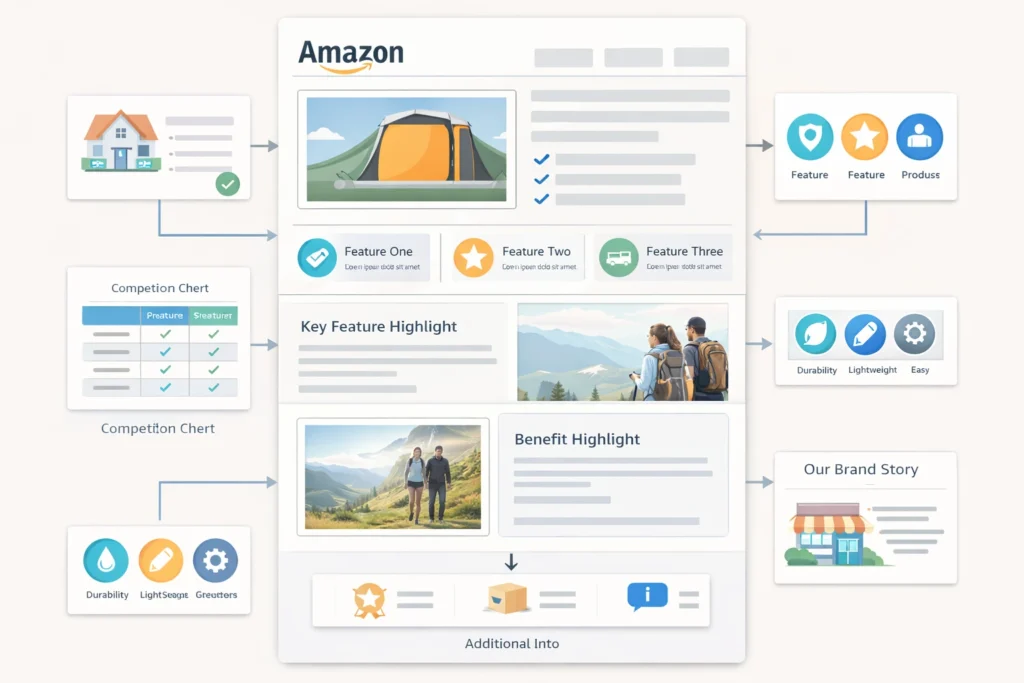 Content Design layout showing optimized product modules for higher conversions” class=”wp-image-7045″/>
Amazon A Plus Content Design can change how buyers see your-product-listings/”>Your Product. It helps you explain value clearly and quickly.
Firstly, Most Sellers ignore this tool and lose sales. Secondly, you can use it to build trust and boost conversions.
Table of Contents
- What is A Plus Content
- Why Amazon A Plus Content Design Matters
- Key Elements of A Plus Content
- Steps to Create High Converting Content
- Comparison of Basic and Premium A Plus
- Common Mistakes to Avoid
- Frequently Asked Questions
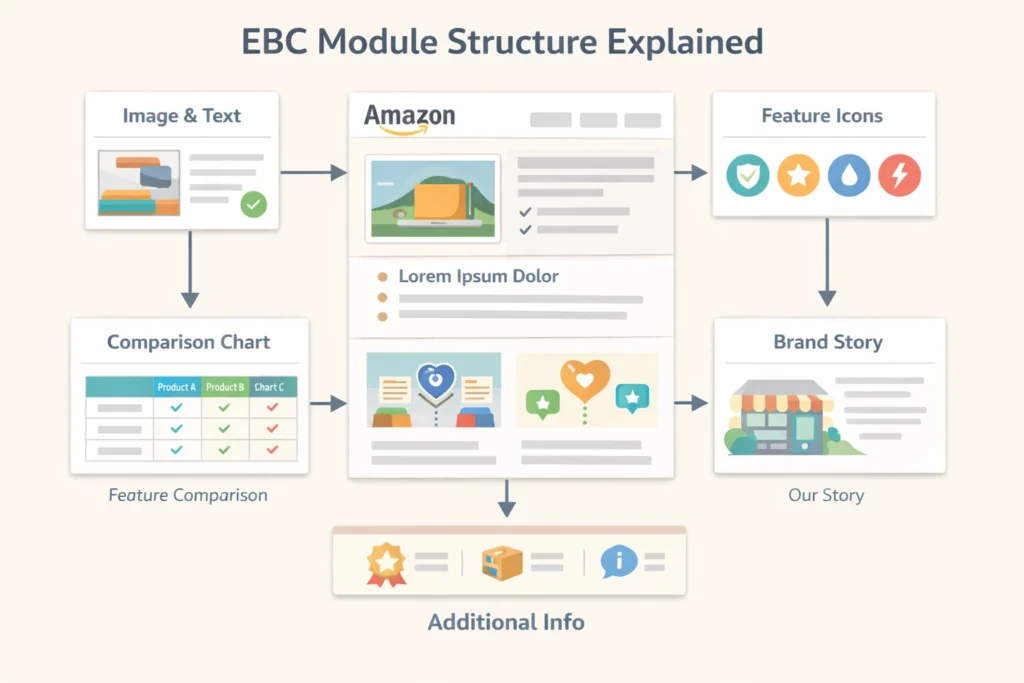 Enhanced Brand Content Service diagram showing how modules connect in a listing” class=”wp-image-7046″/>
What is A Plus Content
Firstly, A Plus content lets you add images and text blocks. Secondly, it replaces basic product descriptions with rich layouts.
In fact, sellers also call it EBC or Enhanced Brand Contnet. However, Amazon now uses the A Plus name.
Also, you need brand registry to use it. Therefore, most serious sellers invest in this early.
- Image modules explain features clearly
- Comparison charts help buyers decide faster
- Brand story builds trust
In addition, many sellers use an Amazon A Plus Content Service. That means experts handle design and layout.
Why Amazon A Plus Content Design Matters
Firstly, design affects how buyers feel about your product. Secondly, clean layouts reduce confusion.
Most importantly, Amazon A Plus Content Design improves conversion rates. As a result, you get more sales from same traffic.
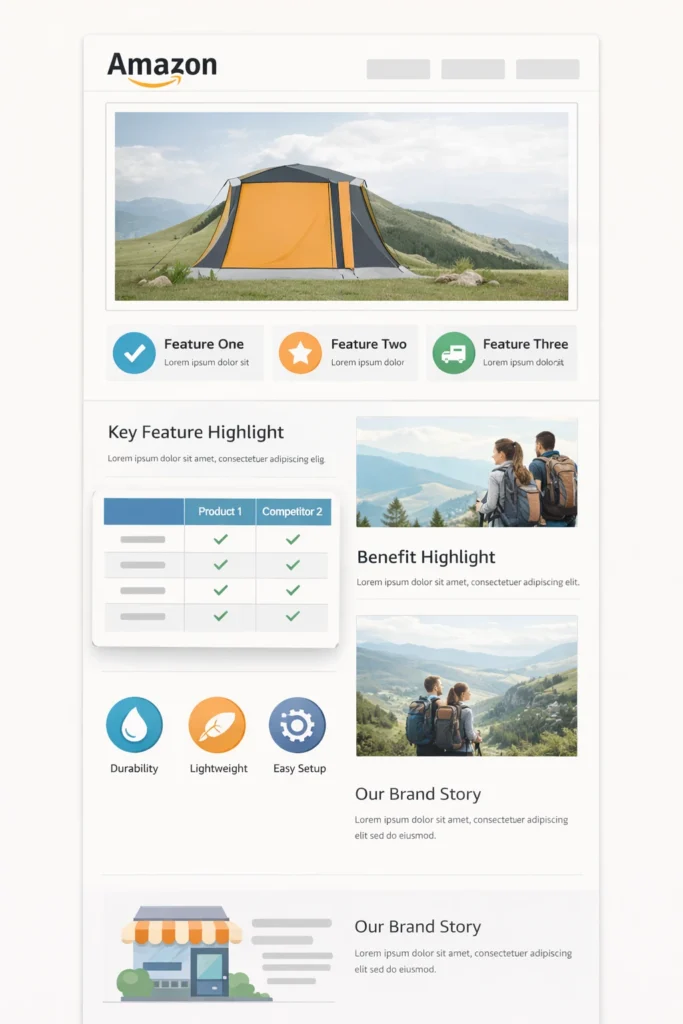
However, poor design can hurt trust. Therefore, always keep things simple and clear.
- Use clear images with real product context
- Keep text short and easy
- Focus on benefits, not features only
Pro Tip: Use real lifestyle images to show product use clearly.
Additionally, you can study tools from Amazon A Plus tools page. This helps you understand available modules.
Key Elements of A Plus Content
Firstly, strong Amazon A Plus Content Design uses a clear structure. Secondly, each section should answer one buyer question.
Images
Images should show product use clearly. For instance, lifestyle shots work better than plain photos.
Text Blocks
Text should stay short and direct. In other words, avoid long paragraphs.
Comparison Tables
Tables help buyers compare options quickly. As a result, they choose faster.
Brand Story
Story builds trust and loyalty. Meanwhile, it shows your brand personality.
Also, many sellers upgrade to Amazon Premium A Plus Content. This gives video and advanced layouts.
Warning: Do not overload content with too much text or images.
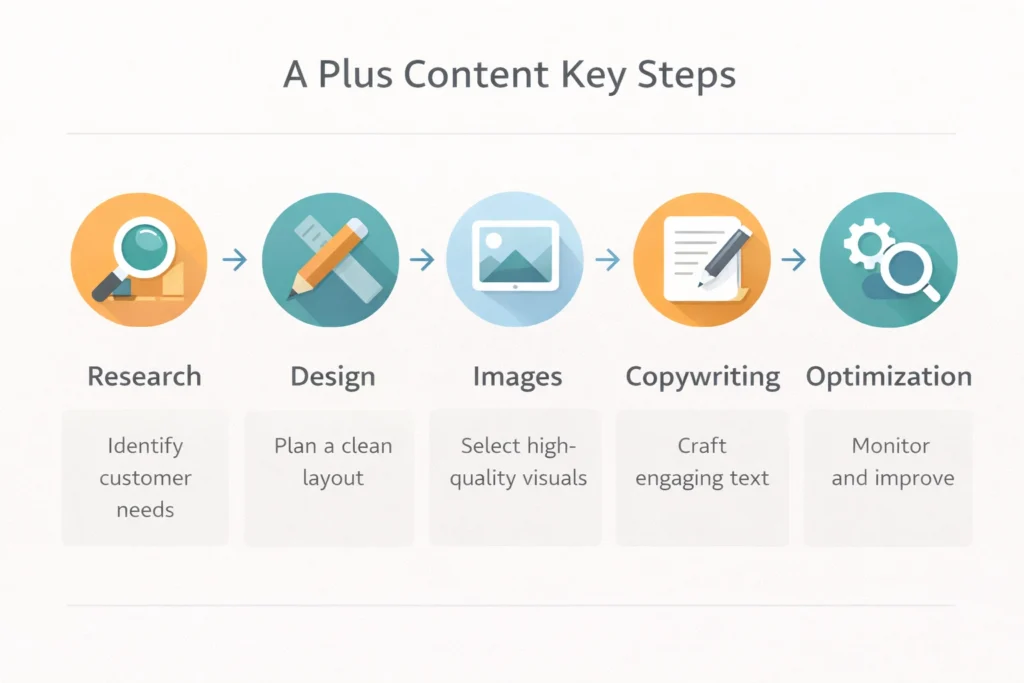
Steps to Create High Converting Content
Firstly, start with Keyword Research. Secondly, align content with buyer intent.
- Define your target customer
- Plan content sections clearly
- Create images with clear message
- Write short benefit driven text
- Test and improve based on results
In addition, check guidelines on Amazon content help page. This avoids rejection issues.
Also, you can use an Amazon A+ Contnet service to speed things up. That means experts handle everything for you.
Meanwhile, if you need strategy help, book a Free Amazon Consultation. This helps you plan better content.
Comparison of Basic and Premium A Plus
Firstly, not all content types offer the same value. Secondly, premium options provide more flexibility.
| Feature | Basic A Plus | Premium A Plus |
|---|---|---|
| Modules | Standard layouts | Advanced layouts |
| Video | No | Yes |
| Interactivity | Limited | Higher |
| Brand Story | Basic | Enhanced |
Table: Differences between standard and premium A Plus content
In contrast, premium suits large brands. However, basic still works for new sellers.
Common Mistakes to Avoid
Firstly, many sellers copy competitors blindly. Secondly, this leads to weak content.
- Using too much text
- Ignoring mobile layout
- Poor image quality
- No clear message
However, good Amazon A Plus Content Design avoids these issues. Therefore, always review your layout before publishing.
Frequently Asked Questions
What is Amazon A Plus Content Design?
It is a way to enhance product pages with rich images and text. Does A Plus content increase sales?
Yes, it improves trust and clarity, which leads to higher conversions. What is EBC?
EBC stands for Enhanced Brand Content, which is the old name. Should new sellers use A Plus?
Yes, it helps build trust even for new brands. Do I need a service for A Plus content?
You can do it yourself, but services save time and improve results.
Ready to grow your Amazon business?
Get a free strategy call with Advertpreneur.Book Your Free Consultation
Conclusion
Amazon A Plus Content Design plays a key role in product success. It helps buyers understand value fast.
Therefore, strong design leads to better conversions and more sales. In short, every seller should invest in it.
Why Your amazon Listing Isn’t Ranking Even with Good Keywords in Amazon SEO
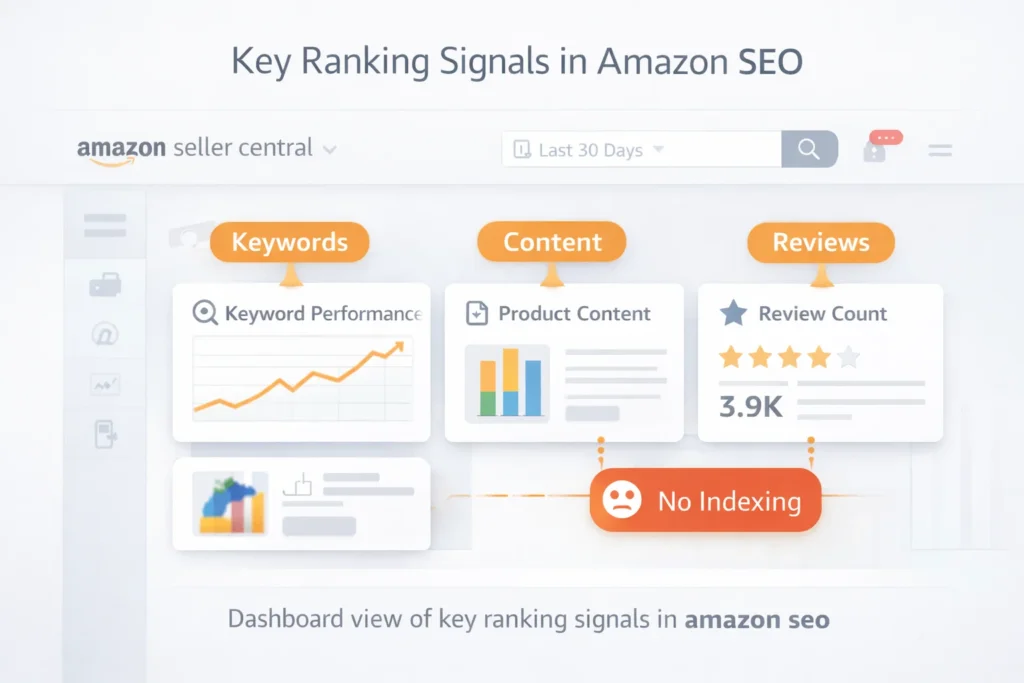
Many sellers struggle with amazon seo even after finding good keywords. You may rank nowhere despite strong research and effort. Therefore, you must understand what really blocks your listing from visibility.
Table of Contents
- Why Amazon SEO Fails Even with Good Keywords
- Understanding Amazon Indexing Issues
- Core Amazon Ranking Factors You Must Know
- Common Amazon SEO Mistakes Sellers Make
- Complete Listing Optimization Amazon Guide
- How to Track and Fix Performance Issues
- Frequently Asked Questions
- Conclusion
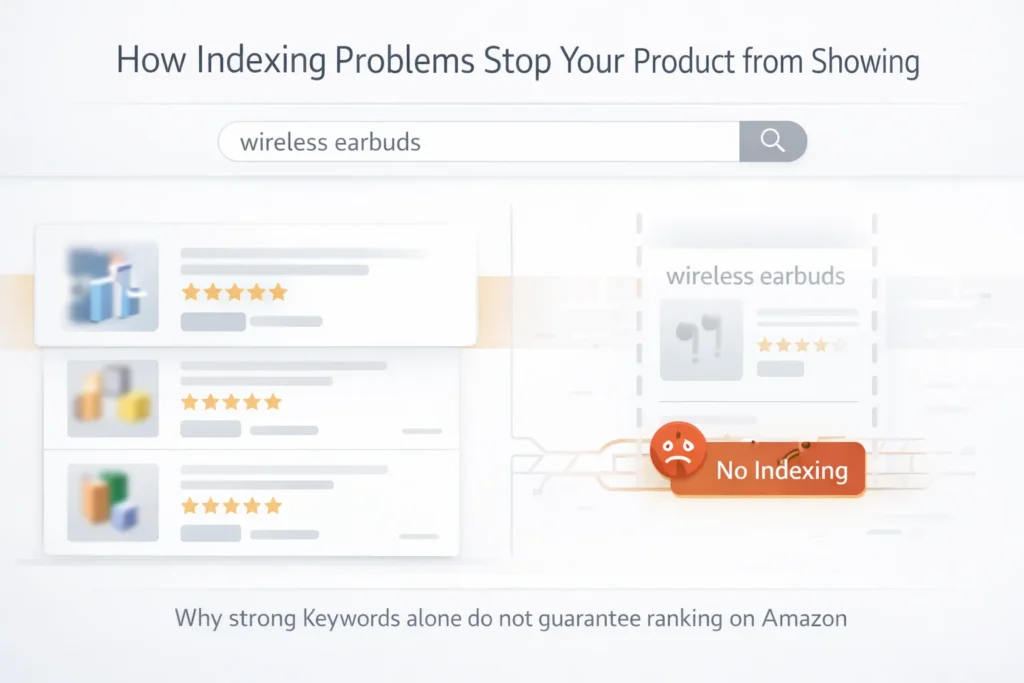
Why Amazon SEO Fails Even with Good Keywords
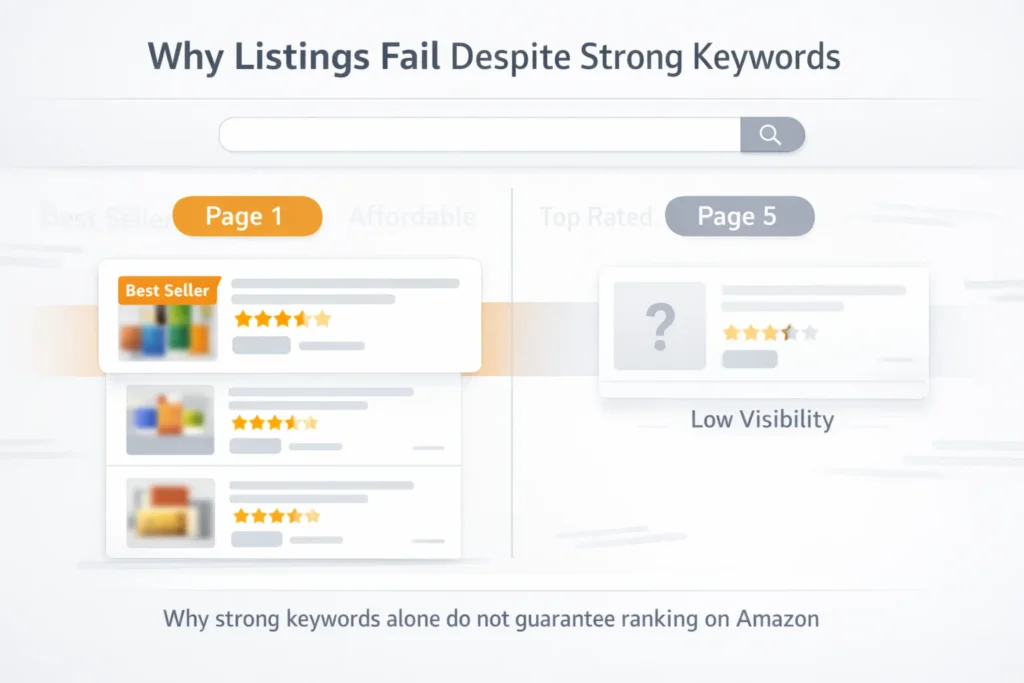
Firstly, keywords alone do not guarantee ranking. Amazon uses behavior data to decide visibility. Therefore, listings without sales rarely move up.
Secondly, poor listing structure weakens your relevance. Even strong keywords fail without proper placement. As a result, your product stays hidden.
Most importantly, conversion rate plays a huge role. If shoppers do not buy, rankings drop quickly. In contrast, high conversions boost visibility.
- Low click through rate reduces exposure
- Poor images lower buyer trust
- Weak copy reduces conversions
- Incorrect keyword placement hurts relevance
Warning: Good keywords without sales signals will not rank your listing.
Understanding Amazon Indexing Issues
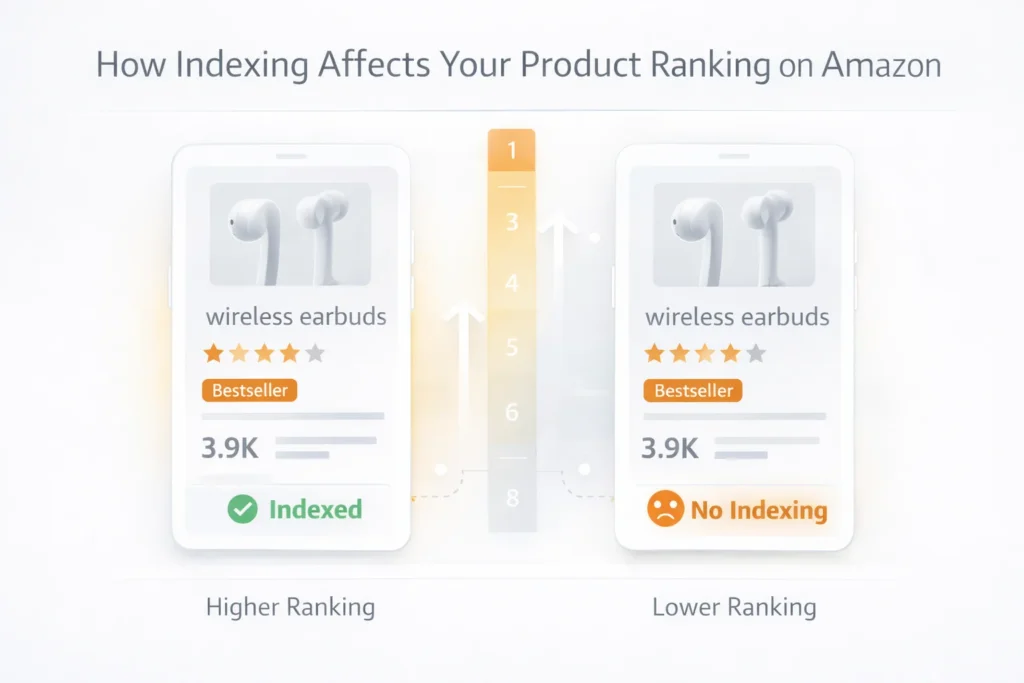
Amazon indexing issues happen when your product does not appear for search terms. This often confuses new sellers. However, indexing and ranking are different.
Indexing means Amazon recognizes your keyword. Ranking means your position in results. Therefore, you must check both regularly.
For example, use tools or search manually on Amazon search results. This helps confirm if your product shows.
Signs of Amazon Keyword Indexing Problems
- Your product does not appear for exact keyword search
- Backend keywords do not trigger visibility
- Long tail keywords fail to index
Additionally, avoid keyword stuffing. Amazon may ignore excessive repetition. Consequently, indexing fails silently.
Pro Tip: Use short and clear keywords across title, bullets, and backend fields.
Core Amazon Ranking Factors You Must Know
Amazon ranking factors go beyond keywords. The algorithm focuses on performance data. Therefore, you must optimize for sales.
Main Ranking Signals
- Sales velocity over time
- Click through rate from search
- Conversion rate on listing
- Customer reviews and ratings
In addition, pricing impacts conversions. Competitive pricing improves performance. As a result, your ranking improves.
You can learn more about listing strategy through our Services page.
Relevance vs Performance
Relevance comes from keywords and content. Performance comes from sales and engagement. Therefore, both must align.
| Factor | Impact on Ranking | Control Level |
|---|---|---|
| Keywords | Medium | High |
| Sales | Very High | Medium |
| Conversion Rate | High | High |
| Reviews | High | Low |
Table: Key amazon ranking factors explained
Common Amazon SEO Mistakes Sellers Make
Many sellers repeat the same amazon seo mistakes. These errors block growth even with good keywords. Therefore, fixing them improves results fast.
- Ignoring backend search terms
- Using irrelevant keywords
- Poor product images
- Weak Product Titles
In addition, duplicate keywords waste space. Amazon reads variations automatically. Consequently, you lose indexing opportunities.
For example, review competitor listings on Amazon best sellers. This helps identify gaps.
Complete Listing Optimization Amazon Guide
Listing optimization amazon requires structure and clarity. Every section must support conversions. Therefore, optimize each element carefully.
Key Areas to Optimize
- Title with primary keywords
- Bullet points focused on benefits
- High quality images
- Backend keyword field
Additionally, keep sentences simple and clear. Buyers scan quickly. As a result, clarity increases conversions.
Step by Step Optimization
- Research keywords and search intent
- Place main keywords in title
- Add secondary keywords in bullets
- Use backend for extra terms
- Improve images and A Plus Content
You can also explore our Services for full optimization support.
Pro Tip: Focus on conversion rate first, ranking follows naturally.
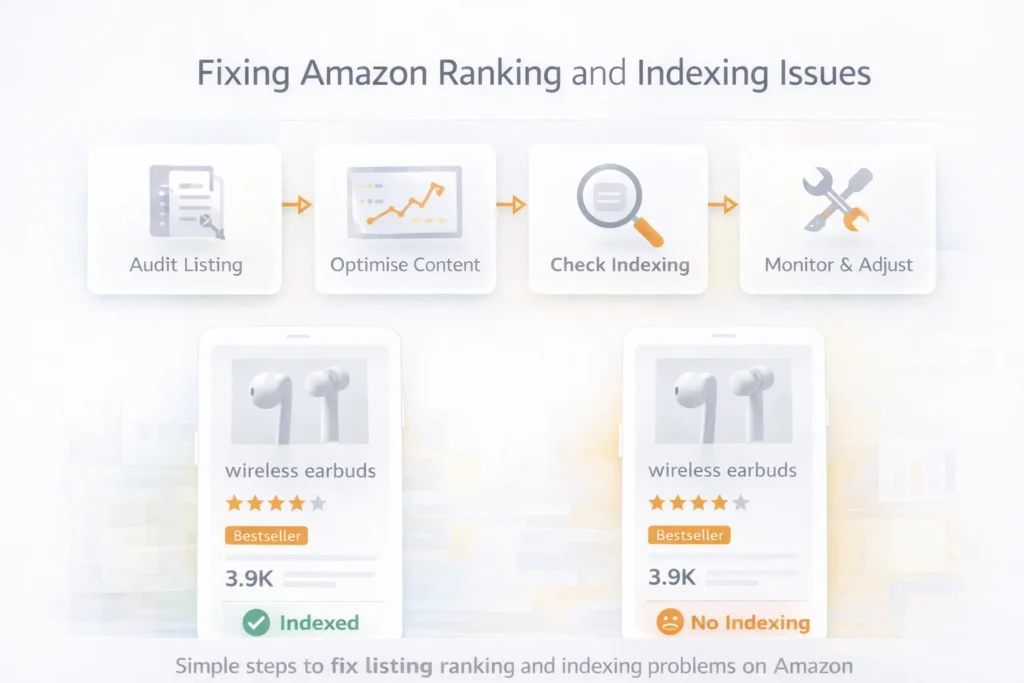
How to Track and Fix Performance Issues
Tracking helps you improve amazon seo results. Without data, you cannot fix problems. Therefore, monitor metrics daily.
- Track keyword ranking positions
- Monitor click through rate
- Check conversion rate changes
- Analyze competitor performance
Finally, test changes regularly. Small updates can improve results fast. Consequently, consistent optimization wins.
Frequently Asked Questions
Why is my Amazon Listing not ranking?
Your listing may lack sales or conversions. Amazon prioritizes performance data over keywords. What are amazon indexing issues?
These occur when your product does not appear for keywords. It means Amazon does not recognize your terms. How do I improve amazon keyword indexing?
Use keywords in title, bullets, and backend fields. Keep them relevant and avoid repetition. Does listing optimization amazon improve ranking?
Yes, better structure improves conversion rate. This leads to higher rankings over time. What are common amazon seo mistakes?
Sellers often ignore conversions, overuse keywords, and use weak images.
Ready to grow your Amazon business?
Get a free strategy call with Advertpreneur.Book Your Free Consultation
Conclusion
Amazon seo requires more than keywords. You must focus on conversions, indexing, and performance signals. Therefore, build listings that sell, not just rank.
In addition, avoid common amazon seo mistakes. Fix indexing issues and improve content structure. As a result, your rankings will improve steadily.
Finally, stay consistent with testing and optimization. Amazon rewards sellers who improve performance over time. Focus on results and growth will follow.
Amazon PPC Basics: Simple Guide for Beginners
Starting with Amazon PPC can feel overwhelming. However, understanding the basics makes everything easier. Therefore, this guide breaks down Amazon PPC basics in simple terms. Additionally, you’ll learn how to set up your first campaign successfully.
!Amazon PPC dashboard showing campaign setup interface
What is Amazon PPC?
Amazon PPC stands for Pay-Per-Click advertising. Essentially, you pay Amazon when someone clicks your ad. Meanwhile, your product appears in search results. Consequently, customers see your listing. If they click, you pay a small fee. Therefore, this is how Amazon PPC basics work.
Why Use Amazon PPC?
First, Amazon PPC increases visibility. Specifically, your products show up at the top of search results. Second, it drives sales quickly. Unlike organic ranking, results come fast. Third, you learn what works. Moreover, Amazon PPC provides valuable data about your customers. Finally, it’s scalable. Therefore, you can increase or decrease spending anytime.
Understanding Amazon PPC Campaign Types
Amazon offers three main campaign types. Additionally, each serves a different purpose. Therefore, understanding these Amazon PPC basics helps you choose wisely.
Automatic Campaigns
Automatic campaigns are perfect for beginners. Specifically, Amazon does the work for you. Meanwhile, the system matches your product to relevant searches. Therefore, you simply set a daily budget. Then, Amazon finds customers automatically. Consequently, this is the easiest way to start with Amazon PPC basics.
When to Use Automatic Campaigns:
- You’re new to Amazon PPC
- You want to discover keywords
- You need quick setup
- You’re testing a new product
Manual Campaigns
Manual campaigns give you full control. Specifically, you choose every keyword yourself. Additionally, you set individual bids. Moreover, you decide when ads show. However, this requires more work but offers better results. Therefore, mastering manual campaigns is essential for Amazon PPC success.
When to Use Manual Campaigns:
- You know your best keywords
- You want precise control
- You’re ready to optimize
- You have campaign experience
Product Targeting Campaigns
Product targeting shows ads on specific product pages. For example, you target competitor listings. Additionally, you target complementary products. Therefore, this advanced strategy captures ready-to-buy customers. However, it’s powerful but requires careful setup.
Setting Up Your First Amazon PPC Campaign
Follow these steps to create your first campaign. Therefore, this Amazon PPC basics guide makes it simple.
Step 1: Choose Your Campaign Type
Start with an automatic campaign. Specifically, it’s the easiest option for beginners. Later, you can add manual campaigns. For now, focus on learning Amazon PPC basics.
Step 2: Set Your Daily Budget
Begin with $10-20 per day. This gives you enough data without overspending. Additionally, you can increase it later. Remember, you only pay when someone clicks.
Step 3: Select Your Products
Choose 3-5 products to start. Specifically, pick your best sellers. These products already convert well. Therefore, they’ll perform better in Amazon PPC campaigns.
Step 4: Set Your Default Bid
Use Amazon’s suggested bid as a starting point. However, don’t bid too low. Low bids mean fewer impressions. Therefore, start with the suggested amount. Then, adjust based on performance.
Step 5: Launch and Monitor
Launch your campaign. Then, check it daily for the first week. Meanwhile, watch for clicks and sales. Additionally, look for any issues. Make small adjustments as needed.
Understanding Amazon PPC Metrics
Learning these metrics is crucial for Amazon PPC basics. Specifically, they tell you how your campaigns perform.
Impressions
Impressions show how many times your ad appeared. High impressions mean good visibility. However, low impressions suggest your bids are too low. Therefore, aim for consistent impressions.
Clicks
Clicks show customer interest. Specifically, people see your ad and click it. More clicks mean more traffic. However, clicks alone don’t guarantee sales.
Click-Through Rate (CTR)
CTR is clicks divided by impressions. A good CTR is 0.5% or higher. Additionally, higher CTR means better ad relevance. Therefore, improve your listing to increase CTR.
Conversion Rate
Conversion rate shows sales per click. A 5% conversion rate is good. Moreover, higher rates mean better product listings. Therefore, optimize your listing to improve conversions.
ACoS (Advertising Cost of Sale)
ACoS is your advertising cost divided by sales. Lower ACoS is better. Specifically, aim for 15-25% ACoS. This means you’re profitable. However, higher ACoS needs optimization.
ROAS (Return on Ad Spend)
ROAS shows revenue per dollar spent. For example, a 4:1 ROAS means $4 revenue for every $1 spent. Higher ROAS is always better. Therefore, track this metric closely.
Common Amazon PPC Mistakes to Avoid
Avoiding these mistakes saves money and time. Therefore, these Amazon PPC basics help you succeed faster.
Mistake 1: Setting and Forgetting
Many sellers create campaigns and ignore them. This wastes money. Instead, check campaigns weekly. Additionally, make adjustments regularly. Consequently, active management improves results.
Mistake 2: Bidding Too Low
Low bids seem safe but hurt performance. Specifically, your ads won’t show often. Therefore, you’ll get little data. Start with suggested bids. Then, increase for better visibility.
Mistake 3: Ignoring Search Terms
Search term reports reveal customer behavior. Specifically, they show what people actually search. Therefore, review these reports weekly. Additionally, use insights to improve campaigns.
Mistake 4: Not Using Negative Keywords
Negative keywords block irrelevant searches. Without them, you waste money. Therefore, add negatives from search term reports. Specifically, block terms that don’t convert.
Amazon PPC Optimization Tips
These tips improve your campaigns quickly. Therefore, apply them to see better results.
Tip 1: Start Small, Scale Gradually
Begin with a small budget. Then, learn how campaigns work. Once profitable, increase spending. However, scaling too fast wastes money.
Tip 2: Focus on Profitable Keywords
Identify keywords that convert well. Then, increase bids on these terms. Additionally, pause keywords with zero sales. Therefore, focus budget on winners.
Tip 3: Optimize Your Product Listing
Better listings convert more clicks. Specifically, improve your title and images. Additionally, write compelling bullet points. Consequently, higher conversions lower ACoS.
Tip 4: Test Different Bids
Experiment with bid amounts. For example, try increasing bids 20%. Then, monitor results. Adjust based on performance. Therefore, find the sweet spot.
Creating Your First Manual Campaign
Once comfortable with automatic campaigns, try manual campaigns. Therefore, this advanced step improves control.
Choose Your Keywords
Select 10-20 relevant keywords. Specifically, use Amazon’s keyword suggestions. Additionally, include your main product terms. Moreover, add related search terms.
Set Match Types
Start with exact match. Specifically, it’s most precise. Later, add phrase and broad match. However, each match type serves different purposes.
Set Individual Bids
Bid higher on important keywords. Meanwhile, lower bids on test keywords. Then, monitor performance closely. Adjust bids based on results.
Monitor and Optimize
Check performance daily initially. Additionally, pause non-performing keywords. Then, increase bids on winners. Therefore, continuously refine your approach.
When to Increase Your Amazon PPC Budget
Increase budget when campaigns are profitable. Specifically, look for these signs:
- ACoS is below your target
- Campaigns are generating sales
- You have room to scale
- Keywords are performing well
Increase budget gradually. However, don’t double it overnight. Instead, add 20-30% weekly. Then, monitor results carefully.
Amazon PPC Best Practices
Follow these practices for better results. Specifically, they’re essential Amazon PPC basics.
Practice 1: Regular Monitoring
Check campaigns at least weekly. Additionally, review metrics. Then, look for trends. Therefore, make data-driven decisions.
Practice 2: Continuous Testing
Test new keywords regularly. Meanwhile, try different bid amounts. Additionally, experiment with match types. Consequently, learning never stops.
Practice 3: Focus on Profitability
Don’t chase sales volume alone. Instead, focus on profitable campaigns. Specifically, lower ACoS means better margins. Therefore, profitability matters most.
Practice 4: Use Data to Decide
Base decisions on data, not guesses. Specifically, review reports carefully. Then, look for patterns. Therefore, let numbers guide you.
Tools to Help with Amazon PPC
Several tools make Amazon PPC easier. They help with optimization and management.
Amazon’s Built-In Tools
- Campaign Manager: Create and manage campaigns
- Search Term Reports: Find new keywords
- Performance Reports: Track metrics
- Bid+ Feature: Automatic bid increases
Third-Party Tools
- Helium 10: Keyword research and management
- Jungle Scout: Market research
- Sellics: Comprehensive PPC management
- AMZScout: Campaign optimization
Common Questions About Amazon PPC Basics
How much should I spend on Amazon PPC?
Start with $10-20 daily per campaign. Then, increase as you see results. However, there’s no set amount. Therefore, spend what you can afford to test.
How long until I see results?
Most campaigns show results within 1-2 weeks. However, optimization takes longer. Therefore, give campaigns 4-6 weeks to stabilize.
What’s a good ACoS?
Target 15-25% ACoS for most products. Specifically, lower is better. However, higher means you need optimization. Therefore, adjust based on your profit margins.
Should I use automatic or manual campaigns?
Start with automatic campaigns. Specifically, they’re easier for beginners. Once comfortable, add manual campaigns. Therefore, use both for best results.
Next Steps After Learning Amazon PPC Basics
Now that you understand Amazon PPC basics, take action. Specifically, create your first campaign today. Start small. Then, learn as you go. Additionally, optimize continuously. Therefore, success comes with practice.
Remember, every expert was once a beginner. However, don’t expect perfection immediately. Keep learning. Meanwhile, keep testing. Moreover, keep improving. Consequently, your Amazon PPC skills will grow over time.
Conclusion
Amazon PPC basics aren’t complicated once you understand them. Start with automatic campaigns. Then, learn the metrics. Additionally, avoid common mistakes. Moreover, optimize regularly. Therefore, with practice, you’ll master Amazon PPC and grow your sales.
The key is to begin. However, don’t wait for perfect knowledge. Instead, start your first campaign. Then, learn from experience. Additionally, adjust as you go. Therefore, success in Amazon PPC comes from taking action and learning continuously.
Need help with Amazon PPC? Contact advertpreneur for expert Amazon PPC management. We help beginners and experienced sellers optimize campaigns for better results.
Related Resources
- → 7 Amazon Sponsored Products Strategies That Lower ACoS by 40%
- → Amazon Listing Optimization: 15 Ways to Improve Your Product Listings
- → Complete Guide to Amazon SEO: How to Rank Your Products on Page 1 in 2025
- → Amazon A+ Content: How to Create Conversion-Optimized Enhanced Brand Content
- → Amazon Keyword Research: The Ultimate Guide to Finding Profitable Keywords
- → Amazon Product Title Optimization: How to Write Titles That Rank and Convert
Amazon Product Reviews: How to Get More Reviews Legally and Ethically
Amazon product reviews are crucial for success on the platform. Products with more reviews rank higher, convert better, and build customer trust. This guide covers legal and ethical strategies to increase your Amazon review count while staying compliant with Amazon’s policies.
Why Amazon Reviews Matter
Impact on Sales
- Products with 20+ reviews convert 2-3x better than those with fewer reviews
- Higher ratings (4+ stars) significantly increase conversion rates
- Review count is a ranking factor in Amazon’s algorithm
- Customer trust increases with more authentic reviews
SEO and Ranking Benefits
- More reviews can improve search rankings
- Recent reviews signal active, popular products
- Review content contains keywords that help with SEO
- Review velocity (rate of new reviews) affects ranking
Amazon Review Policies
What’s Allowed
- Requesting reviews through Amazon’s Request a Review button
- Following up with customers after purchase (through Amazon messaging)
- Vine Program: Amazon’s official review program
- Early Reviewer Program: For products with few reviews (if available)
What’s Prohibited
- Incentivized reviews: Offering discounts, free products, or payments for reviews
- Review manipulation: Creating fake reviews or asking friends/family
- Review gating: Only asking satisfied customers to review
- Third-party services: Using services that violate Amazon’s terms
- Review exchanges: Trading reviews with other sellers
Consequences of Violations
- Account suspension or termination
- Review removal and loss of existing reviews
- Legal action in severe cases
- Permanent ban from selling on Amazon
Legal Ways to Get Amazon Reviews
1. Amazon’s Request a Review Button
How It Works:
- Available in Seller Central for orders 5-30 days old
- Sends automated email requesting review
- Complies with Amazon’s policies
- Easy to use and track
Best Practices:
- Request reviews for all eligible orders
- Use consistently for every order
- Track review rate from requests
- Monitor for any issues
2. Amazon Vine Program
What It Is:
- Amazon’s official review program
- Vine Voices (trusted reviewers) receive free products
- Reviews are marked “Vine Customer Review”
- Helps new products get initial reviews
Requirements:
- Brand registered products
- Available inventory
- Product meets quality standards
- Enrollment fee per product
Benefits:
- Legitimate, verified reviews
- Helps new products launch
- Reviews from trusted reviewers
- Complies with Amazon policies
3. Follow-Up Email Sequences
What’s Allowed:
- Send follow-up emails through Amazon messaging
- Thank customers for purchase
- Provide helpful information
- Politely request feedback (not specifically positive reviews)
Best Practices:
- Send 1-2 follow-up emails maximum
- Focus on customer service, not just reviews
- Provide value (usage tips, care instructions)
- Use Amazon’s messaging system only
4. Product Inserts
What’s Allowed:
- Include inserts in product packaging
- Request honest feedback
- Provide customer service contact
- Share usage tips or instructions
What’s Not Allowed:
- Offering incentives for reviews
- Requesting only positive reviews
- Including external links to review sites
- Asking customers to contact you outside Amazon
Best Practices:
- Focus on customer service
- Request honest feedback
- Provide helpful information
- Keep it simple and professional
Strategies to Increase Review Rate
1. Deliver Excellent Products
- Quality First: Ensure products meet or exceed expectations
- Accurate Descriptions: Products should match listings exactly
- Fast Shipping: Deliver on time or early
- Good Packaging: Professional, secure packaging
2. Exceed Customer Expectations
- Surprise and Delight: Include small bonuses or extras
- Fast Shipping: Ship faster than promised
- Quality Packaging: Professional, branded packaging
- Clear Instructions: Helpful usage guides
3. Optimize Product Listings
- Accurate Descriptions: Set proper expectations
- High-Quality Images: Show product accurately
- Detailed Specifications: Provide complete information
- Answer Questions: Respond to customer questions quickly
4. Provide Excellent Customer Service
- Fast Responses: Reply to messages within 24 hours
- Problem Resolution: Quickly resolve any issues
- Professional Communication: Polite, helpful responses
- Proactive Support: Reach out if issues arise
Review Request Timing
Optimal Timing
- 5-7 Days After Delivery: Customer has used product
- Before 30 Days: While experience is fresh
- After Positive Experience: If customer seems satisfied
- Avoid: Immediately after delivery (too soon)
When Not to Request
- Immediately After Purchase: Too early
- After Negative Feedback: May worsen situation
- If Product Has Issues: Fix issues first
- Too Frequently: Don’t spam customers
Improving Review Quality
Encourage Detailed Reviews
- Ask for Specifics: Request details about experience
- Photos: Encourage customers to include photos
- Use Cases: Ask how they’re using the product
- Honest Feedback: Welcome both positive and constructive feedback
Respond to Reviews
- Thank Positive Reviews: Show appreciation
- Address Negative Reviews: Apologize and offer solutions
- Professional Tone: Always be professional
- Public Responses: Help other customers see your service
Handling Negative Reviews
Prevention
- Quality Control: Ensure product quality
- Accurate Listings: Set proper expectations
- Clear Communication: Provide complete information
- Fast Support: Resolve issues quickly
Response Strategy
- Respond Quickly: Address within 24-48 hours
- Apologize Sincerely: Take responsibility
- Offer Solutions: Provide refund, replacement, or assistance
- Learn and Improve: Use feedback to improve products
When to Contact Amazon
- Policy Violations: Reviews that violate Amazon policies
- Fake Reviews: Obviously fake or manipulated reviews
- Inappropriate Content: Reviews with inappropriate language
- Competitor Attacks: Reviews from competitors
Review Velocity Strategies
Launch Strategy
- Initial Push: Focus on getting first 10-20 reviews
- Vine Program: Use for initial reviews
- Early Customers: Follow up with early purchasers
- Momentum Building: Build review velocity early
Sustained Growth
- Consistent Requests: Request reviews for all orders
- Quality Focus: Ensure products maintain quality
- Customer Service: Excellent service encourages reviews
- Long-Term Strategy: Build reviews over time
Tools for Review Management
Amazon Tools
- Request a Review Button: Built-in review requests
- Vine Program: Official review program
- Seller Central: Review management dashboard
- Brand Analytics: Review insights (for brand registered sellers)
Third-Party Tools
- FeedbackWhiz: Review and feedback management
- BQool: Feedback and review automation
- Sellics: Review management and analytics
- Jungle Scout: Review analysis and insights
Review Analytics and Monitoring
Key Metrics
- Review Count: Total number of reviews
- Average Rating: Overall star rating
- Review Velocity: Rate of new reviews
- Review Distribution: Breakdown by star rating
- Review Response Rate: Percentage of reviews you respond to
Monitoring
- Daily Checks: Monitor new reviews daily
- Response Time: Respond to reviews quickly
- Trend Analysis: Track review trends over time
- Competitor Comparison: Compare with competitors
Common Review Mistakes
Mistake 1: Violating Amazon Policies
- Offering incentives for reviews
- Using prohibited review services
- Review manipulation
- Solution: Only use Amazon-approved methods
Mistake 2: Not Requesting Reviews
- Missing opportunities to request reviews
- Inconsistent review requests
- Not using Request a Review button
- Solution: Systematically request reviews for all eligible orders
Mistake 3: Poor Product Quality
- Products don’t meet expectations
- Inaccurate product descriptions
- Quality issues
- Solution: Focus on product quality and accurate listings
Mistake 4: Ignoring Negative Reviews
- Not responding to negative feedback
- Not learning from criticism
- Defensive responses
- Solution: Respond professionally and use feedback to improve
Review Best Practices Checklist
Common Questions About Amazon Reviews
How many reviews do I need?
There’s no magic number, but products with 20+ reviews typically perform better. Focus on quality and consistency over quantity.
Can I ask customers to change negative reviews?
You can respond to negative reviews and offer solutions, but don’t ask customers to change or remove reviews. Focus on resolving issues.
How long does it take to get reviews?
Most customers who leave reviews do so within 2-4 weeks of purchase. Be patient and consistent with review requests.
Should I respond to all reviews?
Yes, respond to both positive and negative reviews. Thank positive reviewers and address concerns in negative reviews professionally.
Conclusion
Getting more Amazon reviews legally and ethically requires patience, excellent products, and consistent effort. By using Amazon’s approved methods, delivering quality products, and providing excellent customer service, you can build a strong review profile that improves rankings and conversions.
Focus on long-term, sustainable strategies rather than quick fixes. Building authentic reviews takes time, but the results—better rankings, higher conversions, and increased trust—are worth the investment.
Need help with Amazon review strategy? Contact advertpreneur for expert Amazon seller consulting. We help sellers build authentic reviews and improve their Amazon performance.
Related Resources
- → Amazon PPC Basics: Simple Guide for Beginners
- → 7 Amazon Sponsored Products Strategies That Lower ACoS by 40%
- → Amazon Listing Optimization: 15 Ways to Improve Your Product Listings
- → Complete Guide to Amazon SEO: How to Rank Your Products on Page 1 in 2025
- → Amazon A+ Content: How to Create Conversion-Optimized Enhanced Brand Content
- → Amazon Keyword Research: The Ultimate Guide to Finding Profitable Keywords
Amazon Brand Registry: Complete Guide to Protecting Your Brand on Amazon
Amazon Brand Registry is a program designed to help brand owners protect their intellectual property and enhance their presence on Amazon. This comprehensive guide covers everything you need to know about enrolling in Brand Registry, its benefits, and how to maximize its value for your business.
What is Amazon Brand Registry?
Definition
Amazon Brand Registry is a program that gives brand owners more control over their product listings, helps protect intellectual property, and provides access to powerful brand-building tools on Amazon.
Purpose
- Brand Protection: Prevent unauthorized sellers and counterfeit products
- Listing Control: Manage how your products appear on Amazon
- Enhanced Tools: Access to A+ Content, Stores, and other brand features
- Intellectual Property: Report and remove infringing content
Benefits of Amazon Brand Registry
1. Brand Protection
- Report Violations: Report intellectual property violations
- Remove Counterfeits: Request removal of counterfeit listings
- Control Listings: Prevent unauthorized changes to your listings
- Trademark Protection: Enhanced protection for registered trademarks
2. Enhanced Brand Content
- A+ Content: Create rich product descriptions with images and text
- Brand Stores: Build dedicated brand storefronts
- Enhanced Images: Upload more product images
- Video Content: Add videos to product listings
3. Better Search and Discovery
- Brand Analytics: Access to search and performance data
- Sponsored Brands: Create brand-focused advertising campaigns
- Brand Dashboard: Centralized brand management
- Improved Rankings: Better control over product information
4. Listing Control
- Listing Authority: Control who can edit your listings
- Product Information: Manage product details and specifications
- Image Control: Control product images and media
- Content Management: Manage all brand-related content
Amazon Brand Registry Requirements
Eligibility Requirements
1. Trademark Registration
- Registered Trademark: Must have an active registered trademark
- Trademark Office: Must be registered with eligible trademark office
- Trademark Type: Text-based or image-based trademarks accepted
- Status: Trademark must be in “Registered” status (not pending)
2. Eligible Trademark Offices
- United States Patent and Trademark Office (USPTO)
- European Union Intellectual Property Office (EUIPO)
- United Kingdom Intellectual Property Office (UKIPO)
- Canadian Intellectual Property Office (CIPO)
- And other eligible offices (check Amazon for current list)
3. Account Requirements
- Seller Account: Must have active Amazon seller account
- Account Health: Good account standing required
- Product Listings: Must have products listed under your brand
- Brand Ownership: Must own or have authorization to represent the brand
What You’ll Need
- Trademark Registration Number: From trademark office
- Brand Name: Exact brand name as registered
- Product Images: Images showing your brand on products
- Website: Brand website (optional but recommended)
- Product Listings: Existing listings with your brand
How to Enroll in Amazon Brand Registry
Step 1: Prepare Your Trademark
- Ensure trademark is registered (not pending)
- Have trademark registration number ready
- Verify trademark office is eligible
- Confirm brand name matches trademark exactly
Step 2: Gather Required Information
- Trademark Details: Registration number, office, registration date
- Brand Information: Brand name, logo, website
- Product Images: Images showing brand on products
- Account Information: Seller Central account details
Step 3: Start Enrollment
- Log into Amazon Seller Central
- Navigate to Brand Registry section
- Click Enroll a Brand
- Enter brand name and select country
Step 4: Provide Trademark Information
- Enter trademark registration number
- Select trademark office
- Upload trademark certificate or registration document
- Verify trademark details
Step 5: Provide Brand Information
- Upload brand logo
- Provide brand website (if available)
- Upload product images showing brand
- Describe your brand and products
Step 6: Verify Identity
- Amazon will send verification code
- Code sent to trademark contact or brand owner
- Enter verification code to complete enrollment
- Wait for Amazon approval (typically 1-2 weeks)
Amazon Brand Registry Features
1. Brand Protection Tools
- Report a Violation: Report IP violations and counterfeits
- Project Zero: Automated protection for eligible brands
- Transparency: Product serialization program
- IP Accelerator: Faster trademark registration support
2. Enhanced Content Tools
- A+ Content: Rich product descriptions with images
- Brand Stores: Dedicated brand storefronts
- Enhanced Brand Content: Enhanced product listings
- Video Content: Add videos to product pages
3. Analytics and Insights
- Brand Analytics: Search and performance data
- Demographics: Customer demographic insights
- Search Terms: Popular search terms for your brand
- Competitive Analysis: Compare with competitors
4. Advertising Tools
- Sponsored Brands: Brand-focused advertising
- Stores: Promote brand storefronts
- Display Ads: Brand display advertising
- Video Ads: Brand video advertising
Brand Registry vs. Brand Registry 2.0
Original Brand Registry
- Basic brand protection
- Limited tools and features
- Manual reporting process
- Fewer analytics
Brand Registry 2.0 (Current)
- Enhanced protection tools
- More automation
- Better analytics
- Advanced features
- Project Zero eligibility
Project Zero
What is Project Zero?
Project Zero is an invite-only program that gives brands automated tools to remove counterfeit listings. It’s available to Brand Registry members who meet additional requirements.
Benefits
- Automated Protection: Self-service counterfeit removal
- Product Serialization: Track individual products
- Faster Removal: Counterfeits removed within hours
- Better Control: More control over brand protection
Requirements
- Active Brand Registry enrollment
- Proven track record of reporting violations
- High-volume brand with counterfeiting issues
- Invitation from Amazon
Brand Registry Best Practices
1. Complete Your Brand Profile
- Upload high-quality brand logo
- Provide complete brand information
- Add brand website and social media
- Keep information updated
2. Use Enhanced Content
- Create A+ Content for all products
- Build a Brand Store
- Add videos and enhanced images
- Regularly update content
3. Monitor Your Brand
- Regularly check for unauthorized sellers
- Monitor product listings for changes
- Review customer feedback and reviews
- Track brand performance metrics
4. Protect Your Intellectual Property
- Report violations promptly
- Document trademark ownership
- Monitor for counterfeits
- Use Project Zero if eligible
Common Brand Registry Mistakes
Mistake 1: Incomplete Enrollment
- Missing required information
- Incorrect trademark details
- Poor quality images
- Solution: Double-check all information before submitting
Mistake 2: Not Using Enhanced Features
- Not creating A+ Content
- Not building Brand Store
- Missing out on analytics
- Solution: Take advantage of all available features
Mistake 3: Poor Brand Protection
- Not monitoring for violations
- Slow response to counterfeits
- Incomplete reporting
- Solution: Actively protect your brand
Mistake 4: Inactive Account
- Not logging in regularly
- Not updating information
- Missing feature updates
- Solution: Stay active and engaged
Brand Registry for Different Business Types
Small Businesses
- Benefits: Brand protection and enhanced content
- Focus: Complete enrollment and use basic features
- Strategy: Build brand presence gradually
- Investment: Time and effort, minimal cost
Medium Businesses
- Benefits: Full feature access and analytics
- Focus: A+ Content, Stores, and advertising
- Strategy: Maximize brand presence and protection
- Investment: Content creation and management
Large Businesses
- Benefits: Project Zero, advanced analytics
- Focus: Comprehensive brand protection and optimization
- Strategy: Full feature utilization and automation
- Investment: Dedicated resources and tools
Brand Registry Costs
Enrollment Cost
- Free: Brand Registry enrollment is free
- Trademark Cost: Must have registered trademark (varies by country)
- No Monthly Fees: No ongoing subscription fees
Additional Costs
- A+ Content: Free (but may need design resources)
- Brand Stores: Free to create
- Advertising: Pay-per-click for Sponsored Brands
- Professional Services: If hiring help for enrollment or content
Maintaining Brand Registry
Ongoing Requirements
- Active Account: Maintain active seller account
- Trademark Status: Keep trademark registration active
- Compliance: Follow Amazon policies
- Updates: Keep brand information current
Renewal
- Automatic: Brand Registry doesn’t require manual renewal
- Trademark Renewal: Must renew trademark with trademark office
- Account Health: Maintain good account standing
- Compliance: Continue following Amazon policies
Common Questions About Brand Registry
Do I need a trademark to enroll?
Yes, you need an active registered trademark (not pending) from an eligible trademark office.
How long does enrollment take?
Typically 1-2 weeks after submitting complete information and verification.
Is Brand Registry free?
Yes, enrollment is free, but you must have a registered trademark (which has costs).
Can I enroll multiple brands?
Yes, you can enroll multiple brands if you own multiple trademarks.
What if my trademark is pending?
You must wait until your trademark is registered (not pending) before enrolling.
Conclusion
Amazon Brand Registry is essential for brand owners selling on Amazon. It provides brand protection, enhanced content tools, and valuable analytics that can significantly improve your Amazon presence and sales.
If you own a registered trademark, enrolling in Brand Registry should be a priority. The benefits—from brand protection to enhanced content capabilities—far outweigh the effort required for enrollment.
Need help with Amazon Brand Registry? Contact advertpreneur for expert Amazon brand management services. We help brands enroll in Brand Registry and maximize its benefits.
Related Resources
- → Amazon PPC Basics: Simple Guide for Beginners
- → 7 Amazon Sponsored Products Strategies That Lower ACoS by 40%
- → Amazon Listing Optimization: 15 Ways to Improve Your Product Listings
- → Complete Guide to Amazon SEO: How to Rank Your Products on Page 1 in 2025
- → Amazon A+ Content: How to Create Conversion-Optimized Enhanced Brand Content
- → Amazon Keyword Research: The Ultimate Guide to Finding Profitable Keywords
Amazon FBA vs FBM: Which Fulfillment Method Should You Choose?
Choosing between Amazon FBA (Fulfillment by Amazon) and FBM (Fulfillment by Merchant) is one of the most important decisions you’ll make as an Amazon seller. This comprehensive comparison will help you understand the differences, costs, and benefits of each method so you can make the right choice for your business.
Understanding Amazon FBA vs FBM
What is Amazon FBA?
Fulfillment by Amazon (FBA) means Amazon handles storage, packing, shipping, and customer service for your products. You send inventory to Amazon fulfillment centers, and they take care of the rest.
What is Amazon FBM?
Fulfillment by Merchant (FBM) means you handle all fulfillment yourself. You store inventory, pack orders, ship products, and manage customer service directly.
Amazon FBA: Pros and Cons
Advantages of FBA
1. Prime Eligibility
- Prime Badge: FBA products are eligible for Amazon Prime
- Free Shipping: Prime members get free 2-day shipping
- Buy Box Advantage: FBA sellers often win the Buy Box more easily
- Higher Conversion: Prime-eligible products convert 30-40% better
2. Customer Service
- Amazon Handles Returns: Amazon processes returns and refunds
- Customer Support: Amazon’s customer service team handles inquiries
- Less Work: You don’t need to manage customer service
- Professional Service: Amazon’s reputation for customer service
3. Scalability
- No Storage Limits: Amazon warehouses can store large quantities
- Multi-Channel Fulfillment: FBA can fulfill orders from other channels
- International Expansion: Easier to expand to international markets
- Hands-Off Operations: Focus on growing your business, not logistics
4. Performance Metrics
- Better Rankings: FBA products often rank higher in search
- Buy Box Win Rate: Higher chance of winning the Buy Box
- Customer Trust: Amazon Prime badge builds customer confidence
Disadvantages of FBA
1. Costs
- Fulfillment Fees: Per-unit fulfillment and storage fees
- Storage Fees: Monthly storage fees, especially for slow-moving inventory
- Long-Term Storage: Additional fees for inventory stored over 365 days
- Prep Fees: Fees for Amazon to prep products if you don’t meet requirements
2. Less Control
- Inventory Location: You can’t control where inventory is stored
- Packaging: Limited control over packaging and branding
- Shipping Speed: Can’t offer custom shipping options
- Customer Communication: Limited direct customer contact
3. Inventory Management
- Stock-Outs: Need to monitor and replenish inventory regularly
- Removal Fees: Costs to remove unsold inventory
- Commingling: Products may be mixed with other sellers’ inventory
- Restrictions: Some products can’t use FBA
Amazon FBM: Pros and Cons
Advantages of FBM
1. Cost Control
- No Fulfillment Fees: You only pay Amazon referral fees
- Storage Costs: Control your own storage costs
- Shipping Control: Negotiate your own shipping rates
- No Long-Term Storage Fees: Avoid Amazon’s storage fees
2. More Control
- Packaging: Full control over packaging and branding
- Customer Communication: Direct contact with customers
- Inventory Management: Complete control over inventory
- Customization: Offer custom packaging, inserts, or gifts
3. Flexibility
- Product Restrictions: Can sell products FBA doesn’t allow
- Large Items: Often cheaper for large or heavy items
- Slow-Moving Inventory: Better for products that sell slowly
- Multi-Channel: Easier to fulfill from multiple sales channels
4. Profit Margins
- Higher Margins: Potentially higher profits on low-cost items
- No FBA Fees: Save on fulfillment fees for expensive items
- Bulk Shipping: Lower per-unit costs for high-volume sellers
Disadvantages of FBM
1. More Work
- Time Investment: You handle all fulfillment tasks
- Customer Service: Must manage all customer inquiries
- Returns Processing: Handle all returns and refunds
- Shipping Management: Coordinate with shipping carriers
2. Prime Ineligibility
- No Prime Badge: Products aren’t Prime-eligible
- Buy Box Competition: Harder to win Buy Box against FBA sellers
- Lower Conversion: Non-Prime products convert at lower rates
- Shipping Costs: Customers pay for shipping (unless you offer free shipping)
3. Scalability Challenges
- Storage Space: Need your own warehouse or storage
- Staffing: May need employees for fulfillment
- Infrastructure: Need packing materials, shipping supplies
- Growth Limitations: Harder to scale quickly
Cost Comparison: FBA vs FBM
FBA Costs
Fulfillment Fees
- Based on product size and weight
- Standard-size items: $2.50-$5.00+ per unit
- Oversize items: $8.00-$15.00+ per unit
- Varies by product category
Storage Fees
- Standard: $0.75 per cubic foot (January-September)
- Standard: $2.40 per cubic foot (October-December)
- Oversize: $0.48 per cubic foot (January-September)
- Oversize: $1.20 per cubic foot (October-December)
Additional Fees
- Long-term storage fees (365+ days)
- Removal fees ($0.50-$0.60 per unit)
- Prep fees (if products don’t meet requirements)
- Unplanned service fees
FBM Costs
Your Costs
- Storage: Warehouse or storage facility costs
- Shipping: Carrier rates (negotiate for volume discounts)
- Packaging: Boxes, tape, labels, packing materials
- Labor: Time or employees for fulfillment
- Returns: Return shipping and processing costs
Amazon Fees
- Referral Fee: Same as FBA (varies by category, typically 8-15%)
- No Fulfillment Fees: Only pay referral fees
- Optional: Subscribe & Save fees if applicable
When to Use Amazon FBA
Best For:
- New Sellers: Easier to get started
- Small to Medium Items: Cost-effective for standard-size products
- Fast-Moving Products: High sales velocity items
- Prime Focus: Wanting Prime eligibility
- Hands-Off Approach: Prefer Amazon to handle fulfillment
- International Sales: Expanding to multiple countries
- Seasonal Products: Can scale up quickly for peak seasons
Product Types Ideal for FBA:
- Standard-size products
- Fast-moving consumer goods
- Products with consistent demand
- Items that fit Amazon’s size/weight requirements
- Products that benefit from Prime eligibility
When to Use Amazon FBM
Best For:
- Large or Heavy Items: Lower fulfillment costs
- Slow-Moving Inventory: Avoid long-term storage fees
- High-Margin Products: Want to maximize profit margins
- Custom Products: Need custom packaging or inserts
- Restricted Products: Items FBA doesn’t allow
- Multi-Channel Sellers: Selling on multiple platforms
- Established Sellers: Have fulfillment infrastructure
Product Types Ideal for FBM:
- Large or oversize items
- Heavy products (over 20 lbs)
- Slow-moving inventory
- Custom or personalized items
- Products with high profit margins
- Items restricted from FBA
Hybrid Approach: Using Both FBA and FBM
Strategy Benefits
- FBA for Fast Movers: Use FBA for best-selling products
- FBM for Slow Movers: Fulfill slow-moving items yourself
- Risk Management: Diversify fulfillment methods
- Cost Optimization: Use each method where it’s most cost-effective
Implementation
- Analyze sales velocity for each product
- Calculate costs for both methods
- Use FBA for high-velocity, standard-size items
- Use FBM for slow-moving or large items
- Monitor and adjust based on performance
Making the Decision: FBA vs FBM
Decision Factors
1. Product Characteristics
- Size and weight
- Sales velocity
- Profit margins
- Storage requirements
2. Business Stage
- New vs. established seller
- Available capital
- Infrastructure and resources
- Growth plans
3. Operational Preferences
- Hands-on vs. hands-off
- Control requirements
- Customer service capabilities
- Scalability needs
4. Financial Considerations
- Profit margins
- Cash flow
- Storage costs
- Fulfillment costs
Transitioning Between FBA and FBM
From FBM to FBA
- Calculate if FBA is cost-effective
- Prepare products to FBA requirements
- Create FBA shipment plan
- Send inventory to Amazon
- Monitor performance and costs
From FBA to FBM
- Analyze FBA costs and profitability
- Set up fulfillment infrastructure
- Create FBM listings
- Remove inventory from FBA (if needed)
- Update listings and manage both methods
Common Questions About FBA vs FBM
Can I use both FBA and FBM?
Yes, you can use both methods for different products or even the same product. Many sellers use a hybrid approach.
Which is more profitable?
It depends on your products, sales volume, and costs. Calculate costs for both methods to determine which is more profitable for your specific situation.
Can FBM sellers win the Buy Box?
Yes, but it’s more challenging. FBA sellers typically have an advantage, but FBM sellers can win with competitive pricing, excellent metrics, and fast shipping.
How do I calculate FBA costs?
Use Amazon’s FBA Revenue Calculator to estimate costs based on product size, weight, and category.
Conclusion
The choice between Amazon FBA and FBM depends on your specific products, business model, and goals. FBA offers convenience and Prime eligibility but comes with higher costs. FBM provides more control and potentially higher margins but requires more work.
Evaluate your products, calculate costs for both methods, and consider your business needs. Many successful sellers use a hybrid approach, leveraging the benefits of both methods.
Need help with Amazon fulfillment strategy? Contact advertpreneur for expert Amazon seller consulting. We help sellers choose the right fulfillment method and optimize their operations.
Related Resources
- → Amazon PPC Basics: Simple Guide for Beginners
- → 7 Amazon Sponsored Products Strategies That Lower ACoS by 40%
- → Amazon Listing Optimization: 15 Ways to Improve Your Product Listings
- → Complete Guide to Amazon SEO: How to Rank Your Products on Page 1 in 2025
- → Amazon A+ Content: How to Create Conversion-Optimized Enhanced Brand Content
- → Amazon Keyword Research: The Ultimate Guide to Finding Profitable Keywords
Amazon Buy Box: How to Win and Maintain the Buy Box
The Amazon Buy Box is the most valuable real estate on Amazon. Winning the Buy Box can increase your sales by 2-3x, while losing it can dramatically reduce visibility and revenue. This comprehensive guide explains everything you need to know about winning and maintaining the Amazon Buy Box.
What is the Amazon Buy Box?
Definition
The Buy Box is the white box on the right side of Amazon product pages where customers can add items to their cart with one click. It’s the default purchase option that appears when customers click “Add to Cart” or “Buy Now.”
Why the Buy Box Matters
- 82% of Amazon sales go through the Buy Box
- Higher visibility for your listing
- Increased conversion rates (customers trust Buy Box sellers)
- Prime eligibility (if using FBA)
- Competitive advantage over other sellers
Who Can Win the Buy Box?
Eligibility Requirements
- Professional Seller Account: Must have a Professional selling plan
- New Products: Must sell new (not used) products
- In Stock: Must have inventory available
- Good Performance: Must meet Amazon’s performance standards
- Competitive Pricing: Must have competitive prices
Ineligible Sellers
- Individual seller accounts (in most cases)
- Sellers with poor performance metrics
- Sellers with policy violations
- Sellers with insufficient inventory
- Sellers with uncompetitive pricing
Factors That Determine Buy Box Eligibility
1. Fulfillment Method (FBA vs FBM)
- FBA Advantage: FBA sellers typically have a significant advantage
- Prime Eligibility: FBA products are Prime-eligible, which helps
- FBM Still Possible: FBM sellers can win, but it’s more challenging
- Hybrid Approach: Some sellers use both FBA and FBM
2. Price Competitiveness
- Competitive Pricing: Must be competitively priced
- Not Always Lowest: Lowest price doesn’t guarantee Buy Box
- Price History: Consistent, competitive pricing matters
- Shipping Costs: Total price including shipping is considered
3. Seller Performance Metrics
- Order Defect Rate (ODR): Must be under 1%
- Cancellation Rate: Must be under 2.5%
- Late Shipment Rate: Must be under 4%
- Valid Tracking Rate: Must be over 95%
- Customer Service: Response time and quality matter
4. Shipping Performance
- On-Time Delivery: Consistently ship on time
- Shipping Speed: Faster shipping improves chances
- Tracking Information: Provide valid tracking for all orders
- Handling Time: Shorter handling times are better
5. Stock Availability
- In Stock: Must have inventory available
- Consistent Stock: Avoid frequent stock-outs
- Inventory Depth: Having more inventory can help
- Restock Quickly: Replenish inventory before running out
6. Account Health
- Account Age: Older accounts may have slight advantage
- Sales History: Consistent sales history helps
- Policy Compliance: No policy violations
- Account Standing: Good overall account health
How to Win the Amazon Buy Box
Step 1: Meet Basic Requirements
- Upgrade to Professional seller account
- Ensure you’re selling new products
- Maintain good inventory levels
- Keep competitive pricing
Step 2: Optimize Performance Metrics
- Order Defect Rate: Keep under 1%
- Monitor negative feedback
- Resolve A-to-Z claims quickly
- Prevent chargebacks
- Cancellation Rate: Keep under 2.5%
- Only list products you have in stock
- Update inventory regularly
- Cancel orders only when necessary
- Late Shipment Rate: Keep under 4%
- Ship orders within handling time
- Use reliable shipping carriers
- Set realistic handling times
Step 3: Use FBA (Fulfillment by Amazon)
- Prime Eligibility: FBA products are Prime-eligible
- Better Performance: Amazon handles fulfillment
- Higher Win Rate: FBA sellers win Buy Box more often
- Customer Trust: Prime badge builds confidence
Step 4: Competitive Pricing
- Price Competitively: Not always lowest, but competitive
- Monitor Competitors: Track competitor pricing
- Use Repricing Tools: Automate price adjustments
- Consider Total Price: Include shipping in price comparison
Step 5: Maintain Inventory
- Stay In Stock: Avoid stock-outs
- Forecast Demand: Plan inventory ahead
- Quick Replenishment: Restock before running out
- Inventory Depth: Maintain adequate stock levels
Step 6: Excellent Customer Service
- Fast Response: Respond to messages within 24 hours
- Professional Communication: Polite, helpful responses
- Problem Resolution: Resolve issues quickly
- Positive Feedback: Encourage satisfied customers to leave feedback
Strategies to Maintain Buy Box Eligibility
1. Monitor Performance Metrics Daily
- Check Order Defect Rate regularly
- Monitor cancellation and late shipment rates
- Track customer feedback and reviews
- Address issues immediately
2. Use Repricing Software
- Automated Repricing: Adjust prices automatically
- Competitive Positioning: Stay competitive without manual work
- Rule-Based Pricing: Set rules for price adjustments
- Market Monitoring: Track competitor prices
3. Optimize Shipping
- Fast Handling: Reduce handling time
- Reliable Carriers: Use trusted shipping services
- Tracking: Provide tracking for all orders
- On-Time Delivery: Ship within promised timeframe
4. Maintain Stock Levels
- Inventory Management: Use tools to track inventory
- Forecasting: Predict demand and plan accordingly
- Safety Stock: Maintain buffer inventory
- Automated Alerts: Set up low-stock notifications
5. Build Account History
- Consistent Sales: Maintain regular sales activity
- Long-Term Account: Older accounts may have slight advantage
- Positive History: Build track record of good performance
- Account Health: Keep account in good standing
Common Buy Box Mistakes
Mistake 1: Poor Performance Metrics
- High Order Defect Rate
- Frequent cancellations
- Late shipments
- Solution: Focus on excellent customer service and fulfillment
Mistake 2: Pricing Too High
- Uncompetitive pricing
- Not monitoring competitor prices
- Ignoring shipping costs
- Solution: Use repricing tools and monitor market prices
Mistake 3: Stock-Outs
- Running out of inventory frequently
- Not forecasting demand
- Slow replenishment
- Solution: Better inventory management and forecasting
Mistake 4: Using FBM Without Optimization
- Slow shipping times
- Poor handling times
- Inconsistent performance
- Solution: Optimize FBM operations or consider FBA
Mistake 5: Ignoring Customer Service
- Slow response times
- Poor communication
- Not resolving issues
- Solution: Prioritize customer service excellence
Buy Box for Different Seller Types
New Sellers
- Challenge: New accounts have less history
- Strategy: Focus on perfect performance metrics
- Tip: Consider FBA to improve chances
- Patience: May take time to win Buy Box consistently
FBA Sellers
- Advantage: Significant Buy Box advantage
- Focus: Maintain performance metrics
- Strategy: Competitive pricing and inventory management
- Result: Higher Buy Box win rates
FBM Sellers
- Challenge: Harder to win Buy Box
- Strategy: Perfect performance, fast shipping, competitive pricing
- Focus: Excellent customer service
- Opportunity: Can win on products with fewer FBA sellers
Tools for Buy Box Management
Repricing Tools
- SellerCloud: Advanced repricing and inventory management
- RepricerExpress: Automated repricing software
- BQool: Repricing and feedback management
- Feedvisor: AI-powered repricing
Performance Monitoring
- Seller Central Dashboard: Built-in performance metrics
- SellerApp: Performance analytics and insights
- Jungle Scout: Market research and analytics
- Helium 10: Comprehensive seller tools
Inventory Management
- InventoryLab: Inventory and accounting management
- RestockPro: Inventory forecasting and management
- SellerCloud: Inventory and order management
- Forecastly: Demand forecasting
Buy Box Win Rate Optimization
Calculate Your Win Rate
- Formula: (Buy Box wins / Total opportunities) × 100
- Target: Aim for 80%+ win rate
- Monitor: Track win rate regularly
- Improve: Address factors reducing win rate
Factors Affecting Win Rate
- Fulfillment Method: FBA typically wins more
- Price: Competitive pricing is essential
- Performance: Excellent metrics required
- Inventory: Must be in stock
- Account Health: Good standing necessary
Buy Box for Competitive Products
High Competition Products
- Challenge: Many sellers competing
- Strategy: Perfect performance + competitive pricing
- Focus: Differentiate through service and speed
- Consider: FBA for competitive advantage
Low Competition Products
- Opportunity: Easier to win Buy Box
- Strategy: Maintain good performance
- Focus: Consistent availability and pricing
- Advantage: Less competition means higher win rates
International Buy Box
Considerations
- Different Markets: Buy Box works differently in different countries
- Fulfillment: FBA in each market helps
- Performance: Metrics tracked per marketplace
- Pricing: Competitive in local currency
Common Questions About Amazon Buy Box
How long does it take to win the Buy Box?
It varies, but new sellers with good performance can win within days to weeks. FBA sellers typically win faster.
Can I win Buy Box with FBM?
Yes, but it’s more challenging. Focus on perfect performance metrics, fast shipping, and competitive pricing.
Do I need the lowest price to win Buy Box?
No, but you need competitive pricing. Other factors like performance and fulfillment method also matter.
How often does Buy Box rotate?
Buy Box can rotate frequently based on seller performance, pricing, and availability. It’s not always the same seller.
Conclusion
Winning and maintaining the Amazon Buy Box is crucial for success on Amazon. By focusing on performance metrics, competitive pricing, inventory management, and excellent customer service, you can improve your Buy Box win rate and increase sales.
For most sellers, using FBA provides the best chance of winning the Buy Box. However, FBM sellers can also win with perfect performance and competitive operations. Monitor your metrics, optimize your operations, and be patient as you build your account history.
Need help winning the Amazon Buy Box? Contact advertpreneur for expert Amazon seller consulting. We help sellers optimize their operations to win and maintain Buy Box eligibility.
Related Resources
- → Amazon PPC Basics: Simple Guide for Beginners
- → 7 Amazon Sponsored Products Strategies That Lower ACoS by 40%
- → Amazon Listing Optimization: 15 Ways to Improve Your Product Listings
- → Complete Guide to Amazon SEO: How to Rank Your Products on Page 1 in 2025
- → Amazon A+ Content: How to Create Conversion-Optimized Enhanced Brand Content
- → Amazon Keyword Research: The Ultimate Guide to Finding Profitable Keywords