Why shopify-vs-wordpress-2026/”>your-products-on-page-1-in-2025/”>amazon marketplace Growth Outside Amazon Matters in 2026
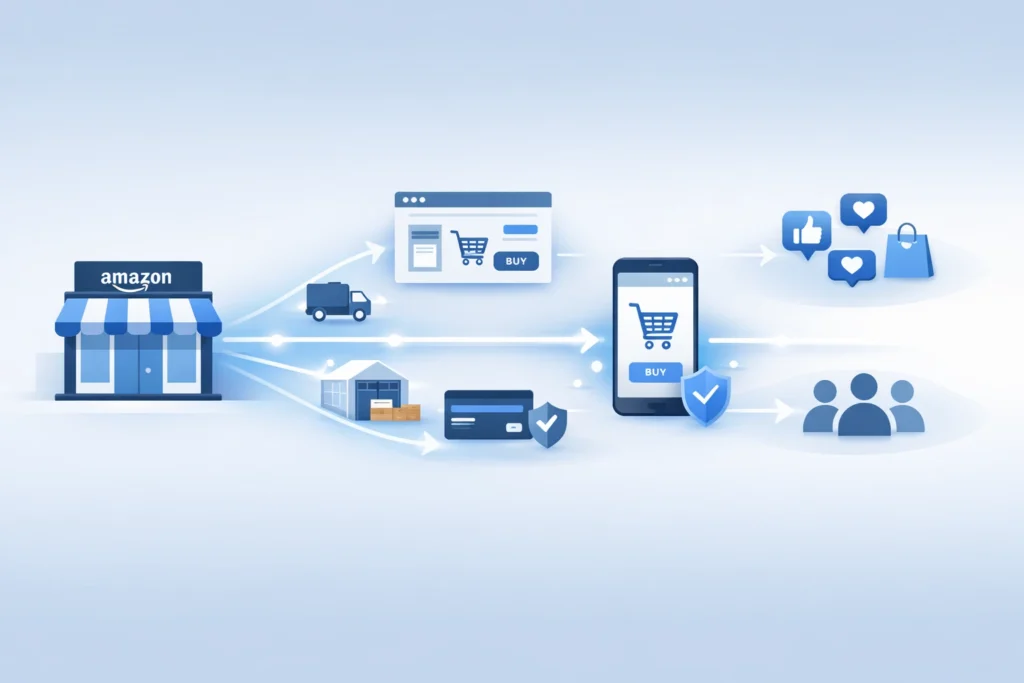
The amazon marketplace no longer sits inside one store alone. Instead, Amazon now pushes its tools across the wider web. For sellers, that shift creates fresh reach, but also fresh risk. Therefore, you need a plan before bigger brands move first.
Table of Contents
- Why amazon marketplace is changing
- What Amazon is building outside its store
- Why this move matters for sellers
- The risks of staying Amazon only
- What sellers should do now
- A simple plan for 2026
- Reference points from Amazon and Shopify
- Frequently Asked Questions
- Conclusion
Why amazon marketplace is changing
Firstly, Amazon wants a larger share of online demand. It no longer wants to win only inside its own walls.
Secondly, brands want more control over traffic and customer data. So Amazon built tools that work beyond the main store.
Thirdly, customer trust already sits with Amazon. Therefore, Amazon can turn that trust into a wider service business.
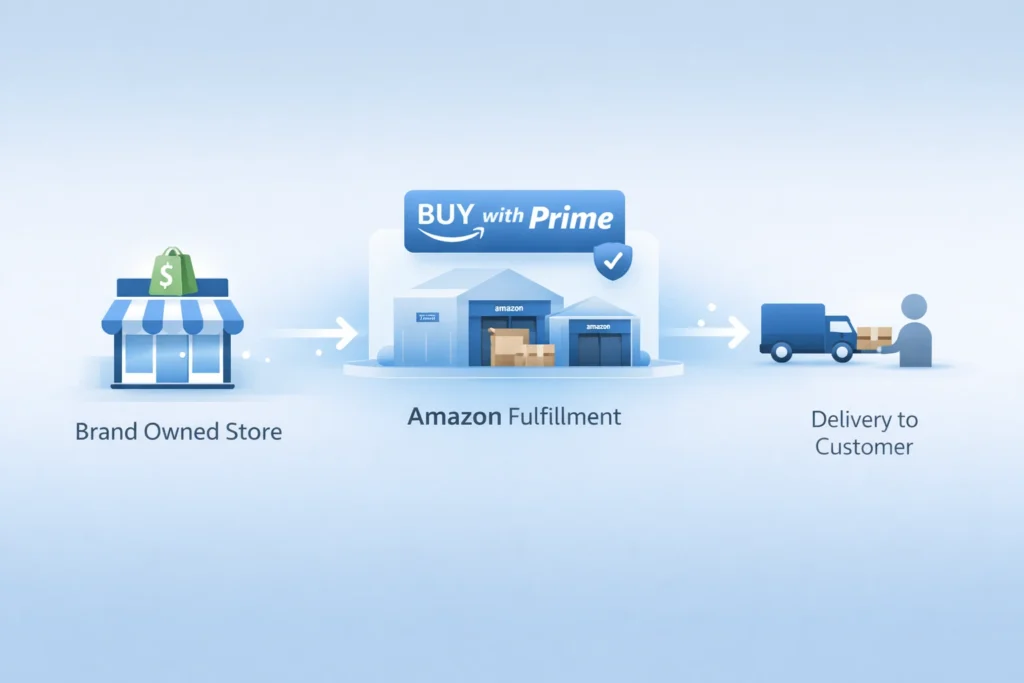
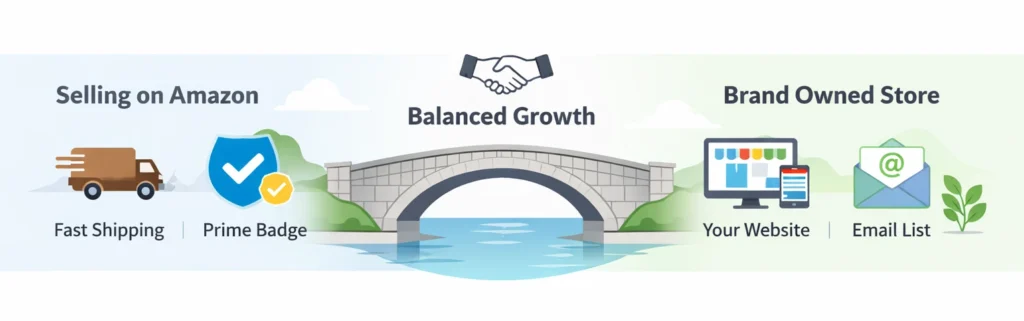
That move changes how the amazon marketplace fits your growth plan. In other words, Amazon now acts like a sales channel and a logistics layer.
- Amazon can power checkout on brand owned sites.
- Amazon can ship orders from one inventory pool.
- Amazon can support growth across more channels.
Pro Tip: Treat Amazon as a profit channel and a support system. Build both at the same time.
Many sellers still think in old terms. However, 2026 needs a wider view.
If you only watch ranking inside the amazon marketplace, you miss the bigger shift. Meanwhile, stronger brands build reach across many touchpoints.
What Amazon is building outside its store
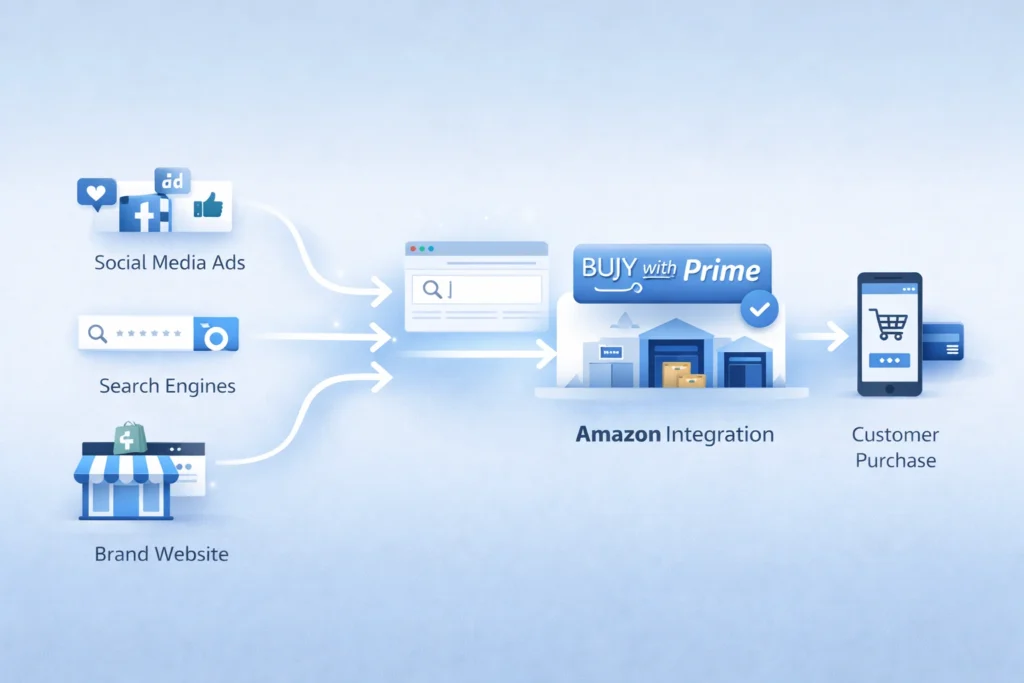
To begin with, Amazon offers Buy with Prime for brand sites. That tool adds Prime perks to direct sales pages.
Next, Amazon offers Multi Channel Fulfillment, often called MCF. That service ships orders from channels beyond Amazon.
In addition, Amazon now has a Shopify app for both tools. So sellers can connect store orders with Amazon fulfillment.
You can read more about Amazon Multi Channel Fulfillment for ecommerce brands. Also, Shopify explains setup in its guide for selling with Amazon tools on Shopify.
Buy with Prime changes the buying moment
For instance, amazon buy with prime gives shoppers a familiar option. That can reduce doubt on a brand owned store.
As a result, Amazon can help brands convert traffic they already own. But the sale does not need to start inside Amazon.
MCF changes the fulfillment model
Similarly, MCF lets brands use Amazon stock for outside orders. That means one pool can serve many channels.
In fact, Amazon states MCF works for businesses that do not sell on Amazon. So the service reaches beyond the amazon marketplace itself.
Shopify links the two worlds
Specifically, the new app supports shopify amazon integration inside Shopify admin. Therefore, more sellers can test Amazon tools without leaving their core store. :contentReference[oaicite:6]{index=6}
That matters because many private label brands already use Shopify. So Amazon now meets them where they work.
Table: Amazon tools now serve more than one sales path.
| Tool | Main job | Where it helps | What sellers gain |
|---|---|---|---|
| Buy with Prime | Boosts trust and speed at checkout | Brand owned site | Higher chance of conversion |
| MCF | Ships non Amazon orders | Shopify and other channels | One stock pool, faster shipping |
| Amazon app for Shopify | Connects orders and setup | Shopify admin | Smoother daily operations |
Why this move matters for sellers
Most importantly, this move changes seller economics. You can now keep Amazon strengths without keeping all sales inside Amazon.
That opens a real amazon multi channel strategy. In other words, you can use Amazon where it helps, then own more of the customer journey elsewhere.
- Keep fast fulfillment without full marketplace dependence.
- Build a brand site with better customer control.
- Spread risk across channels and traffic sources.
However, this shift also raises the bar. Basic sellers will struggle because strong brands will move faster.
For example, one brand may rank on Amazon, run ads on Meta, and close sales on Shopify. Meanwhile, Amazon still fulfills those orders in the background.
That is an ecommerce omnichannel strategy in simple terms. You meet the buyer on many paths, but you keep the brand story strong.
If you want that kind of growth, fix your store basics first. Then Improve Your Amazon SEO so your catalog can pull demand from search.
Also, you need clean ad data to guide budget moves. So sharpen your Amazon PPC before you expand traffic.
Warning: More channels do not solve weak offers. Poor listings and weak margins still hurt growth.
The risks of staying Amazon only
Firstly, one channel can change your costs fast. A fee shift or ad spike can hit profit hard.
Secondly, one channel can limit brand memory. Many buyers remember Amazon first, not your brand.
Thirdly, one channel can limit customer data. So repeat sales get harder over time.
In contrast, sellers who sell outside amazon platform can build email lists and repeat demand. They can also test offers with more freedom.
Still, you should not quit the amazon marketplace. Instead, you should stop treating it as your only home.
- Keep Amazon for search demand and trust.
- Use your own site for retention and bundles.
- Use outside traffic to lower total dependence.
That balance matters most in 2026. As a consequence, smart brands build both reach and control.
What sellers should do now
To clarify, you do not need a huge team. You need a clear order of moves.
1. Audit your catalog
Firstly, find products with steady reviews and good margins. Those items work best for wider expansion.
Next, check stock depth and shipping cost. You cannot scale if your core SKUs run thin.
2. Build a store that can convert
Secondly, fix your product pages before new traffic arrives. Add better photos, clear copy, and stronger proof.
For instance, show use cases, FAQs, and simple comparisons. That helps when buyers do not start inside the amazon marketplace.
3. Test Amazon powered fulfillment
Thirdly, review whether MCF fits your margins. Then test one small group of SKUs first.
You can start with the official page for fulfillment across multiple sales channels. Also, Amazon states MCF can fulfill in as fast as two days.
4. Add Buy with Prime where it helps
Additionally, use amazon buy with prime for items that need trust fast. This often works well for known hero products.
But do not force it on every SKU. Instead, test where the lift can cover the added cost.
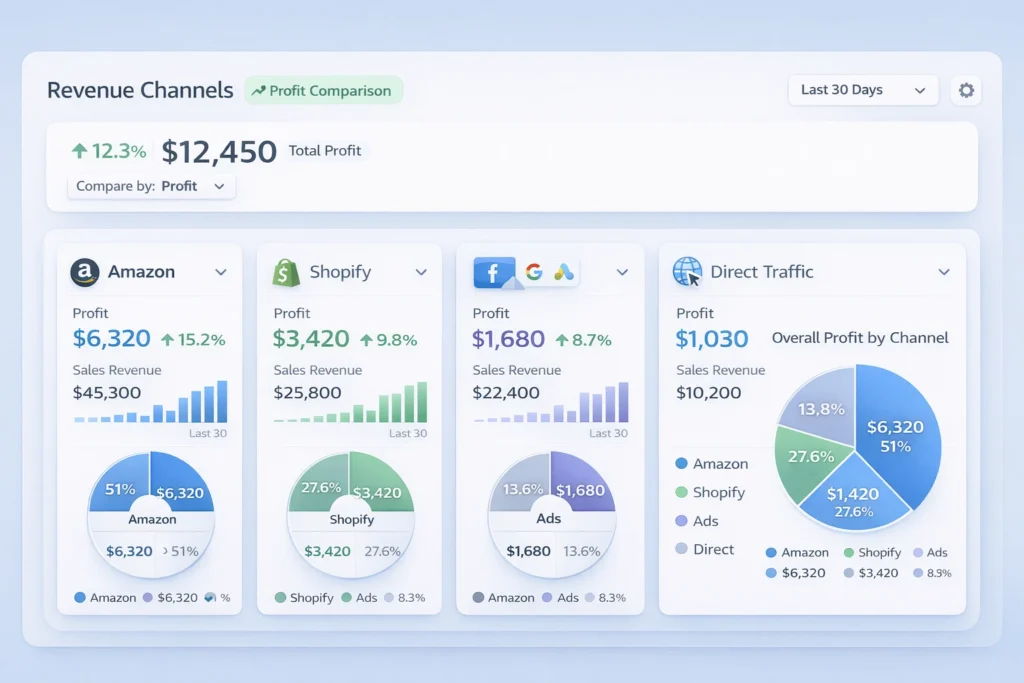
5. Track profit by channel
Most importantly, split reports by source. Otherwise, you will scale vanity sales and miss real profit.
Look at ad spend, refund rate, and repeat rate. Then compare each channel with Your Amazon marketplace results.
A simple plan for 2026
Above all, keep the plan simple. Complexity kills speed for small teams.
Phase one, fix the base
- Improve listing copy and images.
- Clean your PPC waste.
- Protect margin on core SKUs.
Phase two, expand one sales path
- Launch one strong product on Shopify.
- Test shopify amazon integration for operations.
- Send a small traffic batch to that page.
Phase three, widen the system
- Add bundles for your direct site.
- Collect email and SMS leads.
- Retarget visitors who do not buy first.
Finally, build process before scale. That means fewer surprises as orders rise.
In short, the best 2026 plan uses Amazon in two ways. It wins demand inside the amazon marketplace, and support outside sales too.
What good execution looks like
A strong brand ranks on Amazon and runs clean ads. Then it sends outside traffic to pages built to convert.
Meanwhile, the team watches profit by SKU and channel. Therefore, budget shifts follow real numbers.
- Pick one hero SKU.
- Build one strong landing page.
- Test one outside traffic source.
- Measure repeat buyers after thirty days.
Reference points from Amazon and Shopify
Amazon says its Shopify integration can sync orders, products, and returns in Shopify admin. It also says sellers can use the same Amazon inventory for Shopify orders.
Shopify says merchants in the United States can import and fulfill Shopify orders through the Amazon MCF and Buy with Prime app. It also outlines setup steps in Shopify admin.
Recent reporting also says Amazon has tested Prime shipping on outside sites without an Amazon login for some merchants. That points to an even wider push beyond the core amazon marketplace.
These points matter because they show direction, not hype. Amazon wants a bigger role in commerce infrastructure.
Frequently Asked Questions
Why is Amazon moving beyond its main store?
Amazon wants more order flow, more merchant ties, and more logistics volume. So it now supports sales outside its core store too. Does this mean Amazon Sellers need Shopify now?
No, but many sellers should test a brand site. That gives more control over repeat sales and customer data. What is amazon buy with prime in simple terms?
It adds Prime style delivery and checkout trust to your own site. As a result, some shoppers feel safer buying direct. Can brands use MCF if they do not sell on Amazon?
Yes. Amazon states MCF is open to businesses that do not sell on Amazon. Should I leave the amazon marketplace and focus only on my site?
No. Keep Amazon as a core channel. Then build your own site so you gain more control and reduce channel risk. What is the first step for private label brands?
Ready to grow your Amazon business?
Get a free strategy call with Advertpreneur.Book Your Free Consultation
Conclusion
The amazon marketplace still matters, but its role has changed. It now acts as a store, a trust layer, and a shipping engine.
Therefore, sellers who adapt early can win more control and better reach. They can keep Amazon strengths while building direct brand value.
To conclude, do not wait for the shift to become obvious. Build your amazon multi channel strategy now, test smart, and grow with intent.
How shopify ChatGPT integration Is Changing Online Shopping in 2026
 amazon-ppc-optimization-with-ai/”>with product recommendations” class=”wp-image-7052″ />
Shopify ChatGPT integration is changing how people discover and buy products. Today, buyers ask questions instead of searching pages.
Firstly, this shift impacts every Shopify store owner. Secondly, it changes how Amazon sellers think about traffic.
Table of Contents
- <a href="#what-is-shopify-chatgpt-integration”>What Is Shopify ChatGPT integration
- How ChatGPT Shopping Works
- Why This Matters for Sellers
- Shopify vs Amazon vs AI
- How to Optimize for AI Commerce
- Future of Ecommerce AI
- Frequently Asked Questions
- Conclusion
What Is Shopify ChatGPT integration
Firstly, Shopify ChatGPT integration connects store data with AI systems. Secondly, it allows ChatGPT to suggest products directly.
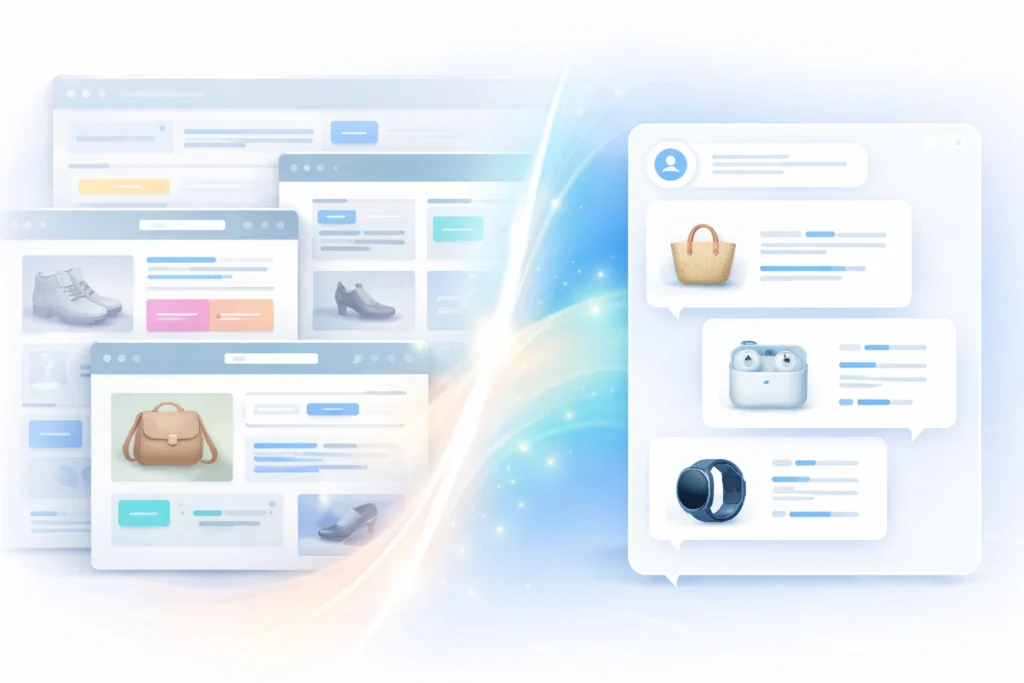
In other words, your products become part of AI conversations. That means users can find items without visiting your site.
Additionally, this shift builds on Shopify AI commerce trends. Therefore, stores must adapt fast.
- Chat based product discovery replaces search browsing
- AI product recommendations guide buyer decisions
- Users can buy products from ChatGPT in some cases
Pro Tip: Focus on clear product data. AI tools rely on structured content.
How ChatGPT Shopping Works
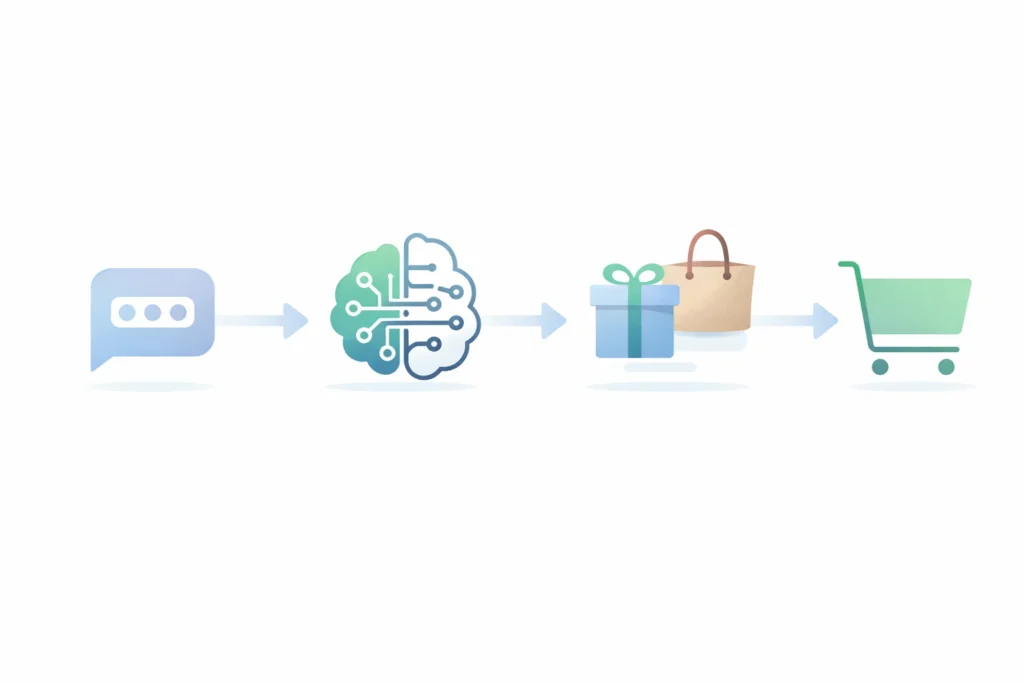
To begin with, the ChatGPT shopping feature works on intent. Users ask questions instead of typing keywords.
Next, ChatGPT analyzes needs and suggests products. Then, it compares options based on relevance.

For example, a user asks for a beach bag. ChatGPT suggests Shopify products with strong data.
- User asks a question
- AI understands intent
- Products get recommended
- User clicks or buys
Meanwhile, your Shopify Website still plays a role. However, discovery shifts to AI first.
Warning: Poor product descriptions reduce visibility in AI results.
Why This Matters for Sellers
Firstly, Shopify ChatGPT integration reduces reliance on ads. Secondly, it opens a new traffic channel.
As a result, sellers gain exposure without high ad costs. That means better margins over time.
- Lower cost of customer acquisition
- Higher conversion from AI recommendations
- Better reach for niche products
In fact, many sellers still ignore this shift. Therefore, early adopters gain an edge.
Additionally, AI commerce insights show rising adoption. So demand will grow fast.
Shopify vs Amazon vs AI
Firstly, Amazon controls search based buying. Secondly, Shopify builds brand identity.
However, AI acts as a decision layer. That means it sits between user and product.
| Platform | Main Role | Strength | Weakness |
|---|---|---|---|
| Amazon | Marketplace | High intent buyers | High competition |
| Shopify | Brand store | Full control | Traffic challenge |
| ChatGPT | Decision engine | AI product recommendations | Still evolving |
Table: Comparison of ecommerce platforms and AI role
How to Optimize for AI Commerce
Firstly, optimize Product Titles with clear intent. Secondly, use simple language.
Additionally, improve descriptions for AI understanding. That means fewer buzzwords.
- Use structured bullet points
- Answer common buyer questions
- Add real use cases
Meanwhile, your Shopify Website must stay clean. Therefore, focus on user experience.
In contrast, keyword stuffing fails in AI systems. Instead, write for clarity.

Future of Ecommerce AI
Firstly, the future of ecommerce AI will rely on conversations. Secondly, search will decline.
As a result, brands must adapt to AI visibility. That means building strong product signals.
- AI will replace search for many users
- Recommendations will drive most purchases
- Websites will support final conversion
In fact, users already prefer quick answers. Therefore, ChatGPT becomes a buying assistant.
Frequently Asked Questions
What is Shopify ChatGPT integration?
It connects Shopify stores with AI tools. Users can discover products through chat. Can users buy products from ChatGPT?
Yes, in some cases users can buy products from ChatGPT directly or via links. How does the ChatGPT shopping feature work?
It uses user intent and data to show relevant products quickly. Why is Shopify AI commerce important?
It reduces dependency on ads and improves product discovery. What is the future of ecommerce AI?
AI will guide buying decisions. Search engines will play a smaller role.
Ready to grow your Amazon business?
Get a free strategy call with Advertpreneur.Book Your Free Consultation
Conclusion
Shopify ChatGPT integration is not a trend. It is a shift in how people shop.
Therefore, Sellers Must adapt fast. Otherwise, they risk losing visibility.
Finally, those who act early will gain the most. AI driven commerce will define the next decade.
Is dropshipping still profitable in 2026 or changing fast
 shopify-Trends-Driving-Ecommerce-Growth-1024×683.webp” alt=”shopify trends diagram showing ecommerce growth and strategy” width=”700″ height=”467″ />
Dropshipping still attracts new sellers in 2026. However, the game has changed a lot. Firstly, simple stores no longer work like before. Secondly, smart sellers now focus on brand and trust.
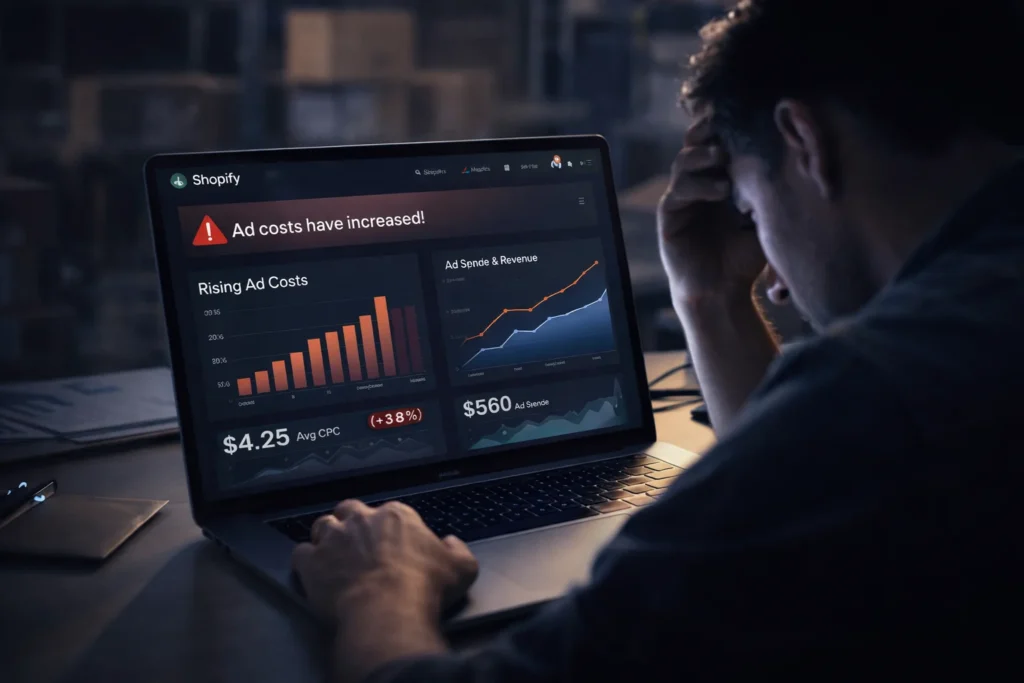
Increasing ad costs make it harder for new dropshipping sellers
What is dropshipping today
Firstly, dropshipping means you sell without holding stock. Instead, suppliers ship products directly to buyers.
Secondly, the dropshipping business model now focuses on customer experience. As a result, fast delivery and quality matter more than ever.
- You create a store and list products
- You run ads or organic traffic
- You forward orders to suppliers
- You keep the profit margin
In addition, many sellers now use Shopify for store setup. Therefore, design and speed play a big role.
Why people think dropshipping is dead
Firstly, many beginners fail fast. However, they copy old tactics from past years.
Secondly, ad costs increased a lot. As a result, poor strategy leads to losses.
- Low quality products damage trust
- Slow shipping kills repeat buyers
- No branding leads to weak stores
- Copycat products fail quickly
In contrast, smart sellers adapt fast. Therefore, they still win in this space.
How the dropshipping business model evolved
Firstly, old dropshipping focused on cheap items. However, today sellers focus on value and branding.
Secondly, private suppliers now replace random marketplaces. As a result, delivery time improves.
- Find a niche with demand
- Build a branded store
- Work with trusted suppliers
- Focus on repeat customers
For instance, many sellers now use Shopify platform with custom branding. That means they build long term assets.
Shopify trends shaping the market
Firstly, shopify trends now favor niche stores. Secondly, general stores no longer perform well.
In addition, mobile experience matters more than ever. Therefore, fast loading pages win.
- Short video ads drive traffic
- User generated content builds trust
- Local warehouses improve delivery
- Email flows increase lifetime value
Meanwhile, automation tools help manage orders. As a result, sellers save time daily.
Can you still make dropshipping profit
Yes, you can still earn dropshipping profit in 2026. However, you must run it like a real business.
Firstly, you need proper margins. Secondly, you must control ad costs.
| Factor | Old Approach | New Approach |
|---|---|---|
| Product | Cheap trending items | Quality niche products |
| Shipping | Slow delivery | Fast local delivery |
| Brand | No branding | Strong identity |
| Ads | Test random creatives | Data driven testing |
Table: Comparison between old and modern dropshipping approach
In fact, profit comes from repeat buyers. Therefore, retention matters more than first sale.
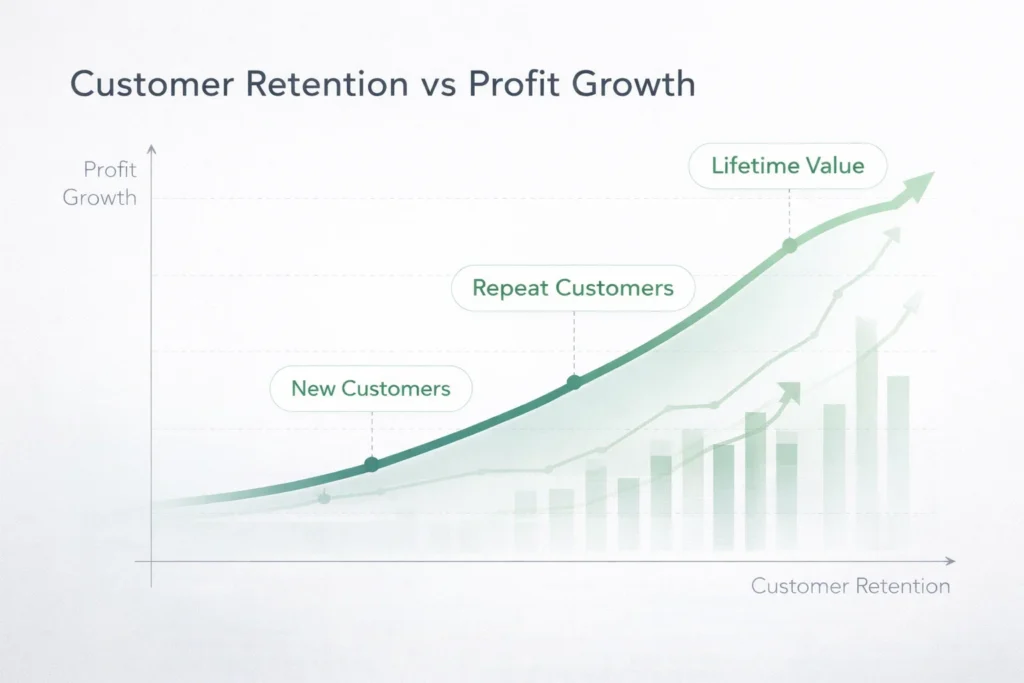
Profit grows faster when customer retention improves over time
Best shopify dropshipping strategy in 2026
Firstly, build a brand first. Secondly, select products with real demand.
Next, focus on content marketing. That means you drive traffic without only ads.
- Pick a niche with clear audience
- Create a clean Shopify store
- Add social proof and reviews
- Run video ads on social platforms
- Build email and SMS list
Additionally, test creatives daily. As a result, you find winning ads faster.
For example, you can study dropshipping in UAE markets. This helps you spot new trends early.
Growth in UAE and KSA markets
Firstly, UAE and KSA markets grow fast. Secondly, online shopping demand keeps rising.
In addition, local delivery improves customer trust. Therefore, sellers see better conversion.
- High spending customers
- Strong mobile usage
- Growing ecommerce adoption
- Demand for premium products
Similarly, local branding works well in these regions. As a result, sellers can build loyal customers.
What the ecommerce future looks like
Firstly, the ecommerce future focuses on trust. Secondly, speed and quality will decide winners.
In contrast, cheap stores will fade away. Therefore, serious sellers will dominate.
- AI helps product research
- Personalisation improves sales
- Fast shipping becomes standard
- Brand loyalty drives growth
Most importantly, dropshipping becomes a real business model. That means you must treat it seriously.

Modern dropshipping success depends on strong branding and retention
Frequently Asked Questions
Is dropshipping still worth it in 2026?
Yes, it still works. However, you need better strategy and branding.
How much dropshipping profit can I make?
Profit depends on niche and ads. Most sellers aim for twenty to thirty percent margins.
Do I need Shopify for dropshipping?
Many sellers use Shopify. It offers easy setup and strong tools.
What is the biggest mistake beginners make?
They copy old methods. Instead, focus on branding and customer trust.
Which markets are best for dropshipping now?
UAE and KSA markets grow fast. They offer strong buying power.
Ready to grow your Amazon business?
Get a free strategy call with Advertpreneur.
Conclusion
Firstly, dropshipping is not dead in 2026. However, it has changed a lot.
Secondly, success now depends on brand and trust. Therefore, serious sellers still make strong profits.
Finally, treat dropshipping like a real business. In short, focus on long term growth.
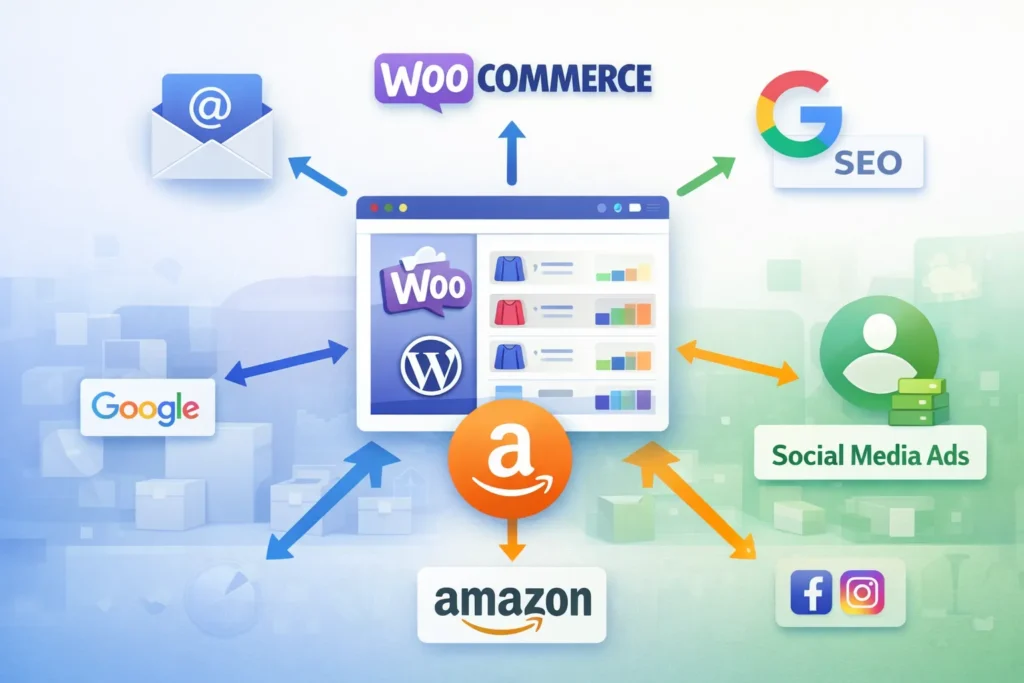
Choosing between woocommerce store Development and shopify is one of the most important decisions an amazon seller can make when expanding off-platform. Both solutions offer powerful eCommerce tools, yet they serve very different business needs. In this guide, Advertpreneur breaks down every key difference so you can invest your time and money wisely.
- Why Amazon Sellers Need Their Own Store
- WooCommerce Store Development: What It Offers
- Shopify: What It Offers
- Head-to-Head Comparison: WooCommerce vs Shopify
- WooCommerce Pros for Amazon Sellers
- WooCommerce Cons for Amazon Sellers
- Shopify Pros and Cons for Amazon Sellers
- When WooCommerce Store Development Is the Best Choice
- Frequently Asked Questions
- Conclusion
Why Amazon Sellers Need Their Own Store
Amazon is a powerful sales channel, but it limits your brand control significantly. You do not own your customer data, and Amazon can suppress or delist Your Products at any time. Therefore, building an independent store protects your revenue and strengthens your brand identity.
Furthermore, owning a website lets you capture email subscribers, run retargeting ads, and create loyalty programs. These are all impossible on Amazon alone. As a result, top-performing sellers consistently diversify onto platforms like WooCommerce or Shopify to reduce dependency risk.
Additionally, having your own store boosts your brand’s perceived legitimacy. Customers trust businesses with professional websites. For example, a well-built store increases average order value and repeat purchases over time.
Pro Tip: Amazon sellers who add an independent eCommerce store typically see 20–35% more total revenue within the first year, according to industry data from Shopify’s seller research.
WooCommerce Store Development: What It Offers
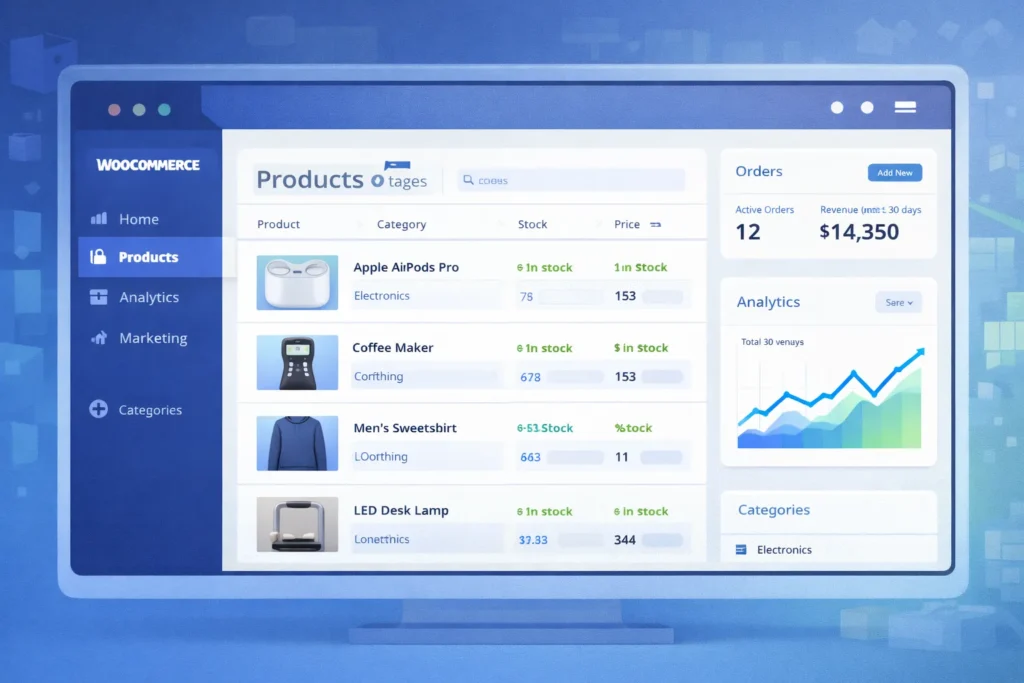
WooCommerce Store Development means building a fully customised online shop on top of wordpress. It is open-source, highly flexible, and powers over 36% of all eCommerce websites worldwide. Consequently, a vast developer ecosystem and thousands of plugins are available to you.
A professional WordPress Website Design Service can transform a basic WooCommerce install into a high-converting storefront. Design freedom is nearly unlimited because you control every line of code. Additionally, you own your hosting, your data, and your complete store architecture.
WordPress eCommerce Development also integrates deeply with SEO tools like Yoast and Rank Math. Firstly, your blog and product pages sit under one domain. Secondly, you can build topic clusters and internal links that Amazon never allows.
Key WooCommerce Features
- 100% open-source with no monthly SaaS licence fee
- Unlimited product variations and custom attributes
- Deep integration with WordPress SEO Optimization Service tools
- Hundreds of payment gateway options including Stripe, PayPal, and local gateways
- Full control over checkout flow and customer data
- Built-in blogging for content marketing and SEO
- Amazon FBA fulfilment plugins for seamless order sync
WooCommerce Setup Requirements
- Purchase reliable managed WordPress hosting (e.g., Kinsta, WP Engine, or SiteGround)
- Install WordPress and activate the WooCommerce plugin
- Choose and configure a high-quality WooCommerce theme
- Set up payment gateways and shipping zones
- Install SEO, security, and performance plugins
- Migrate or import your Amazon Product catalog
- Connect Amazon FBA inventory sync tools
Shopify: What It Offers
Shopify is a fully hosted eCommerce platform designed for simplicity and speed to launch. It handles hosting, security, and updates automatically, so you focus entirely on selling. However, that convenience comes with a monthly fee and significant customisation restrictions.
Shopify’s App Store offers over 8,000 integrations, including direct Amazon channel selling tools. Furthermore, Shopify Payments removes third-party gateway fees for eligible merchants. Most importantly, the drag-and-drop store builder requires zero technical knowledge to operate.
In contrast to WooCommerce, Shopify limits your SEO control and charges transaction fees if you use external payment gateways. Consequently, sellers with large catalogs or complex needs often find Shopify too restrictive over time.
Key Shopify Features
- Fully hosted with 99.9% uptime guarantee
- Fast setup — store live within hours
- Built-in Amazon sales channel app
- Mobile-optimised themes out of the box
- Shopify Payments for simplified checkout
- Basic SEO tools with limited customisation
- 24/7 customer support via chat and phone
Head-to-Head Comparison: WooCommerce vs Shopify
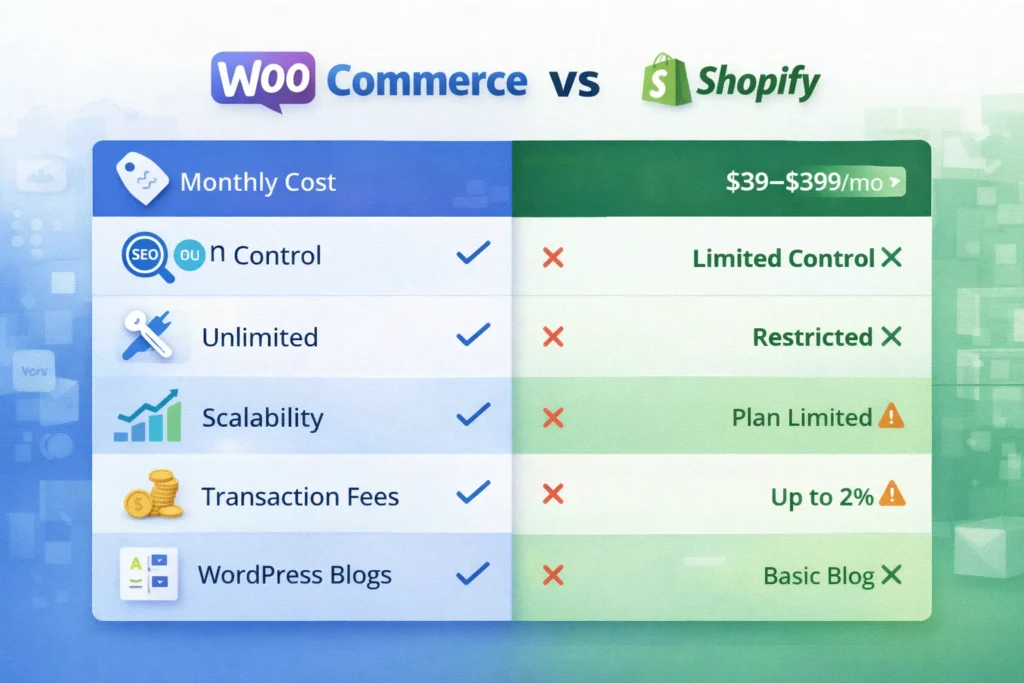
The table below compares both platforms across the metrics that matter most to Amazon sellers. Use this to identify which solution aligns with your growth goals and technical resources.
Table: WooCommerce Store Development vs Shopify — Key Metrics for Amazon Sellers
| Feature / Metric | WooCommerce (WordPress) | Shopify |
|---|---|---|
| Monthly Platform Cost | Free plugin (hosting ~$20–$80/mo) | $39–$399/mo (Basic to Advanced) |
| Transaction Fees | None (gateway fees only) | 0.5%–2% unless using Shopify Payments |
| SEO Control | Full — custom meta, schema, URLs | Limited — URL structures locked |
| Customisation Flexibility | Unlimited with code/plugins | Restricted to theme/app framework |
| Amazon FBA Integration | Via plugins (WooCommerce Amazon Fulfillment) | Built-in Amazon sales channel |
| Content Marketing (Blog) | Full WordPress CMS power | Basic built-in blog |
| Data Ownership | 100% yours | Stored on Shopify servers |
| Setup Difficulty | Moderate — needs technical help | Easy — beginner-friendly |
| Scalability | Unlimited with right hosting | Limited by plan tier |
| Payment Gateways | 100+ options globally | ~100 but penalises non-Shopify Payments |
WooCommerce Pros for Amazon Sellers
WooCommerce Store Development gives Amazon sellers unmatched control over their brand experience. You design every page element, set every SEO parameter, and own your complete customer database. In contrast, Shopify locks you inside its proprietary framework.
Furthermore, WooCommerce is genuinely free to use as a plugin. Your only recurring costs are hosting and any premium plugins you choose. Therefore, sellers with high order volumes save significantly compared to Shopify’s percentage-based transaction fees.
A professional WordPress Website Design Service can also create a visually unique brand that stands out in your niche. Additionally, WordPress eCommerce Development lets you build rich content ecosystems — long-form guides, category pages, and comparison articles — that rank on Google and drive organic traffic.
Pro Tip: Pairing your WooCommerce store with a dedicated Free Amazon Consultation from Advertpreneur helps you map the right integration strategy between your Amazon FBA account and your new website storefront.
SEO Advantages of WooCommerce
A WordPress SEO Optimization Service leverages Yoast SEO, Rank Math, and Google Search Console integration to maximise organic visibility. You can fully customise title tags, meta descriptions, canonical URLs, and structured data for every product. Consequently, your store can rank for thousands of long-tail keywords that Shopify’s URL structure restricts.
Additionally, WordPress’s native blog is the most powerful content marketing platform available. You can build topic clusters, internal link networks, and buyer intent content that Amazon sellers rarely exploit. As a result, your website generates consistent free traffic alongside your paid campaigns.
Cost Savings at Scale
Consider a seller generating $50,000 per month in off-Amazon revenue. On Shopify Advanced ($399/mo plus 0.5% transaction fees), that seller pays roughly $649 per month in platform costs. In contrast, a WooCommerce store on premium hosting costs under $100 per month with zero transaction fees. Therefore, the annual saving exceeds $6,500 — enough to fund significant marketing campaigns.
WooCommerce Cons for Amazon Sellers
WooCommerce Store Development requires a higher initial time investment than Shopify. You must manage hosting, plugin updates, security patches, and site performance yourself. Consequently, sellers without technical experience should work with an expert agency from day one.
Additionally, the setup process is more complex than Shopify’s one-click install. Firstly, you need to select and configure hosting. Secondly, you must choose a compatible theme, configure WooCommerce settings, and install necessary plugins. However, a skilled WordPress eCommerce Development partner makes this process fast and stress-free.
Finally, WooCommerce’s built-in Amazon sales channel integration is less native than Shopify’s. You must install third-party plugins like WP-Lister or WooCommerce Amazon Fulfillment to sync inventory. For example, incorrect plugin configuration can cause stock discrepancies between channels.
Warning: Never launch a WooCommerce store on shared hosting if you expect significant traffic. Cheap hosting causes slow load times, which directly harms your SEO rankings and conversion rates. Always invest in managed WordPress hosting from the start.
Maintenance Responsibilities
- Monthly plugin and theme updates are mandatory for security
- Regular database optimisation keeps site speed fast
- SSL certificates must be renewed annually
- Backups should run daily to prevent data loss
- Security scans protect against malware and intrusions
Shopify Pros and Cons for Amazon Sellers
Shopify’s biggest advantage is speed and simplicity. A seller with no technical background can launch a professional-looking store in under 24 hours. Furthermore, Shopify’s built-in Amazon sales channel lets you list and sync products directly from your Shopify dashboard.
However, Shopify’s SEO limitations are a serious concern for long-term growth. URL structures include mandatory subdirectories that you cannot remove. Additionally, Shopify’s blogging tool is far weaker than WordPress, limiting your content marketing potential significantly.
Most importantly, Shopify’s transaction fees add up fast at scale. For example, a seller using PayPal on the Basic Shopify plan pays an additional 2% per transaction on top of PayPal’s standard fees. As a result, high-volume sellers consistently migrate to WooCommerce Store Development as their revenue grows.
When Shopify Makes Sense
Shopify is a strong choice if you need a store live immediately with minimal setup effort. It suits sellers with small catalogs (under 200 products) who prioritise ease over customisation. Additionally, Shopify works well as a temporary storefront while you plan a more robust WooCommerce Store Development migration.
Note: Many Amazon sellers start on Shopify for speed, then migrate to WooCommerce once their monthly revenue justifies the investment in a more powerful, scalable platform. Plan this migration early to avoid SEO disruption.
When WooCommerce Store Development Is the Best Choice
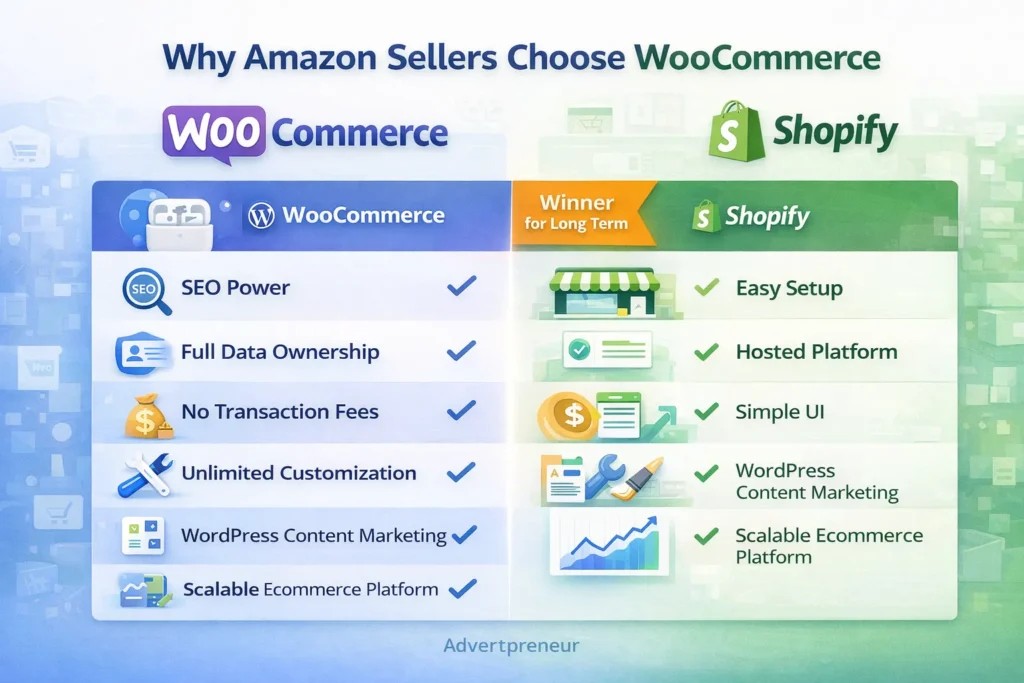
WooCommerce Store Development is the superior choice for serious Amazon sellers who want full brand ownership and long-term scalability. If you generate over $10,000 per month in revenue, the cost savings and SEO benefits outweigh the setup complexity. Furthermore, WordPress eCommerce Development gives you a publishing platform powerful enough to compete with major eCommerce content sites.
Additionally, WooCommerce is ideal if you sell internationally. You can configure multi-currency, multi-language stores that Shopify restricts behind expensive plan upgrades. Consequently, global sellers consistently choose WooCommerce to serve diverse customer bases without paying premium subscription tiers.
Finally, if SEO-driven organic traffic is central to your growth strategy, WooCommerce is non-negotiable. A dedicated WordPress SEO Optimization Service combined with WooCommerce’s full technical SEO capabilities can generate compounding organic revenue for years. In summary, WooCommerce Store Development is the long-term winner for Amazon sellers serious about building a brand.
According to W3Techs usage statistics, WordPress powers 43% of all websites on the internet — evidence of its unmatched reliability, developer support, and ecosystem maturity for any serious eCommerce project.
- You want full SEO control and content marketing capabilities
- Your monthly revenue exceeds $10,000 and transaction fees are significant
- You need a highly customised user experience or checkout flow
- You plan to build a brand with a long-term organic traffic strategy
- You sell internationally and need flexible multi-currency support
- You want 100% ownership of your customer data and purchase history
Frequently Asked Questions
Is WooCommerce or Shopify better for Amazon sellers who are just starting out?
Shopify is faster to launch for complete beginners, but WooCommerce Store Development offers far more long-term value. If you have a small budget and need a store live immediately, Shopify works for the short term. However, most sellers migrate to WooCommerce once they outgrow Shopify’s limitations around SEO, customisation, and transaction fees. Starting with WooCommerce from day one, with the help of a professional agency, saves you the cost and disruption of migrating later. How much does professional WooCommerce Store Development cost?
WooCommerce Store Development costs vary based on the scope of your project. A basic store with 50–100 products typically ranges from $800 to $2,500. A fully custom store with advanced integrations, SEO setup, and Amazon sync tools can range from $3,000 to $8,000 or more. Ongoing monthly maintenance and a WordPress SEO Optimization Service add $150–$500 per month depending on your needs. These costs are significantly offset by the platform savings compared to Shopify’s monthly fees and transaction charges at scale. Can I connect my WooCommerce store directly to Amazon FBA?
Yes, you can connect WooCommerce to Amazon FBA using plugins like WooCommerce Amazon Fulfillment, WP-Lister Pro, or Sellbrite. These tools sync your WooCommerce inventory with your Amazon seller account and automatically route orders to FBA for fulfilment. Furthermore, they update stock levels in real time across both channels. Consequently, you avoid overselling and maintain accurate inventory without manual management. Does WooCommerce or Shopify rank better on Google?
WooCommerce on WordPress consistently outperforms Shopify in SEO potential. WordPress gives you full control over URL structures, meta tags, schema markup, and site architecture — all critical ranking factors. Additionally, WordPress’s powerful blogging capabilities let you build content clusters that drive sustained organic traffic. Shopify’s locked URL structures and weaker blog tools limit your SEO ceiling significantly. A dedicated WordPress SEO Optimization Service further amplifies WooCommerce’s natural SEO advantages. What is a WordPress Website Design Service and do I need one?
A WordPress Website Design Service is a professional service that designs, develops, and launches a WordPress-based website tailored to your brand and business goals. It typically includes custom theme design, page layout creation, mobile optimisation, plugin configuration, and performance tuning. Amazon sellers benefit significantly from this service because a professionally designed WooCommerce store converts visitors far better than a default template. Furthermore, a proper design service ensures your brand identity transfers consistently from Amazon to your independent store. How long does WooCommerce Store Development take?
A standard WooCommerce Store Development project typically takes 3–6 weeks from kickoff to launch. Simple stores with under 50 products can go live in 2–3 weeks. Complex stores with custom design, advanced integrations, and large product catalogs may take 6–10 weeks. Working with an experienced WordPress eCommerce Development team shortens timelines significantly because they avoid common setup errors and follow proven workflows. Advertpreneur delivers full WooCommerce store projects with SEO setup included in the launch package.
Ready to Build Your WooCommerce Store and Grow Beyond Amazon?
Get a free strategy call with Advertpreneur — Pakistan’s leading Amazon and eCommerce growth agency. We design, develop, and launch high-converting WooCommerce stores built to rank and scale.Book Your Free Consultation
Conclusion
Both WooCommerce and Shopify offer genuine value for Amazon sellers looking to expand off-platform. However, for sellers who prioritise SEO, scalability, data ownership, and long-term cost efficiency, WooCommerce Store Development is clearly the stronger investment. Furthermore, combining WordPress eCommerce Development with a professional WordPress SEO Optimization Service creates a powerful organic growth engine that compounds over time.
Shopify suits sellers who need speed and simplicity right now. In contrast, WooCommerce Store Development suits sellers who are building a serious brand for the long term. Additionally, the cost savings at scale — especially on transaction fees — consistently justify the higher upfront setup investment for growing businesses.
In summary, the best platform is the one aligned with Your Business goals, technical resources, and growth timeline. If you want expert guidance on whether WooCommerce Store Development is right for your Amazon business, Advertpreneur is ready to help you make the right decision and execute it flawlessly.
Introduction
Your Shopify store design is the foundation of your e-commerce success. A well-designed Shopify store can increase conversion rates by 20-40% compared to poorly designed stores, while a bad design can kill sales before customers even see your products.
But creating a conversion-optimized Shopify website isn’t just about making it look pretty—it’s about strategic design, user experience optimization, and understanding what makes customers click “Add to Cart.”
In this comprehensive guide, we’ll teach you everything you need to know about Shopify website design. You’ll learn proven strategies, best practices, and actionable tips to create a store that not only looks great but drives real sales.
Why Shopify Website Design Matters
The Impact of Design:
Conversion Rate Impact:
- Well-designed stores: 2-4% average conversion rate
- Poorly designed stores: 0.5-1% conversion rate
- Difference: 2-4x more sales with good design
User Experience Impact:
- Fast-loading stores: 40% higher conversion
- Mobile-optimized: 70% of traffic is mobile
- Clear navigation: 30% more time on site
- Trust signals: 25% higher conversion
Business Impact:
- Professional design: Builds trust and credibility
- Better UX: Reduces cart abandonment
- SEO benefits: Better rankings
- Brand building: Stands out from competitors
Key Elements of Conversion-Optimized Shopify Design
1. Homepage Design
Critical Elements:
Hero Section
- Compelling headline – Clear value proposition
- High-quality image – Professional, on-brand
- Clear CTA – “Shop Now”, “Browse Collection”
- Above the fold – Most important info visible immediately
Navigation
- Clear menu structure – Easy to find products
- Search functionality – Help customers find products
- Cart icon – Always visible
- Mobile-friendly – Hamburger menu on mobile
Trust Signals
- Customer reviews – Social proof
- Security badges – SSL, payment security
- Shipping info – Free shipping, fast delivery
- Return policy – Easy returns build trust
Product Showcase
- Featured products – Best sellers, new arrivals
- Category previews – Quick access to collections
- Visual appeal – High-quality product images
- Clear CTAs – “Shop [Category]”
2. Product Page Design
Conversion-Critical Elements:
Product Images
- Multiple angles – 5-7 high-quality images
- Zoom functionality – Let customers inspect
- Lifestyle photos – Product in use
- Size guides – Help with fit/sizing decisions
Product Information
- Clear title – Descriptive, keyword-rich
- Compelling description – Benefits, not just features
- Key features – Bullet points, easy to scan
- Specifications – Technical details for those who want them
Pricing and Options
- Clear pricing – Prominent, easy to see
- Variants – Size, color, style options
- Stock status – “In Stock” or “Only 3 left”
- Add to Cart – Prominent, above the fold
Social Proof
- Customer reviews – Real feedback
- Star ratings – Visual trust indicator
- Customer photos – User-generated content
- FAQ section – Address common questions
3. Checkout Optimization
Critical for Conversion:
Streamlined Process
- Guest checkout – Don’t force account creation
- Progress indicator – Show checkout steps
- Auto-fill – Address autocomplete
- Multiple payment options – Credit card, PayPal, etc.
Trust and Security
- Security badges – SSL, payment security
- Return policy – Clear, visible
- Shipping calculator – Show costs upfront
- Order summary – Clear breakdown
Mobile Optimization
- Mobile-first design – 70%+ traffic is mobile
- Large buttons – Easy to tap
- Simplified forms – Minimal fields
- Fast loading – Under 3 seconds
Shopify Design Best Practices
1. Mobile-First Design
Why it matters:
- 70%+ of traffic comes from mobile
- Mobile conversion often lower than desktop
- Google prioritizes mobile-friendly sites
- User experience critical on small screens
Best Practices:
- Responsive design – Works on all devices
- Touch-friendly – Large buttons, easy navigation
- Fast loading – Optimize images, minimize code
- Simplified navigation – Hamburger menu, clear structure
- Thumb-friendly – Important elements within thumb reach
2. Fast Loading Speed
Impact on Conversion:
- 1 second delay = 7% conversion drop
- 3+ seconds = 40% abandonment
- Target: Under 3 seconds load time
Optimization Tips:
- Optimize images – Compress, use WebP format
- Minimize apps – Only essential apps
- Use CDN – Fast content delivery
- Lazy loading – Load images as needed
- Clean code – Remove unused code
3. Clear Navigation
Navigation Principles:
- Simple structure – 5-7 main categories max
- Logical grouping – Related products together
- Search functionality – Help customers find products
- Breadcrumbs – Show location in site
- Footer links – Important pages accessible
4. High-Quality Images
Image Requirements:
- Professional photography – High-quality, consistent
- Multiple angles – Show product completely
- Lifestyle images – Product in use
- Consistent style – Match brand aesthetic
- Optimized size – Fast loading, high quality
5. Trust Building Elements
Trust Signals:
- Customer reviews – Real feedback
- Security badges – SSL, payment security
- Social proof – “Join 10,000+ happy customers”
- Guarantees – Money-back, satisfaction
- Contact info – Easy to reach support
6. Clear Value Proposition
Communicate Value:
- Headline – What you offer, why it matters
- Benefits – What’s in it for customers
- Differentiation – Why choose you
- Urgency – Limited time, limited stock
- Social proof – Others love it
Shopify Theme Selection
Choosing the Right Theme:
Free Themes:
- Dawn – Modern, fast, mobile-optimized
- Debut – Simple, clean, versatile
- Brooklyn – Bold, fashion-focused
- Minimal – Clean, minimal design
Best for:
- New stores
- Budget-conscious sellers
- Simple product catalogs
- Testing and learning
Premium Themes:
- More features – Advanced functionality
- Better support – Theme developer support
- More customization – Design flexibility
- Better performance – Often optimized better
Best for:
- Established stores
- Complex needs
- Brand-specific design
- Advanced features
Theme Selection Criteria:
- Mobile responsiveness – Must work on all devices
- Loading speed – Fast performance
- Customization – Can match your brand
- Features – Has what you need
- Support – Good documentation/help
- Updates – Regularly updated
Shopify Design Process
Step 1: Planning and Strategy
Before You Start:
Step 2: Design Mockups
Create Visuals:
- Homepage layout
- Product page design
- Checkout flow
- Mobile views
- Brand elements
Step 3: Theme Selection/Customization
Choose or Customize:
- Select theme
- Customize colors/fonts
- Add brand elements
- Configure settings
- Test responsiveness
Step 4: Content Creation
Add Content:
- Product descriptions
- Images and media
- About page
- Policy pages
- Blog content
Step 5: Testing and Optimization
Before Launch:
- Test on multiple devices
- Check all links
- Test checkout process
- Verify payment methods
- Speed testing
- SEO check
Step 6: Launch and Monitor
After Launch:
- Monitor analytics
- Track conversion rates
- Gather user feedback
- A/B test elements
- Continuously optimize
Shopify Conversion Optimization
1. Homepage Optimization
Key Elements:
- Clear value proposition – What you offer
- Compelling hero image – Professional, on-brand
- Featured products – Best sellers, new arrivals
- Trust signals – Reviews, guarantees, security
- Clear CTAs – “Shop Now”, “Browse Collections”
2. Product Page Optimization
Conversion Drivers:
- High-quality images – Multiple angles, zoom
- Compelling copy – Benefits-focused
- Social proof – Reviews, ratings
- Clear pricing – Prominent, no surprises
- Easy add to cart – Prominent button
- Related products – Cross-sell opportunities
3. Checkout Optimization
Reduce Abandonment:
- Guest checkout – Don’t force registration
- Progress indicator – Show steps
- Multiple payments – Credit card, PayPal, etc.
- Shipping calculator – Show costs upfront
- Trust badges – Security, guarantees
- Order summary – Clear breakdown
4. Mobile Optimization
Mobile-First:
- Responsive design – Works on all screens
- Fast loading – Under 3 seconds
- Touch-friendly – Large buttons
- Simplified navigation – Easy to use
- Thumb-friendly – Important elements accessible
Common Shopify Design Mistakes
1. Poor Mobile Experience
❌ Mistake: Desktop-only design ✅ Solution: Mobile-first, responsive design
2. Slow Loading Speed
❌ Mistake: Unoptimized images, too many apps ✅ Solution: Optimize images, minimize apps, use CDN
3. Confusing Navigation
❌ Mistake: Too many categories, unclear structure ✅ Solution: Simple, logical navigation (5-7 categories)
4. Weak Product Images
❌ Mistake: Low-quality, few images ✅ Solution: Professional photos, multiple angles
5. No Trust Signals
❌ Mistake: Missing reviews, security badges ✅ Solution: Customer reviews, trust badges, guarantees
6. Poor Checkout Experience
❌ Mistake: Forced registration, complicated process ✅ Solution: Guest checkout, streamlined process
7. Weak Value Proposition
❌ Mistake: Unclear what you offer ✅ Solution: Clear headline, benefits, differentiation
Measuring Shopify Design Success
Key Metrics:
- Conversion Rate
- Sales ÷ Visitors
- Target: 2-4%+
- Industry average: 1-2%
- Average Order Value (AOV)
- Total Revenue ÷ Number of Orders
- Increase through upselling
- Target: Increase 10-20%
- Cart Abandonment Rate
- Abandoned Carts ÷ Started Checkouts
- Target: Under 70%
- Industry average: 60-80%
- Bounce Rate
- Single-page visits ÷ Total visits
- Target: Under 50%
- Lower = better engagement
- Time on Site
- Average time visitors spend
- Higher = better engagement
- Target: 2+ minutes
- Pages per Session
- Average pages viewed
- Higher = better navigation
- Target: 3+ pages
Shopify Design Tools and Resources
Design Tools:
- Canva – Easy graphic design
- Adobe Creative Suite – Professional design
- Figma – Collaborative design
- Unsplash – Free stock photos
Shopify Apps for Design:
- PageFly – Custom page builder
- Shogun – Drag-and-drop page builder
- Gempages – Landing page builder
- Judge.me – Reviews and trust
Testing Tools:
- Google PageSpeed Insights – Speed testing
- GTmetrix – Performance analysis
- Hotjar – User behavior tracking
- Google Analytics – Traffic and conversion
Conclusion: Design for Conversion
Shopify website design is about more than aesthetics—it’s about creating an experience that converts visitors into customers. Every design decision should serve the goal of driving sales.
Key Principles:
- Mobile-first – 70%+ of traffic is mobile
- Fast loading – Under 3 seconds
- Clear navigation – Easy to find products
- Trust building – Reviews, security, guarantees
- Conversion-focused – Every element drives sales
Remember: Great design is invisible. Customers shouldn’t notice the design—they should notice how easy it is to find and buy products.
Need Professional Shopify Website Design?
Our Shopify website design service creates conversion-optimized stores that drive sales. We handle everything from strategy to design to development, ensuring your store looks great and converts visitors into customers.
Related Resources
- → Amazon PPC Basics: Simple Guide for Beginners
- → 7 Amazon Sponsored Products Strategies That Lower ACoS by 40%
- → Amazon Listing Optimization: 15 Ways to Improve Your Product Listings
- → Complete Guide to Amazon SEO: How to Rank Your Products on Page 1 in 2025
- → Amazon A+ Content: How to Create Conversion-Optimized Enhanced Brand Content
- → Amazon Keyword Research: The Ultimate Guide to Finding Profitable Keywords
Shopify Conversion Rate Optimization: 20 Ways to Increase Your Store’s Sales
Conversion rate optimization (CRO) is the process of improving your Shopify store to turn more visitors into customers. Even small improvements in conversion rate can significantly impact revenue. This guide covers 20 proven strategies to optimize your Shopify store and increase sales.
Why Conversion Rate Optimization Matters
Impact on Revenue
- 1% increase in conversion rate can increase revenue by 10-15%
- Better ROI on advertising spend
- Lower customer acquisition costs
- Higher average order value
Current Benchmarks
- Average e-commerce conversion rate: 2-3%
- Top performers: 5%+ conversion rates
- Mobile conversion: Typically 1-2% lower than desktop
- Industry varies: Fashion (1-2%), Electronics (2-3%), Health (3-4%)
20 Shopify Conversion Rate Optimization Strategies
1. Optimize Product Pages
High-Quality Product Images
- Multiple angles: Show product from all sides
- Zoom functionality: Allow customers to see details
- Lifestyle images: Show product in use
- Video content: Product videos increase conversions by 80%
- Image quality: High-resolution, professional photos
Compelling Product Descriptions
- Benefit-focused: Focus on customer benefits, not just features
- Scannable format: Use headers, bullet points, short paragraphs
- Social proof: Include customer reviews and testimonials
- Clear CTAs: Prominent “Add to Cart” buttons
- Urgency: Limited stock or time-sensitive offers
2. Simplify Checkout Process
Streamline Checkout
- Guest checkout: Don’t force account creation
- Progress indicators: Show checkout steps
- Auto-fill: Enable address autocomplete
- Multiple payment options: Credit cards, PayPal, Apple Pay, etc.
- One-page checkout: Reduce steps when possible
Remove Friction
- Clear pricing: Show all costs upfront
- No surprises: Transparent shipping costs
- Trust badges: Security badges and guarantees
- Mobile optimization: Easy mobile checkout
- Save cart: Allow customers to save for later
3. Improve Site Speed
Performance Optimization
- Page load time: Aim for under 3 seconds
- Image optimization: Compress and lazy load images
- Minimize apps: Remove unused apps that slow site
- CDN: Use content delivery network
- Caching: Enable browser and server caching
Mobile Speed
- Mobile-first: Optimize for mobile devices
- AMP pages: Consider Accelerated Mobile Pages
- Reduce redirects: Minimize redirect chains
- Optimize code: Minify CSS and JavaScript
4. Add Social Proof
Customer Reviews
- Product reviews: Display on product pages
- Review widgets: Show recent reviews prominently
- Photo reviews: Encourage customers to upload photos
- Review summaries: Show overall ratings clearly
- Respond to reviews: Engage with customer feedback
Trust Signals
- Customer count: “Join 10,000+ satisfied customers”
- Testimonials: Feature customer testimonials
- Press mentions: Show media coverage
- Awards and certifications: Display credentials
- Money-back guarantee: Clear return policy
5. Create Urgency and Scarcity
Limited Availability
- Low stock alerts: “Only 3 left in stock”
- Countdown timers: For sales or limited offers
- Limited edition: Highlight exclusive products
- Seasonal items: Emphasize limited-time availability
Time-Sensitive Offers
- Flash sales: Limited-time discounts
- Daily deals: Rotating special offers
- Cart abandonment: Send time-sensitive recovery emails
- Exit-intent popups: Last-chance offers
6. Optimize Mobile Experience
Mobile-First Design
- Responsive design: Works on all screen sizes
- Touch-friendly: Large buttons and easy navigation
- Mobile menu: Simple, accessible navigation
- Fast loading: Optimized for mobile networks
- Mobile checkout: Streamlined mobile payment
Mobile-Specific Features
- Click-to-call: Easy contact options
- SMS notifications: Order updates via text
- Mobile apps: Consider Shopify mobile app
- Progressive Web App: PWA for app-like experience
7. Improve Product Search
Search Functionality
- Autocomplete: Suggest products as customers type
- Filters and sorting: Easy product filtering
- Search results: Relevant, accurate results
- No results page: Helpful suggestions when no matches
- Search analytics: Track what customers search for
Navigation
- Clear categories: Logical product organization
- Breadcrumbs: Show navigation path
- Mega menus: For stores with many categories
- Quick links: Easy access to popular products
8. Use Exit-Intent Popups
Strategic Popups
- Discount offers: 10-15% off for email signup
- Free shipping: Offer free shipping on first order
- Newsletter signup: Build email list
- Abandoned cart: Remind about items in cart
- Timing: Show at right moment (not immediately)
Best Practices
- Value proposition: Clear benefit for customer
- Easy to close: Don’t trap customers
- Mobile-friendly: Works on mobile devices
- A/B test: Test different offers and timing
9. Implement Live Chat
Customer Support
- Real-time help: Answer questions immediately
- Reduce friction: Help customers find products
- Build trust: Personal interaction builds confidence
- Increase AOV: Upsell and cross-sell opportunities
- Reduce cart abandonment: Address concerns before checkout
Chat Best Practices
- Quick response: Respond within minutes
- Proactive: Offer help when customers seem stuck
- Knowledgeable: Train staff on products
- Friendly: Professional but approachable tone
10. Optimize Product Recommendations
Personalized Recommendations
- “You may also like”: Based on browsing history
- “Frequently bought together”: Bundle suggestions
- “Recently viewed”: Show recently viewed products
- “Trending now”: Popular products
- “Complete the look”: Style recommendations
Recommendation Placement
- Product pages: Below product description
- Cart page: Suggest add-ons
- Homepage: Featured recommendations
- Checkout: Last-minute additions
11. Add Video Content
Product Videos
- Demonstration videos: Show product in action
- How-to videos: Usage instructions
- Customer videos: User-generated content
- Brand videos: Tell your brand story
- 360-degree views: Interactive product views
Video Placement
- Product pages: Above the fold
- Homepage: Hero video or brand story
- About page: Company introduction
- Email campaigns: Video in emails
12. Improve Trust and Security
Security Indicators
- SSL certificate: HTTPS and security badges
- Payment security: Show secure payment methods
- Privacy policy: Clear privacy information
- Terms of service: Transparent policies
- Contact information: Easy to find contact details
Guarantees
- Money-back guarantee: Risk-free purchase
- Free returns: Easy return process
- Warranty information: Product warranties
- Satisfaction guarantee: Customer satisfaction promise
13. Optimize Email Marketing
Abandoned Cart Emails
- Timing: Send within 1 hour, 24 hours, 72 hours
- Personalization: Include customer name and products
- Incentive: Offer discount or free shipping
- Clear CTA: Easy return to cart
- Mobile-optimized: Easy to click on mobile
Email Campaigns
- Welcome series: Onboard new subscribers
- Product recommendations: Based on purchase history
- Re-engagement: Win back inactive customers
- Seasonal campaigns: Holiday and sale emails
14. A/B Test Everything
What to Test
- Headlines: Different value propositions
- CTAs: Button colors, text, placement
- Product images: Different angles or styles
- Pricing: Display formats and strategies
- Checkout flow: Single vs. multi-step
Testing Best Practices
- One variable: Test one thing at a time
- Statistical significance: Wait for valid results
- Document results: Track what works
- Continuous testing: Always be optimizing
15. Improve Product Filtering
Advanced Filters
- Price range: Easy price filtering
- Size and color: Visual filters
- Brand: Filter by brand
- Rating: Filter by review rating
- Availability: In stock vs. all products
Filter UX
- Visual filters: Color swatches, size charts
- Clear filters: Easy to reset
- Filter count: Show number of results
- Mobile-friendly: Works well on mobile
16. Add Wishlist Functionality
Wishlist Benefits
- Return visits: Customers come back to wishlist
- Email reminders: Notify about wishlist items
- Gift registry: For gift purchases
- Social sharing: Share wishlists
- Conversion tool: Convert wishlist to purchase
Wishlist Features
- Easy to add: One-click wishlist
- Email updates: Price drop notifications
- Shareable: Social sharing options
- Mobile access: Access from any device
17. Optimize for Local SEO
Local Optimization
- Location pages: If you have physical locations
- Local keywords: Target local search terms
- Google My Business: Claim and optimize listing
- Local content: Location-specific content
- Local reviews: Encourage local reviews
Local Features
- Store locator: Find nearby stores
- Local pickup: Offer local pickup option
- Local events: Promote local events or pop-ups
- Community involvement: Show local engagement
18. Improve Product Bundling
Bundle Strategies
- Frequently bought together: Suggest bundles
- Buy more, save more: Volume discounts
- Complete sets: Bundle related products
- Gift sets: Curated gift bundles
- Subscription: Recurring product bundles
Bundle Presentation
- Clear savings: Show discount amount
- Visual bundling: Show products together
- Easy to add: One-click bundle add
- Flexible options: Allow customization
19. Enhance Customer Onboarding
Welcome Experience
- Welcome email: Introduce your brand
- First purchase discount: Incentive for first order
- Tutorial content: Help customers get started
- Account benefits: Show account value
- Loyalty program: Introduce rewards program
Onboarding Flow
- Clear value: Explain benefits immediately
- Easy signup: Simple registration process
- Progressive disclosure: Don’t overwhelm
- Helpful guidance: Guide through first purchase
20. Monitor and Analyze
Key Metrics
- Conversion rate: Overall and by traffic source
- Cart abandonment rate: Identify drop-off points
- Average order value: Track AOV trends
- Bounce rate: Page-level engagement
- Time on site: Engagement metric
Analytics Tools
- Google Analytics: Comprehensive tracking
- Shopify Analytics: Built-in store analytics
- Heatmaps: Visual user behavior
- Session recordings: Watch user sessions
- A/B testing tools: Test and measure
Conversion Rate Optimization Checklist
Common Questions About CRO
What’s a good conversion rate?
Average is 2-3%, but top performers achieve 5%+. Focus on improving your rate rather than comparing to others.
How long does CRO take?
Results can be seen in weeks, but comprehensive optimization is ongoing. Expect 3-6 months for significant improvements.
Should I hire a CRO agency?
If you lack expertise or time, a CRO agency can accelerate results. Many improvements can be done in-house with proper guidance.
How much should I invest in CRO?
ROI is typically high. Start with quick wins (free/low-cost improvements), then invest in tools and professional help as needed.
Conclusion
Shopify conversion rate optimization is an ongoing process that can significantly impact your store’s revenue. By implementing these 20 strategies systematically, testing what works, and continuously improving, you can turn more visitors into customers and increase your average order value.
Start with the quick wins—site speed, product images, checkout optimization—then move to more advanced strategies like personalization and advanced analytics. Remember, even small improvements compound over time.
Need help optimizing your Shopify store? Contact advertpreneur for expert Shopify conversion rate optimization services. We help stores increase conversion rates and maximize revenue.
Related Resources
- → Amazon PPC Basics: Simple Guide for Beginners
- → 7 Amazon Sponsored Products Strategies That Lower ACoS by 40%
- → Amazon Listing Optimization: 15 Ways to Improve Your Product Listings
- → Complete Guide to Amazon SEO: How to Rank Your Products on Page 1 in 2025
- → Amazon A+ Content: How to Create Conversion-Optimized Enhanced Brand Content
- → Amazon Keyword Research: The Ultimate Guide to Finding Profitable Keywords
Shopify SEO: How to Optimize Your Shopify Store for Search Engines
Shopify SEO is essential for driving organic traffic to your online store. With proper optimization, you can rank higher in search results, attract qualified customers, and reduce your dependence on paid advertising. This comprehensive guide covers everything you need to know about optimizing your Shopify store for search engines.
Why Shopify SEO Matters
Impact on Business
- Organic traffic is free and sustainable long-term
- SEO drives 53% of website traffic for e-commerce sites
- Better rankings lead to increased brand visibility
- Reduced advertising costs by relying on organic search
Shopify SEO Advantages
- Built-in SEO-friendly structure
- Mobile-responsive themes
- Fast loading speeds
- Clean URL structure
- Automatic sitemap generation
Shopify SEO Fundamentals
On-Page SEO Elements
- Title Tags: Appear in search results and browser tabs
- Meta Descriptions: Descriptions shown in search results
- Header Tags (H1-H6): Structure content hierarchy
- URL Structure: Clean, keyword-rich URLs
- Image Alt Text: Descriptions for images
- Internal Linking: Connect related pages
- Content Quality: Valuable, relevant content
Technical SEO
- Site speed optimization
- Mobile responsiveness
- SSL certificate (HTTPS)
- XML sitemap
- Robots.txt file
- Schema markup
Optimizing Shopify Product Pages
Product Title Optimization
Best Practices:
- Include primary keyword at the beginning
- Keep titles under 60 characters
- Make titles descriptive and compelling
- Include brand name if relevant
- Avoid keyword stuffing
Example:
- Bad: “Product”
- Good: “Wireless Bluetooth Headphones – Noise Cancelling Over-Ear”
Product Description Optimization
- Length: 300-500 words minimum
- Structure: Use headers (H2, H3) to organize content
- Keywords: Include primary and related keywords naturally
- Benefits: Focus on customer benefits, not just features
- Readability: Use bullet points, short paragraphs, clear language
Product Image SEO
- File Names: Use descriptive, keyword-rich names
- Alt Text: Describe images with relevant keywords
- Size: Optimize images for fast loading
- Format: Use WebP or optimized JPEG
- Quality: High-resolution images that load quickly
Product URL Structure
Shopify automatically creates clean URLs, but you can optimize:
- Use product type and vendor in URL
- Keep URLs short and descriptive
- Include primary keyword when possible
- Avoid special characters and numbers
Optimizing Shopify Collections
Collection Page Optimization
- Title: Include target keyword
- Description: Write unique, keyword-rich descriptions (200-300 words)
- Meta Description: Compelling 150-160 character description
- Header Tags: Use H1 for collection name, H2 for sections
- Internal Links: Link to related collections and products
Collection URL Optimization
- Use descriptive collection names
- Keep URLs short and keyword-focused
- Organize collections logically
- Create collection hierarchies
Shopify Blog SEO
Blog Post Optimization
- Title: Include primary keyword
- Meta Description: Compelling 150-160 character summary
- Content: 1,500+ words for comprehensive topics
- Headers: Use H2, H3 for structure
- Internal Links: Link to products and collections
- Images: Optimize with alt text and descriptive names
Blog Categories and Tags
- Create category pages with descriptions
- Use tags for related topics
- Link between related blog posts
- Build topic clusters
Technical SEO for Shopify
Site Speed Optimization
- Image Optimization: Compress and resize images
- Theme Selection: Choose fast-loading themes
- App Management: Remove unused apps
- CDN: Use Shopify’s CDN or third-party CDN
- Lazy Loading: Enable lazy loading for images
Mobile Optimization
- Responsive Design: Ensure mobile-friendly theme
- Mobile Speed: Optimize for mobile loading
- Touch-Friendly: Large buttons and easy navigation
- Mobile Testing: Test on actual devices
SSL and Security
- HTTPS: Shopify provides SSL automatically
- Security Headers: Configure security settings
- Privacy Policy: Include privacy policy page
- GDPR Compliance: Ensure compliance if serving EU customers
Schema Markup
Add structured data for:
- Products: Product schema with price, reviews, availability
- Organization: Business information
- Breadcrumbs: Navigation structure
- FAQ: Frequently asked questions
Keyword Research for Shopify
Primary Keywords
- Brand Keywords: Your brand name and variations
- Product Keywords: Main product category terms
- Long-Tail Keywords: Specific, lower-competition terms
- Local Keywords: Location-based terms if applicable
Keyword Research Tools
- Google Keyword Planner: Free keyword research
- Ahrefs: Comprehensive SEO tool
- SEMrush: Keyword and competitor analysis
- Ubersuggest: Free keyword suggestions
- Answer The Public: Question-based keywords
Keyword Implementation
- Include primary keyword in title, H1, and first paragraph
- Use related keywords naturally throughout content
- Target long-tail keywords in blog posts
- Create content around question-based keywords
Content Marketing for Shopify SEO
Blog Content Strategy
- How-To Guides: Step-by-step tutorials
- Product Guides: Detailed product information
- Industry News: Relevant industry updates
- Customer Stories: Case studies and testimonials
- Comparison Posts: Product comparisons
Content Optimization
- Length: 1,500+ words for comprehensive topics
- Structure: Use headers, bullet points, images
- Keywords: Natural keyword integration
- Internal Links: Link to products and collections
- External Links: Link to authoritative sources
Link Building for Shopify
Internal Linking
- Link between related products
- Link from blog posts to products
- Create topic clusters
- Use descriptive anchor text
- Build logical site structure
External Link Building
- Guest Posting: Write for industry blogs
- Directory Listings: Submit to relevant directories
- Social Media: Share content on social platforms
- Influencer Partnerships: Collaborate with influencers
- PR Outreach: Get featured in publications
Shopify SEO Apps and Tools
Recommended SEO Apps
- Plug in SEO: Comprehensive SEO audit tool
- TinyIMG: Image optimization
- Smart SEO: Advanced SEO features
- Breadcrumb Navigation: Improved site structure
- Schema Plus: Enhanced schema markup
Analytics Tools
- Google Analytics: Track traffic and behavior
- Google Search Console: Monitor search performance
- Shopify Analytics: Built-in store analytics
- Hotjar: User behavior analysis
Common Shopify SEO Mistakes
Mistake 1: Duplicate Content
- Using default product descriptions
- Copying manufacturer descriptions
- Duplicate meta descriptions
- Solution: Write unique content for every page
Mistake 2: Poor Image Optimization
- Large, unoptimized images
- Missing alt text
- Generic file names
- Solution: Compress images, add descriptive alt text
Mistake 3: Ignoring Mobile SEO
- Not testing on mobile devices
- Slow mobile loading
- Poor mobile user experience
- Solution: Optimize for mobile-first indexing
Mistake 4: Thin Content
- Short product descriptions
- Missing collection descriptions
- No blog content
- Solution: Create comprehensive, valuable content
Mistake 5: Neglecting Technical SEO
- Slow site speed
- Broken links
- Missing sitemap
- Solution: Regular technical SEO audits
Shopify SEO Checklist
On-Page SEO
Technical SEO
Content SEO
Analytics and Monitoring
Measuring Shopify SEO Success
Key Metrics
- Organic Traffic: Visitors from search engines
- Keyword Rankings: Positions for target keywords
- Conversion Rate: Sales from organic traffic
- Bounce Rate: Visitors leaving quickly
- Page Load Speed: Site performance metrics
Tools for Measurement
- Google Analytics: Traffic and behavior data
- Google Search Console: Search performance
- Ahrefs/SEMrush: Keyword rankings and backlinks
- PageSpeed Insights: Site speed analysis
Advanced Shopify SEO Strategies
International SEO
- Hreflang Tags: Language and region targeting
- Currency Optimization: Multi-currency support
- Local SEO: Location-based optimization
- Translation: Proper content translation
Voice Search Optimization
- Question-Based Content: Answer common questions
- Featured Snippets: Optimize for position zero
- Natural Language: Conversational keywords
- Local Queries: “Near me” optimization
E-A-T Optimization
- Expertise: Demonstrate product knowledge
- Authoritativeness: Build industry authority
- Trustworthiness: Customer reviews and trust signals
Common Questions About Shopify SEO
How long does it take to see SEO results?
Typically 3-6 months for noticeable results, but can vary based on competition and optimization quality.
Do I need a Shopify SEO app?
While not required, SEO apps can help with technical optimization, audits, and advanced features.
Can I do SEO myself on Shopify?
Yes, Shopify’s built-in SEO features make it accessible, but professional help can accelerate results.
How important is blog content for Shopify SEO?
Very important. Blog content helps with keyword targeting, internal linking, and establishing authority.
Conclusion
Shopify SEO is a long-term investment that can significantly impact your store’s success. By optimizing product pages, creating valuable content, building quality links, and monitoring performance, you can improve your search rankings and drive sustainable organic traffic.
Start with the fundamentals: optimize your product pages, create a blog, and ensure technical SEO is in place. Then continuously improve based on data and search trends.
Need help with Shopify SEO? Contact advertpreneur for expert Shopify website design and SEO services. We optimize Shopify stores for search engines and drive organic traffic.
Related Resources
- → Amazon PPC Basics: Simple Guide for Beginners
- → 7 Amazon Sponsored Products Strategies That Lower ACoS by 40%
- → Amazon Listing Optimization: 15 Ways to Improve Your Product Listings
- → Complete Guide to Amazon SEO: How to Rank Your Products on Page 1 in 2025
- → Amazon A+ Content: How to Create Conversion-Optimized Enhanced Brand Content
- → Amazon Keyword Research: The Ultimate Guide to Finding Profitable Keywords