Why shopify-vs-wordpress-2026/”>your-products-on-page-1-in-2025/”>amazon marketplace Growth Outside Amazon Matters in 2026
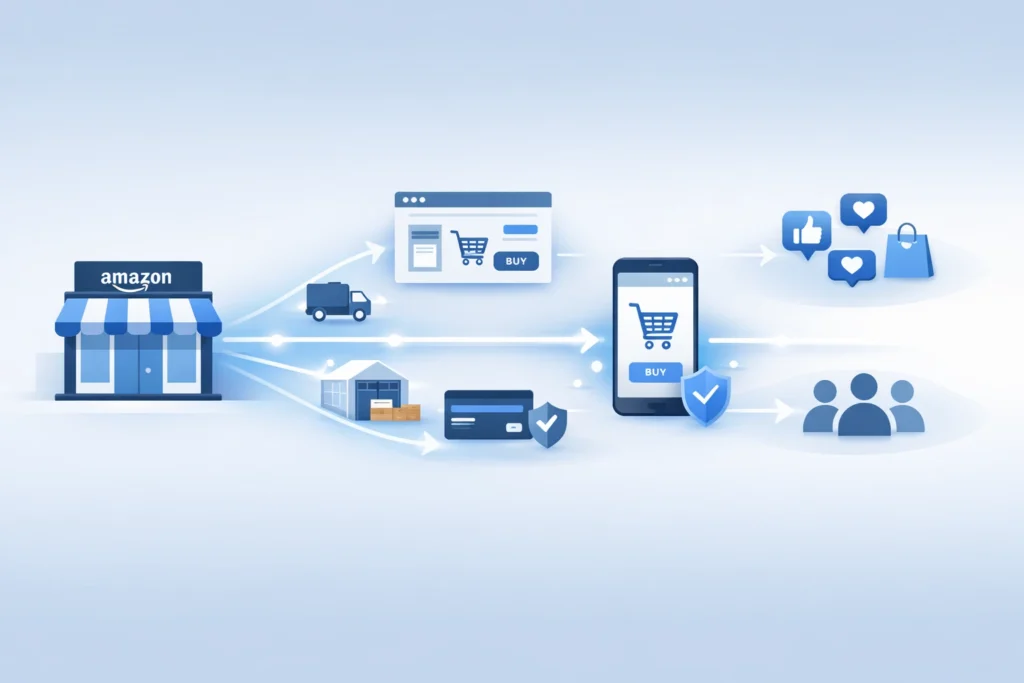
The amazon marketplace no longer sits inside one store alone. Instead, Amazon now pushes its tools across the wider web. For sellers, that shift creates fresh reach, but also fresh risk. Therefore, you need a plan before bigger brands move first.
Table of Contents
- Why amazon marketplace is changing
- What Amazon is building outside its store
- Why this move matters for sellers
- The risks of staying Amazon only
- What sellers should do now
- A simple plan for 2026
- Reference points from Amazon and Shopify
- Frequently Asked Questions
- Conclusion
Why amazon marketplace is changing
Firstly, Amazon wants a larger share of online demand. It no longer wants to win only inside its own walls.
Secondly, brands want more control over traffic and customer data. So Amazon built tools that work beyond the main store.
Thirdly, customer trust already sits with Amazon. Therefore, Amazon can turn that trust into a wider service business.
That move changes how the amazon marketplace fits your growth plan. In other words, Amazon now acts like a sales channel and a logistics layer.
- Amazon can power checkout on brand owned sites.
- Amazon can ship orders from one inventory pool.
- Amazon can support growth across more channels.
Pro Tip: Treat Amazon as a profit channel and a support system. Build both at the same time.
Many sellers still think in old terms. However, 2026 needs a wider view.
If you only watch ranking inside the amazon marketplace, you miss the bigger shift. Meanwhile, stronger brands build reach across many touchpoints.
What Amazon is building outside its store
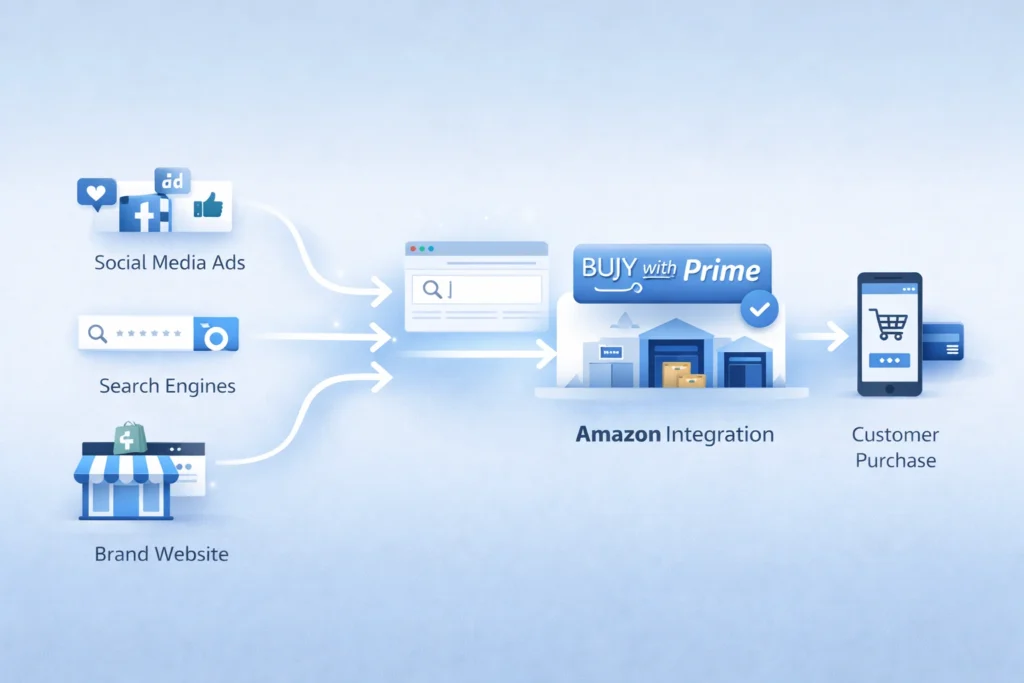
To begin with, Amazon offers Buy with Prime for brand sites. That tool adds Prime perks to direct sales pages.
Next, Amazon offers Multi Channel Fulfillment, often called MCF. That service ships orders from channels beyond Amazon.
In addition, Amazon now has a Shopify app for both tools. So sellers can connect store orders with Amazon fulfillment.
You can read more about Amazon Multi Channel Fulfillment for ecommerce brands. Also, Shopify explains setup in its guide for selling with Amazon tools on Shopify.
Buy with Prime changes the buying moment
For instance, amazon buy with prime gives shoppers a familiar option. That can reduce doubt on a brand owned store.
As a result, Amazon can help brands convert traffic they already own. But the sale does not need to start inside Amazon.
MCF changes the fulfillment model
Similarly, MCF lets brands use Amazon stock for outside orders. That means one pool can serve many channels.
In fact, Amazon states MCF works for businesses that do not sell on Amazon. So the service reaches beyond the amazon marketplace itself.
Shopify links the two worlds
Specifically, the new app supports shopify amazon integration inside Shopify admin. Therefore, more sellers can test Amazon tools without leaving their core store. :contentReference[oaicite:6]{index=6}
That matters because many private label brands already use Shopify. So Amazon now meets them where they work.
Table: Amazon tools now serve more than one sales path.
| Tool | Main job | Where it helps | What sellers gain |
|---|---|---|---|
| Buy with Prime | Boosts trust and speed at checkout | Brand owned site | Higher chance of conversion |
| MCF | Ships non Amazon orders | Shopify and other channels | One stock pool, faster shipping |
| Amazon app for Shopify | Connects orders and setup | Shopify admin | Smoother daily operations |
Why this move matters for sellers
Most importantly, this move changes seller economics. You can now keep Amazon strengths without keeping all sales inside Amazon.
That opens a real amazon multi channel strategy. In other words, you can use Amazon where it helps, then own more of the customer journey elsewhere.
- Keep fast fulfillment without full marketplace dependence.
- Build a brand site with better customer control.
- Spread risk across channels and traffic sources.
However, this shift also raises the bar. Basic sellers will struggle because strong brands will move faster.
For example, one brand may rank on Amazon, run ads on Meta, and close sales on Shopify. Meanwhile, Amazon still fulfills those orders in the background.
That is an ecommerce omnichannel strategy in simple terms. You meet the buyer on many paths, but you keep the brand story strong.
If you want that kind of growth, fix your store basics first. Then Improve Your Amazon SEO so your catalog can pull demand from search.
Also, you need clean ad data to guide budget moves. So sharpen your Amazon PPC before you expand traffic.
Warning: More channels do not solve weak offers. Poor listings and weak margins still hurt growth.
The risks of staying Amazon only
Firstly, one channel can change your costs fast. A fee shift or ad spike can hit profit hard.
Secondly, one channel can limit brand memory. Many buyers remember Amazon first, not your brand.
Thirdly, one channel can limit customer data. So repeat sales get harder over time.
In contrast, sellers who sell outside amazon platform can build email lists and repeat demand. They can also test offers with more freedom.
Still, you should not quit the amazon marketplace. Instead, you should stop treating it as your only home.
- Keep Amazon for search demand and trust.
- Use your own site for retention and bundles.
- Use outside traffic to lower total dependence.
That balance matters most in 2026. As a consequence, smart brands build both reach and control.
What sellers should do now
To clarify, you do not need a huge team. You need a clear order of moves.
1. Audit your catalog
Firstly, find products with steady reviews and good margins. Those items work best for wider expansion.
Next, check stock depth and shipping cost. You cannot scale if your core SKUs run thin.
2. Build a store that can convert
Secondly, fix your product pages before new traffic arrives. Add better photos, clear copy, and stronger proof.
For instance, show use cases, FAQs, and simple comparisons. That helps when buyers do not start inside the amazon marketplace.
3. Test Amazon powered fulfillment
Thirdly, review whether MCF fits your margins. Then test one small group of SKUs first.
You can start with the official page for fulfillment across multiple sales channels. Also, Amazon states MCF can fulfill in as fast as two days.
4. Add Buy with Prime where it helps
Additionally, use amazon buy with prime for items that need trust fast. This often works well for known hero products.
But do not force it on every SKU. Instead, test where the lift can cover the added cost.
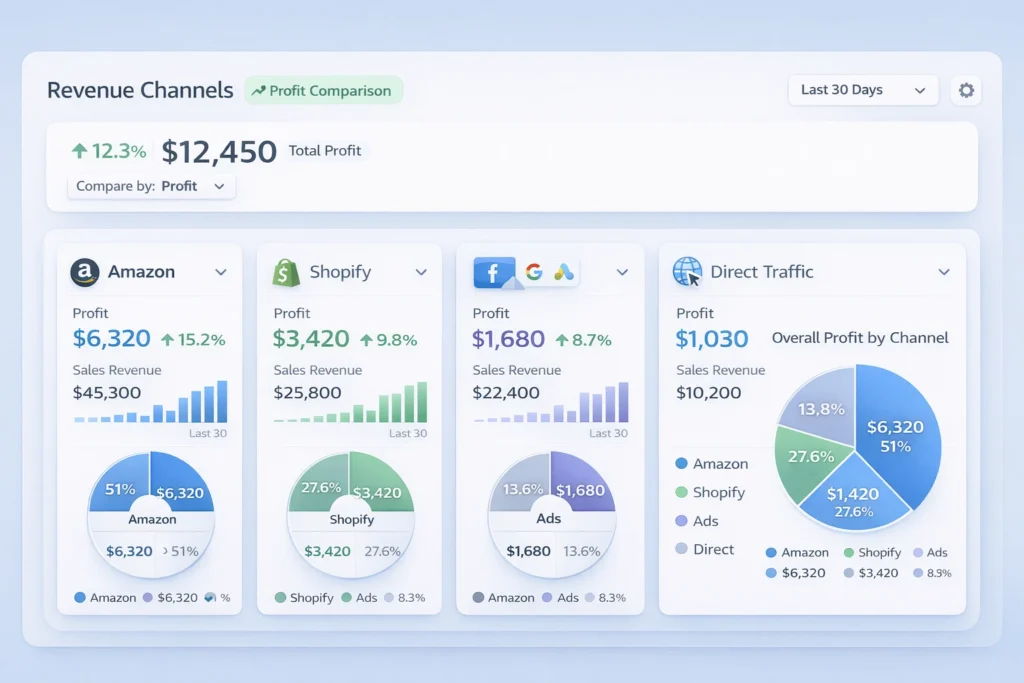
5. Track profit by channel
Most importantly, split reports by source. Otherwise, you will scale vanity sales and miss real profit.
Look at ad spend, refund rate, and repeat rate. Then compare each channel with Your Amazon marketplace results.
A simple plan for 2026
Above all, keep the plan simple. Complexity kills speed for small teams.
Phase one, fix the base
- Improve listing copy and images.
- Clean your PPC waste.
- Protect margin on core SKUs.
Phase two, expand one sales path
- Launch one strong product on Shopify.
- Test shopify amazon integration for operations.
- Send a small traffic batch to that page.
Phase three, widen the system
- Add bundles for your direct site.
- Collect email and SMS leads.
- Retarget visitors who do not buy first.
Finally, build process before scale. That means fewer surprises as orders rise.
In short, the best 2026 plan uses Amazon in two ways. It wins demand inside the amazon marketplace, and support outside sales too.
What good execution looks like
A strong brand ranks on Amazon and runs clean ads. Then it sends outside traffic to pages built to convert.
Meanwhile, the team watches profit by SKU and channel. Therefore, budget shifts follow real numbers.
- Pick one hero SKU.
- Build one strong landing page.
- Test one outside traffic source.
- Measure repeat buyers after thirty days.
Reference points from Amazon and Shopify
Amazon says its Shopify integration can sync orders, products, and returns in Shopify admin. It also says sellers can use the same Amazon inventory for Shopify orders.
Shopify says merchants in the United States can import and fulfill Shopify orders through the Amazon MCF and Buy with Prime app. It also outlines setup steps in Shopify admin.
Recent reporting also says Amazon has tested Prime shipping on outside sites without an Amazon login for some merchants. That points to an even wider push beyond the core amazon marketplace.
These points matter because they show direction, not hype. Amazon wants a bigger role in commerce infrastructure.

Frequently Asked Questions
Why is Amazon moving beyond its main store?
Amazon wants more order flow, more merchant ties, and more logistics volume. So it now supports sales outside its core store too. Does this mean Amazon Sellers need Shopify now?
No, but many sellers should test a brand site. That gives more control over repeat sales and customer data. What is amazon buy with prime in simple terms?
It adds Prime style delivery and checkout trust to your own site. As a result, some shoppers feel safer buying direct. Can brands use MCF if they do not sell on Amazon?
Yes. Amazon states MCF is open to businesses that do not sell on Amazon. Should I leave the amazon marketplace and focus only on my site?
No. Keep Amazon as a core channel. Then build your own site so you gain more control and reduce channel risk. What is the first step for private label brands?
Ready to grow your Amazon business?
Get a free strategy call with Advertpreneur.Book Your Free Consultation
Conclusion
The amazon marketplace still matters, but its role has changed. It now acts as a store, a trust layer, and a shipping engine.
Therefore, sellers who adapt early can win more control and better reach. They can keep Amazon strengths while building direct brand value.
To conclude, do not wait for the shift to become obvious. Build your amazon multi channel strategy now, test smart, and grow with intent.
How shopify ChatGPT integration Is Changing Online Shopping in 2026
 amazon-ppc-optimization-with-ai/”>with product recommendations” class=”wp-image-7052″ />
Shopify ChatGPT integration is changing how people discover and buy products. Today, buyers ask questions instead of searching pages.
Firstly, this shift impacts every Shopify store owner. Secondly, it changes how Amazon sellers think about traffic.
Table of Contents
- <a href="#what-is-shopify-chatgpt-integration”>What Is Shopify ChatGPT integration
- How ChatGPT Shopping Works
- Why This Matters for Sellers
- Shopify vs Amazon vs AI
- How to Optimize for AI Commerce
- Future of Ecommerce AI
- Frequently Asked Questions
- Conclusion
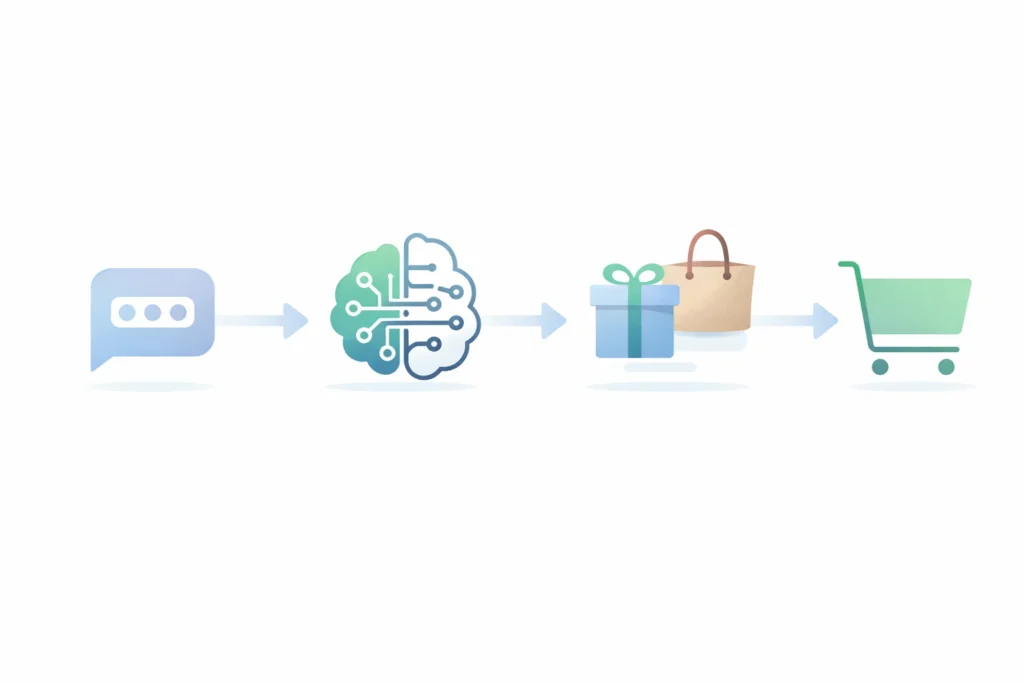
What Is Shopify ChatGPT integration
Firstly, Shopify ChatGPT integration connects store data with AI systems. Secondly, it allows ChatGPT to suggest products directly.
In other words, your products become part of AI conversations. That means users can find items without visiting your site.
Additionally, this shift builds on Shopify AI commerce trends. Therefore, stores must adapt fast.
- Chat based product discovery replaces search browsing
- AI product recommendations guide buyer decisions
- Users can buy products from ChatGPT in some cases
Pro Tip: Focus on clear product data. AI tools rely on structured content.
How ChatGPT Shopping Works
To begin with, the ChatGPT shopping feature works on intent. Users ask questions instead of typing keywords.
Next, ChatGPT analyzes needs and suggests products. Then, it compares options based on relevance.

For example, a user asks for a beach bag. ChatGPT suggests Shopify products with strong data.
- User asks a question
- AI understands intent
- Products get recommended
- User clicks or buys
Meanwhile, your Shopify Website still plays a role. However, discovery shifts to AI first.
Warning: Poor product descriptions reduce visibility in AI results.
Why This Matters for Sellers
Firstly, Shopify ChatGPT integration reduces reliance on ads. Secondly, it opens a new traffic channel.
As a result, sellers gain exposure without high ad costs. That means better margins over time.
- Lower cost of customer acquisition
- Higher conversion from AI recommendations
- Better reach for niche products
In fact, many sellers still ignore this shift. Therefore, early adopters gain an edge.
Additionally, AI commerce insights show rising adoption. So demand will grow fast.
Shopify vs Amazon vs AI
Firstly, Amazon controls search based buying. Secondly, Shopify builds brand identity.
However, AI acts as a decision layer. That means it sits between user and product.
| Platform | Main Role | Strength | Weakness |
|---|---|---|---|
| Amazon | Marketplace | High intent buyers | High competition |
| Shopify | Brand store | Full control | Traffic challenge |
| ChatGPT | Decision engine | AI product recommendations | Still evolving |
Table: Comparison of ecommerce platforms and AI role
How to Optimize for AI Commerce
Firstly, optimize Product Titles with clear intent. Secondly, use simple language.
Additionally, improve descriptions for AI understanding. That means fewer buzzwords.
- Use structured bullet points
- Answer common buyer questions
- Add real use cases
Meanwhile, your Shopify Website must stay clean. Therefore, focus on user experience.
In contrast, keyword stuffing fails in AI systems. Instead, write for clarity.

Future of Ecommerce AI
Firstly, the future of ecommerce AI will rely on conversations. Secondly, search will decline.
As a result, brands must adapt to AI visibility. That means building strong product signals.
- AI will replace search for many users
- Recommendations will drive most purchases
- Websites will support final conversion
In fact, users already prefer quick answers. Therefore, ChatGPT becomes a buying assistant.
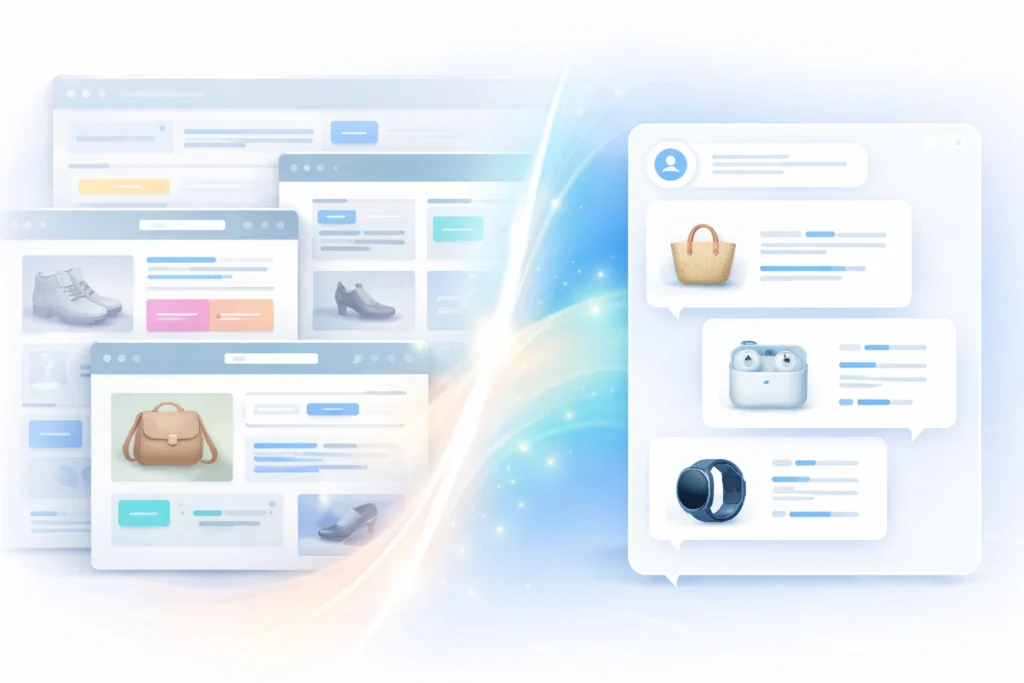
Frequently Asked Questions
What is Shopify ChatGPT integration?
It connects Shopify stores with AI tools. Users can discover products through chat. Can users buy products from ChatGPT?
Yes, in some cases users can buy products from ChatGPT directly or via links. How does the ChatGPT shopping feature work?
It uses user intent and data to show relevant products quickly. Why is Shopify AI commerce important?
It reduces dependency on ads and improves product discovery. What is the future of ecommerce AI?
AI will guide buying decisions. Search engines will play a smaller role.
Ready to grow your Amazon business?
Get a free strategy call with Advertpreneur.Book Your Free Consultation
Conclusion
Shopify ChatGPT integration is not a trend. It is a shift in how people shop.
Therefore, Sellers Must adapt fast. Otherwise, they risk losing visibility.
Finally, those who act early will gain the most. AI driven commerce will define the next decade.
Best with-ai/”>free wordpress themes That Keep your Site fast

Firstly, wordpress themes can make or break your site speed. Secondly, new site owners often pick heavy themes and slow everything down.
Therefore, you need smart choices from the start. As a result, you save time, money, and ranking potential.
Table of Contents
- Why Speed Matters for wordpress themes
- What Makes wordpress themes Fast
- Best Free wordpress themes in 2026
- Theme Comparison Table
- How to Choose the Right Theme
- Common Mistakes to Avoid
- Frequently Asked Questions
- Conclusion
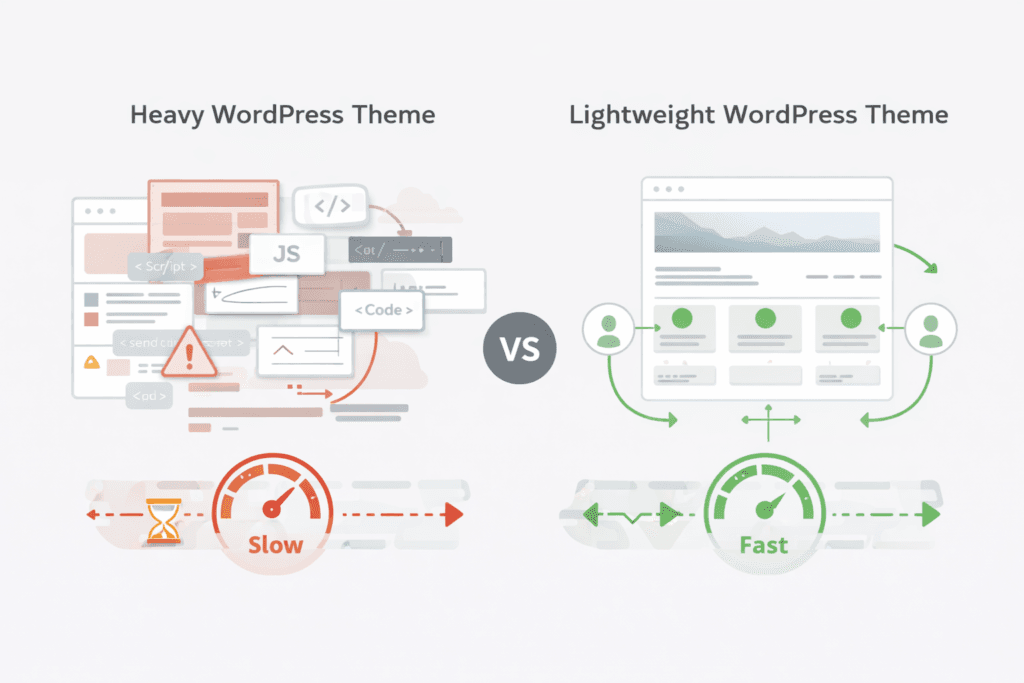
Why Speed Matters for wordpress themes
Firstly, speed affects user experience right away. Secondly, slow pages make users leave fast.
Therefore, Google ranks faster sites higher. As a result, you gain more traffic without extra cost.
- Firstly, fast sites keep users longer
- Secondly, they reduce bounce rate
- Additionally, they improve SEO rankings
- Finally, they boost conversions
In fact, most beginners ignore this early. However, fixing speed later costs more time.
What Makes wordpress themes Fast
Firstly, lightweight wordpress themes use clean code. Secondly, they avoid heavy scripts and extra files.
Therefore, pages load faster and smoother. As a result, users enjoy a better experience.
- Minimal design structure
- Clean CSS and JS files
- Fewer plugin dependencies
- Optimised mobile layout
Meanwhile, fast wordpress themes also support caching tools. Similarly, they work well with CDN setups.
Pro Tip: Always test your theme with PageSpeed Insights before final use
Best Free wordpress themes in 2026
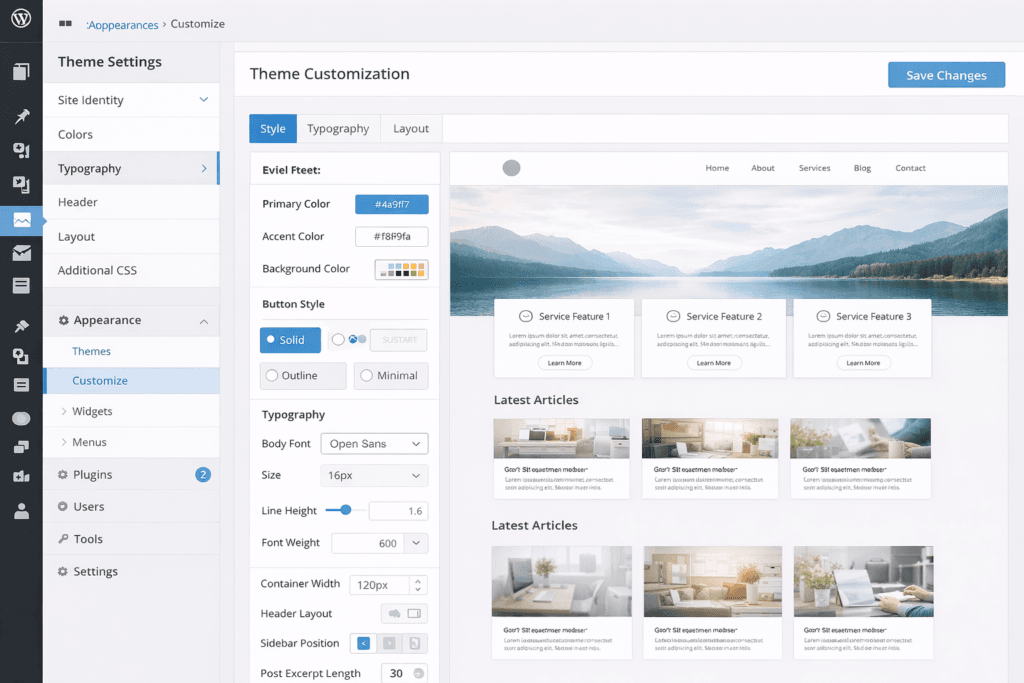
Firstly, not all wordpress themes perform equally well. Secondly, some free options still deliver great speed.
Astra
Firstly, Astra loads very fast out of the box. Secondly, it works well with most builders.
GeneratePress
Secondly, GeneratePress focuses on clean code. Therefore, it offers one of the best speed scores.
Neve
Thirdly, Neve works well for Small Businesses. As a result, it supports mobile-first design.
Hello Theme
Additionally, Hello works best with Elementor users. However, it stays very lightweight.
For example, you can explore more options on WordPress theme directory. Similarly, real user feedback appears on WordPress Reddit discussions.
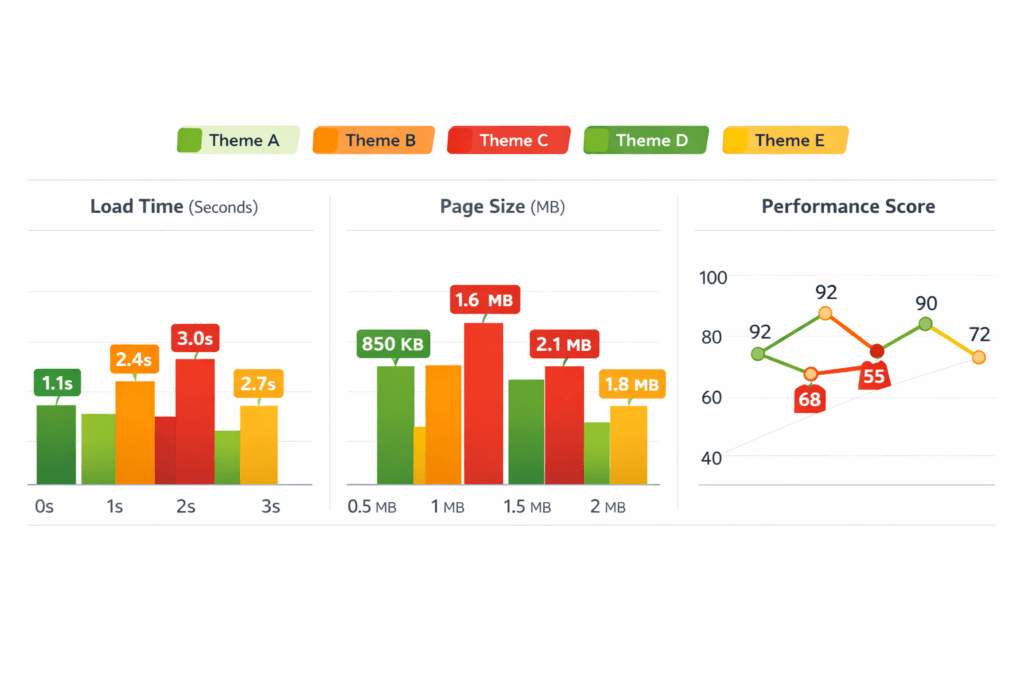
Theme Comparison Table
| Theme | Speed | Ease of Use | Best For |
|---|---|---|---|
| Astra | Very Fast | Easy | Beginners |
| GeneratePress | Very Fast | Moderate | Bloggers |
| Neve | Fast | Easy | Small Business |
| Hello | Very Fast | Advanced | Elementor Users |
Table: Comparison of popular fast wordpress themes
How to Choose the Right Theme
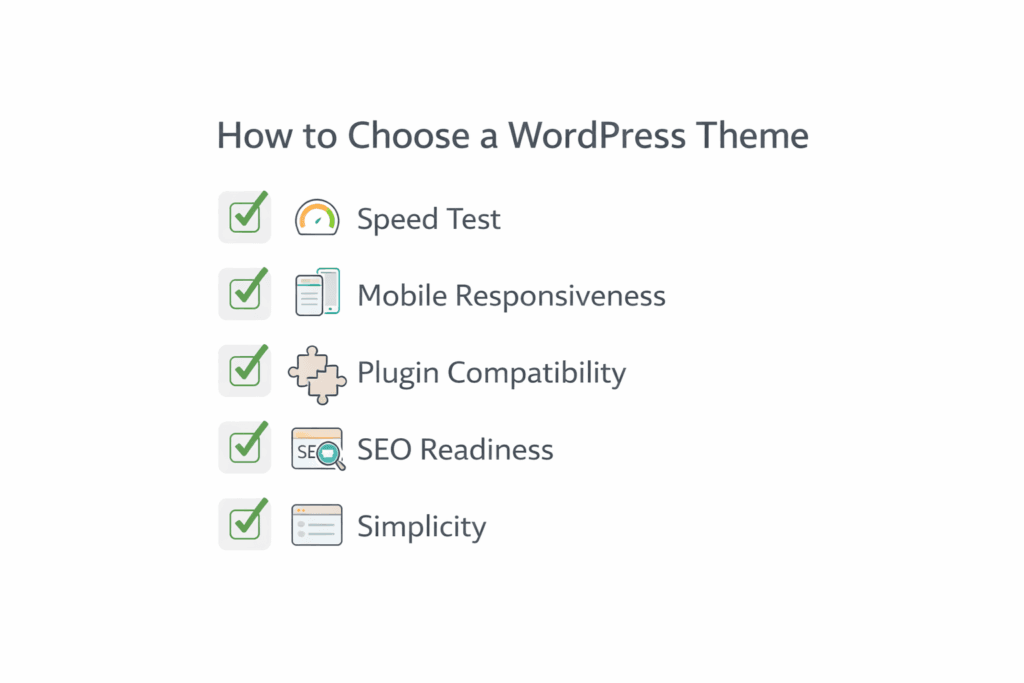
Firstly, define your goal before picking wordpress themes. Secondly, match the theme to your site type.
- Choose a lightweight base
- Test demo speed
- Check mobile design
- Review plugin support
In addition, always think about long term use. Therefore, avoid themes that lock you in.
If you want expert help, check our WordPress Website service for better setup.
Warning: Heavy themes can slow your site even with strong hosting
Common Mistakes to Avoid
Firstly, many users pick themes based on design only. Secondly, they ignore speed and SEO.
- Installing too many plugins
- Using bloated page builders
- Ignoring mobile performance
- Not testing theme demos
However, SEO friendly themes wordpress improve ranking chances. As a result, your site grows faster.
Frequently Asked Questions
Which wordpress themes are best for beginners?
Firstly, Astra and Neve work best for beginners. Secondly, they offer easy setup and fast speed. Are free wordpress themes good for SEO?
Yes, many free themes support SEO well. However, you must still optimise your content. Do wordpress themes affect site speed?
Yes, themes directly affect loading time. Therefore, choose lightweight options always. Can I change wordpress themes later?
Yes, you can switch themes anytime. However, layout changes may affect your design. What are lightweight wordpress themes?
These themes use minimal code and design. As a result, they load faster and perform better.
Ready to grow your Amazon business?
Get a free strategy call with Advertpreneur.Book Your Free Consultation
Conclusion
Firstly, wordpress themes play a key role in site success. Secondly, speed and simplicity should guide your choice.
Therefore, choose lightweight wordpress themes for better results. As a result, your site loads faster and ranks higher.
Is dropshipping still profitable in 2026 or changing fast
 shopify-Trends-Driving-Ecommerce-Growth-1024×683.webp” alt=”shopify trends diagram showing ecommerce growth and strategy” width=”700″ height=”467″ />
Dropshipping still attracts new sellers in 2026. However, the game has changed a lot. Firstly, simple stores no longer work like before. Secondly, smart sellers now focus on brand and trust.
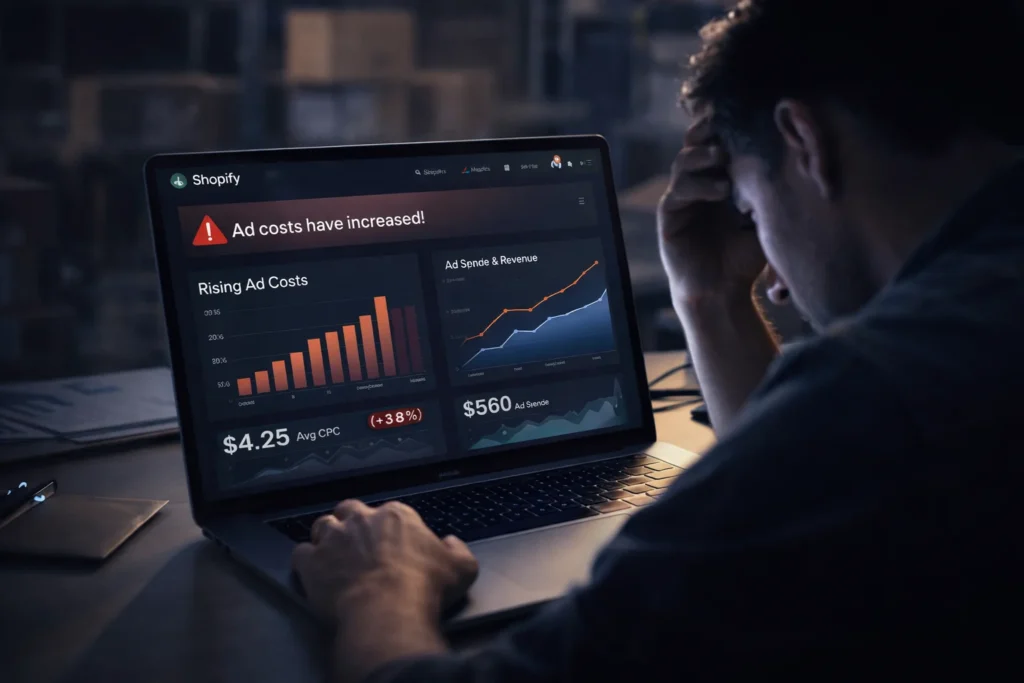
Increasing ad costs make it harder for new dropshipping sellers
What is dropshipping today
Firstly, dropshipping means you sell without holding stock. Instead, suppliers ship products directly to buyers.
Secondly, the dropshipping business model now focuses on customer experience. As a result, fast delivery and quality matter more than ever.
- You create a store and list products
- You run ads or organic traffic
- You forward orders to suppliers
- You keep the profit margin
In addition, many sellers now use Shopify for store setup. Therefore, design and speed play a big role.
Why people think dropshipping is dead
Firstly, many beginners fail fast. However, they copy old tactics from past years.
Secondly, ad costs increased a lot. As a result, poor strategy leads to losses.
- Low quality products damage trust
- Slow shipping kills repeat buyers
- No branding leads to weak stores
- Copycat products fail quickly
In contrast, smart sellers adapt fast. Therefore, they still win in this space.
How the dropshipping business model evolved
Firstly, old dropshipping focused on cheap items. However, today sellers focus on value and branding.
Secondly, private suppliers now replace random marketplaces. As a result, delivery time improves.
- Find a niche with demand
- Build a branded store
- Work with trusted suppliers
- Focus on repeat customers
For instance, many sellers now use Shopify platform with custom branding. That means they build long term assets.
Shopify trends shaping the market
Firstly, shopify trends now favor niche stores. Secondly, general stores no longer perform well.
In addition, mobile experience matters more than ever. Therefore, fast loading pages win.
- Short video ads drive traffic
- User generated content builds trust
- Local warehouses improve delivery
- Email flows increase lifetime value
Meanwhile, automation tools help manage orders. As a result, sellers save time daily.
Can you still make dropshipping profit
Yes, you can still earn dropshipping profit in 2026. However, you must run it like a real business.
Firstly, you need proper margins. Secondly, you must control ad costs.
| Factor | Old Approach | New Approach |
|---|---|---|
| Product | Cheap trending items | Quality niche products |
| Shipping | Slow delivery | Fast local delivery |
| Brand | No branding | Strong identity |
| Ads | Test random creatives | Data driven testing |
Table: Comparison between old and modern dropshipping approach
In fact, profit comes from repeat buyers. Therefore, retention matters more than first sale.
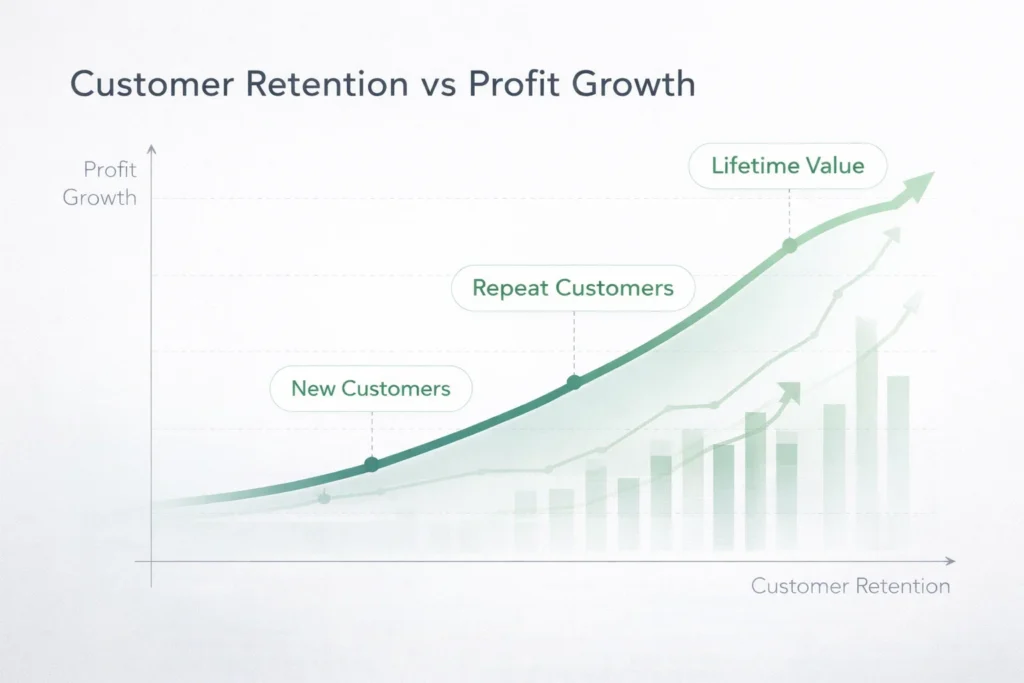
Profit grows faster when customer retention improves over time
Best shopify dropshipping strategy in 2026
Firstly, build a brand first. Secondly, select products with real demand.
Next, focus on content marketing. That means you drive traffic without only ads.
- Pick a niche with clear audience
- Create a clean Shopify store
- Add social proof and reviews
- Run video ads on social platforms
- Build email and SMS list
Additionally, test creatives daily. As a result, you find winning ads faster.
For example, you can study dropshipping in UAE markets. This helps you spot new trends early.
Growth in UAE and KSA markets
Firstly, UAE and KSA markets grow fast. Secondly, online shopping demand keeps rising.
In addition, local delivery improves customer trust. Therefore, sellers see better conversion.
- High spending customers
- Strong mobile usage
- Growing ecommerce adoption
- Demand for premium products
Similarly, local branding works well in these regions. As a result, sellers can build loyal customers.
What the ecommerce future looks like
Firstly, the ecommerce future focuses on trust. Secondly, speed and quality will decide winners.
In contrast, cheap stores will fade away. Therefore, serious sellers will dominate.
- AI helps product research
- Personalisation improves sales
- Fast shipping becomes standard
- Brand loyalty drives growth
Most importantly, dropshipping becomes a real business model. That means you must treat it seriously.

Modern dropshipping success depends on strong branding and retention
Frequently Asked Questions
Is dropshipping still worth it in 2026?
Yes, it still works. However, you need better strategy and branding.
How much dropshipping profit can I make?
Profit depends on niche and ads. Most sellers aim for twenty to thirty percent margins.
Do I need Shopify for dropshipping?
Many sellers use Shopify. It offers easy setup and strong tools.
What is the biggest mistake beginners make?
They copy old methods. Instead, focus on branding and customer trust.
Which markets are best for dropshipping now?
UAE and KSA markets grow fast. They offer strong buying power.
Ready to grow your Amazon business?
Get a free strategy call with Advertpreneur.
Conclusion
Firstly, dropshipping is not dead in 2026. However, it has changed a lot.
Secondly, success now depends on brand and trust. Therefore, serious sellers still make strong profits.
Finally, treat dropshipping like a real business. In short, focus on long term growth.
wordpress Website design Service Guide for WordPress 7.0
A strong WordPress Website Design Service helps businesses launch fast and scalable websites. WordPress 7.0 introduces better speed, improved editing tools, and helpful changes for ecommerce owners.
Table of contents
- What WordPress 7.0 Means for Businesses
- Important WordPress features in version 7.0
- How WordPress Supports ecommerce Websites
- Performance Improvements in WordPress 7.0
- WordPress Compared amazon-ppc-optimization-with-ai/”>with Other Platforms
- How WordPress Helps eCommerce growth
- Frequently Asked Questions
- Conclusion
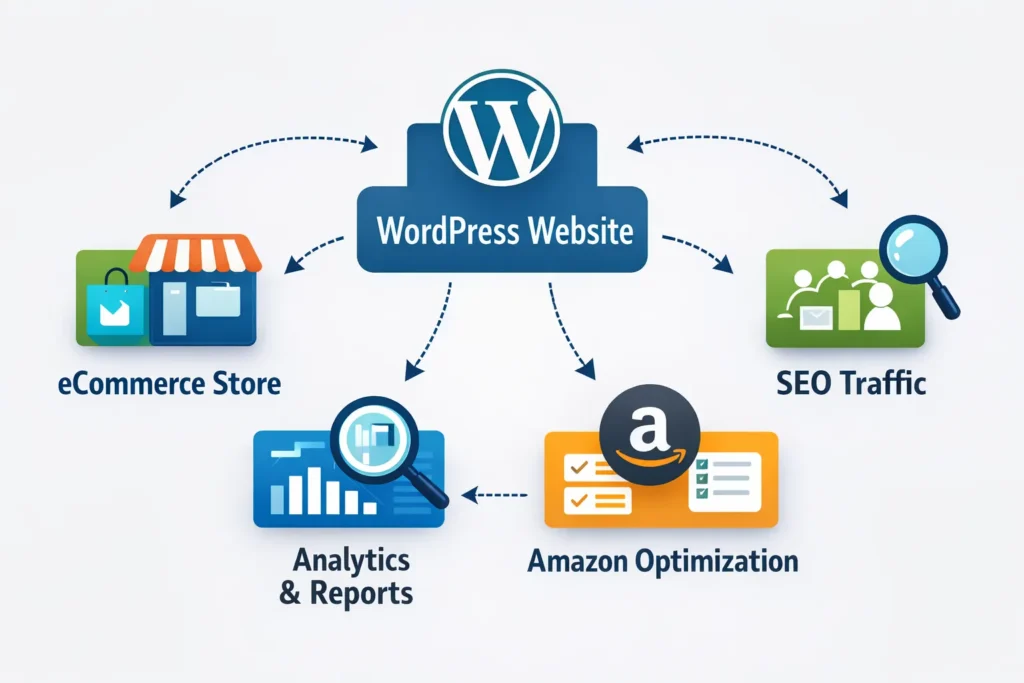 Amazon Listing optimization” class=”wp-image-6095″/>
What WordPress 7.0 Means for Businesses
Firstly, WordPress powers millions of websites across the world. Many companies depend on a WordPress Website Design Service to manage content and sales pages.
WordPress 7.0 improves the editing system and reduces page load time. As a result, business owners can publish content faster.
Additionally, developers now control layouts more easily. This change benefits agencies working on WordPress Website Design Service projects for online stores.
- Faster block editor
- Better template editing
- Improved plugin compatibility
- Cleaner site structure
Pro Tip: Many businesses combine WordPress with Amazon Listing Optimization strategies to increase traffic and brand awareness.
Important WordPress features in version 7.0
Secondly, WordPress introduces new tools that simplify page creation. These updates help beginners and experienced developers.
For example, block patterns now offer better layout control. Therefore, website owners design pages without heavy coding.
Most importantly, improved theme editing helps agencies offering WordPress Website Design Service solutions.
Block editor improvements
The block editor now loads faster and handles large pages smoothly. Consequently, content teams publish blogs and product pages without delay.
- Better layout alignment
- Improved typography controls
- Simplified reusable blocks
Theme customization
Additionally, WordPress allows easier theme editing inside the dashboard. This feature reduces reliance on external design tools.
Businesses can also adjust design sections quickly. As a result, a WordPress Website Design Service becomes faster to deliver.
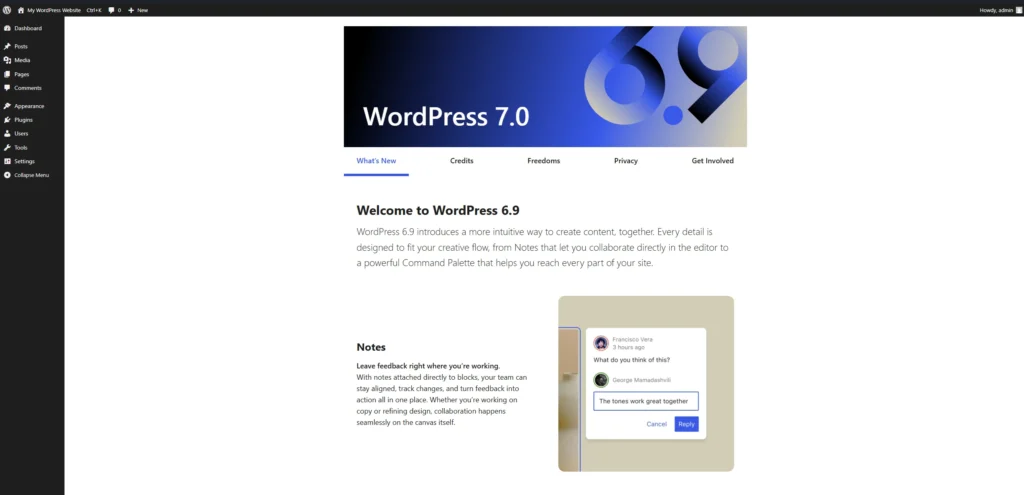
Warning: Installing too many plugins can slow your site and create security risks.
How WordPress Supports ecommerce Websites
Thirdly, WordPress works well for ecommerce websites. WooCommerce allows businesses to sell products online with flexibility.
For example, sellers connect product pages with Amazon listing optimization strategies. This approach increases visibility and conversions.
Additionally, agencies offering WordPress Website Design Service often integrate payment gateways and marketing tools.
Benefits for online stores
- Flexible product catalog management
- Strong SEO capabilities
- Full design control
- Integration with marketing platforms
Many store owners also link their sites with Amazon strategies. You can request a Free Amazon Consultation to understand this approach.
Performance Improvements in WordPress 7.0
Performance matters for search ranking and user experience. WordPress 7.0 focuses heavily on loading speed.
Firstly, the system reduces unnecessary scripts. Secondly, caching support improves page delivery.
Consequently, websites load faster and provide better user experience.
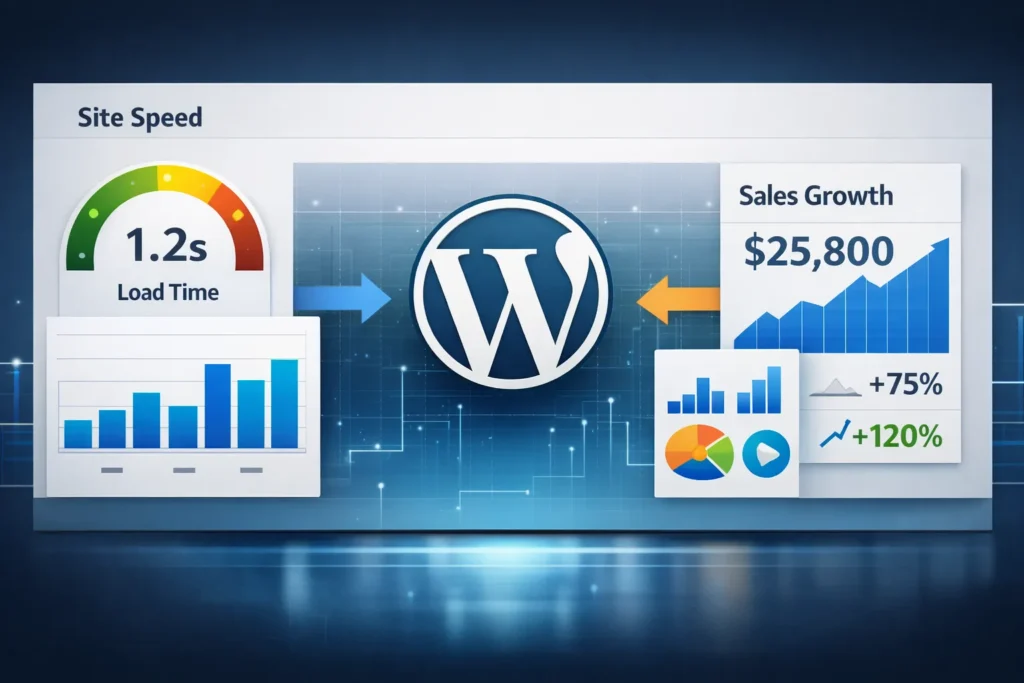
Speed improvements
- Reduced database queries
- Optimized block rendering
- Better media handling
- Improved theme performance
In addition, many businesses rely on a WordPress Website Design Service to implement these improvements correctly.
WordPress Compared With Other Platforms
Some business owners compare WordPress with hosted website builders. However, WordPress provides more flexibility.
The table below highlights common differences.
Table: Comparison of website platforms
| Feature | WordPress | Hosted Website Builder |
|---|---|---|
| Design flexibility | Very high | Limited |
| Plugin ecosystem | Extensive | Restricted |
| SEO control | Strong | Moderate |
| Customization | Full control | Platform limitations |
Developers often recommend WordPress Website Design Service projects for scalable websites.
How WordPress Helps eCommerce growth
WordPress supports content marketing and product promotion. Therefore businesses use blogs to attract search traffic.
For example, companies combine educational articles with Amazon listing optimization campaigns. This approach builds authority and trust.
Additionally, WordPress integrates easily with marketing platforms and analytics tools.
- Email marketing integrations
- SEO plugins
- Analytics tracking
- Content marketing support
Businesses often publish product tutorials on YouTube video marketing channels. These videos then drive visitors back to WordPress product pages.
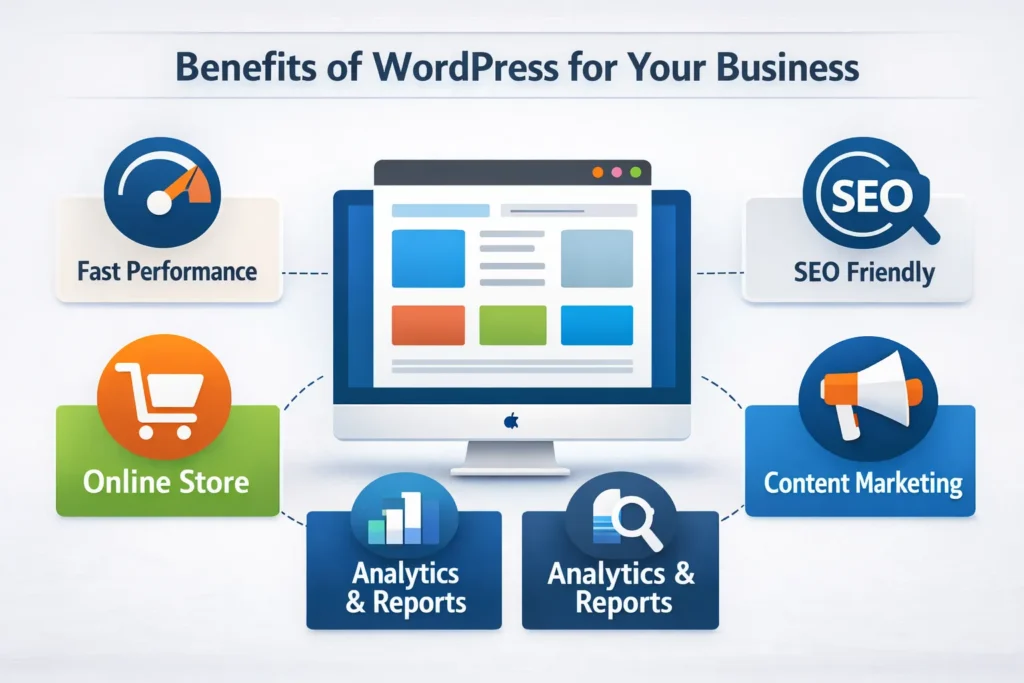
Developers also study the official WordPress documentation when planning complex websites.
Note: A professional WordPress Website Design Service ensures the site structure supports SEO and marketing goals.
Frequently Asked Questions
What is new in WordPress 7.0?
WordPress 7.0 introduces faster editing tools, improved block design features, and stronger performance optimization. Why should businesses use WordPress for ecommerce?
WordPress provides design flexibility, strong SEO tools, and integration with ecommerce systems such as WooCommerce. Does WordPress help with Amazon listing optimization?
Yes. Many businesses use WordPress content pages to support Amazon listing optimization through traffic and brand authority. How does WordPress improve eCommerce growth?
WordPress supports blogging, product pages, and SEO plugins. These tools help attract visitors and increase sales. Do businesses need a WordPress Website Design Service?
A professional WordPress Website Design Service helps businesses launch faster websites with better performance and structure.
Ready to grow your Amazon business?
Get a free strategy call with Advertpreneur. We help Amazon Sellers in Pakistan and worldwide grow faster.Book Your Free Consultation
Conclusion
WordPress continues to improve with every release. WordPress 7.0 focuses on performance, usability, and better design tools.
A professional WordPress Website Design Service helps businesses use these features effectively. As a result, websites perform better and attract more customers.
Finally, companies that combine WordPress content marketing with ecommerce strategies often see stronger growth.
Choosing between woocommerce store Development and shopify is one of the most important decisions an amazon seller can make when expanding off-platform. Both solutions offer powerful eCommerce tools, yet they serve very different business needs. In this guide, Advertpreneur breaks down every key difference so you can invest your time and money wisely.
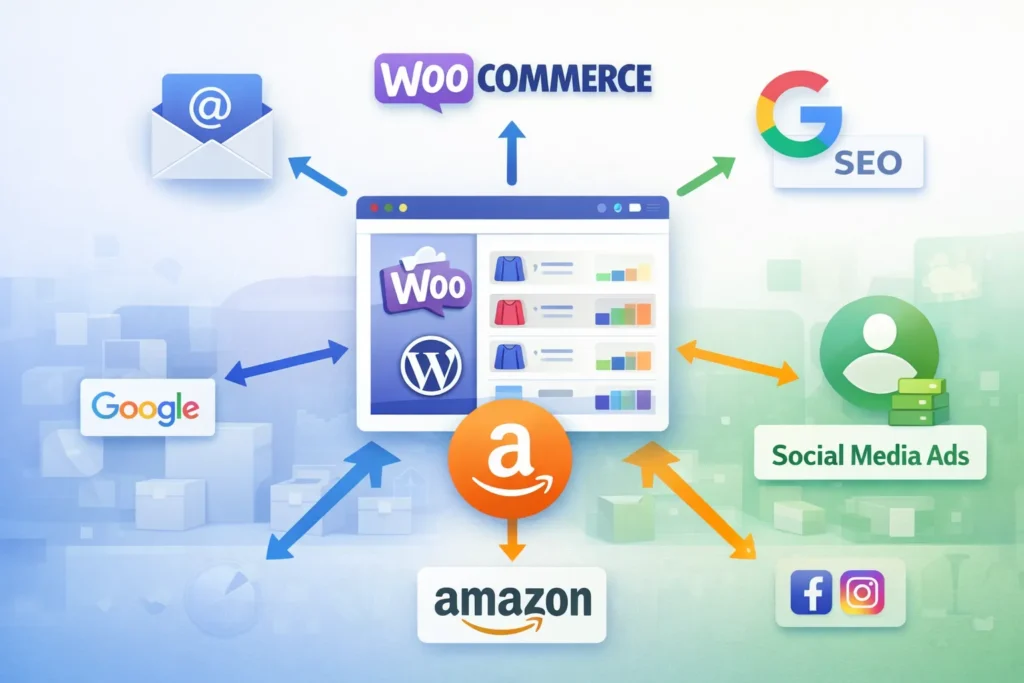
- Why Amazon Sellers Need Their Own Store
- WooCommerce Store Development: What It Offers
- Shopify: What It Offers
- Head-to-Head Comparison: WooCommerce vs Shopify
- WooCommerce Pros for Amazon Sellers
- WooCommerce Cons for Amazon Sellers
- Shopify Pros and Cons for Amazon Sellers
- When WooCommerce Store Development Is the Best Choice
- Frequently Asked Questions
- Conclusion
Why Amazon Sellers Need Their Own Store
Amazon is a powerful sales channel, but it limits your brand control significantly. You do not own your customer data, and Amazon can suppress or delist Your Products at any time. Therefore, building an independent store protects your revenue and strengthens your brand identity.
Furthermore, owning a website lets you capture email subscribers, run retargeting ads, and create loyalty programs. These are all impossible on Amazon alone. As a result, top-performing sellers consistently diversify onto platforms like WooCommerce or Shopify to reduce dependency risk.
Additionally, having your own store boosts your brand’s perceived legitimacy. Customers trust businesses with professional websites. For example, a well-built store increases average order value and repeat purchases over time.
Pro Tip: Amazon sellers who add an independent eCommerce store typically see 20–35% more total revenue within the first year, according to industry data from Shopify’s seller research.
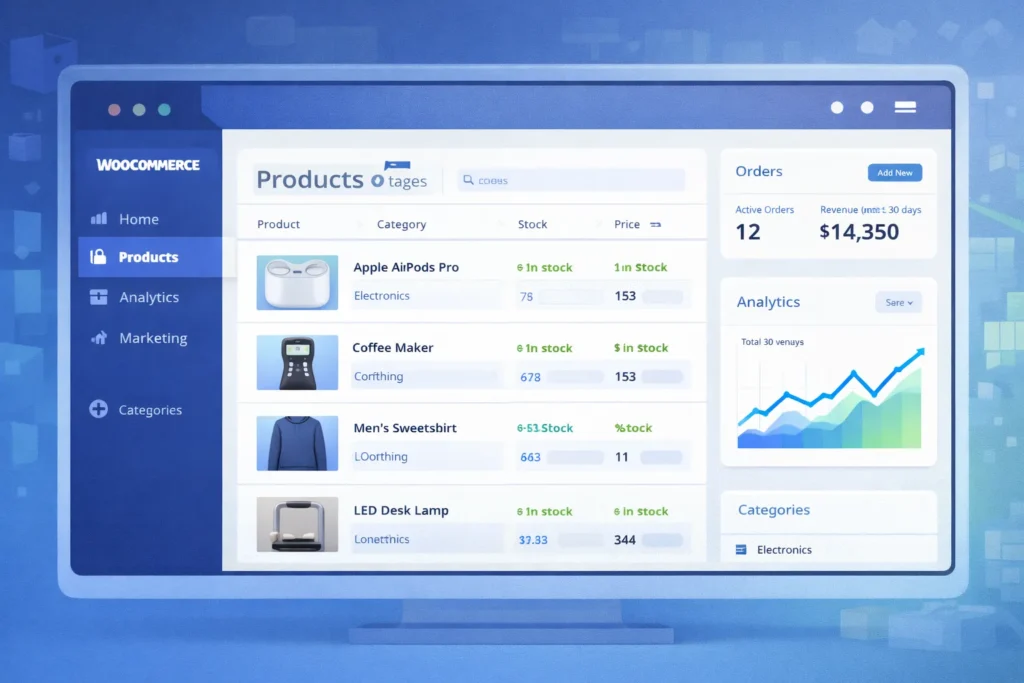
WooCommerce Store Development: What It Offers
WooCommerce Store Development means building a fully customised online shop on top of wordpress. It is open-source, highly flexible, and powers over 36% of all eCommerce websites worldwide. Consequently, a vast developer ecosystem and thousands of plugins are available to you.
A professional WordPress Website Design Service can transform a basic WooCommerce install into a high-converting storefront. Design freedom is nearly unlimited because you control every line of code. Additionally, you own your hosting, your data, and your complete store architecture.
WordPress eCommerce Development also integrates deeply with SEO tools like Yoast and Rank Math. Firstly, your blog and product pages sit under one domain. Secondly, you can build topic clusters and internal links that Amazon never allows.
Key WooCommerce Features
- 100% open-source with no monthly SaaS licence fee
- Unlimited product variations and custom attributes
- Deep integration with WordPress SEO Optimization Service tools
- Hundreds of payment gateway options including Stripe, PayPal, and local gateways
- Full control over checkout flow and customer data
- Built-in blogging for content marketing and SEO
- Amazon FBA fulfilment plugins for seamless order sync
WooCommerce Setup Requirements
- Purchase reliable managed WordPress hosting (e.g., Kinsta, WP Engine, or SiteGround)
- Install WordPress and activate the WooCommerce plugin
- Choose and configure a high-quality WooCommerce theme
- Set up payment gateways and shipping zones
- Install SEO, security, and performance plugins
- Migrate or import your Amazon Product catalog
- Connect Amazon FBA inventory sync tools
Shopify: What It Offers
Shopify is a fully hosted eCommerce platform designed for simplicity and speed to launch. It handles hosting, security, and updates automatically, so you focus entirely on selling. However, that convenience comes with a monthly fee and significant customisation restrictions.
Shopify’s App Store offers over 8,000 integrations, including direct Amazon channel selling tools. Furthermore, Shopify Payments removes third-party gateway fees for eligible merchants. Most importantly, the drag-and-drop store builder requires zero technical knowledge to operate.
In contrast to WooCommerce, Shopify limits your SEO control and charges transaction fees if you use external payment gateways. Consequently, sellers with large catalogs or complex needs often find Shopify too restrictive over time.
Key Shopify Features
- Fully hosted with 99.9% uptime guarantee
- Fast setup — store live within hours
- Built-in Amazon sales channel app
- Mobile-optimised themes out of the box
- Shopify Payments for simplified checkout
- Basic SEO tools with limited customisation
- 24/7 customer support via chat and phone
Head-to-Head Comparison: WooCommerce vs Shopify
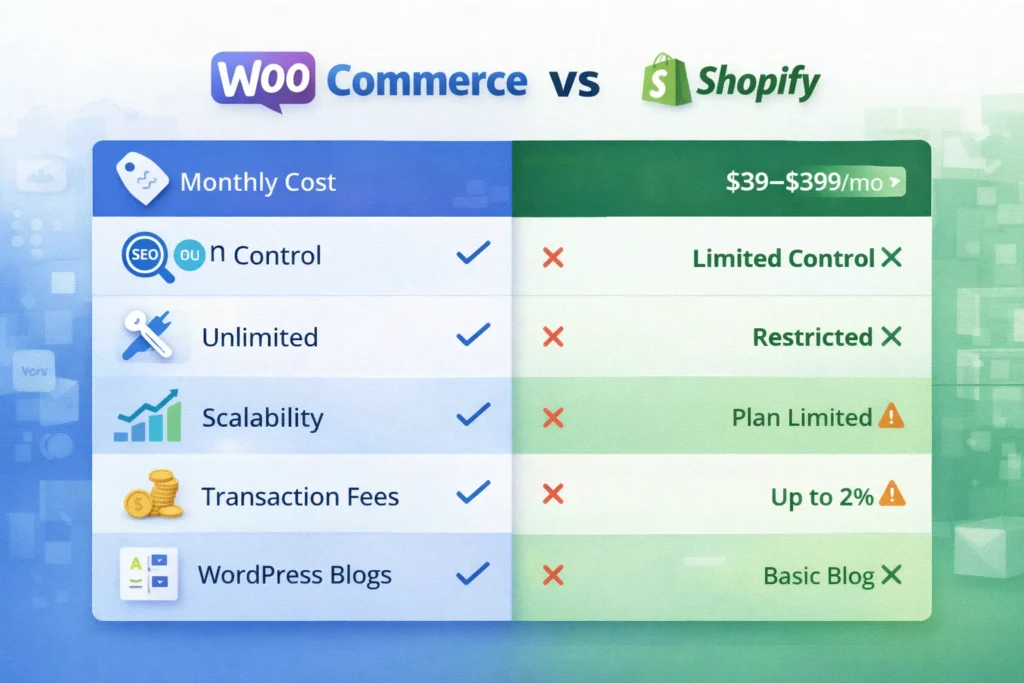
The table below compares both platforms across the metrics that matter most to Amazon sellers. Use this to identify which solution aligns with your growth goals and technical resources.
Table: WooCommerce Store Development vs Shopify — Key Metrics for Amazon Sellers
| Feature / Metric | WooCommerce (WordPress) | Shopify |
|---|---|---|
| Monthly Platform Cost | Free plugin (hosting ~$20–$80/mo) | $39–$399/mo (Basic to Advanced) |
| Transaction Fees | None (gateway fees only) | 0.5%–2% unless using Shopify Payments |
| SEO Control | Full — custom meta, schema, URLs | Limited — URL structures locked |
| Customisation Flexibility | Unlimited with code/plugins | Restricted to theme/app framework |
| Amazon FBA Integration | Via plugins (WooCommerce Amazon Fulfillment) | Built-in Amazon sales channel |
| Content Marketing (Blog) | Full WordPress CMS power | Basic built-in blog |
| Data Ownership | 100% yours | Stored on Shopify servers |
| Setup Difficulty | Moderate — needs technical help | Easy — beginner-friendly |
| Scalability | Unlimited with right hosting | Limited by plan tier |
| Payment Gateways | 100+ options globally | ~100 but penalises non-Shopify Payments |
WooCommerce Pros for Amazon Sellers
WooCommerce Store Development gives Amazon sellers unmatched control over their brand experience. You design every page element, set every SEO parameter, and own your complete customer database. In contrast, Shopify locks you inside its proprietary framework.
Furthermore, WooCommerce is genuinely free to use as a plugin. Your only recurring costs are hosting and any premium plugins you choose. Therefore, sellers with high order volumes save significantly compared to Shopify’s percentage-based transaction fees.
A professional WordPress Website Design Service can also create a visually unique brand that stands out in your niche. Additionally, WordPress eCommerce Development lets you build rich content ecosystems — long-form guides, category pages, and comparison articles — that rank on Google and drive organic traffic.
Pro Tip: Pairing your WooCommerce store with a dedicated Free Amazon Consultation from Advertpreneur helps you map the right integration strategy between your Amazon FBA account and your new website storefront.
SEO Advantages of WooCommerce
A WordPress SEO Optimization Service leverages Yoast SEO, Rank Math, and Google Search Console integration to maximise organic visibility. You can fully customise title tags, meta descriptions, canonical URLs, and structured data for every product. Consequently, your store can rank for thousands of long-tail keywords that Shopify’s URL structure restricts.
Additionally, WordPress’s native blog is the most powerful content marketing platform available. You can build topic clusters, internal link networks, and buyer intent content that Amazon sellers rarely exploit. As a result, your website generates consistent free traffic alongside your paid campaigns.
Cost Savings at Scale
Consider a seller generating $50,000 per month in off-Amazon revenue. On Shopify Advanced ($399/mo plus 0.5% transaction fees), that seller pays roughly $649 per month in platform costs. In contrast, a WooCommerce store on premium hosting costs under $100 per month with zero transaction fees. Therefore, the annual saving exceeds $6,500 — enough to fund significant marketing campaigns.
WooCommerce Cons for Amazon Sellers
WooCommerce Store Development requires a higher initial time investment than Shopify. You must manage hosting, plugin updates, security patches, and site performance yourself. Consequently, sellers without technical experience should work with an expert agency from day one.
Additionally, the setup process is more complex than Shopify’s one-click install. Firstly, you need to select and configure hosting. Secondly, you must choose a compatible theme, configure WooCommerce settings, and install necessary plugins. However, a skilled WordPress eCommerce Development partner makes this process fast and stress-free.
Finally, WooCommerce’s built-in Amazon sales channel integration is less native than Shopify’s. You must install third-party plugins like WP-Lister or WooCommerce Amazon Fulfillment to sync inventory. For example, incorrect plugin configuration can cause stock discrepancies between channels.
Warning: Never launch a WooCommerce store on shared hosting if you expect significant traffic. Cheap hosting causes slow load times, which directly harms your SEO rankings and conversion rates. Always invest in managed WordPress hosting from the start.
Maintenance Responsibilities
- Monthly plugin and theme updates are mandatory for security
- Regular database optimisation keeps site speed fast
- SSL certificates must be renewed annually
- Backups should run daily to prevent data loss
- Security scans protect against malware and intrusions
Shopify Pros and Cons for Amazon Sellers
Shopify’s biggest advantage is speed and simplicity. A seller with no technical background can launch a professional-looking store in under 24 hours. Furthermore, Shopify’s built-in Amazon sales channel lets you list and sync products directly from your Shopify dashboard.
However, Shopify’s SEO limitations are a serious concern for long-term growth. URL structures include mandatory subdirectories that you cannot remove. Additionally, Shopify’s blogging tool is far weaker than WordPress, limiting your content marketing potential significantly.
Most importantly, Shopify’s transaction fees add up fast at scale. For example, a seller using PayPal on the Basic Shopify plan pays an additional 2% per transaction on top of PayPal’s standard fees. As a result, high-volume sellers consistently migrate to WooCommerce Store Development as their revenue grows.
When Shopify Makes Sense
Shopify is a strong choice if you need a store live immediately with minimal setup effort. It suits sellers with small catalogs (under 200 products) who prioritise ease over customisation. Additionally, Shopify works well as a temporary storefront while you plan a more robust WooCommerce Store Development migration.
Note: Many Amazon sellers start on Shopify for speed, then migrate to WooCommerce once their monthly revenue justifies the investment in a more powerful, scalable platform. Plan this migration early to avoid SEO disruption.
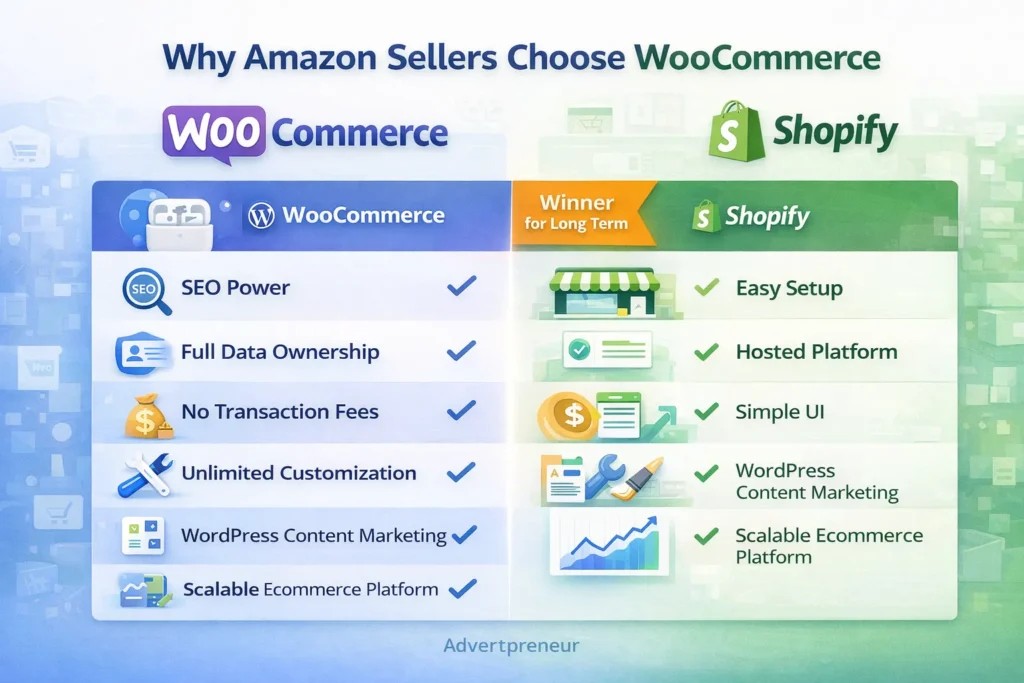
When WooCommerce Store Development Is the Best Choice
WooCommerce Store Development is the superior choice for serious Amazon sellers who want full brand ownership and long-term scalability. If you generate over $10,000 per month in revenue, the cost savings and SEO benefits outweigh the setup complexity. Furthermore, WordPress eCommerce Development gives you a publishing platform powerful enough to compete with major eCommerce content sites.
Additionally, WooCommerce is ideal if you sell internationally. You can configure multi-currency, multi-language stores that Shopify restricts behind expensive plan upgrades. Consequently, global sellers consistently choose WooCommerce to serve diverse customer bases without paying premium subscription tiers.
Finally, if SEO-driven organic traffic is central to your growth strategy, WooCommerce is non-negotiable. A dedicated WordPress SEO Optimization Service combined with WooCommerce’s full technical SEO capabilities can generate compounding organic revenue for years. In summary, WooCommerce Store Development is the long-term winner for Amazon sellers serious about building a brand.
According to W3Techs usage statistics, WordPress powers 43% of all websites on the internet — evidence of its unmatched reliability, developer support, and ecosystem maturity for any serious eCommerce project.
- You want full SEO control and content marketing capabilities
- Your monthly revenue exceeds $10,000 and transaction fees are significant
- You need a highly customised user experience or checkout flow
- You plan to build a brand with a long-term organic traffic strategy
- You sell internationally and need flexible multi-currency support
- You want 100% ownership of your customer data and purchase history
Frequently Asked Questions
Is WooCommerce or Shopify better for Amazon sellers who are just starting out?
Shopify is faster to launch for complete beginners, but WooCommerce Store Development offers far more long-term value. If you have a small budget and need a store live immediately, Shopify works for the short term. However, most sellers migrate to WooCommerce once they outgrow Shopify’s limitations around SEO, customisation, and transaction fees. Starting with WooCommerce from day one, with the help of a professional agency, saves you the cost and disruption of migrating later. How much does professional WooCommerce Store Development cost?
WooCommerce Store Development costs vary based on the scope of your project. A basic store with 50–100 products typically ranges from $800 to $2,500. A fully custom store with advanced integrations, SEO setup, and Amazon sync tools can range from $3,000 to $8,000 or more. Ongoing monthly maintenance and a WordPress SEO Optimization Service add $150–$500 per month depending on your needs. These costs are significantly offset by the platform savings compared to Shopify’s monthly fees and transaction charges at scale. Can I connect my WooCommerce store directly to Amazon FBA?
Yes, you can connect WooCommerce to Amazon FBA using plugins like WooCommerce Amazon Fulfillment, WP-Lister Pro, or Sellbrite. These tools sync your WooCommerce inventory with your Amazon seller account and automatically route orders to FBA for fulfilment. Furthermore, they update stock levels in real time across both channels. Consequently, you avoid overselling and maintain accurate inventory without manual management. Does WooCommerce or Shopify rank better on Google?
WooCommerce on WordPress consistently outperforms Shopify in SEO potential. WordPress gives you full control over URL structures, meta tags, schema markup, and site architecture — all critical ranking factors. Additionally, WordPress’s powerful blogging capabilities let you build content clusters that drive sustained organic traffic. Shopify’s locked URL structures and weaker blog tools limit your SEO ceiling significantly. A dedicated WordPress SEO Optimization Service further amplifies WooCommerce’s natural SEO advantages. What is a WordPress Website Design Service and do I need one?
A WordPress Website Design Service is a professional service that designs, develops, and launches a WordPress-based website tailored to your brand and business goals. It typically includes custom theme design, page layout creation, mobile optimisation, plugin configuration, and performance tuning. Amazon sellers benefit significantly from this service because a professionally designed WooCommerce store converts visitors far better than a default template. Furthermore, a proper design service ensures your brand identity transfers consistently from Amazon to your independent store. How long does WooCommerce Store Development take?
A standard WooCommerce Store Development project typically takes 3–6 weeks from kickoff to launch. Simple stores with under 50 products can go live in 2–3 weeks. Complex stores with custom design, advanced integrations, and large product catalogs may take 6–10 weeks. Working with an experienced WordPress eCommerce Development team shortens timelines significantly because they avoid common setup errors and follow proven workflows. Advertpreneur delivers full WooCommerce store projects with SEO setup included in the launch package.
Ready to Build Your WooCommerce Store and Grow Beyond Amazon?
Get a free strategy call with Advertpreneur — Pakistan’s leading Amazon and eCommerce growth agency. We design, develop, and launch high-converting WooCommerce stores built to rank and scale.Book Your Free Consultation
Conclusion
Both WooCommerce and Shopify offer genuine value for Amazon sellers looking to expand off-platform. However, for sellers who prioritise SEO, scalability, data ownership, and long-term cost efficiency, WooCommerce Store Development is clearly the stronger investment. Furthermore, combining WordPress eCommerce Development with a professional WordPress SEO Optimization Service creates a powerful organic growth engine that compounds over time.
Shopify suits sellers who need speed and simplicity right now. In contrast, WooCommerce Store Development suits sellers who are building a serious brand for the long term. Additionally, the cost savings at scale — especially on transaction fees — consistently justify the higher upfront setup investment for growing businesses.
In summary, the best platform is the one aligned with Your Business goals, technical resources, and growth timeline. If you want expert guidance on whether WooCommerce Store Development is right for your Amazon business, Advertpreneur is ready to help you make the right decision and execute it flawlessly.
Introduction
Amazon A+ Content (Enhanced Brand Content) is one of the most powerful tools for increasing product conversions. Studies show that A+ Content can boost conversion rates by 5-10% and significantly reduce returns by setting proper customer expectations.
But creating effective A+ Content isn’t just about adding pretty images—it’s about strategic storytelling, conversion optimization, and understanding what makes customers click “Add to Cart.”
In this comprehensive guide, we’ll teach you everything you need to know about creating Amazon A+ Content that converts browsers into buyers and drives real sales growth.
What is Amazon A+ Content?
Amazon A+ Content (also called Enhanced Brand Content or EBC) is premium content that allows brand-registered sellers to add rich media, detailed product information, and brand storytelling to their product listings.
Key Features:
- Rich visual content – Images, infographics, comparison charts
- Extended product information – Beyond standard listing fields
- Brand storytelling – Connect with customers emotionally
- Mobile-optimized – Automatically responsive
- Free for Brand Registry sellers – No additional cost
Who Can Use A+ Content?
- Brand Registry sellers – Must be enrolled in Amazon Brand Registry
- Vendor Central sellers – Automatic access
- Some third-party sellers – Limited access in certain categories
Why Amazon A+ Content Matters
The Impact of A+ Content:
Conversion Rate Increase:
- Average 5-10% conversion rate boost
- Some sellers see 15-20% increases
- Higher conversions = better organic rankings
Return Rate Reduction:
- Better set expectations = fewer returns
- Detailed product info = informed purchases
- Visual storytelling = reduced buyer’s remorse
Brand Building:
- Tell your brand story – Build emotional connection
- Showcase brand values – Stand out from competitors
- Professional appearance – Builds trust and credibility
SEO Benefits:
- Indirect SEO boost – Higher conversions improve rankings
- More time on page – Signals quality to Amazon
- Lower bounce rate – Engaged customers stay longer
Types of Amazon A+ Content Modules
Amazon offers various A+ Content modules. Here are the most effective:
1. Standard Image with Text
- Best for: Feature highlights, benefits
- Layout: Image on left/right, text on opposite side
- Use case: Explain key features with visuals
2. Standard Single Image and Sidebar
- Best for: Hero product shots
- Layout: Large image with sidebar text
- Use case: Main product showcase
3. Standard Four Image and Text
- Best for: Multiple features
- Layout: 4 images with text blocks
- Use case: Comprehensive feature overview
4. Standard Single Image and Specifications
- Best for: Technical products
- Layout: Image with detailed specs table
- Use case: Electronics, appliances, technical items
5. Comparison Chart
- Best for: Competitive advantage
- Layout: Side-by-side comparison
- Use case: Show why your product is better
6. Standard Image and Dark Text Overlay
- Best for: Lifestyle images
- Layout: Text overlaid on image
- Use case: Emotional storytelling
7. Standard Three Images and Text
- Best for: Product variations
- Layout: 3 images with descriptions
- Use case: Show different models/colors
Amazon A+ Content Best Practices
1. Lead with Benefits, Not Features
❌ Bad: “Our headphones have Bluetooth 5.0 technology” ✅ Good: “Wireless Freedom: Advanced Bluetooth 5.0 keeps you connected up to 33 feet away, perfect for workouts, commuting, or working from home.”
2. Use High-Quality Images
Image Requirements:
- Minimum 970px width for standard modules
- High resolution – Crisp, professional photos
- Consistent style – Match your brand aesthetic
- Optimized file size – Fast loading times
Image Types to Include:
- Lifestyle photos – Product in real use
- Infographics – Key features and benefits
- Comparison charts – Your product vs competitors
- Detail shots – Close-ups of important features
- Size guides – Help customers visualize
3. Tell Your Brand Story
Effective Brand Story Elements:
- Origin story – How your brand started
- Mission and values – What you stand for
- Quality commitment – Why customers should trust you
- Customer focus – How you serve buyers
Example Structure:
- Who We Are – Brand introduction
- Our Mission – What drives you
- Quality Promise – Why you’re different
- Customer Commitment – How you serve buyers
4. Address Customer Pain Points
Identify Pain Points:
- Read customer reviews – What problems do they mention?
- Check competitor reviews – What do customers complain about?
- Analyze Q&A sections – What questions come up?
- Use keyword research – What problems do searches reveal?
Address in A+ Content:
- Show how your product solves specific problems
- Use before/after comparisons
- Highlight problem-solving features
- Include testimonials or social proof
5. Use Social Proof Strategically
Types of Social Proof:
- Customer testimonials – Real quotes (with permission)
- Usage statistics – “Trusted by 50,000+ customers”
- Awards and certifications – Build credibility
- Press mentions – Media recognition
Placement:
- Near the top for immediate trust
- Throughout content for reinforcement
- At the bottom to close the sale
6. Optimize for Mobile
Mobile Considerations:
- 70%+ of Amazon traffic is mobile – Must look great on phones
- Test on devices – View your A+ Content on mobile
- Large, readable text – Easy to read on small screens
- Touch-friendly layouts – Consider thumb navigation
- Fast loading – Optimize image sizes
7. Include Clear CTAs
Effective CTAs in A+ Content:
- “Add to Cart” reminders (subtle, not pushy)
- “Learn More” for additional information
- “See All Features” to drive engagement
- “Check Reviews” to build trust
Amazon A+ Content Design Strategy
Design Principles:
1. Visual Hierarchy
- Most important info first – Lead with key benefits
- Use headings – Break up content for scannability
- White space – Don’t overcrowd modules
- Consistent styling – Match your brand
2. Color Psychology
- Brand colors – Reinforce brand identity
- Contrast – Ensure readability
- Emotional triggers – Use colors that match product type
- Accessibility – High contrast for readability
3. Typography
- Readable fonts – Clear, professional typefaces
- Size hierarchy – Headings > subheadings > body
- Line spacing – Comfortable reading experience
- Bold for emphasis – Highlight key points
4. Image Selection
- Professional photography – High-quality images
- Consistent style – Cohesive visual identity
- Relevant images – Support the content
- Optimized sizes – Fast loading, high quality
Step-by-Step: Creating Your A+ Content
Step 1: Research and Planning
Before You Start:
Step 2: Content Outline
Structure Your Content:
- Hero Section – Main product showcase
- Key Features – Top 3-5 benefits
- Problem/Solution – Address pain points
- Comparison – Why choose you?
- Brand Story – Connect emotionally
- Social Proof – Build trust
- Final CTA – Encourage purchase
Step 3: Create Visual Assets
Assets Needed:
- Product lifestyle photos
- Feature infographics
- Comparison charts
- Brand elements (logos, colors)
- Size/usage guides
Tools for Creating A+ Content:
- Canva – Easy graphic design
- Adobe Photoshop/Illustrator – Professional design
- Figma – Collaborative design
- Amazon’s A+ Content Manager – Built-in tools
Step 4: Write Compelling Copy
Copywriting Tips:
- Lead with benefits – What’s in it for them?
- Use power words – “Transform”, “Revolutionary”, “Ultimate”
- Be specific – “30-hour battery” not “long battery”
- Create urgency – “Limited time”, “Exclusive”
- Address objections – “Worried about fit? See our size guide”
Step 5: Build in A+ Content Manager
In Amazon Seller Central:
- Go to Advertising → A+ Content Manager
- Click “Create A+ Content”
- Choose template or custom layout
- Add modules and content
- Preview on desktop and mobile
- Submit for approval
Step 6: Submit and Wait for Approval
Approval Process:
- Usually 7 days for review
- Common rejections: Copyright issues, poor quality images, prohibited content
- Fix and resubmit if rejected
- Once approved – Assign to products
Amazon A+ Content Examples and Templates
Example 1: Electronics Product
Structure:
- Hero image with key benefit headline
- Feature grid (4 key features with icons)
- Technical specifications table
- Comparison chart vs competitors
- Brand story section
- Customer testimonials
Example 2: Fashion/Apparel
Structure:
- Lifestyle hero image
- Material and quality highlights
- Size and fit guide
- Styling suggestions
- Care instructions
- Brand values and sustainability
Example 3: Home & Kitchen
Structure:
- Product in use (lifestyle)
- Key features with benefits
- How it works (step-by-step)
- Comparison with alternatives
- Customer reviews highlights
- Warranty and support info
Common A+ Content Mistakes to Avoid
1. Too Much Text, Not Enough Visuals
❌ Mistake: Walls of text that overwhelm ✅ Solution: Balance text with compelling visuals
2. Generic Content
❌ Mistake: Same content for all products ✅ Solution: Customize for each product’s unique value
3. Poor Image Quality
❌ Mistake: Low-res, unprofessional images ✅ Solution: Invest in professional photography
4. Ignoring Mobile
❌ Mistake: Only designing for desktop ✅ Solution: Test and optimize for mobile first
5. No Clear Value Proposition
❌ Mistake: Features without benefits ✅ Solution: Always explain “what’s in it for me”
6. Missing Brand Story
❌ Mistake: Only product features ✅ Solution: Include brand narrative and values
7. Not Testing
❌ Mistake: Set it and forget it ✅ Solution: A/B test different versions
Measuring A+ Content Success
Key Metrics:
- Conversion Rate
- Before vs after A+ Content
- Target: 5-10% increase
- Track in Seller Central
- Time on Page
- Longer engagement = better signal
- Use Amazon Brand Analytics
- Compare to category average
- Return Rate
- Lower returns = better expectations set
- Track in Seller Central
- Compare pre/post A+ Content
- Sales Velocity
- Units sold per day/week
- Higher velocity = better rankings
- Monitor for consistency
A+ Content Optimization Tips
1. A/B Testing
- Test different headlines
- Try different image styles
- Compare module layouts
- Measure what converts best
2. Seasonal Updates
- Update for holidays
- Seasonal imagery
- Holiday-specific messaging
- Plan 2-3 months ahead
3. Competitor Analysis
- See what competitors do
- Identify gaps in their content
- Find opportunities to differentiate
- Learn from their successes
4. Customer Feedback Integration
- Use review insights
- Address common questions
- Highlight praised features
- Fix mentioned issues
A+ Content for Different Product Categories
Electronics:
- Technical specifications
- Compatibility information
- Setup guides
- Warranty details
Fashion/Apparel:
- Size guides
- Material information
- Care instructions
- Styling tips
Home & Kitchen:
- Usage instructions
- Cleaning guides
- Safety information
- Recipe ideas (if applicable)
Beauty/Personal Care:
- Ingredient lists
- Usage instructions
- Results expectations
- Safety warnings
Conclusion: Create A+ Content That Converts
Amazon A+ Content is a powerful tool for increasing conversions, reducing returns, and building your brand. But success requires strategic planning, high-quality assets, and customer-focused messaging.
Key Takeaways:
- Lead with benefits – Always explain what’s in it for customers
- Use quality visuals – Professional images make a difference
- Tell your story – Build emotional connection with your brand
- Address pain points – Show how you solve problems
- Test and optimize – Continuously improve based on data
Remember: A+ Content should convert browsers into buyers, not just look pretty. Every element should serve the goal of driving sales.
Need Professional A+ Content Design?
Our A+ Content Design service creates conversion-optimized Enhanced Brand Content that boosts sales and reduces returns. We handle everything from strategy to design to Amazon submission.
Related Resources
- → Amazon PPC Basics: Simple Guide for Beginners
- → 7 Amazon Sponsored Products Strategies That Lower ACoS by 40%
- → Amazon Listing Optimization: 15 Ways to Improve Your Product Listings
- → Complete Guide to Amazon SEO: How to Rank Your Products on Page 1 in 2025
- → Amazon Keyword Research: The Ultimate Guide to Finding Profitable Keywords
- → Amazon Product Title Optimization: How to Write Titles That Rank and Convert
Introduction
Your Shopify store design is the foundation of your e-commerce success. A well-designed Shopify store can increase conversion rates by 20-40% compared to poorly designed stores, while a bad design can kill sales before customers even see your products.
But creating a conversion-optimized Shopify website isn’t just about making it look pretty—it’s about strategic design, user experience optimization, and understanding what makes customers click “Add to Cart.”
In this comprehensive guide, we’ll teach you everything you need to know about Shopify website design. You’ll learn proven strategies, best practices, and actionable tips to create a store that not only looks great but drives real sales.
Why Shopify Website Design Matters
The Impact of Design:
Conversion Rate Impact:
- Well-designed stores: 2-4% average conversion rate
- Poorly designed stores: 0.5-1% conversion rate
- Difference: 2-4x more sales with good design
User Experience Impact:
- Fast-loading stores: 40% higher conversion
- Mobile-optimized: 70% of traffic is mobile
- Clear navigation: 30% more time on site
- Trust signals: 25% higher conversion
Business Impact:
- Professional design: Builds trust and credibility
- Better UX: Reduces cart abandonment
- SEO benefits: Better rankings
- Brand building: Stands out from competitors
Key Elements of Conversion-Optimized Shopify Design
1. Homepage Design
Critical Elements:
Hero Section
- Compelling headline – Clear value proposition
- High-quality image – Professional, on-brand
- Clear CTA – “Shop Now”, “Browse Collection”
- Above the fold – Most important info visible immediately
Navigation
- Clear menu structure – Easy to find products
- Search functionality – Help customers find products
- Cart icon – Always visible
- Mobile-friendly – Hamburger menu on mobile
Trust Signals
- Customer reviews – Social proof
- Security badges – SSL, payment security
- Shipping info – Free shipping, fast delivery
- Return policy – Easy returns build trust
Product Showcase
- Featured products – Best sellers, new arrivals
- Category previews – Quick access to collections
- Visual appeal – High-quality product images
- Clear CTAs – “Shop [Category]”
2. Product Page Design
Conversion-Critical Elements:
Product Images
- Multiple angles – 5-7 high-quality images
- Zoom functionality – Let customers inspect
- Lifestyle photos – Product in use
- Size guides – Help with fit/sizing decisions
Product Information
- Clear title – Descriptive, keyword-rich
- Compelling description – Benefits, not just features
- Key features – Bullet points, easy to scan
- Specifications – Technical details for those who want them
Pricing and Options
- Clear pricing – Prominent, easy to see
- Variants – Size, color, style options
- Stock status – “In Stock” or “Only 3 left”
- Add to Cart – Prominent, above the fold
Social Proof
- Customer reviews – Real feedback
- Star ratings – Visual trust indicator
- Customer photos – User-generated content
- FAQ section – Address common questions
3. Checkout Optimization
Critical for Conversion:
Streamlined Process
- Guest checkout – Don’t force account creation
- Progress indicator – Show checkout steps
- Auto-fill – Address autocomplete
- Multiple payment options – Credit card, PayPal, etc.
Trust and Security
- Security badges – SSL, payment security
- Return policy – Clear, visible
- Shipping calculator – Show costs upfront
- Order summary – Clear breakdown
Mobile Optimization
- Mobile-first design – 70%+ traffic is mobile
- Large buttons – Easy to tap
- Simplified forms – Minimal fields
- Fast loading – Under 3 seconds
Shopify Design Best Practices
1. Mobile-First Design
Why it matters:
- 70%+ of traffic comes from mobile
- Mobile conversion often lower than desktop
- Google prioritizes mobile-friendly sites
- User experience critical on small screens
Best Practices:
- Responsive design – Works on all devices
- Touch-friendly – Large buttons, easy navigation
- Fast loading – Optimize images, minimize code
- Simplified navigation – Hamburger menu, clear structure
- Thumb-friendly – Important elements within thumb reach
2. Fast Loading Speed
Impact on Conversion:
- 1 second delay = 7% conversion drop
- 3+ seconds = 40% abandonment
- Target: Under 3 seconds load time
Optimization Tips:
- Optimize images – Compress, use WebP format
- Minimize apps – Only essential apps
- Use CDN – Fast content delivery
- Lazy loading – Load images as needed
- Clean code – Remove unused code
3. Clear Navigation
Navigation Principles:
- Simple structure – 5-7 main categories max
- Logical grouping – Related products together
- Search functionality – Help customers find products
- Breadcrumbs – Show location in site
- Footer links – Important pages accessible
4. High-Quality Images
Image Requirements:
- Professional photography – High-quality, consistent
- Multiple angles – Show product completely
- Lifestyle images – Product in use
- Consistent style – Match brand aesthetic
- Optimized size – Fast loading, high quality
5. Trust Building Elements
Trust Signals:
- Customer reviews – Real feedback
- Security badges – SSL, payment security
- Social proof – “Join 10,000+ happy customers”
- Guarantees – Money-back, satisfaction
- Contact info – Easy to reach support
6. Clear Value Proposition
Communicate Value:
- Headline – What you offer, why it matters
- Benefits – What’s in it for customers
- Differentiation – Why choose you
- Urgency – Limited time, limited stock
- Social proof – Others love it
Shopify Theme Selection
Choosing the Right Theme:
Free Themes:
- Dawn – Modern, fast, mobile-optimized
- Debut – Simple, clean, versatile
- Brooklyn – Bold, fashion-focused
- Minimal – Clean, minimal design
Best for:
- New stores
- Budget-conscious sellers
- Simple product catalogs
- Testing and learning
Premium Themes:
- More features – Advanced functionality
- Better support – Theme developer support
- More customization – Design flexibility
- Better performance – Often optimized better
Best for:
- Established stores
- Complex needs
- Brand-specific design
- Advanced features
Theme Selection Criteria:
- Mobile responsiveness – Must work on all devices
- Loading speed – Fast performance
- Customization – Can match your brand
- Features – Has what you need
- Support – Good documentation/help
- Updates – Regularly updated
Shopify Design Process
Step 1: Planning and Strategy
Before You Start:
Step 2: Design Mockups
Create Visuals:
- Homepage layout
- Product page design
- Checkout flow
- Mobile views
- Brand elements
Step 3: Theme Selection/Customization
Choose or Customize:
- Select theme
- Customize colors/fonts
- Add brand elements
- Configure settings
- Test responsiveness
Step 4: Content Creation
Add Content:
- Product descriptions
- Images and media
- About page
- Policy pages
- Blog content
Step 5: Testing and Optimization
Before Launch:
- Test on multiple devices
- Check all links
- Test checkout process
- Verify payment methods
- Speed testing
- SEO check
Step 6: Launch and Monitor
After Launch:
- Monitor analytics
- Track conversion rates
- Gather user feedback
- A/B test elements
- Continuously optimize
Shopify Conversion Optimization
1. Homepage Optimization
Key Elements:
- Clear value proposition – What you offer
- Compelling hero image – Professional, on-brand
- Featured products – Best sellers, new arrivals
- Trust signals – Reviews, guarantees, security
- Clear CTAs – “Shop Now”, “Browse Collections”
2. Product Page Optimization
Conversion Drivers:
- High-quality images – Multiple angles, zoom
- Compelling copy – Benefits-focused
- Social proof – Reviews, ratings
- Clear pricing – Prominent, no surprises
- Easy add to cart – Prominent button
- Related products – Cross-sell opportunities
3. Checkout Optimization
Reduce Abandonment:
- Guest checkout – Don’t force registration
- Progress indicator – Show steps
- Multiple payments – Credit card, PayPal, etc.
- Shipping calculator – Show costs upfront
- Trust badges – Security, guarantees
- Order summary – Clear breakdown
4. Mobile Optimization
Mobile-First:
- Responsive design – Works on all screens
- Fast loading – Under 3 seconds
- Touch-friendly – Large buttons
- Simplified navigation – Easy to use
- Thumb-friendly – Important elements accessible
Common Shopify Design Mistakes
1. Poor Mobile Experience
❌ Mistake: Desktop-only design ✅ Solution: Mobile-first, responsive design
2. Slow Loading Speed
❌ Mistake: Unoptimized images, too many apps ✅ Solution: Optimize images, minimize apps, use CDN
3. Confusing Navigation
❌ Mistake: Too many categories, unclear structure ✅ Solution: Simple, logical navigation (5-7 categories)
4. Weak Product Images
❌ Mistake: Low-quality, few images ✅ Solution: Professional photos, multiple angles
5. No Trust Signals
❌ Mistake: Missing reviews, security badges ✅ Solution: Customer reviews, trust badges, guarantees
6. Poor Checkout Experience
❌ Mistake: Forced registration, complicated process ✅ Solution: Guest checkout, streamlined process
7. Weak Value Proposition
❌ Mistake: Unclear what you offer ✅ Solution: Clear headline, benefits, differentiation
Measuring Shopify Design Success
Key Metrics:
- Conversion Rate
- Sales ÷ Visitors
- Target: 2-4%+
- Industry average: 1-2%
- Average Order Value (AOV)
- Total Revenue ÷ Number of Orders
- Increase through upselling
- Target: Increase 10-20%
- Cart Abandonment Rate
- Abandoned Carts ÷ Started Checkouts
- Target: Under 70%
- Industry average: 60-80%
- Bounce Rate
- Single-page visits ÷ Total visits
- Target: Under 50%
- Lower = better engagement
- Time on Site
- Average time visitors spend
- Higher = better engagement
- Target: 2+ minutes
- Pages per Session
- Average pages viewed
- Higher = better navigation
- Target: 3+ pages
Shopify Design Tools and Resources
Design Tools:
- Canva – Easy graphic design
- Adobe Creative Suite – Professional design
- Figma – Collaborative design
- Unsplash – Free stock photos
Shopify Apps for Design:
- PageFly – Custom page builder
- Shogun – Drag-and-drop page builder
- Gempages – Landing page builder
- Judge.me – Reviews and trust
Testing Tools:
- Google PageSpeed Insights – Speed testing
- GTmetrix – Performance analysis
- Hotjar – User behavior tracking
- Google Analytics – Traffic and conversion
Conclusion: Design for Conversion
Shopify website design is about more than aesthetics—it’s about creating an experience that converts visitors into customers. Every design decision should serve the goal of driving sales.
Key Principles:
- Mobile-first – 70%+ of traffic is mobile
- Fast loading – Under 3 seconds
- Clear navigation – Easy to find products
- Trust building – Reviews, security, guarantees
- Conversion-focused – Every element drives sales
Remember: Great design is invisible. Customers shouldn’t notice the design—they should notice how easy it is to find and buy products.
Need Professional Shopify Website Design?
Our Shopify website design service creates conversion-optimized stores that drive sales. We handle everything from strategy to design to development, ensuring your store looks great and converts visitors into customers.
Related Resources
- → Amazon PPC Basics: Simple Guide for Beginners
- → 7 Amazon Sponsored Products Strategies That Lower ACoS by 40%
- → Amazon Listing Optimization: 15 Ways to Improve Your Product Listings
- → Complete Guide to Amazon SEO: How to Rank Your Products on Page 1 in 2025
- → Amazon A+ Content: How to Create Conversion-Optimized Enhanced Brand Content
- → Amazon Keyword Research: The Ultimate Guide to Finding Profitable Keywords