How amazon A10 Algorithm Optimization Drives Rankings and Sales

Amazon A10 Algorithm Optimization helps sellers rank higher and sell more. Firstly, it focuses on user intent and real engagement signals.
Secondly, it rewards listings that convert and satisfy buyers. Therefore, sellers must focus on both traffic and conversion.
Table of Contents
- What is Amazon A10 Algorithm
- How Amazon A10 Algorithm Optimization Works
- Key Ranking Factors
- Amazon A10 Algorithm Optimization Strategy
- A9 vs A10 Comparison
- Frequently Asked Questions
- Conclusion
 Amazon Listing Optimization Service workflow showing ranking and conversion process” class=”wp-image-7092″/>
What is Amazon A10 Algorithm
Firstly, Amazon A10 decides which products appear in search results. It ranks listings based on performance and relevance.
Secondly, it focuses more on organic signals than ads. Therefore, sellers must build strong listings.
Why A10 matters for sellers
Most importantly, A10 rewards listings that convert well. As a result, better listings get more visibility.
- Higher conversion improves ranking
- Better reviews increase trust
- Relevant keywords improve discoverability
In addition, using an Amazon SEO approach helps improve results.
How Amazon A10 Algorithm Optimization Works
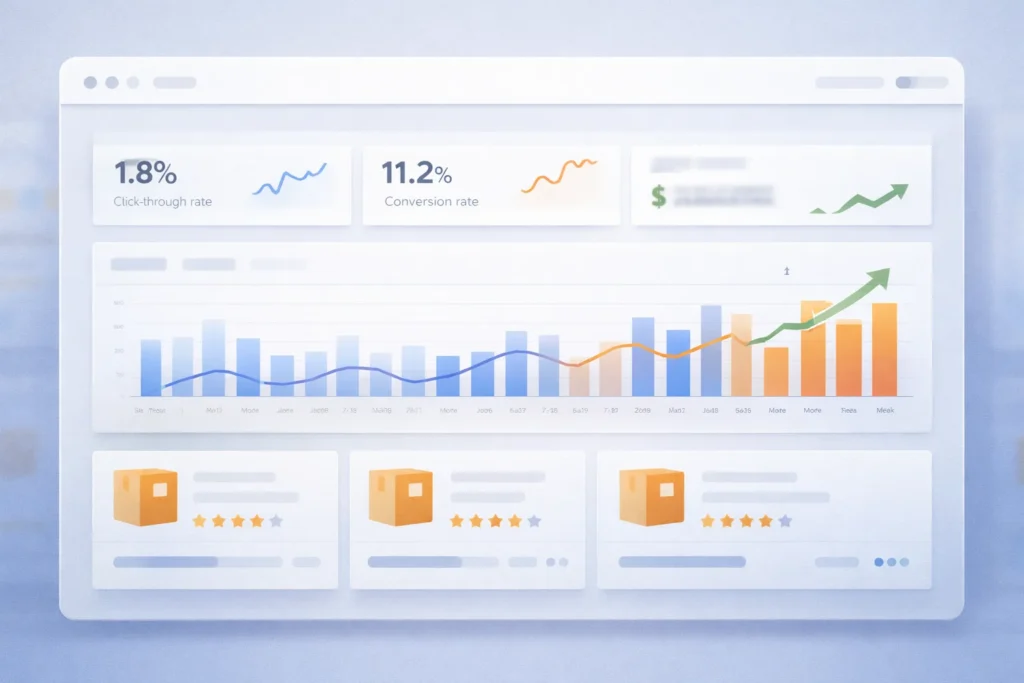
Firstly, A10 looks at shopper behaviour and purchase intent. Then, it ranks products based on performance.
Secondly, it values organic sales more than paid traffic. That means strong listings win long term.
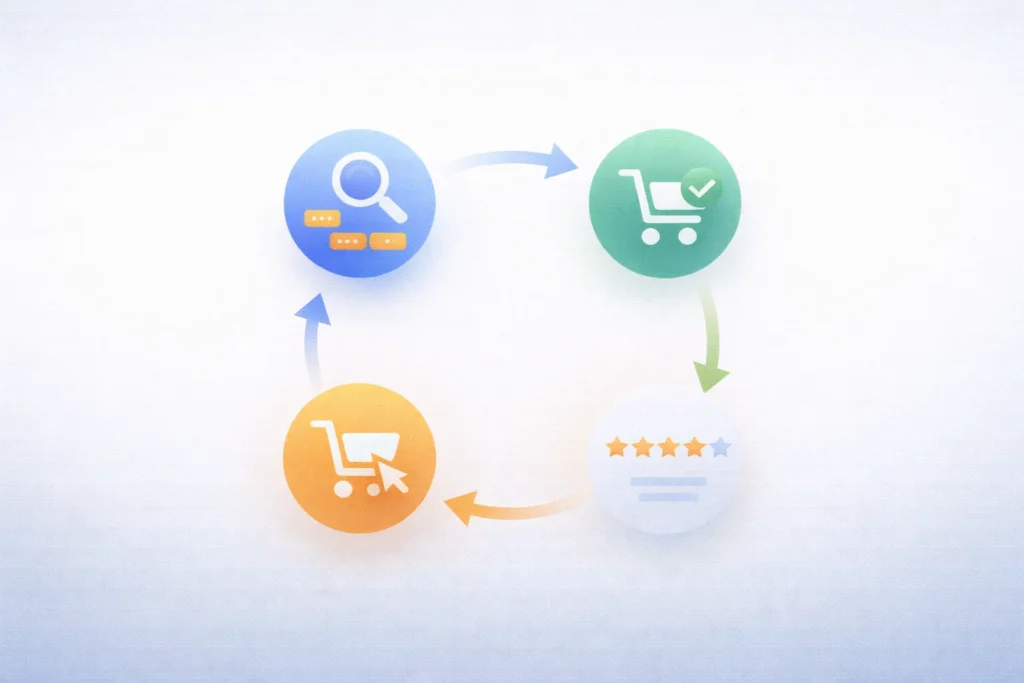
Main working logic
- Customer searches for a keyword
- Amazon matches relevant listings
- System ranks based on performance
- Top listings get more clicks and sales
For example, products with better click rates rank higher. As a result, visibility grows faster.
Pro Tip: Focus on improving click rate and conversion first
Key Ranking Factors
Firstly, A10 uses several signals to rank listings. Secondly, each factor impacts visibility and sales.
Important ranking signals
- Keyword relevance
- Sales velocity
- Customer reviews
- Click through rate
- Conversion rate
In contrast, weak listings struggle to rank. Therefore, you must improve every factor.
Role of keywords
Specifically, keywords help Amazon understand your product. In fact, better keyword use improves ranking.
That means you should use Amazon Product Listing Optimization techniques. Additionally, include keywords naturally.
Role of conversion
Above all, conversion matters the most. Consequently, listings with higher sales rank higher.
For instance, better images increase buyer trust. As a result, sales improve quickly.
Warning: Do not stuff keywords as it hurts readability
Amazon A10 Algorithm Optimization Strategy
Firstly, you need a clear strategy to rank. Secondly, you must optimise both SEO and conversion.
Step by step strategy
- Research high intent keywords
- Optimise title and bullets
- Improve images and A Plus Content
- Drive initial traffic
- Collect reviews and feedback
Additionally, using an Amazon SEO Optimization Service helps speed up results. In other words, experts handle complex tasks.
Meanwhile, a strong Amazon Listing Optimization Service improves conversion rates. As a result, ranking improves faster.
Also, you can book a Free Amazon Consultation to plan growth.
A9 vs A10 Comparison
| Factor | A9 Algorithm | A10 Algorithm |
|---|---|---|
| Focus | Sales driven | User behaviour driven |
| Ads impact | High | Lower |
| Organic ranking | Less priority | More priority |
| External traffic | Limited value | Higher value |
Table: Key differences between Amazon A9 and A10 ranking systems

However, A10 focuses more on user experience. Therefore, better listings always win.
Similarly, external traffic boosts ranking. As a consequence, brands should drive traffic outside Amazon.
Frequently Asked Questions
What is Amazon A10 Algorithm Optimization?
It is the process of improving listings to rank higher in Amazon search results. Does A10 prefer organic sales?
Yes, it values organic sales more than paid ads. How do keywords affect ranking?
Keywords help Amazon understand relevance and match search queries. Do reviews impact ranking?
Yes, positive reviews improve trust and increase conversions. Should I use external traffic?
Yes, external traffic helps improve ranking signals and visibility.
Ready to grow Your Amazon business?
Get a free strategy call with Advertpreneur.Book Your Free Consultation
Conclusion
Amazon A10 Algorithm Optimization plays a key role in ranking. Firstly, it rewards strong listings and real engagement.
Secondly, it focuses on conversion and user behaviour. Therefore, sellers must optimise every part of the listing.
Finally, consistent optimisation leads to long term growth. In short, better listings always win on Amazon.
Why shopify-vs-wordpress-2026/”>your-products-on-page-1-in-2025/”>amazon marketplace Growth Outside Amazon Matters in 2026

The amazon marketplace no longer sits inside one store alone. Instead, Amazon now pushes its tools across the wider web. For sellers, that shift creates fresh reach, but also fresh risk. Therefore, you need a plan before bigger brands move first.
Table of Contents
- Why amazon marketplace is changing
- What Amazon is building outside its store
- Why this move matters for sellers
- The risks of staying Amazon only
- What sellers should do now
- A simple plan for 2026
- Reference points from Amazon and Shopify
- Frequently Asked Questions
- Conclusion
Why amazon marketplace is changing
Firstly, Amazon wants a larger share of online demand. It no longer wants to win only inside its own walls.
Secondly, brands want more control over traffic and customer data. So Amazon built tools that work beyond the main store.
Thirdly, customer trust already sits with Amazon. Therefore, Amazon can turn that trust into a wider service business.
That move changes how the amazon marketplace fits your growth plan. In other words, Amazon now acts like a sales channel and a logistics layer.
- Amazon can power checkout on brand owned sites.
- Amazon can ship orders from one inventory pool.
- Amazon can support growth across more channels.
Pro Tip: Treat Amazon as a profit channel and a support system. Build both at the same time.
Many sellers still think in old terms. However, 2026 needs a wider view.
If you only watch ranking inside the amazon marketplace, you miss the bigger shift. Meanwhile, stronger brands build reach across many touchpoints.
What Amazon is building outside its store
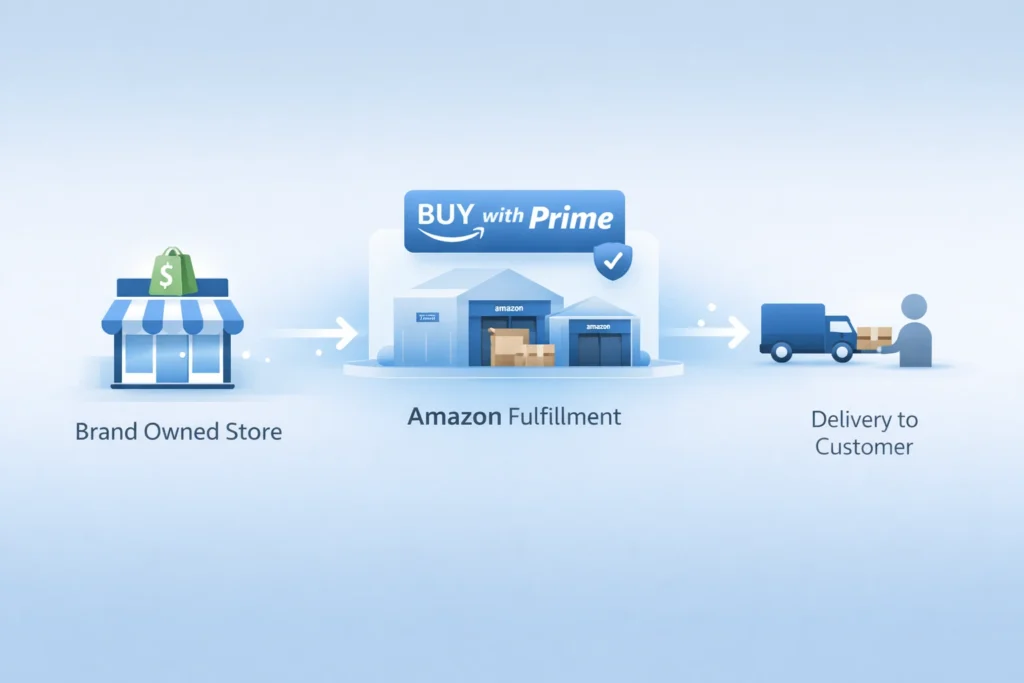
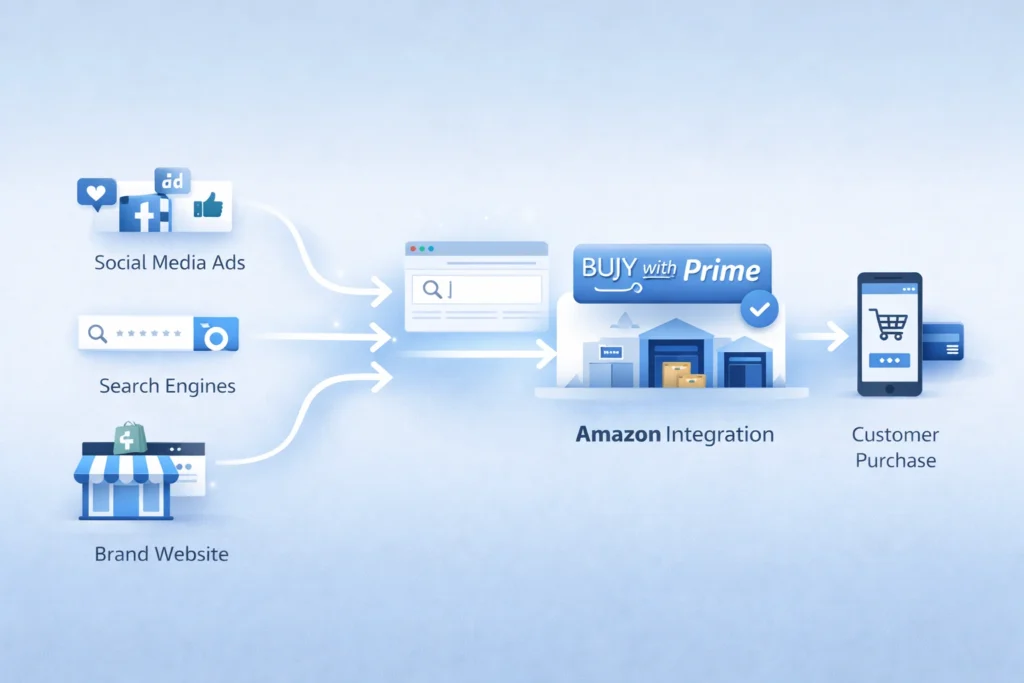
To begin with, Amazon offers Buy with Prime for brand sites. That tool adds Prime perks to direct sales pages.
Next, Amazon offers Multi Channel Fulfillment, often called MCF. That service ships orders from channels beyond Amazon.
In addition, Amazon now has a Shopify app for both tools. So sellers can connect store orders with Amazon fulfillment.
You can read more about Amazon Multi Channel Fulfillment for ecommerce brands. Also, Shopify explains setup in its guide for selling with Amazon tools on Shopify.
Buy with Prime changes the buying moment
For instance, amazon buy with prime gives shoppers a familiar option. That can reduce doubt on a brand owned store.
As a result, Amazon can help brands convert traffic they already own. But the sale does not need to start inside Amazon.
MCF changes the fulfillment model
Similarly, MCF lets brands use Amazon stock for outside orders. That means one pool can serve many channels.
In fact, Amazon states MCF works for businesses that do not sell on Amazon. So the service reaches beyond the amazon marketplace itself.
Shopify links the two worlds
Specifically, the new app supports shopify amazon integration inside Shopify admin. Therefore, more sellers can test Amazon tools without leaving their core store. :contentReference[oaicite:6]{index=6}
That matters because many private label brands already use Shopify. So Amazon now meets them where they work.
Table: Amazon tools now serve more than one sales path.
| Tool | Main job | Where it helps | What sellers gain |
|---|---|---|---|
| Buy with Prime | Boosts trust and speed at checkout | Brand owned site | Higher chance of conversion |
| MCF | Ships non Amazon orders | Shopify and other channels | One stock pool, faster shipping |
| Amazon app for Shopify | Connects orders and setup | Shopify admin | Smoother daily operations |
Why this move matters for sellers
Most importantly, this move changes seller economics. You can now keep Amazon strengths without keeping all sales inside Amazon.
That opens a real amazon multi channel strategy. In other words, you can use Amazon where it helps, then own more of the customer journey elsewhere.
- Keep fast fulfillment without full marketplace dependence.
- Build a brand site with better customer control.
- Spread risk across channels and traffic sources.
However, this shift also raises the bar. Basic sellers will struggle because strong brands will move faster.
For example, one brand may rank on Amazon, run ads on Meta, and close sales on Shopify. Meanwhile, Amazon still fulfills those orders in the background.
That is an ecommerce omnichannel strategy in simple terms. You meet the buyer on many paths, but you keep the brand story strong.
If you want that kind of growth, fix your store basics first. Then Improve Your Amazon SEO so your catalog can pull demand from search.
Also, you need clean ad data to guide budget moves. So sharpen your Amazon PPC before you expand traffic.
Warning: More channels do not solve weak offers. Poor listings and weak margins still hurt growth.
The risks of staying Amazon only
Firstly, one channel can change your costs fast. A fee shift or ad spike can hit profit hard.
Secondly, one channel can limit brand memory. Many buyers remember Amazon first, not your brand.
Thirdly, one channel can limit customer data. So repeat sales get harder over time.
In contrast, sellers who sell outside amazon platform can build email lists and repeat demand. They can also test offers with more freedom.
Still, you should not quit the amazon marketplace. Instead, you should stop treating it as your only home.
- Keep Amazon for search demand and trust.
- Use your own site for retention and bundles.
- Use outside traffic to lower total dependence.
That balance matters most in 2026. As a consequence, smart brands build both reach and control.
What sellers should do now
To clarify, you do not need a huge team. You need a clear order of moves.
1. Audit your catalog
Firstly, find products with steady reviews and good margins. Those items work best for wider expansion.
Next, check stock depth and shipping cost. You cannot scale if your core SKUs run thin.
2. Build a store that can convert
Secondly, fix your product pages before new traffic arrives. Add better photos, clear copy, and stronger proof.
For instance, show use cases, FAQs, and simple comparisons. That helps when buyers do not start inside the amazon marketplace.
3. Test Amazon powered fulfillment
Thirdly, review whether MCF fits your margins. Then test one small group of SKUs first.
You can start with the official page for fulfillment across multiple sales channels. Also, Amazon states MCF can fulfill in as fast as two days.
4. Add Buy with Prime where it helps
Additionally, use amazon buy with prime for items that need trust fast. This often works well for known hero products.
But do not force it on every SKU. Instead, test where the lift can cover the added cost.
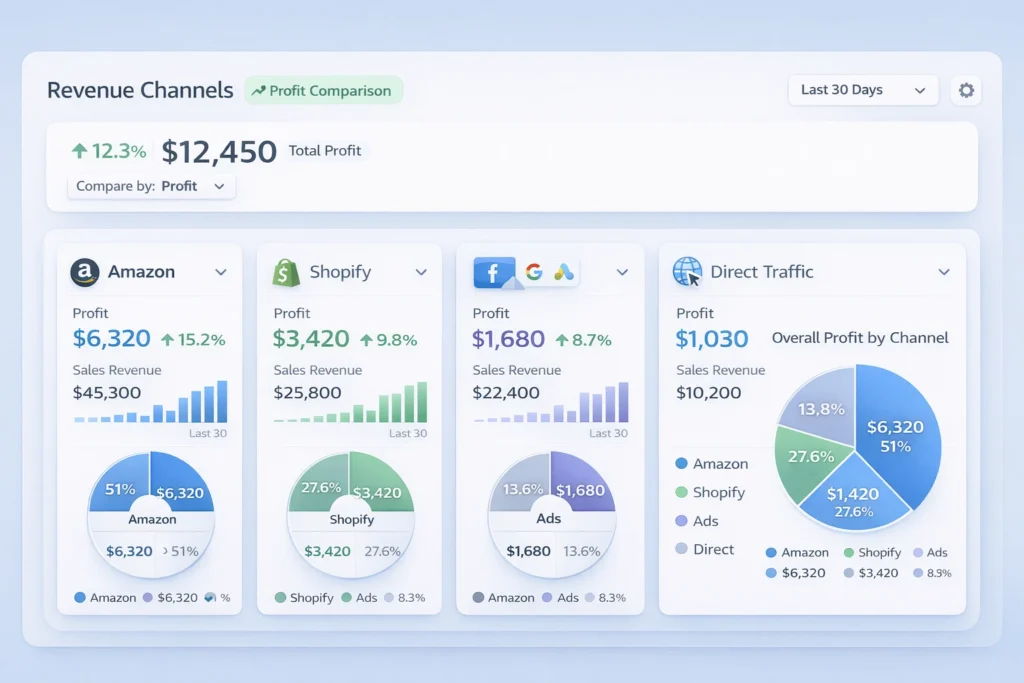
5. Track profit by channel
Most importantly, split reports by source. Otherwise, you will scale vanity sales and miss real profit.
Look at ad spend, refund rate, and repeat rate. Then compare each channel with Your Amazon marketplace results.
A simple plan for 2026
Above all, keep the plan simple. Complexity kills speed for small teams.
Phase one, fix the base
- Improve listing copy and images.
- Clean your PPC waste.
- Protect margin on core SKUs.
Phase two, expand one sales path
- Launch one strong product on Shopify.
- Test shopify amazon integration for operations.
- Send a small traffic batch to that page.
Phase three, widen the system
- Add bundles for your direct site.
- Collect email and SMS leads.
- Retarget visitors who do not buy first.
Finally, build process before scale. That means fewer surprises as orders rise.
In short, the best 2026 plan uses Amazon in two ways. It wins demand inside the amazon marketplace, and support outside sales too.
What good execution looks like
A strong brand ranks on Amazon and runs clean ads. Then it sends outside traffic to pages built to convert.
Meanwhile, the team watches profit by SKU and channel. Therefore, budget shifts follow real numbers.
- Pick one hero SKU.
- Build one strong landing page.
- Test one outside traffic source.
- Measure repeat buyers after thirty days.
Reference points from Amazon and Shopify
Amazon says its Shopify integration can sync orders, products, and returns in Shopify admin. It also says sellers can use the same Amazon inventory for Shopify orders.
Shopify says merchants in the United States can import and fulfill Shopify orders through the Amazon MCF and Buy with Prime app. It also outlines setup steps in Shopify admin.
Recent reporting also says Amazon has tested Prime shipping on outside sites without an Amazon login for some merchants. That points to an even wider push beyond the core amazon marketplace.
These points matter because they show direction, not hype. Amazon wants a bigger role in commerce infrastructure.

Frequently Asked Questions
Why is Amazon moving beyond its main store?
Amazon wants more order flow, more merchant ties, and more logistics volume. So it now supports sales outside its core store too. Does this mean Amazon Sellers need Shopify now?
No, but many sellers should test a brand site. That gives more control over repeat sales and customer data. What is amazon buy with prime in simple terms?
It adds Prime style delivery and checkout trust to your own site. As a result, some shoppers feel safer buying direct. Can brands use MCF if they do not sell on Amazon?
Yes. Amazon states MCF is open to businesses that do not sell on Amazon. Should I leave the amazon marketplace and focus only on my site?
No. Keep Amazon as a core channel. Then build your own site so you gain more control and reduce channel risk. What is the first step for private label brands?
Ready to grow your Amazon business?
Get a free strategy call with Advertpreneur.Book Your Free Consultation
Conclusion
The amazon marketplace still matters, but its role has changed. It now acts as a store, a trust layer, and a shipping engine.
Therefore, sellers who adapt early can win more control and better reach. They can keep Amazon strengths while building direct brand value.
To conclude, do not wait for the shift to become obvious. Build your amazon multi channel strategy now, test smart, and grow with intent.
amazon Suppressed Listing Fix: How to Restore Your Sales Fast
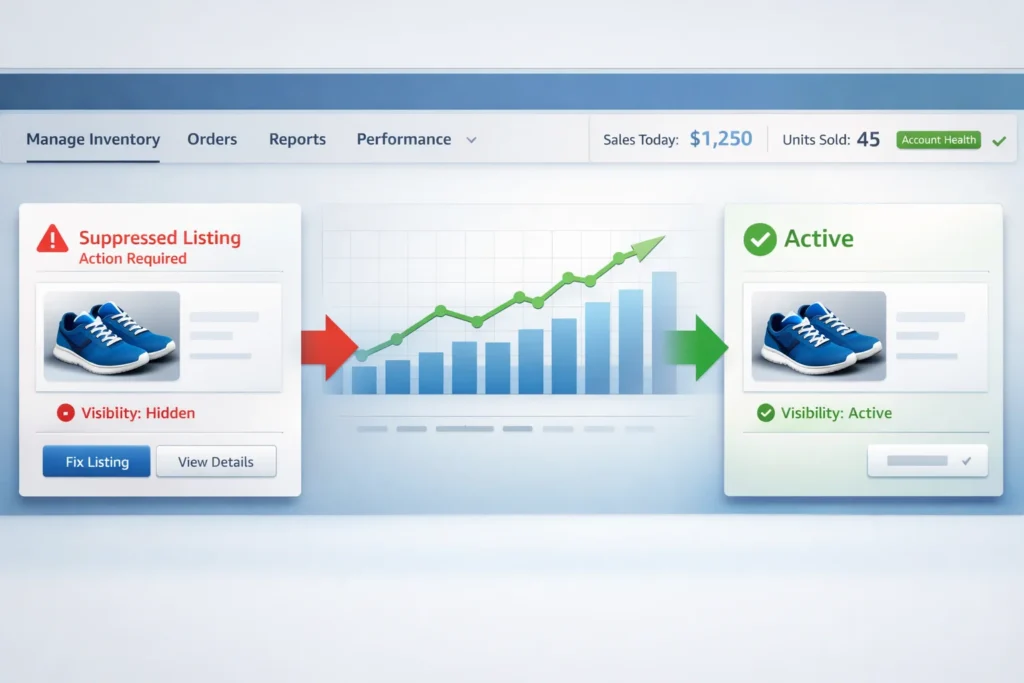
An Amazon Suppressed Listing Fix can save your business from lost sales. Therefore, you need to understand why Amazon hides Your Products. Then, you can take fast action to restore visibility.
Table of Contents
- What Is a Suppressed Amazon Listing
- Why Is My Amazon Listing Suppressed
- How to Fix a Suppressed Amazon Listing
- Using Flat Files for Bulk Fixes
- Fixing Stranded Inventory Issues
- How to Prevent Future Suppressions
- When to Use an Amazon Listing Fix Service
- Frequently Asked Questions
- Conclusion
What Is a Suppressed Amazon Listing
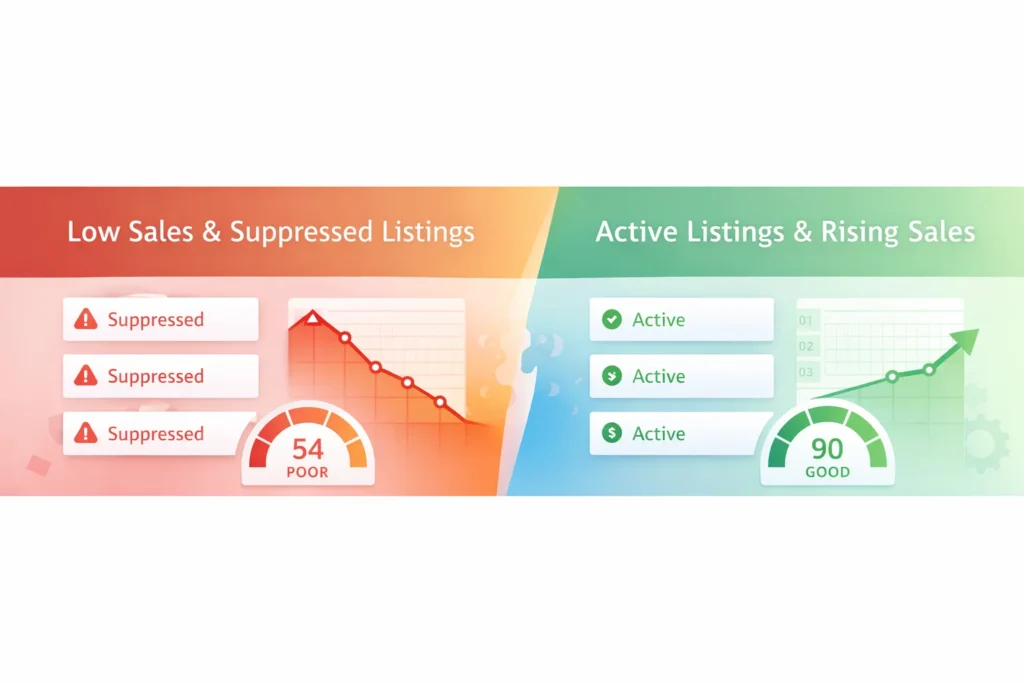
A suppressed listing is a product that Amazon hides from buyers. As a result, shoppers cannot find or buy your item.
Amazon suppresses listings that break their rules. In other words, your product becomes invisible in search results.
Most importantly, suppressed listings cost you money every day. Consequently, you lose sales while competitors win.
An Amazon Suppressed Listing Fix restores your product to active status. Therefore, buyers can see and purchase your items again.
Warning: Suppressed listings do not show up in Amazon search at all. This means zero visibility until you fix the problem.
Why Is My Amazon Listing Suppressed
Amazon suppresses listings for many different reasons. However, most issues fall into three main categories.
Missing Required Information
Amazon needs complete data for every product. For example, you must include images, titles, and descriptions.
Additionally, you need valid category codes and proper brand names. Without these details, Amazon will suppress your listing.
Policy Violations
Your listing might break Amazon’s selling rules. In fact, restricted words or false claims trigger suppression quickly.
Similarly, incorrect product details cause problems. So always check your content against Amazon’s guidelines.
Image Issues
Amazon requires specific image standards. Specifically, your main photo needs a pure white background.
Moreover, images must show the actual product clearly. Therefore, blurry or text heavy images get rejected.
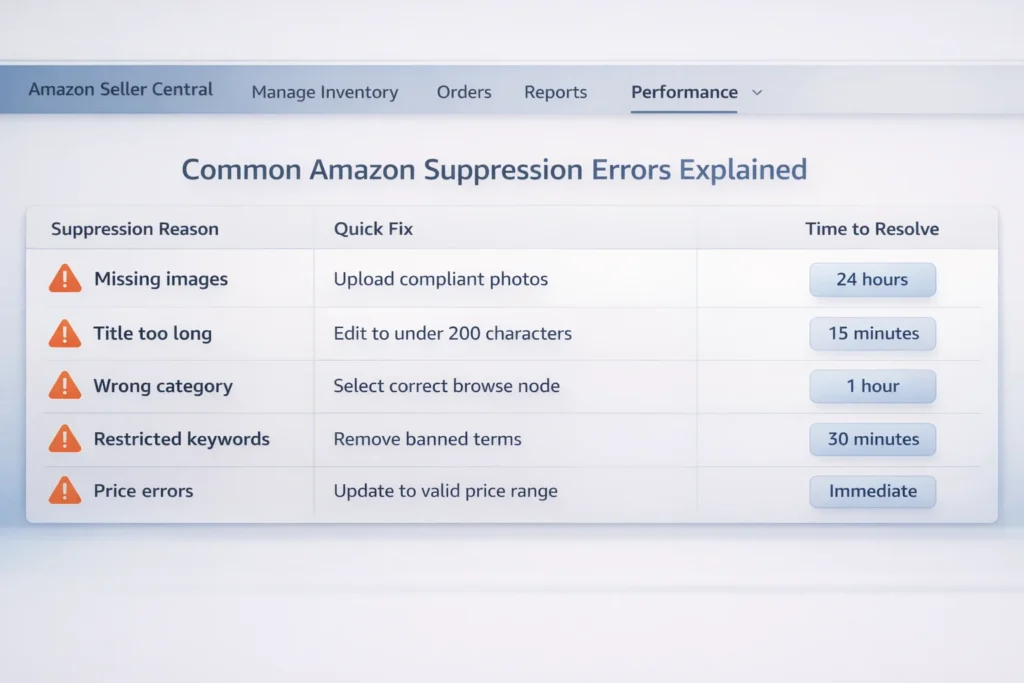
| Suppression Reason | Quick Fix | Time to Resolve |
|---|---|---|
| Missing images | Upload compliant photos | 24 hours |
| Title too long | Edit to under 200 characters | 15 minutes |
| Wrong category | Select correct browse node | 1 hour |
| Restricted keywords | Remove banned terms | 30 minutes |
| Price errors | Update to valid price range | Immediate |
Table: Common suppression causes and their typical resolution times
How to Fix a Suppressed Amazon Listing
You can perform an Amazon Suppressed Listing Fix yourself. However, you need to follow specific steps carefully.
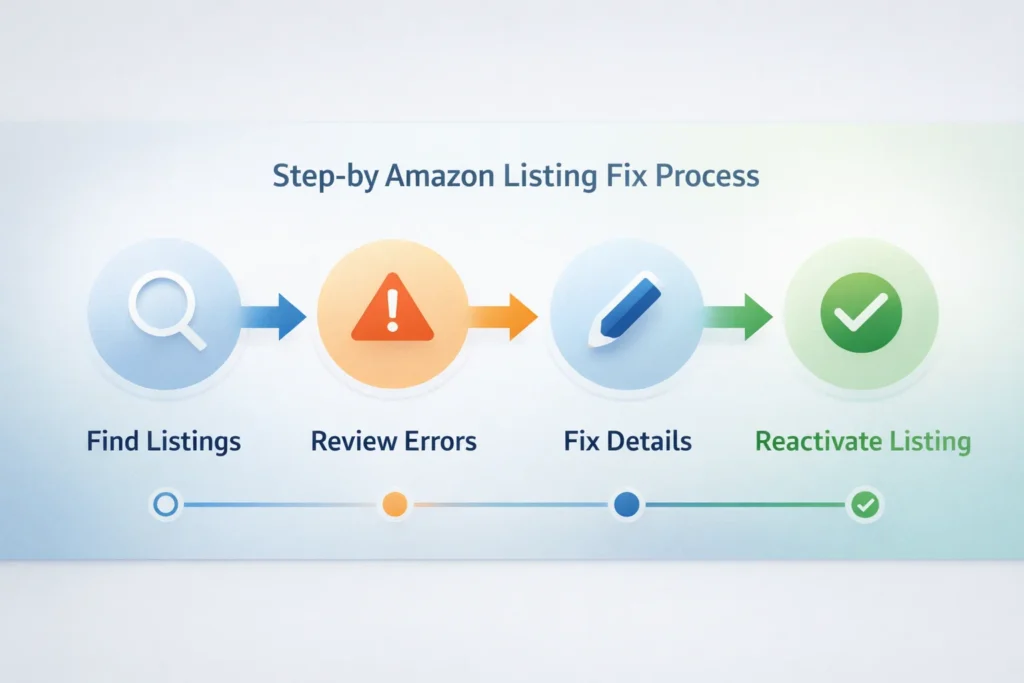
Step 1: Find Your Suppressed Listings
Firstly, log into Amazon Seller Central. Then, click the Inventory menu tab.
Next, select Manage Inventory from the dropdown. After that, click Fix Suppressed Listings at the top.
Step 2: Review the Error Details
Amazon shows exactly what is wrong. For instance, you might see Missing Bullet Points or Image Required.
Therefore, read each error message completely. This tells you exactly what to fix.
Step 3: Update Your Listing
Edit the missing or incorrect information. Additionally, upload new images if needed.
Then, save your changes and wait. In most cases, Amazon reactivates listings within 24 hours.
Pro Tip: Save your listing as a draft before submitting. This prevents new errors from going live.
Meanwhile, you can check other listings for similar issues. Consequently, you fix problems before they cause suppression.
Using Flat Files for Bulk Fixes
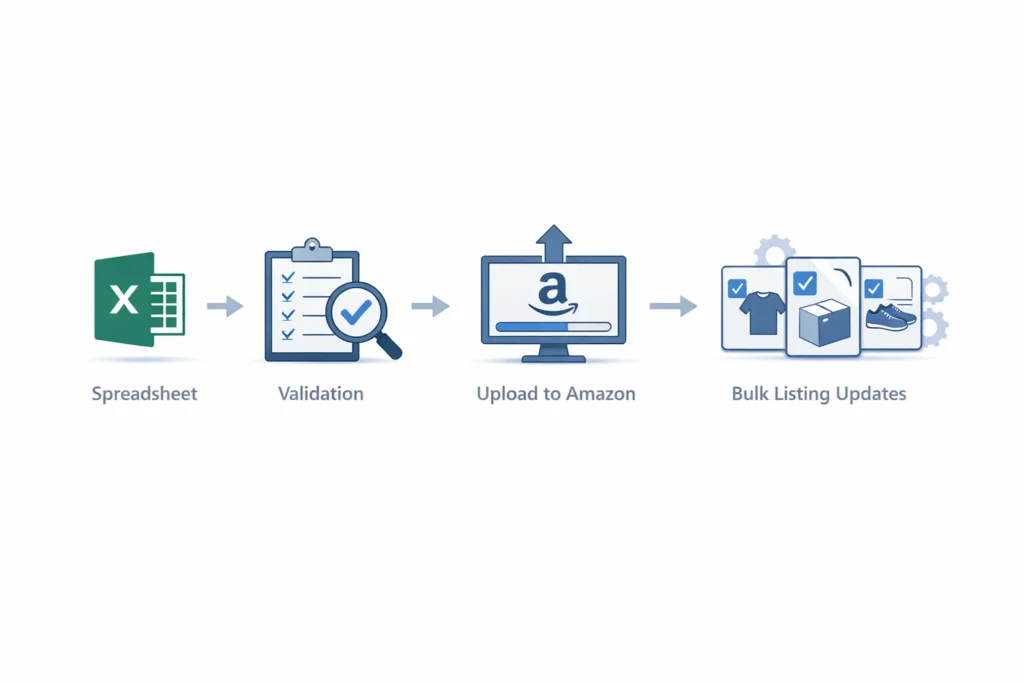
An Amazon Flat File Fix Service helps with many listings at once. Specifically, this works well for sellers with large catalogs.
What Is a Flat File
A flat file is a spreadsheet template from Amazon. In fact, you can update hundreds of listings simultaneously.
However, flat files contain many columns. Therefore, one small error can cause big problems.
How to Use Flat Files Safely
Firstly, download the correct template for your category. Then, fill in all required fields completely.
Next, validate your file before uploading. As a result, you catch errors before Amazon sees them.
Finally, upload small batches first. This way, you test the process with less risk.
Fixing Stranded Inventory Issues
An Amazon Listing Stranded Inventory Fix addresses a special problem. Specifically, this happens when inventory exists but has no active listing.
What Causes Stranded Inventory
Inventory becomes stranded for several reasons. For example, listing errors or policy violations can strand your stock.
Additionally, deleting listings while inventory remains in FBA causes stranding. Therefore, always check stock levels before making changes.
How to Fix Stranded Inventory
Go to Inventory then Manage Inventory in Seller Central. Then, click Fix Stranded Inventory.
Amazon will show why each item is stranded. After that, follow their specific instructions to relist.
In some cases, you need to create a new listing. Meanwhile, in other cases, you simply edit existing details.
How to Prevent Future Suppressions
Stopping problems before they start saves time. Therefore, follow these simple prevention tips.
- Check your listings weekly for alerts or warnings
- Keep images updated with Amazon’s latest requirements
- Never use restricted words in titles or bullets
- Maintain accurate inventory counts at all times
- Update prices regularly to avoid pricing errors
Additionally, use Amazon’s Listing Quality Dashboard. This tool shows potential problems before suppression happens.
Most importantly, stay current with Amazon’s policy changes. Consequently, you avoid new restriction triggers.
When to Use an Amazon Listing Fix Service
Sometimes you need expert help. Therefore, consider an Amazon Listing Fix when you face complex issues.
You Have Hundreds of Suppressed Listings
DIY fixes work for a few listings. However, bulk problems need professional Amazon Flat File Fix Service expertise.
Experts can process thousands of listings quickly. As a result, you restore revenue faster.
The Problem Keeps Returning
Some suppressions happen again and again. In fact, this usually means a deeper issue exists.
An Amazon Listing Fix Service finds root causes. Therefore, they stop the cycle permanently.
You Need an Amazon Listing Stranded Inventory Fix
Stranded inventory costs storage fees without generating sales. Moreover, long term stranding can hurt your account health.
Professionals understand Amazon’s complex inventory systems. Consequently, they fix stranding issues that stump sellers.
If you want personalised help, book a Free Amazon Consultation with Advertpreneur today.
Frequently Asked Questions
What is the fastest way to fix a suppressed Amazon listing?
The fastest Amazon Suppressed Listing Fix is updating the specific missing information. Firstly, check the error message in Seller Central. Then, add the required data and save. Most listings reactivate within 15 minutes to 24 hours. Can I fix multiple suppressed listings at once?
Yes, you can fix many listings simultaneously. Specifically, use Amazon’s flat file upload feature. However, this requires careful attention to detail. Alternatively, hire an Amazon Flat File Fix Service for bulk updates without errors. Why does my listing keep getting suppressed after I fix it?
Recurring suppression usually means an underlying problem exists. For example, you might have category mismatches or policy violations. Therefore, review Amazon’s complete requirements. Additionally, consider professional help from an Amazon Listing Fix Service to find the root cause. What is stranded inventory and how is it different?
Stranded inventory is stock in Amazon warehouses without an active listing. In contrast, suppressed listings still exist but are hidden. An Amazon Listing Stranded Inventory Fix requires relinking your stock to a valid product page. Consequently, your items become buyable again. How much does an Amazon Listing Fix Service cost?
Costs vary based on how many listings need fixing. For instance, a single listing might cost less than a bulk catalog fix. However, Advertpreneur offers a Free Amazon Consultation to assess your needs. Therefore, you get exact pricing before committing. Will fixing suppressed listings improve my sales?
Absolutely. When you perform an Amazon Suppressed Listing Fix, your products become visible again. As a result, buyers can find and purchase them. Additionally, active listings improve your overall account health. Consequently, this helps all your products rank better.
Ready to grow Your Amazon business?
Get a free strategy call with Advertpreneur.Book Your Free Consultation
Conclusion
An Amazon Suppressed Listing Fix is essential for every seller. Without it, you lose sales daily while competitors thrive.
Therefore, check your listings regularly for suppression warnings. Then, fix issues quickly using the steps above.
However, complex problems need expert help. Consequently, consider Advertpreneur’s professional Amazon Listing Fix services. In fact, we also offer Amazon Flat File Fix Service and Amazon Listing Stranded Inventory Fix solutions.
Most importantly, act fast when you spot suppression. The sooner you fix the problem, the sooner sales return.
Finally, prevention beats cure every time. So maintain high listing quality standards and stay updated on Amazon’s policies.
Why amazon ppc costs Are Crushing Profits for Sellers in 2026
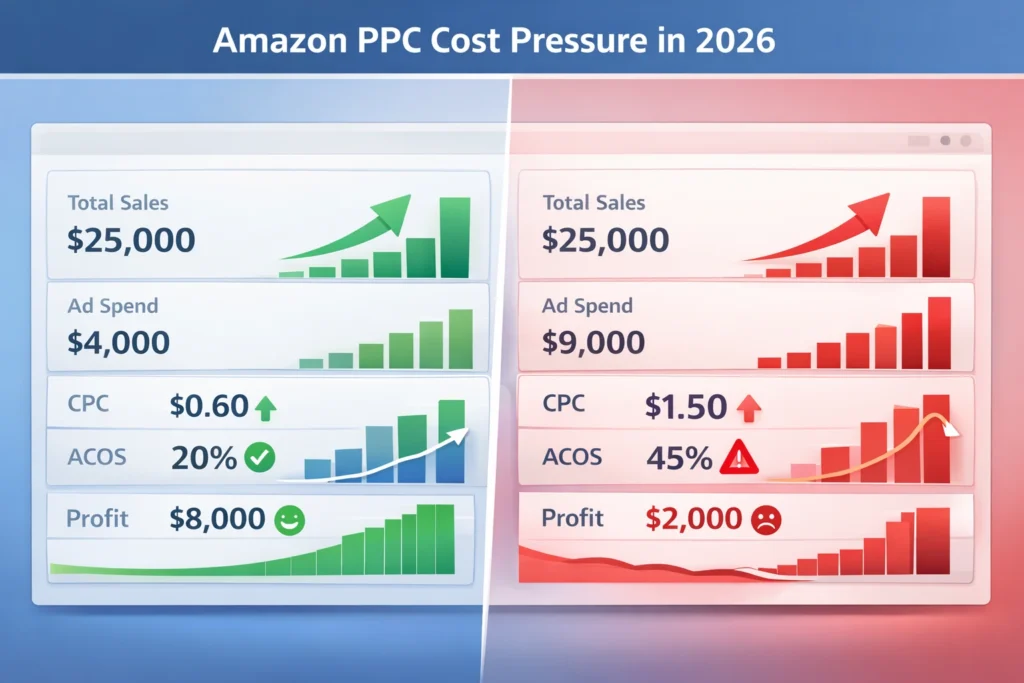
amazon ppc costs are rising fast in 2026. As a result, many sellers now struggle to stay profitable.
Firstly, ad competition keeps growing across every niche. Therefore, you must adapt your strategy or lose margins.
Table of Contents
- Why amazon ppc Costs Are Rising
- Impact on Profit Margins
- Common Seller Mistakes
- Winning amazon ads strategy 2026
- ppc optimization amazon Framework
- amazon ad bidding Explained
- FAQ
- Conclusion
Why amazon ppc Costs Are Rising
Firstly, more sellers enter Amazon every month. As a result, keyword bids rise quickly.
Secondly, brands invest heavily in ads to defend rankings. Therefore, small sellers feel pressure.
- More competition in every category
- Higher bid prices for main keywords
- Brands dominate top placements
In addition, retail media grows fast globally. That means Amazon pushes ads more aggressively.
For example, sponsored placements now fill most search results. Consequently, organic reach drops.
Meanwhile, many sellers share their struggles on real seller discussions on Reddit.
Warning: If you ignore rising CPC trends, your profits will shrink fast.
Impact on Profit Margins
Firstly, higher CPC means higher spend per sale. As a result, margins shrink quickly.
Secondly, many sellers chase revenue instead of profit. Therefore, they lose money without noticing.
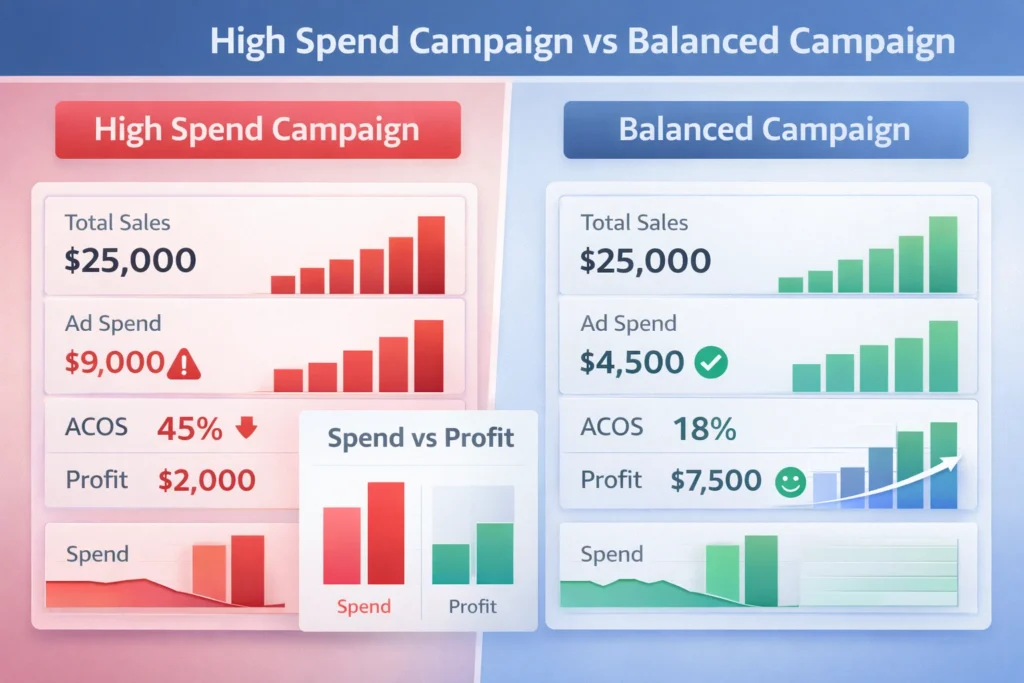
In fact, most sellers ignore true costs. That means they only track sales, not profit.
Similarly, rising fees add more pressure on margins. Consequently, ads become harder to justify.
| Metric | 2022 | 2026 |
|---|---|---|
| Average CPC | $0.75 | $1.40 |
| ACOS | 25% | 40% |
| Profit Margin | 20% | 8% |
Table: Rising PPC costs vs shrinking margins
Common Seller Mistakes
Firstly, sellers target broad keywords without control. As a result, spend increases fast.
Secondly, many ignore negative keywords completely. Therefore, waste keeps growing daily.
- No keyword segmentation
- Poor campaign structure
- Weak listing conversion
However, poor listings make ads expensive. That means low conversion leads to higher ACOS.
In contrast, strong listings reduce ad cost naturally. Consequently, better conversion lowers spend.
Pro Tip: Fix your listing before scaling ads. Conversion drives profit.
Winning amazon ads strategy 2026
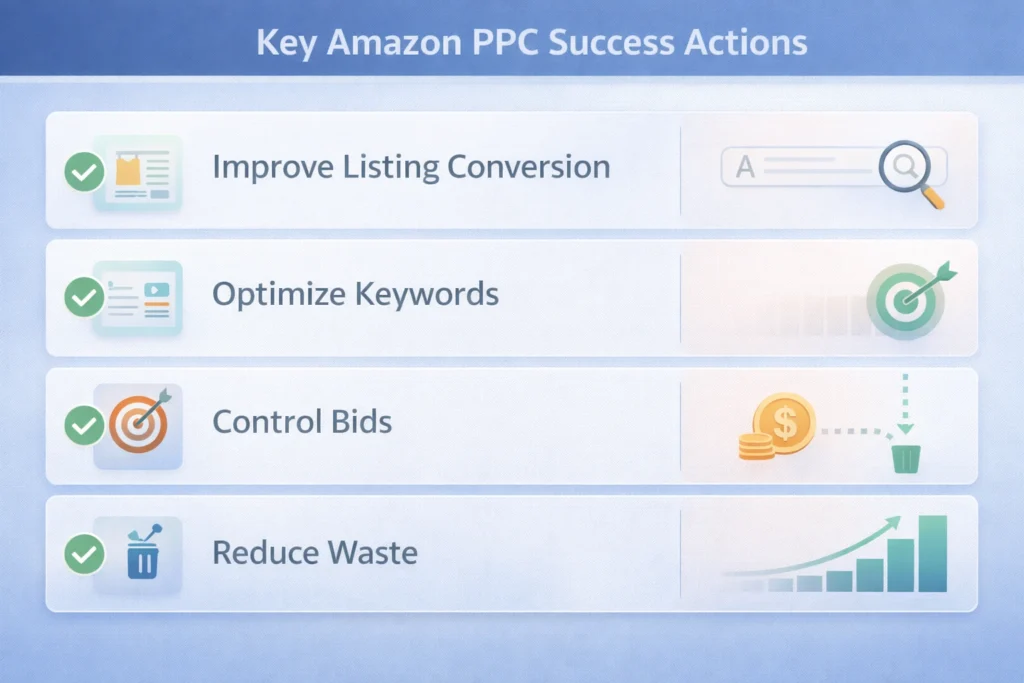
Firstly, focus on intent based keywords only. As a result, you reduce wasted clicks.
Secondly, separate campaigns by match type clearly. Therefore, control improves.
- Exact match for profit keywords
- Phrase match for scaling
- Broad match for discovery
Additionally, test bids slowly instead of aggressively. That means better control over spend.
For instance, lowering bids slightly can protect margins. Consequently, efficiency improves.
To learn official guidance, check Amazon advertising platform insights.
ppc optimization amazon Framework
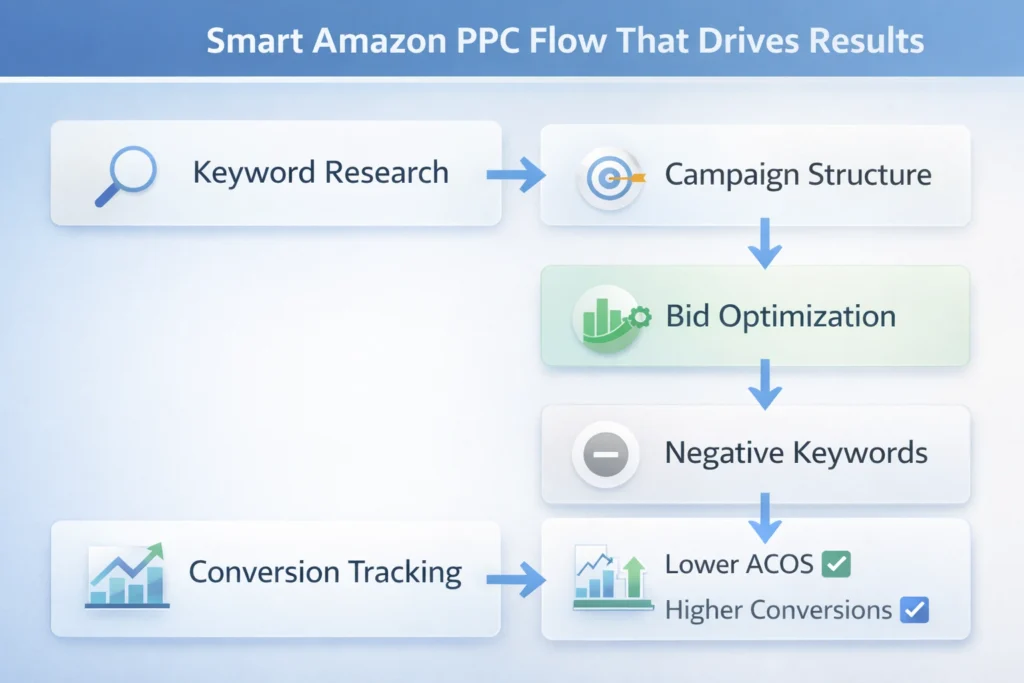
Firstly, review search term reports weekly. As a result, you find waste fast.
Secondly, move winning keywords into exact campaigns. Therefore, control increases.
- Identify high spend low conversion terms
- Add negative keywords quickly
- Increase bids on converting keywords
In addition, track TACOS not just ACOS. That means full business view improves decisions.
Meanwhile, focus on lowering acos amazon through better targeting. Consequently, profit grows.
Also, consider expert help from Amazon PPC specialists for faster results.
amazon ad bidding Explained
Firstly, Amazon uses auction based bidding system. As a result, higher bids win placements.
Secondly, bid strategy impacts cost directly. Therefore, control is critical.
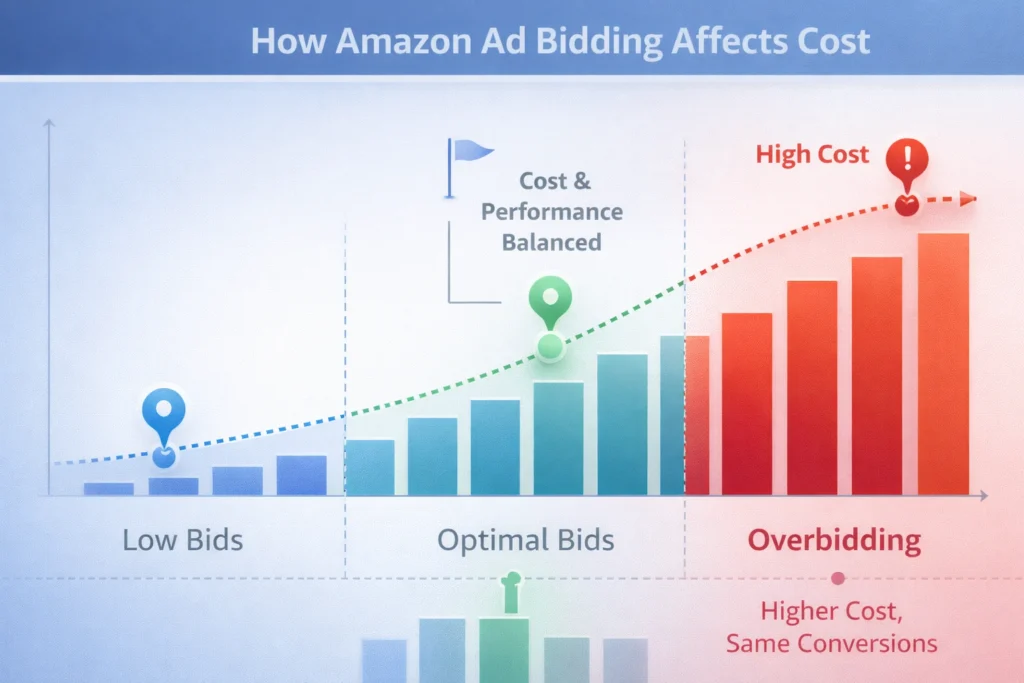
- Dynamic bids up and down
- Fixed bids for stability
- Placement adjustments for visibility
However, many sellers overbid without reason. That means wasted budget increases.
In contrast, smart bidding improves efficiency. Consequently, results become predictable.
Frequently Asked Questions
Why is amazon ppc getting expensive?
Competition is increasing fast and more brands invest in ads. How can I reduce ACOS?
Focus on better targeting, strong listings, and proper keyword structure. Is PPC still worth it in 2026?
Yes, but only with strong strategy and strict cost control. What is the best bidding strategy?
Start with dynamic down and adjust based on performance data. Should beginners run ads?
Yes, but start small and test before scaling.
Conclusion
amazon ppc is no longer simple or cheap. As a result, strategy matters more than ever.
Firstly, you must focus on profit not just sales. Therefore, track every dollar carefully.
Secondly, smart optimization protects your margins. In short, better decisions drive growth.
Finally, sellers who adapt early will win. That means now is the time to act.
Ready to grow your Amazon business?
Get a free strategy call with Advertpreneur. Book Your Free Consultation
Why Your amazon Listing Isn’t Ranking Even with Good Keywords in Amazon SEO
Many sellers struggle with amazon seo even after finding good keywords. You may rank nowhere despite strong research and effort. Therefore, you must understand what really blocks your listing from visibility.
Table of Contents
- Why Amazon SEO Fails Even with Good Keywords
- Understanding Amazon Indexing Issues
- Core Amazon Ranking Factors You Must Know
- Common Amazon SEO Mistakes Sellers Make
- Complete Listing Optimization Amazon Guide
- How to Track and Fix Performance Issues
- Frequently Asked Questions
- Conclusion
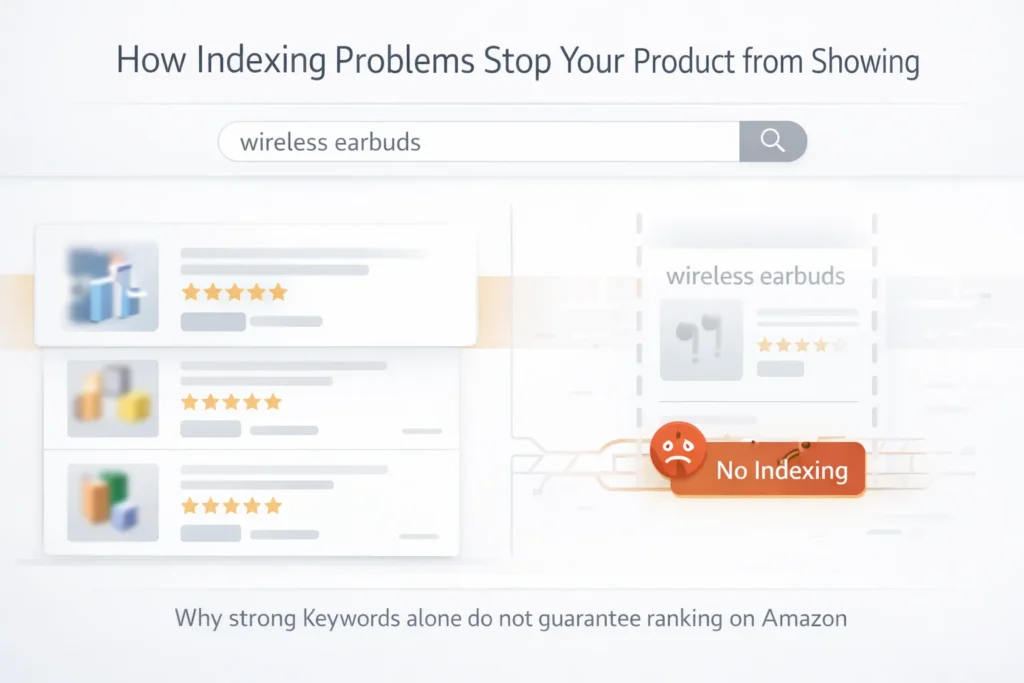
Why Amazon SEO Fails Even with Good Keywords
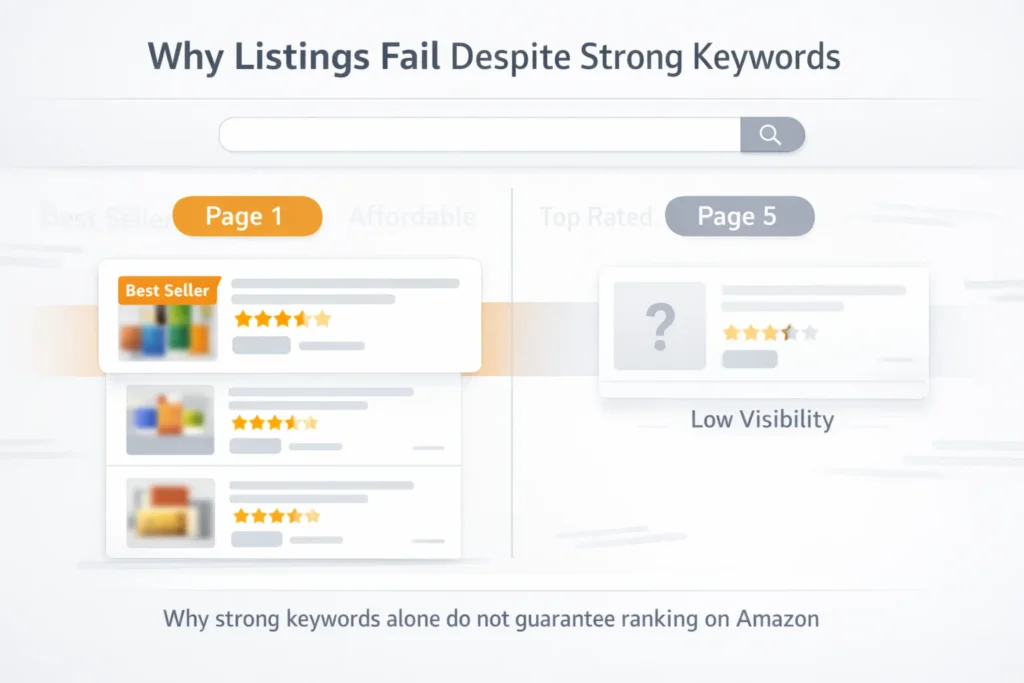
Firstly, keywords alone do not guarantee ranking. Amazon uses behavior data to decide visibility. Therefore, listings without sales rarely move up.
Secondly, poor listing structure weakens your relevance. Even strong keywords fail without proper placement. As a result, your product stays hidden.
Most importantly, conversion rate plays a huge role. If shoppers do not buy, rankings drop quickly. In contrast, high conversions boost visibility.
- Low click through rate reduces exposure
- Poor images lower buyer trust
- Weak copy reduces conversions
- Incorrect keyword placement hurts relevance
Warning: Good keywords without sales signals will not rank your listing.
Understanding Amazon Indexing Issues
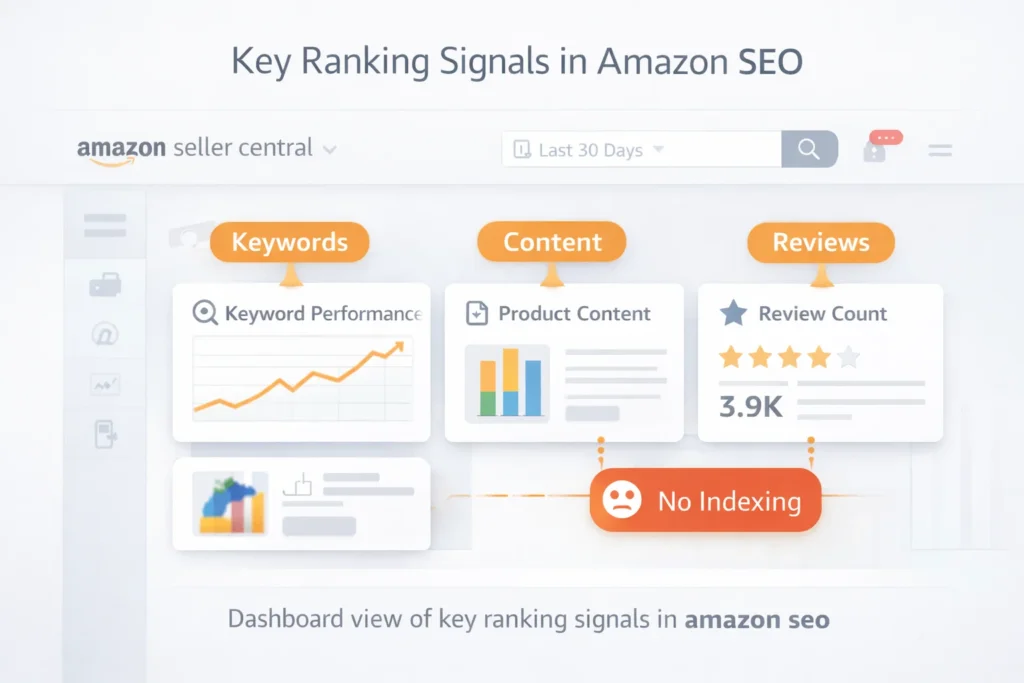
Amazon indexing issues happen when your product does not appear for search terms. This often confuses new sellers. However, indexing and ranking are different.
Indexing means Amazon recognizes your keyword. Ranking means your position in results. Therefore, you must check both regularly.
For example, use tools or search manually on Amazon search results. This helps confirm if your product shows.
Signs of Amazon Keyword Indexing Problems
- Your product does not appear for exact keyword search
- Backend keywords do not trigger visibility
- Long tail keywords fail to index
Additionally, avoid keyword stuffing. Amazon may ignore excessive repetition. Consequently, indexing fails silently.
Pro Tip: Use short and clear keywords across title, bullets, and backend fields.
Core Amazon Ranking Factors You Must Know
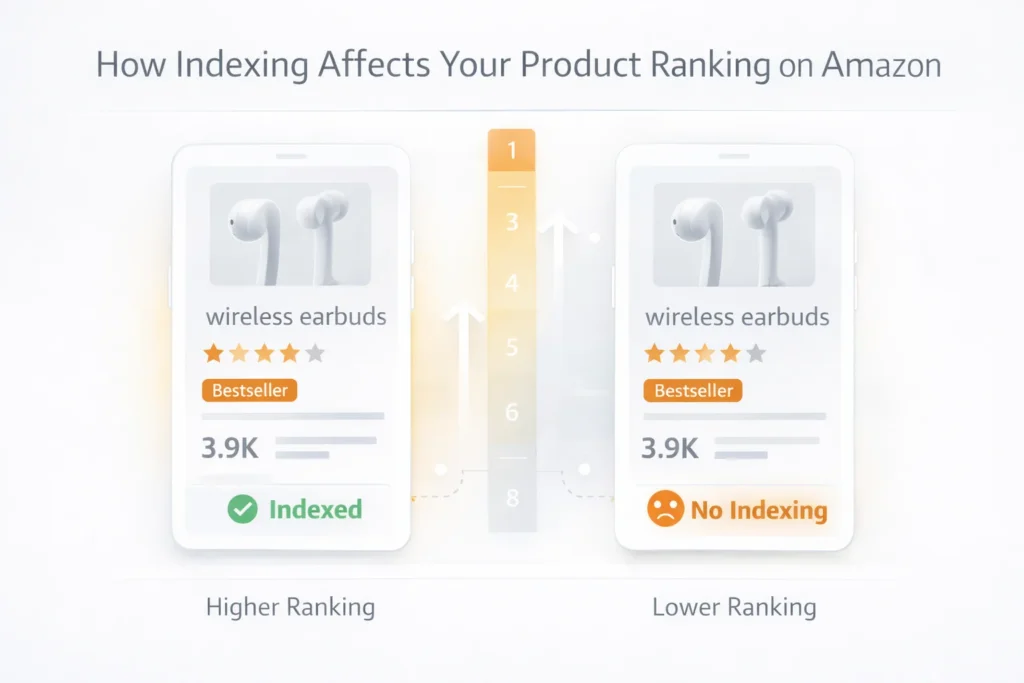
Amazon ranking factors go beyond keywords. The algorithm focuses on performance data. Therefore, you must optimize for sales.
Main Ranking Signals
- Sales velocity over time
- Click through rate from search
- Conversion rate on listing
- Customer reviews and ratings
In addition, pricing impacts conversions. Competitive pricing improves performance. As a result, your ranking improves.
You can learn more about listing strategy through our Services page.
Relevance vs Performance
Relevance comes from keywords and content. Performance comes from sales and engagement. Therefore, both must align.
| Factor | Impact on Ranking | Control Level |
|---|---|---|
| Keywords | Medium | High |
| Sales | Very High | Medium |
| Conversion Rate | High | High |
| Reviews | High | Low |
Table: Key amazon ranking factors explained
Common Amazon SEO Mistakes Sellers Make
Many sellers repeat the same amazon seo mistakes. These errors block growth even with good keywords. Therefore, fixing them improves results fast.
- Ignoring backend search terms
- Using irrelevant keywords
- Poor product images
- Weak Product Titles
In addition, duplicate keywords waste space. Amazon reads variations automatically. Consequently, you lose indexing opportunities.
For example, review competitor listings on Amazon best sellers. This helps identify gaps.
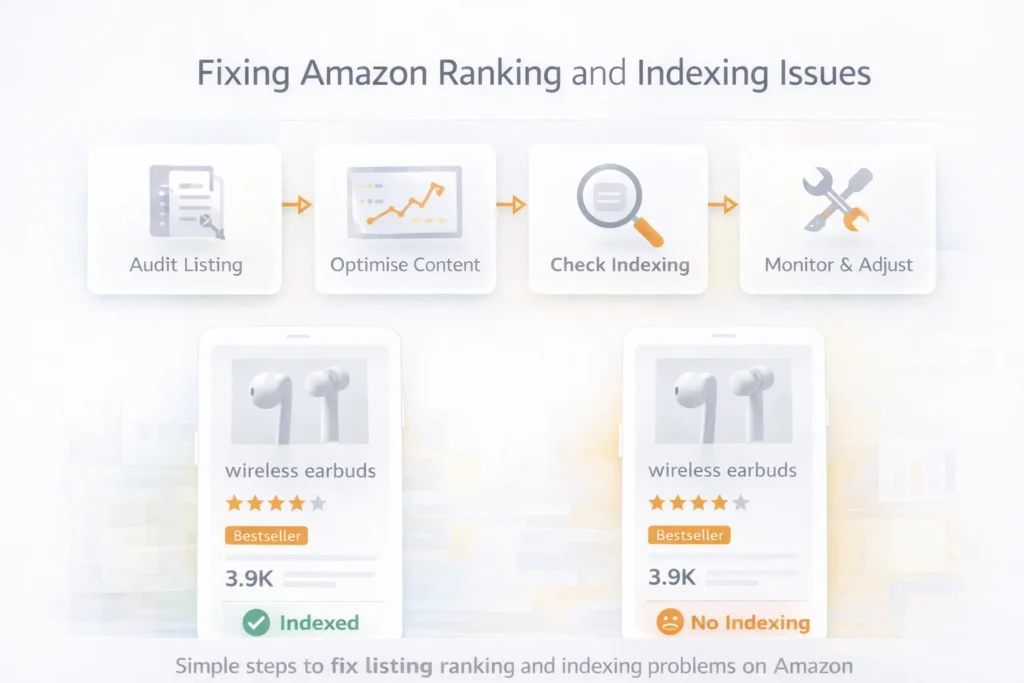
Complete Listing Optimization Amazon Guide
Listing optimization amazon requires structure and clarity. Every section must support conversions. Therefore, optimize each element carefully.
Key Areas to Optimize
- Title with primary keywords
- Bullet points focused on benefits
- High quality images
- Backend keyword field
Additionally, keep sentences simple and clear. Buyers scan quickly. As a result, clarity increases conversions.
Step by Step Optimization
- Research keywords and search intent
- Place main keywords in title
- Add secondary keywords in bullets
- Use backend for extra terms
- Improve images and A Plus Content
You can also explore our Services for full optimization support.
Pro Tip: Focus on conversion rate first, ranking follows naturally.
How to Track and Fix Performance Issues
Tracking helps you improve amazon seo results. Without data, you cannot fix problems. Therefore, monitor metrics daily.
- Track keyword ranking positions
- Monitor click through rate
- Check conversion rate changes
- Analyze competitor performance
Finally, test changes regularly. Small updates can improve results fast. Consequently, consistent optimization wins.
Frequently Asked Questions
Why is my Amazon Listing not ranking?
Your listing may lack sales or conversions. Amazon prioritizes performance data over keywords. What are amazon indexing issues?
These occur when your product does not appear for keywords. It means Amazon does not recognize your terms. How do I improve amazon keyword indexing?
Use keywords in title, bullets, and backend fields. Keep them relevant and avoid repetition. Does listing optimization amazon improve ranking?
Yes, better structure improves conversion rate. This leads to higher rankings over time. What are common amazon seo mistakes?
Sellers often ignore conversions, overuse keywords, and use weak images.
Ready to grow your Amazon business?
Get a free strategy call with Advertpreneur.Book Your Free Consultation
Conclusion
Amazon seo requires more than keywords. You must focus on conversions, indexing, and performance signals. Therefore, build listings that sell, not just rank.
In addition, avoid common amazon seo mistakes. Fix indexing issues and improve content structure. As a result, your rankings will improve steadily.
Finally, stay consistent with testing and optimization. Amazon rewards sellers who improve performance over time. Focus on results and growth will follow.
What is Amazon SEO?
Amazon SEO (Search Engine Optimization) is the process of optimizing product listings to rank higher in Amazon’s internal search results. When a shopper types a query into the Amazon search bar, Amazon’s A10 algorithm scans millions of listings and ranks them based on relevance, conversion history, and seller performance. Amazon SEO is the practice of aligning your listing with what the A10 algorithm rewards.
Amazon SEO is different from Google SEO. While Google optimizes for information, Amazon’s search engine optimizes for purchases. Every ranking signal Amazon weighs is tied to the likelihood that a listing will convert.
Why Amazon SEO Matters for US Sellers
More than 70% of Amazon shoppers never scroll past the first page of search results. For US sellers competing in crowded categories, appearing on page 1 is the difference between generating sales daily and going unnoticed. Amazon SEO is the organic, sustainable path to page 1 — without paying for every click.
How the Amazon A10 Algorithm Works
Amazon’s A10 algorithm (the successor to A9) ranks products based on several weighted signals:
- Click-Through Rate (CTR) — How often shoppers click your listing when it appears in search results. Your main image and title drive CTR.
- Conversion Rate (CVR) — The percentage of visitors who purchase. This is the most heavily weighted signal in A10.
- Sales Velocity — How many units you sell per day. Higher velocity signals demand and pushes rankings higher.
- Relevance — How closely your title, bullets, description, and backend keywords match the shopper’s query.
- Seller Authority — Your account health, review count, and feedback score.
- External Traffic — Traffic from outside Amazon (Google, social media) that converts on your listing now carries positive ranking weight in A10.
The 5 Core Elements of Amazon SEO
1. Keyword Research Keyword research is the foundation. Use tools like Helium 10’s Magnet or Jungle Scout’s Keyword Scout to identify high-volume, relevant search terms. Focus on: primary keywords (highest volume), secondary keywords (supporting terms), and long-tail keywords (lower competition, higher buyer intent).
2. Title Optimization Your Amazon product title is the most important SEO field. It should include your primary keyword within the first 80 characters, your brand name, key product attributes (size, color, material), and a conversion hook. Amazon allows up to 200 characters for most categories.
3. Bullet Points The five bullet points serve a dual purpose: keyword indexing for the algorithm and conversion copy for the shopper. Each bullet should start with a benefit keyword, not a feature. For example: “WATERPROOF PROTECTION: Sealed lining keeps contents dry in heavy rain” outperforms “Made from waterproof materials.”
4. Backend Search Terms The backend search term field (up to 250 bytes) is invisible to shoppers but indexed by Amazon. Include synonyms, alternate spellings, Spanish-language terms for US Hispanic buyers, and related search terms that didn’t fit in the visible copy.
5. A+ Content A+ Content (formerly Enhanced Brand Content) replaces the standard product description for Brand Registry members. It adds rich images, comparison charts, and brand storytelling. Amazon reports that A+ Content increases conversion rates by an average of 3-10%, and higher conversions directly improve organic rankings.
Amazon SEO vs Google SEO: Key Differences
| Factor | Amazon SEO | Google SEO |
|---|---|---|
| Primary goal | Purchase conversion | Information retrieval |
| Main ranking signal | Conversion rate + sales velocity | Backlinks + content authority |
| Timeframe for results | 2-6 weeks | 3-12 months |
| Keyword research tools | Helium 10, Jungle Scout, Brand Analytics | Ahrefs, Semrush, Google Keyword Planner |
| Content format | Titles, bullets, backend terms | Blog posts, pages, schema |
| External traffic impact | Positive (A10 rewards it) | Core requirement |
Common Amazon SEO Mistakes
- Keyword stuffing titles with commas and symbols (Amazon penalizes this)
- Ignoring the backend search terms entirely
- Writing bullets as feature lists instead of benefit-driven copy
- Using competitor brand names in backend terms (against Amazon TOS)
- Not updating listings when seasonal keywords shift
- Neglecting images — low CTR from poor images tanks SEO regardless of keyword quality
How Long Does Amazon SEO Take?
Most sellers see movement in rankings within 2-6 weeks of a full listing optimization. Sales velocity and conversion rate improvements are the fastest path to accelerated ranking. Pairing Amazon SEO with a PPC campaign during the initial launch period drives the sales velocity needed to push the algorithm faster.
FAQ: Amazon SEO
What is the difference between Amazon SEO and Amazon PPC? Amazon SEO improves your organic (unpaid) ranking through listing optimization. Amazon PPC (Pay-Per-Click) pays for ad placement in search results. They work best together: PPC drives immediate visibility and sales velocity while SEO builds sustainable long-term ranking.
Do I need Brand Registry for Amazon SEO? No — any seller can optimize titles, bullets, and backend keywords. However, Brand Registry unlocks A+ Content, which significantly improves conversion rates and supports SEO indirectly.
How many keywords should I target? Focus on 3-5 primary keywords for your title and bullets. Use your remaining keyword variations in the backend search terms. Quality and relevance matter more than quantity.
Can I hire an agency for Amazon SEO? Yes. A specialized Amazon SEO agency like advertpreneur conducts keyword research, writes optimized listings, and monitors ranking changes on your behalf. Get a free consultation here.
Introduction
Amazon listing optimization is the foundation of Amazon success. A well-optimized listing can increase conversion rates by 30-50% and improve organic rankings, driving more sales without additional ad spend.
But most Amazon sellers make critical optimization mistakes that hurt their rankings and conversions. They focus on the wrong elements, ignore important factors, or optimize once and never update.
In this comprehensive guide, we’ll share 15 proven Amazon listing optimization strategies. These are the same techniques we use to help sellers achieve page 1 rankings and double their sales.
Why Amazon Listing Optimization Matters
The Impact:
Ranking Impact:
- Better rankings – Optimized listings rank higher
- More visibility – Appear in more searches
- Organic traffic – Free traffic from search
- Long-term growth – Sustainable rankings
Conversion Impact:
- Higher conversion rates – Better listings convert better
- More sales – Optimized = more purchases
- Lower returns – Clear expectations = fewer returns
- Better reviews – Happy customers = better ratings
Business Impact:
- Increased revenue – More sales = more profit
- Lower ACoS – Better listings = better PPC performance
- Competitive advantage – Stand out from competitors
- Brand building – Professional listings build trust
15 Amazon Listing Optimization Strategies
1. Optimize Your Product Title
Why it matters:
- Most important SEO element – Heavily weighted by algorithm
- First impression – What customers see first
- Primary ranking factor – Determines search visibility
How to optimize:
- Place primary keyword in first 50 characters
- Use all 200 characters available
- Include brand name, key features, use cases
- Add size/color/variations if applicable
- Keep it natural and readable (no keyword stuffing)
Example: ❌ Bad: “Headphones” ✅ Good: “Wireless Bluetooth Headphones, Noise Cancelling Over-Ear Headphones with 30H Battery, Hi-Fi Sound, Quick Charge, for Travel Work Home Office – Black”
2. Write Compelling Bullet Points
Why it matters:
- Second most important SEO element
- Conversion driver – Converts browsers to buyers
- Keyword placement – Secondary keyword opportunities
How to optimize:
- Lead with benefits – What’s in it for customers
- Include keywords naturally – Don’t force them
- Address pain points – Solve customer problems
- Use formatting – Bold text, line breaks
- Stay under 500 characters per bullet
- Use 5-7 bullet points – Cover all key benefits
Example: ❌ Bad: “Bluetooth connectivity” ✅ Good: “Wireless Freedom: Advanced Bluetooth 5.0 technology provides seamless connectivity up to 33 feet, perfect for workouts, commuting, or working from home. No more tangled wires or connection drops.”
3. Optimize Backend Keywords
Why it matters:
- Hidden SEO goldmine – 250 bytes for keywords
- No customer clutter – Keep listing clean
- More discoverability – Target additional terms
How to optimize:
- Use all 250 bytes – Every character counts
- No repetition – Don’t repeat title/bullet keywords
- Include synonyms – “headphones”, “earphones”, “earbuds”
- Add misspellings – Common typos
- Use long-tail keywords – Specific phrases
- Separate with commas – Clean formatting
4. Create High-Quality Product Images
Why it matters:
- 75% of shoppers influenced by images
- 30% better conversion with good images
- Reduces returns – Sets proper expectations
How to optimize:
- Use all 9 image slots – Maximum visibility
- Main image: White background, product fills 85%
- Lifestyle images – Product in use
- Infographics – Key features and benefits
- Comparison charts – Your product vs competitors
- Size guides – Help with sizing decisions
- Meet Amazon requirements – 1000px minimum, JPEG/PNG
5. Write Detailed Product Descriptions
Why it matters:
- SEO value – Additional keyword opportunities
- Conversion driver – Detailed info converts better
- Reduces questions – Answers customer queries
How to optimize:
- Natural keyword integration – Don’t stuff keywords
- Tell your brand story – Build emotional connection
- Include specifications – Technical details
- Use formatting – Paragraphs, bold, lists
- Address FAQs – Answer common questions
- Focus on benefits – What customers get
6. Add A+ Content (Enhanced Brand Content)
Why it matters:
- 5-10% conversion boost – Proven impact
- Reduces returns – Better expectations
- Brand building – Stand out from competitors
How to optimize:
- Visual storytelling – Compelling images
- Feature highlights – Key benefits showcased
- Comparison charts – Competitive advantages
- Brand story – Connect emotionally
- Mobile-optimized – 70%+ traffic is mobile
- Professional design – High-quality visuals
7. Optimize for Mobile
Why it matters:
- 70%+ of Amazon traffic is mobile
- Mobile conversion often lower
- Mobile-first indexing – Amazon prioritizes mobile
How to optimize:
- Short, scannable titles – Mobile shows fewer characters
- Clear bullet points – Easy to read on small screens
- Fast-loading images – Optimize file sizes
- Mobile-friendly A+ Content – Test on devices
- Simple navigation – Easy to use on mobile
8. Get More Customer Reviews
Why it matters:
- Social proof – Builds trust
- Ranking factor – More reviews = better ranking
- Conversion driver – Reviews increase sales
How to optimize:
- Use Amazon’s Request a Review – Automated follow-up
- Provide excellent service – Happy customers review
- Follow up with buyers – Polite request for feedback
- Respond to reviews – Show you care
- Consider Amazon Vine – Early reviews for new products
9. Optimize Pricing Strategy
Why it matters:
- Buy Box eligibility – Competitive pricing wins Buy Box
- Conversion impact – Right price = more sales
- Profitability – Balance price and margin
How to optimize:
- Research competitors – Know market prices
- Price competitively – Not always lowest
- Consider value – Quality justifies price
- Test pricing – Find sweet spot
- Monitor Buy Box – Win rate matters
10. Improve Inventory Management
Why it matters:
- Out of stock = no ranking – Can’t rank if unavailable
- Buy Box eligibility – Stock affects Buy Box
- Customer satisfaction – Fast shipping builds trust
How to optimize:
- Maintain stock levels – Never go out of stock
- FBA for Prime – Faster shipping, better ranking
- Forecast demand – Plan inventory ahead
- Monitor stock levels – Daily checks
- Quick restocking – Minimize downtime
11. Use Enhanced Brand Content Strategically
Why it matters:
- Conversion boost – 5-10% increase common
- Brand differentiation – Stand out
- Trust building – Professional appearance
How to optimize:
- Tell your story – Brand narrative
- Showcase benefits – Visual feature highlights
- Include comparisons – Competitive advantages
- Use high-quality visuals – Professional images
- Mobile-optimized – Test on devices
- Update regularly – Keep content fresh
12. Optimize for Search Intent
Why it matters:
- Better matching – Amazon shows you to right customers
- Higher conversion – Relevant traffic converts
- Better rankings – Relevance = ranking boost
How to optimize:
- Match keywords to intent – Buying vs browsing
- Use commercial keywords – “buy”, “best”, “review”
- Address search queries – Answer what customers search
- Optimize for questions – “how to”, “what is”
- Seasonal optimization – Match seasonal searches
13. Monitor and Respond to Customer Questions
Why it matters:
- Keyword opportunities – Questions reveal searches
- Conversion impact – Answered questions = more sales
- Trust building – Shows you care
How to optimize:
- Answer quickly – Within 24 hours
- Be helpful – Provide detailed answers
- Use keywords – Naturally in answers
- Address concerns – Build confidence
- Update listing – Add common Q&As to description
14. Optimize Product Variations
Why it matters:
- More visibility – Each variation can rank
- Better conversion – Customers find exact product
- Cross-selling – Show related options
How to optimize:
- Set up parent-child – Proper variation structure
- Optimize each variation – Unique titles/bullets
- Clear differentiation – Size, color, style
- Proper images – Show each variation
- Accurate attributes – Match Amazon requirements
15. Continuously Test and Optimize
Why it matters:
- Amazon changes – Algorithm updates
- Competition changes – Stay ahead
- Performance data – Learn what works
How to optimize:
- A/B test titles – Test different keywords
- Test bullet points – Different benefit focuses
- Monitor rankings – Track keyword positions
- Analyze conversion – What converts best
- Update quarterly – Regular optimization
- Test new strategies – Stay innovative
Amazon Listing Optimization Checklist
Title Optimization
Bullet Points
Backend Keywords
Images
Description & A+ Content
Reviews & Social Proof
Ongoing Optimization
Measuring Listing Optimization Success
Key Metrics:
- Keyword Rankings
- Track positions for target keywords
- Monitor weekly
- Identify improvements
- Organic Traffic
- Sessions from organic search
- Compare before/after
- Track growth
- Conversion Rate
- Sales ÷ Page Views
- Target: 10-15%+
- Higher = better optimization
- Sales Velocity
- Units sold per day/week
- Increasing = better ranking
- Monitor consistency
- Return Rate
- Returns ÷ Total Sales
- Lower = better expectations set
- Target: Under 5%
Common Listing Optimization Mistakes
1. Keyword Stuffing
❌ Mistake: “Wireless Wireless Bluetooth Bluetooth Headphones Wireless” ✅ Solution: Natural integration, readable copy
2. Ignoring Backend Keywords
❌ Mistake: Only optimizing visible content ✅ Solution: Use all 250 bytes strategically
3. Poor Images
❌ Mistake: Low-quality, few images ✅ Solution: Professional photos, use all 9 slots
4. Weak Bullet Points
❌ Mistake: Features without benefits ✅ Solution: Lead with benefits, address pain points
5. Not Updating
❌ Mistake: Set it and forget it ✅ Solution: Regular optimization based on data
6. Ignoring Mobile
❌ Mistake: Desktop-only optimization ✅ Solution: Mobile-first approach
7. No A+ Content
❌ Mistake: Missing conversion opportunity ✅ Solution: Create Enhanced Brand Content
Conclusion: Optimize for Rankings and Conversions
Amazon listing optimization is an ongoing process that requires strategic thinking, data analysis, and continuous improvement. The 15 strategies above will help you create listings that rank well AND convert browsers into buyers.
Key Principles:
- Balance SEO and conversion – Rank AND convert
- Optimize all elements – Title, bullets, images, backend
- Mobile-first – 70%+ traffic is mobile
- Test and optimize – Data-driven improvements
- Update regularly – SEO is ongoing
Remember: Optimization is never done. Amazon’s algorithm changes, competition evolves, and customer behavior shifts. Continuous optimization keeps you ahead.
Need Professional Amazon Listing Optimization?
Our Amazon listing optimization service includes comprehensive keyword research, competitor analysis, and strategic optimization of all listing elements. We’ll help you rank higher, convert better, and drive more organic sales.
Related Resources
- → Amazon PPC Basics: Simple Guide for Beginners
- → 7 Amazon Sponsored Products Strategies That Lower ACoS by 40%
- → Complete Guide to Amazon SEO: How to Rank Your Products on Page 1 in 2025
- → Amazon A+ Content: How to Create Conversion-Optimized Enhanced Brand Content
- → Amazon Keyword Research: The Ultimate Guide to Finding Profitable Keywords
- → Amazon Product Title Optimization: How to Write Titles That Rank and Convert
Introduction
Amazon SEO (Search Engine Optimization) is the cornerstone of successful Amazon selling. With over 70% of Amazon shoppers never clicking past the first page of search results, ranking on page 1 isn’t just nice to have—it’s essential for your business survival.
In this comprehensive guide, we’ll walk you through everything you need to know about Amazon SEO optimization in 2025. Whether you’re a new seller or looking to improve existing listings, these strategies will help you climb the rankings and drive more organic traffic to your products.
What is Amazon SEO and Why Does It Matter?
Amazon SEO is the process of optimizing your product listings to rank higher in Amazon’s search results. Unlike Google SEO, which focuses on external factors like backlinks, Amazon SEO is all about relevance, conversion rates, and sales velocity.
Why Amazon SEO Matters
- 70% of shoppers stay on page 1 – If you’re not ranking there, you’re missing most potential customers
- Organic traffic is free – Unlike PPC ads, ranking organically costs nothing per click
- Higher conversion rates – Organic rankings often convert better than paid ads
- Long-term sustainability – Once you rank, you can maintain it with proper optimization
Amazon SEO vs Google SEO: Key Differences
Understanding how Amazon SEO differs from Google SEO is crucial:
| Factor | Amazon SEO | Google SEO |
|---|---|---|
| Primary Focus | Sales and conversions | Content and authority |
| Ranking Factors | Keywords, sales velocity, conversion rate | Backlinks, domain authority, content quality |
| Keyword Strategy | Transactional keywords | Informational keywords |
| Optimization | Product listings, backend keywords | Blog posts, articles, technical SEO |
Amazon’s algorithm prioritizes products that sell, so your optimization must focus on conversion as much as visibility.
The 7 Pillars of Amazon SEO Optimization
1. Keyword Research and Strategy
Effective Amazon keyword research is the foundation of SEO success. Here’s how to do it right:
Primary Keywords
- High-volume, high-intent keywords that customers actually search for
- Include in your product title (first 50 characters)
- Examples: “wireless bluetooth headphones”, “organic baby formula”
Secondary Keywords
- Related terms and synonyms that expand your reach
- Place in bullet points and product description
- Examples: “noise cancelling headphones”, “baby food powder”
Long-tail Keywords
- Specific, less competitive phrases that target niche searches
- Use in backend search terms
- Examples: “wireless bluetooth headphones for running waterproof”
Tools for Amazon Keyword Research:
- Helium 10 – Comprehensive keyword research and competitor analysis
- Jungle Scout – Keyword tracking and opportunity finder
- Amazon Autocomplete – Free tool showing what customers actually search
- Google Keyword Planner – Understand search volume trends
2. Product Title Optimization
Your Amazon product title is the most important SEO element. Here’s how to optimize it:
Title Structure Formula:
[Brand] + [Primary Keyword] + [Key Feature 1] + [Key Feature 2] + [Target Audience]
Best Practices:
- Place primary keyword in first 50 characters – Amazon gives more weight to early keywords
- Use all 200 characters – More keywords = more ranking opportunities
- Include brand name – Builds brand recognition and trust
- Add size/color/variations – If applicable to your product
- Avoid keyword stuffing – Keep it natural and readable
- Use numbers and specifics – “10-Pack” converts better than “Pack”
Example of Optimized Title:
❌ Bad: “Headphones” ✅ Good: “Wireless Bluetooth Headphones, Noise Cancelling Over-Ear Headphones with 30H Battery, Hi-Fi Sound, Comfortable Earcups for Travel Work Home Office – Black”
3. Bullet Points Optimization
Bullet points are your second most important ranking factor. They need to balance SEO and conversion:
Structure Each Bullet:
- Lead with the benefit (not the feature)
- Include relevant keywords naturally
- Address customer pain points
- Use formatting (bold text, line breaks)
- Stay within 500 characters per bullet
Example:
❌ Bad: “Bluetooth connectivity” ✅ Good: “Wireless Freedom: Advanced Bluetooth 5.0 technology provides seamless connectivity up to 33 feet, perfect for workouts, commuting, or working from home. No more tangled wires or connection drops.”
4. Product Description and A+ Content
While product descriptions have less direct SEO impact, they’re crucial for conversions:
- Use natural keyword integration – Don’t force keywords
- Tell your brand story – Build emotional connection
- Include technical specifications – Help customers make decisions
- Use formatting – Paragraphs, bold text, line breaks
A+ Content (Enhanced Brand Content) can significantly boost conversions:
- 5-10% conversion rate increase is common with A+ Content
- Visual storytelling that showcases product benefits
- Comparison charts that highlight your advantages
- Brand story that builds trust
5. Backend Search Terms (Hidden Keywords)
Backend keywords are hidden from customers but visible to Amazon’s algorithm:
Best Practices:
- Use all 250 bytes available – Every character counts
- Include synonyms and variations – “headphones”, “earphones”, “earbuds”
- Add misspellings – Customers make typos
- Include abbreviations – “BT” for Bluetooth
- No repetition – Don’t repeat keywords from title/bullets
- Use commas or spaces – Both work, but be consistent
What NOT to Include:
- Brand names (unless it’s your brand)
- Temporary terms (“new”, “on sale”)
- Competitor names
- Profanity or inappropriate terms
6. Product Images Optimization
Images don’t directly affect SEO, but they dramatically impact conversion rates, which affects rankings:
Image Requirements:
- Main image: White background, product fills 85% of frame
- Minimum 1000px on longest side
- JPEG or PNG format
- RGB color mode
Image Strategy:
- Hero shot – Main product image (white background)
- Lifestyle images – Product in use
- Infographics – Key features and benefits
- Comparison charts – Your product vs competitors
- Size/dimension guides – Help customers visualize
- Detail shots – Close-ups of important features
7. Sales Velocity and Conversion Rate
Amazon’s algorithm heavily weights sales velocity and conversion rates:
Factors That Boost Rankings:
- Recent sales – More important than total sales
- Conversion rate – Higher = better ranking
- Sales consistency – Steady sales > sporadic spikes
- Return rate – Lower returns = better ranking
- Review quality – 4+ star average helps
How to Improve Sales Velocity:
- Optimize pricing – Competitive but profitable
- Run PPC campaigns – Boost initial sales to trigger organic ranking
- Get reviews – Use Amazon’s Request a Review feature
- Improve listing quality – Better listings = more conversions
Amazon SEO Checklist: Step-by-Step Optimization
Follow this checklist to optimize your Amazon listing:
Pre-Optimization Research
Title Optimization
Bullet Points
Product Description
Backend Keywords
Images
A+ Content
Advanced Amazon SEO Strategies for 2025
1. Leverage Amazon’s Algorithm Updates
Amazon constantly updates its algorithm. Stay ahead by:
- Monitoring ranking changes – Use tools to track positions
- Testing new strategies – A/B test different approaches
- Staying updated – Follow Amazon seller forums and news
- Adapting quickly – Adjust when algorithm changes
2. Optimize for Voice Search
With smart speakers growing, optimize for voice queries:
- Natural language keywords – “What are the best wireless headphones?”
- Question-based phrases – Include “how to”, “what is”, “best”
- Conversational terms – Match how people actually speak
3. Focus on Mobile Optimization
Over 70% of Amazon searches happen on mobile:
- Short, scannable titles – Mobile shows fewer characters
- Clear bullet points – Easy to read on small screens
- Fast-loading images – Optimize file sizes
- Mobile-friendly A+ Content – Test on devices
4. Build Social Proof
Social proof signals boost rankings:
- Get more reviews – Use Amazon’s Request a Review feature
- Maintain high ratings – Aim for 4+ stars average
- Respond to reviews – Show you care about customers
- Use review insights – Address common concerns in listings
5. Seasonal Optimization
Adjust your SEO strategy for seasons:
- Update keywords – Add seasonal terms (“holiday”, “gift”)
- Adjust images – Seasonal lifestyle photos
- Modify descriptions – Highlight seasonal benefits
- Plan ahead – Optimize 2-3 months before peak season
Common Amazon SEO Mistakes to Avoid
1. Keyword Stuffing
❌ Bad: “Wireless Bluetooth Headphones Wireless Bluetooth Headphones Wireless” ✅ Good: Natural keyword integration that reads well
2. Ignoring Backend Keywords
Many sellers focus only on visible content. Don’t forget backend keywords—they’re equally important for discoverability.
3. Copying Competitors
While research is good, copying exact keywords can hurt you. Find your unique angle and keywords.
4. Neglecting Conversion Rate
SEO isn’t just about ranking—it’s about converting. If you rank #1 but don’t convert, you’ll drop.
5. Not Updating Listings
SEO is ongoing. Update listings quarterly based on performance data and new keyword opportunities.
6. Ignoring Customer Questions
Customer questions reveal what people actually search for. Use them to find new keywords.
Measuring Amazon SEO Success
Key Metrics to Track:
- Organic Search Rankings
- Track positions for target keywords
- Use tools like Helium 10 or AMZScout
- Monitor weekly for trends
- Organic Traffic
- Sessions from organic search
- Compare to paid traffic
- Track conversion rates
- Sales Velocity
- Units sold per day/week
- Compare before/after optimization
- Monitor for consistency
- Conversion Rate
- Sales divided by page views
- Industry average: 10-15%
- Higher = better ranking potential
- Keyword Rankings
- Track 10-20 target keywords
- Monitor position changes
- Identify winning/losing keywords
How Long Does Amazon SEO Take to Work?
Timeline Expectations:
- Week 1-2: Initial indexing and minor ranking changes
- Week 3-4: Noticeable ranking improvements for long-tail keywords
- Week 6-12: Significant improvements for primary keywords
- Month 3-6: Stable rankings and consistent organic traffic
Factors Affecting Timeline:
- Competition level in your niche
- Existing listing performance
- Sales velocity and conversion rates
- Seasonality and market trends
- Quality of optimization
Amazon SEO Tools You Need
Free Tools:
- Amazon Autocomplete – See what customers search
- Amazon Brand Analytics – Keyword insights (Brand Registry required)
- Google Keyword Planner – Understand search trends
Paid Tools (Worth the Investment):
- Helium 10 – Comprehensive SEO suite ($97-397/month)
- Jungle Scout – Keyword research and tracking ($49-129/month)
- AMZScout – Competitor analysis and keyword tracking ($29-99/month)
Conclusion: Your Amazon SEO Action Plan
Amazon SEO optimization is an ongoing process, not a one-time task. Here’s your action plan:
- Week 1: Complete keyword research and competitor analysis
- Week 2: Optimize title, bullets, and description
- Week 3: Add backend keywords and improve images
- Week 4: Create or enhance A+ Content
- Ongoing: Monitor rankings, update quarterly, test new strategies
Remember: Amazon SEO is about relevance, conversion, and sales velocity. Focus on creating listings that both rank well AND convert browsers into buyers.
Ready to Boost Your Amazon Rankings?
If you need help with Amazon SEO optimization, our team at advertpreneur specializes in creating SEO-driven listings that rank higher and convert better. We’ve helped hundreds of sellers improve their organic rankings and increase sales.
Related Resources
- → Amazon PPC Basics: Simple Guide for Beginners
- → 7 Amazon Sponsored Products Strategies That Lower ACoS by 40%
- → Amazon Listing Optimization: 15 Ways to Improve Your Product Listings
- → Amazon A+ Content: How to Create Conversion-Optimized Enhanced Brand Content
- → Amazon Keyword Research: The Ultimate Guide to Finding Profitable Keywords
- → Amazon Product Title Optimization: How to Write Titles That Rank and Convert
Introduction
While most Amazon sellers focus on optimizing visible content (titles, bullets, descriptions), the real SEO goldmine is often hidden in plain sight: backend keywords.
Amazon backend keywords (also called search terms) are hidden keywords you add in Seller Central that help Amazon’s algorithm understand your product. They’re invisible to customers but crucial for discoverability.
The problem? Most sellers either ignore backend keywords entirely or use them incorrectly, missing out on massive ranking opportunities.
In this guide, we’ll reveal everything you need to know about Amazon backend keywords—how they work, why they matter, and how to use them to rank for keywords you can’t fit in your visible listing.
What Are Amazon Backend Keywords?
Amazon backend keywords are hidden search terms you add in Seller Central’s “Search Terms” field. They help Amazon’s algorithm understand your product and match it to customer searches.
Key Characteristics:
- Hidden from customers – Only Amazon’s algorithm sees them
- 250 bytes limit – Approximately 250 characters
- No spaces needed – Can use commas or spaces as separators
- Case insensitive – Capitalization doesn’t matter
- No HTML/formatting – Plain text only
Where to Find Backend Keywords:
- Go to Seller Central
- Inventory → Manage Inventory
- Click on a product
- Scroll to “Keywords” section
- Find “Search Terms” field
Why Backend Keywords Matter
The Hidden Opportunity:
Most sellers focus on:
- Title (200 characters)
- Bullet points (500 chars each)
- Description (2000 characters)
But backend keywords give you:
- 250 additional bytes for keywords
- No customer-facing clutter – Keep listing clean
- Target more search terms – Expand discoverability
- Rank for synonyms – Variations you can’t fit elsewhere
Real Impact:
- 20-30% more keyword coverage – Target terms you can’t fit in title/bullets
- Better algorithm understanding – Help Amazon categorize your product
- Long-tail keyword targeting – Specific, low-competition terms
- Misspelling coverage – Rank for common typos
How Amazon Backend Keywords Work
Algorithm Matching:
Amazon’s algorithm uses backend keywords to:
- Understand your product – What it is, what it does
- Match to searches – Connect searches to your listing
- Categorize products – Place in correct search results
- Suggest alternatives – Show in “customers also viewed”
Ranking Factors:
Backend keywords contribute to:
- Relevance score – How well you match the search
- Search visibility – Whether you appear in results
- Category placement – Where you show up
- Related product suggestions – Cross-selling opportunities
Amazon Backend Keywords Best Practices
1. Use All 250 Bytes
Every character counts:
- Don’t leave bytes unused
- Fill the entire field
- More keywords = more ranking opportunities
How to maximize:
- Use single words when possible
- Avoid unnecessary spaces
- Use commas efficiently
- No repetition needed
2. No Repetition from Visible Content
Critical Rule:
- Don’t repeat keywords from title
- Don’t repeat keywords from bullets
- Don’t repeat keywords from description
- Amazon already indexes visible content
Why it matters:
- Wasted bytes on duplicate terms
- Reduced space for new keywords
- Lower overall keyword coverage
3. Include Synonyms and Variations
Expand your reach:
- Synonyms: “headphones” → “earphones”, “earbuds”, “headset”
- Variations: “wireless” → “cordless”, “bluetooth”
- Alternative terms: “baby” → “infant”, “toddler”
- Regional terms: “diaper” → “nappy” (UK)
4. Add Common Misspellings
Rank for typos:
- “bluetooth” → “blutooth”, “blue tooth”
- “wireless” → “wireles”, “wire less”
- “headphones” → “headphones”, “head phones”
How to find misspellings:
- Check Amazon autocomplete
- Review customer reviews
- Use keyword tools
- Common sense (frequent typos)
5. Include Abbreviations and Acronyms
Short forms count:
- “Bluetooth” → “BT”
- “Wireless” → “WL”
- “High Definition” → “HD”
- “Universal Serial Bus” → “USB”
6. Use Long-Tail Keywords
Specific phrases:
- “wireless headphones for running”
- “bluetooth headphones for gym”
- “noise cancelling headphones for travel”
- “over ear headphones for office”
Why long-tail:
- Lower competition
- Higher conversion intent
- More specific matching
- Better for niche products
7. Include Brand Names (If Applicable)
When to include:
- Your own brand name (if not in title)
- Compatible brand names (“works with iPhone”)
- Alternative brand names you’re known as
When NOT to include:
- Competitor brand names (against policy)
- Unrelated brand names
- Trademark violations
8. Use Commas or Spaces (Not Both)
Separator options:
- Commas: “headphones,earphones,earbuds,wireless,bluetooth”
- Spaces: “headphones earphones earbuds wireless bluetooth”
- Don’t mix – Choose one and stick with it
Recommendation: Use commas for clarity and to save space
What NOT to Include in Backend Keywords
Prohibited Content:
- Competitor Names
- ❌ “Bose, Sony, Apple” (if you’re not those brands)
- ✅ Only your brand or compatible brands
- Temporary Terms
- ❌ “new”, “on sale”, “limited time”
- ✅ Permanent product attributes only
- Subjective Claims
- ❌ “best”, “top rated”, “number one”
- ✅ Objective product features
- Profanity or Inappropriate Terms
- ❌ Any offensive language
- ✅ Professional terms only
- HTML or Special Characters
- ❌ ““, “&”, formatting codes
- ✅ Plain text only
- Repetition from Visible Content
- ❌ Keywords already in title/bullets
- ✅ Only new, additional keywords
Step-by-Step: Optimizing Backend Keywords
Step 1: List All Keywords from Visible Content
Extract from:
- Product title
- All bullet points
- Product description
- A+ Content (if applicable)
Create a master list of all keywords already used.
Step 2: Brainstorm Additional Keywords
Think about:
- Synonyms and variations
- Alternative names
- Use cases and applications
- Target audiences
- Related terms
Step 3: Research Keyword Opportunities
Use these methods:
- Amazon autocomplete
- Customer questions
- Product reviews
- Competitor backend keywords (if accessible)
- Keyword research tools
Step 4: Prioritize Keywords
Rank by:
- Search volume – How many people search
- Relevance – How well it matches your product
- Competition – How hard to rank
- Conversion potential – Likely to lead to sales
Step 5: Fill the 250 Bytes
Maximize space:
- Start with highest-priority keywords
- Use shortest forms when possible
- Remove unnecessary words
- Use abbreviations where appropriate
- Fill all 250 bytes
Step 6: Format and Add
Final formatting:
- Use commas or spaces (choose one)
- No special characters
- All lowercase (doesn’t matter, but cleaner)
- No HTML or formatting
- Paste into Seller Central
Step 7: Test and Monitor
After adding:
- Monitor keyword rankings
- Track organic traffic
- Check search visibility
- Adjust based on performance
Backend Keywords Examples
Example 1: Wireless Headphones
Title/Bullets already include:
- wireless, bluetooth, headphones, noise cancelling, over ear
Backend keywords (new terms): “ earphones,earbuds,headset,cordless,BT,audio,music,travel,workout,gym,running,sports,office,home,entertainment,wireless headphones for running,bluetooth headphones for gym,noise cancelling headphones for travel,over ear headphones for office,wireless earbuds for sports `
Example 2: Baby Stroller
Title/Bullets already include:
- stroller, baby, lightweight, compact, travel
Backend keywords (new terms): ` pram,buggy,infant,toddler,newborn,carriage,portable,foldable,umbrella stroller,travel stroller,airplane stroller,compact stroller,lightweight stroller for travel,baby stroller for airplanes,portable stroller for vacation `
Example 3: Laptop Bag
Title/Bullets already include:
- laptop bag, backpack, computer, 15 inch, waterproof
Backend keywords (new terms): ` laptop case,computer bag,notebook bag,carrying case,work bag,business bag,travel bag,commuter bag,student bag,office bag,15 inch laptop bag,17 inch laptop bag,waterproof laptop backpack,professional laptop bag,business laptop case “
Advanced Backend Keyword Strategies
1. Seasonal Keyword Rotation
Update for seasons:
- Add “holiday”, “gift”, “Christmas” in Q4
- Add “summer”, “beach”, “travel” in summer
- Add “back to school” in August
- Remove after season ends
2. Competitor Keyword Gap Analysis
Find opportunities:
- Research competitor visible keywords
- Identify terms they use but you don’t
- Test in backend keywords
- Monitor performance
3. Customer Language Matching
Use real customer terms:
- Extract from reviews
- Use Q&A language
- Match search query patterns
- Natural language over technical terms
4. Long-Tail Focus
Target specific searches:
- “wireless headphones for running waterproof”
- “baby stroller for airplanes compact”
- “laptop bag 15 inch waterproof business”
Benefits:
- Lower competition
- Higher conversion intent
- Better matching
- Niche targeting
Common Backend Keyword Mistakes
1. Leaving Bytes Unused
❌ Mistake: Only using 100 of 250 bytes ✅ Solution: Fill all available space
2. Repeating Visible Keywords
❌ Mistake: “wireless,bluetooth,headphones” (already in title) ✅ Solution: Only new keywords not in visible content
3. Using Prohibited Terms
❌ Mistake: Competitor names, temporary terms ✅ Solution: Only permanent, relevant product attributes
4. Poor Formatting
❌ Mistake: Mixing commas and spaces, special characters ✅ Solution: Consistent formatting, plain text only
5. Not Updating Regularly
❌ Mistake: Set it and forget it ✅ Solution: Review and update quarterly
6. Ignoring Long-Tail Keywords
❌ Mistake: Only single words ✅ Solution: Include specific phrases and use cases
Measuring Backend Keyword Success
Metrics to Track:
- Keyword Rankings
- Track positions for backend-only keywords
- Use tools like Helium 10 or AMZScout
- Monitor weekly
- Organic Traffic
- Sessions from organic search
- Compare before/after backend optimization
- Track growth
- Search Visibility
- How many searches you appear in
- Use Amazon Brand Analytics
- Monitor expansion
- Sales by Keyword
- Which backend keywords drive sales
- Focus on converting terms
- Optimize based on performance
Backend Keywords Checklist
Use this checklist for every product:
Research Phase
Optimization Phase
Monitoring Phase
Conclusion: Master Backend Keywords
Amazon backend keywords are a hidden SEO powerhouse that most sellers underutilize. By strategically filling all 250 bytes with relevant, non-repetitive keywords, you can significantly expand your search visibility and drive more organic traffic.
Key Takeaways:
- Use all 250 bytes – Every character is an opportunity
- No repetition – Only new keywords not in visible content
- Include variations – Synonyms, misspellings, abbreviations
- Target long-tail – Specific, low-competition phrases
- Update regularly – SEO is ongoing, not one-time
Remember: Backend keywords work alongside visible content, not replace it. Use them to target keywords you can’t fit in your title and bullets, expanding your reach without cluttering your customer-facing listing.
Need Help with Amazon Backend Keywords?
Our Amazon SEO optimization service includes comprehensive backend keyword research and optimization. We’ll help you fill all 250 bytes with high-value keywords that drive organic traffic and sales.
Related Resources
- → Amazon PPC Basics: Simple Guide for Beginners
- → 7 Amazon Sponsored Products Strategies That Lower ACoS by 40%
- → Amazon Listing Optimization: 15 Ways to Improve Your Product Listings
- → Complete Guide to Amazon SEO: How to Rank Your Products on Page 1 in 2025
- → Amazon A+ Content: How to Create Conversion-Optimized Enhanced Brand Content
- → Amazon Keyword Research: The Ultimate Guide to Finding Profitable Keywords
Amazon Product Reviews: How to Get More Reviews Legally and Ethically
Amazon product reviews are crucial for success on the platform. Products with more reviews rank higher, convert better, and build customer trust. This guide covers legal and ethical strategies to increase your Amazon review count while staying compliant with Amazon’s policies.
Why Amazon Reviews Matter
Impact on Sales
- Products with 20+ reviews convert 2-3x better than those with fewer reviews
- Higher ratings (4+ stars) significantly increase conversion rates
- Review count is a ranking factor in Amazon’s algorithm
- Customer trust increases with more authentic reviews
SEO and Ranking Benefits
- More reviews can improve search rankings
- Recent reviews signal active, popular products
- Review content contains keywords that help with SEO
- Review velocity (rate of new reviews) affects ranking
Amazon Review Policies
What’s Allowed
- Requesting reviews through Amazon’s Request a Review button
- Following up with customers after purchase (through Amazon messaging)
- Vine Program: Amazon’s official review program
- Early Reviewer Program: For products with few reviews (if available)
What’s Prohibited
- Incentivized reviews: Offering discounts, free products, or payments for reviews
- Review manipulation: Creating fake reviews or asking friends/family
- Review gating: Only asking satisfied customers to review
- Third-party services: Using services that violate Amazon’s terms
- Review exchanges: Trading reviews with other sellers
Consequences of Violations
- Account suspension or termination
- Review removal and loss of existing reviews
- Legal action in severe cases
- Permanent ban from selling on Amazon
Legal Ways to Get Amazon Reviews
1. Amazon’s Request a Review Button
How It Works:
- Available in Seller Central for orders 5-30 days old
- Sends automated email requesting review
- Complies with Amazon’s policies
- Easy to use and track
Best Practices:
- Request reviews for all eligible orders
- Use consistently for every order
- Track review rate from requests
- Monitor for any issues
2. Amazon Vine Program
What It Is:
- Amazon’s official review program
- Vine Voices (trusted reviewers) receive free products
- Reviews are marked “Vine Customer Review”
- Helps new products get initial reviews
Requirements:
- Brand registered products
- Available inventory
- Product meets quality standards
- Enrollment fee per product
Benefits:
- Legitimate, verified reviews
- Helps new products launch
- Reviews from trusted reviewers
- Complies with Amazon policies
3. Follow-Up Email Sequences
What’s Allowed:
- Send follow-up emails through Amazon messaging
- Thank customers for purchase
- Provide helpful information
- Politely request feedback (not specifically positive reviews)
Best Practices:
- Send 1-2 follow-up emails maximum
- Focus on customer service, not just reviews
- Provide value (usage tips, care instructions)
- Use Amazon’s messaging system only
4. Product Inserts
What’s Allowed:
- Include inserts in product packaging
- Request honest feedback
- Provide customer service contact
- Share usage tips or instructions
What’s Not Allowed:
- Offering incentives for reviews
- Requesting only positive reviews
- Including external links to review sites
- Asking customers to contact you outside Amazon
Best Practices:
- Focus on customer service
- Request honest feedback
- Provide helpful information
- Keep it simple and professional
Strategies to Increase Review Rate
1. Deliver Excellent Products
- Quality First: Ensure products meet or exceed expectations
- Accurate Descriptions: Products should match listings exactly
- Fast Shipping: Deliver on time or early
- Good Packaging: Professional, secure packaging
2. Exceed Customer Expectations
- Surprise and Delight: Include small bonuses or extras
- Fast Shipping: Ship faster than promised
- Quality Packaging: Professional, branded packaging
- Clear Instructions: Helpful usage guides
3. Optimize Product Listings
- Accurate Descriptions: Set proper expectations
- High-Quality Images: Show product accurately
- Detailed Specifications: Provide complete information
- Answer Questions: Respond to customer questions quickly
4. Provide Excellent Customer Service
- Fast Responses: Reply to messages within 24 hours
- Problem Resolution: Quickly resolve any issues
- Professional Communication: Polite, helpful responses
- Proactive Support: Reach out if issues arise
Review Request Timing
Optimal Timing
- 5-7 Days After Delivery: Customer has used product
- Before 30 Days: While experience is fresh
- After Positive Experience: If customer seems satisfied
- Avoid: Immediately after delivery (too soon)
When Not to Request
- Immediately After Purchase: Too early
- After Negative Feedback: May worsen situation
- If Product Has Issues: Fix issues first
- Too Frequently: Don’t spam customers
Improving Review Quality
Encourage Detailed Reviews
- Ask for Specifics: Request details about experience
- Photos: Encourage customers to include photos
- Use Cases: Ask how they’re using the product
- Honest Feedback: Welcome both positive and constructive feedback
Respond to Reviews
- Thank Positive Reviews: Show appreciation
- Address Negative Reviews: Apologize and offer solutions
- Professional Tone: Always be professional
- Public Responses: Help other customers see your service
Handling Negative Reviews
Prevention
- Quality Control: Ensure product quality
- Accurate Listings: Set proper expectations
- Clear Communication: Provide complete information
- Fast Support: Resolve issues quickly
Response Strategy
- Respond Quickly: Address within 24-48 hours
- Apologize Sincerely: Take responsibility
- Offer Solutions: Provide refund, replacement, or assistance
- Learn and Improve: Use feedback to improve products
When to Contact Amazon
- Policy Violations: Reviews that violate Amazon policies
- Fake Reviews: Obviously fake or manipulated reviews
- Inappropriate Content: Reviews with inappropriate language
- Competitor Attacks: Reviews from competitors
Review Velocity Strategies
Launch Strategy
- Initial Push: Focus on getting first 10-20 reviews
- Vine Program: Use for initial reviews
- Early Customers: Follow up with early purchasers
- Momentum Building: Build review velocity early
Sustained Growth
- Consistent Requests: Request reviews for all orders
- Quality Focus: Ensure products maintain quality
- Customer Service: Excellent service encourages reviews
- Long-Term Strategy: Build reviews over time
Tools for Review Management
Amazon Tools
- Request a Review Button: Built-in review requests
- Vine Program: Official review program
- Seller Central: Review management dashboard
- Brand Analytics: Review insights (for brand registered sellers)
Third-Party Tools
- FeedbackWhiz: Review and feedback management
- BQool: Feedback and review automation
- Sellics: Review management and analytics
- Jungle Scout: Review analysis and insights
Review Analytics and Monitoring
Key Metrics
- Review Count: Total number of reviews
- Average Rating: Overall star rating
- Review Velocity: Rate of new reviews
- Review Distribution: Breakdown by star rating
- Review Response Rate: Percentage of reviews you respond to
Monitoring
- Daily Checks: Monitor new reviews daily
- Response Time: Respond to reviews quickly
- Trend Analysis: Track review trends over time
- Competitor Comparison: Compare with competitors
Common Review Mistakes
Mistake 1: Violating Amazon Policies
- Offering incentives for reviews
- Using prohibited review services
- Review manipulation
- Solution: Only use Amazon-approved methods
Mistake 2: Not Requesting Reviews
- Missing opportunities to request reviews
- Inconsistent review requests
- Not using Request a Review button
- Solution: Systematically request reviews for all eligible orders
Mistake 3: Poor Product Quality
- Products don’t meet expectations
- Inaccurate product descriptions
- Quality issues
- Solution: Focus on product quality and accurate listings
Mistake 4: Ignoring Negative Reviews
- Not responding to negative feedback
- Not learning from criticism
- Defensive responses
- Solution: Respond professionally and use feedback to improve
Review Best Practices Checklist
Common Questions About Amazon Reviews
How many reviews do I need?
There’s no magic number, but products with 20+ reviews typically perform better. Focus on quality and consistency over quantity.
Can I ask customers to change negative reviews?
You can respond to negative reviews and offer solutions, but don’t ask customers to change or remove reviews. Focus on resolving issues.
How long does it take to get reviews?
Most customers who leave reviews do so within 2-4 weeks of purchase. Be patient and consistent with review requests.
Should I respond to all reviews?
Yes, respond to both positive and negative reviews. Thank positive reviewers and address concerns in negative reviews professionally.
Conclusion
Getting more Amazon reviews legally and ethically requires patience, excellent products, and consistent effort. By using Amazon’s approved methods, delivering quality products, and providing excellent customer service, you can build a strong review profile that improves rankings and conversions.
Focus on long-term, sustainable strategies rather than quick fixes. Building authentic reviews takes time, but the results—better rankings, higher conversions, and increased trust—are worth the investment.
Need help with Amazon review strategy? Contact advertpreneur for expert Amazon seller consulting. We help sellers build authentic reviews and improve their Amazon performance.
Related Resources
- → Amazon PPC Basics: Simple Guide for Beginners
- → 7 Amazon Sponsored Products Strategies That Lower ACoS by 40%
- → Amazon Listing Optimization: 15 Ways to Improve Your Product Listings
- → Complete Guide to Amazon SEO: How to Rank Your Products on Page 1 in 2025
- → Amazon A+ Content: How to Create Conversion-Optimized Enhanced Brand Content
- → Amazon Keyword Research: The Ultimate Guide to Finding Profitable Keywords