
Most Amazon sellers are still optimizing for a search algorithm that no longer runs the show alone.
They’re counting keyword frequency. Stuffing backends. Tweaking titles for A9. Meanwhile, Amazon has quietly deployed two AI systems, Rufus and Cosmo, that evaluate your listings in ways A9 never did. And the rules are different.
This is not a future thing. Rufus handled 274 million daily queries by late 2024. During Black Friday 2025, it ran inside 38% of all Amazon shopping sessions. Shoppers who used it were 60% more likely to complete a purchase than those who did not. Amazon projects it will add $10 billion in annualized sales.
Your listing is already being read by an AI that your optimization strategy was not written for.
What Rufus Actually Does (And Why It Is Not A9)
Rufus is Amazon’s generative AI shopping assistant. It sits inside the mobile app and desktop experience, and shoppers talk to it the way they would talk to a knowledgeable friend.
“What’s a good running shoe for flat feet under $100?” “Which of these coffee makers is quieter in the morning?” “Is this supplement safe to take with blood pressure medication?”
Rufus reads your full listing, including title, bullets, description, A+ content, Q&A, and customer reviews, and decides whether your product fits the shopper’s intent. Then it either recommends you or skips you.
The difference from A9 is significant. A9 matched keywords. Rufus evaluates meaning. It does not care how many times you wrote “waterproof vinyl sticker” in your backend. It cares whether your listing clearly answers the question a shopper just asked out loud.
Rufus also does not just read your page. It reads the web. External blog posts, trade publications, YouTube videos, all of it can influence which products Rufus recommends. A competitor with one mention in a well-indexed industry article may outrank your fully optimized listing if Rufus finds that external source more relevant to the query.

What Cosmo Does on Top of That
Cosmo is the ranking system that works alongside Rufus. Rufus handles the conversational layer. Cosmo handles semantic relevance at the ranking level. Together they form the AI backbone of how Amazon now mediates product discovery.
Cosmo looks at use-case fit. It evaluates whether your listing communicates the real-world situations where your product works. A sticker listing that says “weatherproof vinyl decal for outdoor use” will rank differently in Cosmo’s eyes than one that says “vinyl decal” followed by a list of dimensions.
Context of use matters now. Compatibility matters. The answers your Q&A section provides matter. Cosmo reads all of it.
ZonGuru now offers a Cosmo and Rufus AI Readiness Report specifically designed to tell sellers whether their listings are built for this new layer of evaluation. The fact that a tool like this exists tells you how real the shift already is.

What Rufus Is Actually Looking For In Your Listing
Here is what earns Rufus recommendations, based on how the system evaluates product pages.
Use-case clarity. Rufus rewards listings that name real situations. “For dogs with joint pain” beats “for all dogs.” “Ideal for apartment balconies” beats “great for outdoor spaces.” Specificity is the signal.
Natural language, not keyword strings. The old way was keyword density. The new way is a listing that reads like a knowledgeable person wrote it. “Orthopedic dog bed for large breeds with joint pain, featuring washable memory foam that supports hip and spine health during sleep” outperforms “dog bed large dog bed washable dog bed orthopedic dog bed.” Rufus is trained on conversation. Robotic keyword strings fail on both the human and AI side.
Q&A depth. For any ASIN doing over $10,000 monthly revenue, target 15 to 20 substantive Q&As. Rufus reads this section when evaluating your product against conversational queries. Thin Q&A is invisible Q&A.

Review content that covers multiple use cases. Rufus uses reviews as evidence. If your reviews describe five to eight distinct use cases, Rufus has more surface area to match your product against shopper queries. If all your reviews say “great product, fast shipping,” Rufus has nothing to work with.
A+ content depth. Two or three basic A+ modules no longer cut it. Sellers in competitive categories are reporting organic ranking changes on ASINs where they expanded A+ depth. Rufus reads A+ content and weighs it as part of Listing Completeness.
Rating hygiene. Rufus factors in review ratings as a trust signal. A product with 3.8 stars competes at a disadvantage in AI-mediated recommendations regardless of keyword optimization.
The Visibility Problem Sellers Have No Control Over
Here is the uncomfortable part. Amazon provides no reporting on Rufus performance. No dashboard. No Rufus-specific impressions. No transparency into why it recommended your product or why it skipped you.
What you can do: check your Search Query Performance reports for movement on conversational long-tail queries. If you see impression share climbing on queries that read like questions, such as “stickers for outdoor use in rain” or “vinyl decals that don’t fade in sun,” Rufus is likely routing some of that traffic your way. If those impressions drop on head terms without a corresponding revenue drop, Rufus may be rerouting discovery traffic through its own recommendation layer.
Brand-registered sellers can find partial Rufus attribution data inside Brand Analytics. It is incomplete, but it gives you directional signals.
How Traditional Amazon SEO Fits Into This
Traditional search still drives roughly 80 to 85% of discovery traffic as of early 2026. Rufus is not replacing A9. It is layering on top of it.
Optimize for both. Your keywords still matter for the majority of searches. But Rufus is growing fast, from roughly 13% of Amazon searches in late 2024 to projections of 35% by end of 2025, and sellers who do not adapt now will face a painful catch-up later.
The practical approach: write listings for humans first, structure them so AI can parse them second. Listings that read naturally and answer real questions perform well under both systems. Keyword-stuffed, robotic listings lose under both.
An Honest Look at What You Need to Change
If your current Listing Optimization strategy looks like this:
- Title: max characters with primary keyword at the front
- Bullets: 5 lines of feature dumps
- Description: copy-pasted from bullets
- A+: basic template with 3 modules
- Q&A: left to customers to answer
You are optimizing for 2022. In 2026, the listing that wins under Rufus looks more like this:
- Title: Keyword-rich and descriptive of the actual use case
- Bullets: Each one answers a real shopper question (“Will this stick to my car door in the rain?”)
- A+: Expanded with clear use-case context, comparison modules, lifestyle imagery with descriptive alt text
- Q&A: Proactively populated with 15 or more questions that real buyers ask
- Reviews: Managed to surface varied real-world applications, not just star ratings
- Backend: Still keyword-loaded, but structured around intent terms, not just search volume
What This Means for Sellers With Large Catalogs
If you manage dozens or hundreds of ASINs, you cannot rewrite every listing at once. Prioritize by revenue. Start with your top 20% of ASINs by monthly revenue and run a Rufus readiness audit on each one.
Ask yourself four questions per ASIN:
- Does the listing name at least three distinct real-world use cases?
- Does the Q&A section answer questions a shopper might ask conversationally?
- Does the A+ content go beyond three basic feature modules?
- Do the reviews cover multiple applications, or only generic praise?
Any ASIN where you answer “no” to two or more of these is underperforming in Rufus, even if it ranks fine in traditional search today.
The Window to Move Early Is Open Right Now
Rufus optimization is still a young discipline. Most sellers are not doing it. Most agencies are not offering it as a distinct service. The sellers who audit and rewrite their listings for AI-mediated discovery in the next six months will have a structural advantage before this becomes standard practice.
The intent gap is real. Rufus closes the distance between what a shopper asks and what they actually buy, but only for products whose listings give it enough signal to work with. Listings that communicate clearly, answer real questions, and cover realistic use cases earn AI recommendations. Listings that do not get skipped by an AI that handles tens of millions of daily queries.
Your competitors’ listings are being evaluated right now. So are yours.

Need Help Optimizing Your Listings for Rufus and Cosmo?
At Advertpreneur, we have been optimizing Amazon listings since 2016. We understand how Amazon’s search systems evolve and we build listing strategies that perform across both traditional and AI-mediated discovery.
If you want a Rufus readiness audit on your catalog or a full listing rewrite built for 2026’s search landscape, reach out to us at advertpreneur.
Amazon Keyword Research Guide: Find Keywords That Actually Convert
In the high stakes world of e-commerce, Amazon keyword research is no longer just about finding the biggest numbers. It is about understanding the human being behind the screen. Amazon‘s updated A10 algorithm and AI assistants like Rufus now prioritize relevance and genuine conversion over simple keyword stuffing.
If you want your products to rank, you must bridge the gap between what a customer types and the solution you provide. This guide walks you through the advanced strategies for Amazon keyword research that drive real sales velocity and sustainable growth.
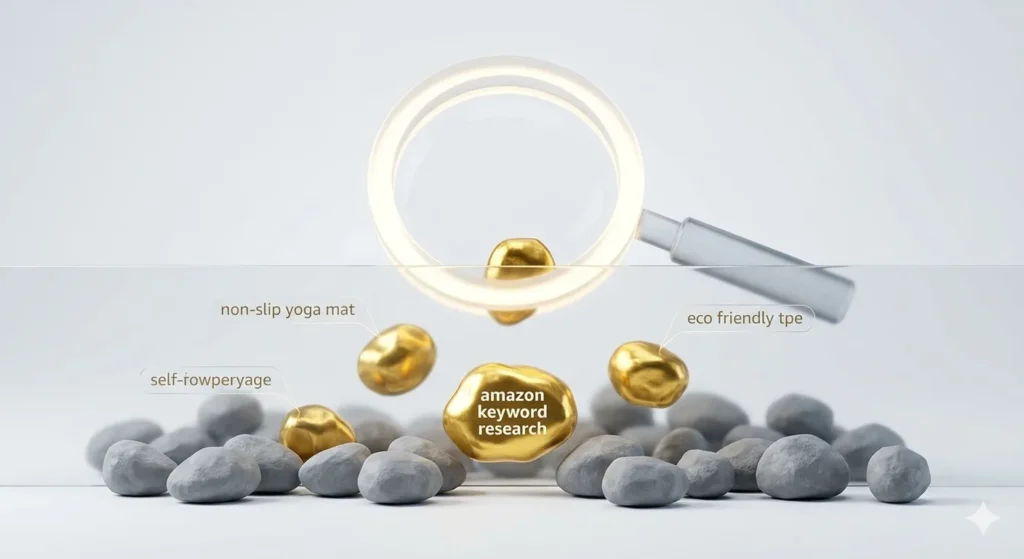
1. The Evolution of Intent Based Keyword Research
In previous years, sellers obsessed over high volume terms. Today, the smart money is on buyer intent keywords. A keyword with fifty thousand monthly searches might have a tiny conversion rate, while a long tail keyword with five hundred searches might convert at twenty percent because the customer knows exactly what they want.
The Three Tiers of Customer Intent
- Informational: Questions like how to clean a leather sofa. These have low immediate purchase intent.
- Comparison: Searches for the best ergonomic office chair vs gaming chair. These are mid intent shoppers looking for value.
- Transactional: Specific terms like black ergonomic office chair with lumbar support. These are high intent buyers ready to checkout.
2. Advanced Research with Helium 10
To truly find Amazon keywords that your competitors are missing, you need professional grade data. Helium 10 remains the gold standard for reverse engineering the success of top sellers.
Using the Reverse ASIN Lookup
Instead of guessing, look at what is already working for the market leaders. By entering a competitor ASIN into a tool like Cerebro, you can see their organic rank, their sponsored rank, and their keyword distribution. Focus on opportunity keywords where top competitors are ranking on the second or third page. These are the weak spots where a better optimized listing can easily take the lead.
3. Dominating Long Tail Keywords
Long tail keywords are the secret weapon for new product launches. They are specific, less expensive to bid on in PPC, and highly relevant. According to Ahrefs, long tail queries make up the vast majority of all searches online.

How to Uncover These Gems
- Amazon Autocomplete: Type your seed keyword into the search bar and watch the suggestions. These are based on real time customer data.
- Customer Reviews: Read your competitors’ four star reviews. Customers use natural language like perfect for small apartments or great for toddlers. These use case phrases are gold for Amazon keyword research.
- Competitor Gaps: Find keywords that are hidden in a competitor’s backend but not in their visible title.
4. The Science of Keyword Indexing
Simply having a keyword in your list is not enough. Amazon must index it. Keyword indexing is the process where the algorithm confirms your product is a relevant result for a specific search term.
Strategic Placement for Maximum Visibility
| Placement | Priority | Best Practice |
|---|---|---|
| Product Title | Highest | Place your primary keyword in the first eighty characters. |
| Backend Search Terms | High | Use all 249 bytes and do not repeat words from the title. |
| Bullet Points | Medium | Naturally weave in secondary and long tail keywords. |
5. Tracking Your Keyword Performance
Your Amazon keyword research is never truly finished. It is an ongoing conversation with the market. You must monitor your organic ranking for your target terms and adjust as trends shift.
- Weekly Check: Use a rank tracker to see if you are moving up or down.
- Monthly Audit: Review your PPC search term report. Identify terms that converted into a sale but are not in your listing yet.
- Seasonality: Adjust your keywords thirty days before a major holiday or event.
Conclusion: Success is Built on Data
Effective Amazon keyword research connects a great product with the person who needs it most. By focusing on buyer intent, leveraging tools like Helium 10, and ensuring proper indexing, you create a listing that attracts traffic and converts it into profit.
Next Step: Take your top three competitors today, run a reverse search, and find five long tail keywords they are ignoring. That is your fastest path to the top of the search results.
Amazon FBA vs FBM: Which Fulfillment Method Should You Choose?
Choosing between Amazon FBA (Fulfillment by Amazon) and FBM (Fulfillment by Merchant) is one of the most important decisions you’ll make as an Amazon seller. This comprehensive comparison will help you understand the differences, costs, and benefits of each method so you can make the right choice for your business.
Understanding Amazon FBA vs FBM
What is Amazon FBA?
Fulfillment by Amazon (FBA) means Amazon handles storage, packing, shipping, and customer service for your products. You send inventory to Amazon fulfillment centers, and they take care of the rest.
What is Amazon FBM?
Fulfillment by Merchant (FBM) means you handle all fulfillment yourself. You store inventory, pack orders, ship products, and manage customer service directly.
Amazon FBA: Pros and Cons
Advantages of FBA
1. Prime Eligibility
- Prime Badge: FBA products are eligible for Amazon Prime
- Free Shipping: Prime members get free 2-day shipping
- Buy Box Advantage: FBA sellers often win the Buy Box more easily
- Higher Conversion: Prime-eligible products convert 30-40% better
2. Customer Service
- Amazon Handles Returns: Amazon processes returns and refunds
- Customer Support: Amazon’s customer service team handles inquiries
- Less Work: You don’t need to manage customer service
- Professional Service: Amazon’s reputation for customer service
3. Scalability
- No Storage Limits: Amazon warehouses can store large quantities
- Multi-Channel Fulfillment: FBA can fulfill orders from other channels
- International Expansion: Easier to expand to international markets
- Hands-Off Operations: Focus on growing your business, not logistics
4. Performance Metrics
- Better Rankings: FBA products often rank higher in search
- Buy Box Win Rate: Higher chance of winning the Buy Box
- Customer Trust: Amazon Prime badge builds customer confidence
Disadvantages of FBA
1. Costs
- Fulfillment Fees: Per-unit fulfillment and storage fees
- Storage Fees: Monthly storage fees, especially for slow-moving inventory
- Long-Term Storage: Additional fees for inventory stored over 365 days
- Prep Fees: Fees for Amazon to prep products if you don’t meet requirements
2. Less Control
- Inventory Location: You can’t control where inventory is stored
- Packaging: Limited control over packaging and branding
- Shipping Speed: Can’t offer custom shipping options
- Customer Communication: Limited direct customer contact
3. Inventory Management
- Stock-Outs: Need to monitor and replenish inventory regularly
- Removal Fees: Costs to remove unsold inventory
- Commingling: Products may be mixed with other sellers’ inventory
- Restrictions: Some products can’t use FBA
Amazon FBM: Pros and Cons
Advantages of FBM
1. Cost Control
- No Fulfillment Fees: You only pay Amazon referral fees
- Storage Costs: Control your own storage costs
- Shipping Control: Negotiate your own shipping rates
- No Long-Term Storage Fees: Avoid Amazon’s storage fees
2. More Control
- Packaging: Full control over packaging and branding
- Customer Communication: Direct contact with customers
- Inventory Management: Complete control over inventory
- Customization: Offer custom packaging, inserts, or gifts
3. Flexibility
- Product Restrictions: Can sell products FBA doesn’t allow
- Large Items: Often cheaper for large or heavy items
- Slow-Moving Inventory: Better for products that sell slowly
- Multi-Channel: Easier to fulfill from multiple sales channels
4. Profit Margins
- Higher Margins: Potentially higher profits on low-cost items
- No FBA Fees: Save on fulfillment fees for expensive items
- Bulk Shipping: Lower per-unit costs for high-volume sellers
Disadvantages of FBM
1. More Work
- Time Investment: You handle all fulfillment tasks
- Customer Service: Must manage all customer inquiries
- Returns Processing: Handle all returns and refunds
- Shipping Management: Coordinate with shipping carriers
2. Prime Ineligibility
- No Prime Badge: Products aren’t Prime-eligible
- Buy Box Competition: Harder to win Buy Box against FBA sellers
- Lower Conversion: Non-Prime products convert at lower rates
- Shipping Costs: Customers pay for shipping (unless you offer free shipping)
3. Scalability Challenges
- Storage Space: Need your own warehouse or storage
- Staffing: May need employees for fulfillment
- Infrastructure: Need packing materials, shipping supplies
- Growth Limitations: Harder to scale quickly
Cost Comparison: FBA vs FBM
FBA Costs
Fulfillment Fees
- Based on product size and weight
- Standard-size items: $2.50-$5.00+ per unit
- Oversize items: $8.00-$15.00+ per unit
- Varies by product category
Storage Fees
- Standard: $0.75 per cubic foot (January-September)
- Standard: $2.40 per cubic foot (October-December)
- Oversize: $0.48 per cubic foot (January-September)
- Oversize: $1.20 per cubic foot (October-December)
Additional Fees
- Long-term storage fees (365+ days)
- Removal fees ($0.50-$0.60 per unit)
- Prep fees (if products don’t meet requirements)
- Unplanned service fees
FBM Costs
Your Costs
- Storage: Warehouse or storage facility costs
- Shipping: Carrier rates (negotiate for volume discounts)
- Packaging: Boxes, tape, labels, packing materials
- Labor: Time or employees for fulfillment
- Returns: Return shipping and processing costs
Amazon Fees
- Referral Fee: Same as FBA (varies by category, typically 8-15%)
- No Fulfillment Fees: Only pay referral fees
- Optional: Subscribe & Save fees if applicable
When to Use Amazon FBA
Best For:
- New Sellers: Easier to get started
- Small to Medium Items: Cost-effective for standard-size products
- Fast-Moving Products: High sales velocity items
- Prime Focus: Wanting Prime eligibility
- Hands-Off Approach: Prefer Amazon to handle fulfillment
- International Sales: Expanding to multiple countries
- Seasonal Products: Can scale up quickly for peak seasons
Product Types Ideal for FBA:
- Standard-size products
- Fast-moving consumer goods
- Products with consistent demand
- Items that fit Amazon’s size/weight requirements
- Products that benefit from Prime eligibility
When to Use Amazon FBM
Best For:
- Large or Heavy Items: Lower fulfillment costs
- Slow-Moving Inventory: Avoid long-term storage fees
- High-Margin Products: Want to maximize profit margins
- Custom Products: Need custom packaging or inserts
- Restricted Products: Items FBA doesn’t allow
- Multi-Channel Sellers: Selling on multiple platforms
- Established Sellers: Have fulfillment infrastructure
Product Types Ideal for FBM:
- Large or oversize items
- Heavy products (over 20 lbs)
- Slow-moving inventory
- Custom or personalized items
- Products with high profit margins
- Items restricted from FBA
Hybrid Approach: Using Both FBA and FBM
Strategy Benefits
- FBA for Fast Movers: Use FBA for best-selling products
- FBM for Slow Movers: Fulfill slow-moving items yourself
- Risk Management: Diversify fulfillment methods
- Cost Optimization: Use each method where it’s most cost-effective
Implementation
- Analyze sales velocity for each product
- Calculate costs for both methods
- Use FBA for high-velocity, standard-size items
- Use FBM for slow-moving or large items
- Monitor and adjust based on performance
Making the Decision: FBA vs FBM
Decision Factors
1. Product Characteristics
- Size and weight
- Sales velocity
- Profit margins
- Storage requirements
2. Business Stage
- New vs. established seller
- Available capital
- Infrastructure and resources
- Growth plans
3. Operational Preferences
- Hands-on vs. hands-off
- Control requirements
- Customer service capabilities
- Scalability needs
4. Financial Considerations
- Profit margins
- Cash flow
- Storage costs
- Fulfillment costs
Transitioning Between FBA and FBM
From FBM to FBA
- Calculate if FBA is cost-effective
- Prepare products to FBA requirements
- Create FBA shipment plan
- Send inventory to Amazon
- Monitor performance and costs
From FBA to FBM
- Analyze FBA costs and profitability
- Set up fulfillment infrastructure
- Create FBM listings
- Remove inventory from FBA (if needed)
- Update listings and manage both methods
Common Questions About FBA vs FBM
Can I use both FBA and FBM?
Yes, you can use both methods for different products or even the same product. Many sellers use a hybrid approach.
Which is more profitable?
It depends on your products, sales volume, and costs. Calculate costs for both methods to determine which is more profitable for your specific situation.
Can FBM sellers win the Buy Box?
Yes, but it’s more challenging. FBA sellers typically have an advantage, but FBM sellers can win with competitive pricing, excellent metrics, and fast shipping.
How do I calculate FBA costs?
Use Amazon’s FBA Revenue Calculator to estimate costs based on product size, weight, and category.
Conclusion
The choice between Amazon FBA and FBM depends on your specific products, business model, and goals. FBA offers convenience and Prime eligibility but comes with higher costs. FBM provides more control and potentially higher margins but requires more work.
Evaluate your products, calculate costs for both methods, and consider your business needs. Many successful sellers use a hybrid approach, leveraging the benefits of both methods.
Need help with Amazon fulfillment strategy? Contact advertpreneur for expert Amazon seller consulting. We help sellers choose the right fulfillment method and optimize their operations.
Related Resources
- → Amazon PPC Basics: Simple Guide for Beginners
- → 7 Amazon Sponsored Products Strategies That Lower ACoS by 40%
- → Amazon Listing Optimization: 15 Ways to Improve Your Product Listings
- → Complete Guide to Amazon SEO: How to Rank Your Products on Page 1 in 2025
- → Amazon A+ Content: How to Create Conversion-Optimized Enhanced Brand Content
- → Amazon Keyword Research: The Ultimate Guide to Finding Profitable Keywords
Amazon Buy Box: How to Win and Maintain the Buy Box
The Amazon Buy Box is the most valuable real estate on Amazon. Winning the Buy Box can increase your sales by 2-3x, while losing it can dramatically reduce visibility and revenue. This comprehensive guide explains everything you need to know about winning and maintaining the Amazon Buy Box.
What is the Amazon Buy Box?
Definition
The Buy Box is the white box on the right side of Amazon product pages where customers can add items to their cart with one click. It’s the default purchase option that appears when customers click “Add to Cart” or “Buy Now.”
Why the Buy Box Matters
- 82% of Amazon sales go through the Buy Box
- Higher visibility for your listing
- Increased conversion rates (customers trust Buy Box sellers)
- Prime eligibility (if using FBA)
- Competitive advantage over other sellers
Who Can Win the Buy Box?
Eligibility Requirements
- Professional Seller Account: Must have a Professional selling plan
- New Products: Must sell new (not used) products
- In Stock: Must have inventory available
- Good Performance: Must meet Amazon’s performance standards
- Competitive Pricing: Must have competitive prices
Ineligible Sellers
- Individual seller accounts (in most cases)
- Sellers with poor performance metrics
- Sellers with policy violations
- Sellers with insufficient inventory
- Sellers with uncompetitive pricing
Factors That Determine Buy Box Eligibility
1. Fulfillment Method (FBA vs FBM)
- FBA Advantage: FBA sellers typically have a significant advantage
- Prime Eligibility: FBA products are Prime-eligible, which helps
- FBM Still Possible: FBM sellers can win, but it’s more challenging
- Hybrid Approach: Some sellers use both FBA and FBM
2. Price Competitiveness
- Competitive Pricing: Must be competitively priced
- Not Always Lowest: Lowest price doesn’t guarantee Buy Box
- Price History: Consistent, competitive pricing matters
- Shipping Costs: Total price including shipping is considered
3. Seller Performance Metrics
- Order Defect Rate (ODR): Must be under 1%
- Cancellation Rate: Must be under 2.5%
- Late Shipment Rate: Must be under 4%
- Valid Tracking Rate: Must be over 95%
- Customer Service: Response time and quality matter
4. Shipping Performance
- On-Time Delivery: Consistently ship on time
- Shipping Speed: Faster shipping improves chances
- Tracking Information: Provide valid tracking for all orders
- Handling Time: Shorter handling times are better
5. Stock Availability
- In Stock: Must have inventory available
- Consistent Stock: Avoid frequent stock-outs
- Inventory Depth: Having more inventory can help
- Restock Quickly: Replenish inventory before running out
6. Account Health
- Account Age: Older accounts may have slight advantage
- Sales History: Consistent sales history helps
- Policy Compliance: No policy violations
- Account Standing: Good overall account health
How to Win the Amazon Buy Box
Step 1: Meet Basic Requirements
- Upgrade to Professional seller account
- Ensure you’re selling new products
- Maintain good inventory levels
- Keep competitive pricing
Step 2: Optimize Performance Metrics
- Order Defect Rate: Keep under 1%
- Monitor negative feedback
- Resolve A-to-Z claims quickly
- Prevent chargebacks
- Cancellation Rate: Keep under 2.5%
- Only list products you have in stock
- Update inventory regularly
- Cancel orders only when necessary
- Late Shipment Rate: Keep under 4%
- Ship orders within handling time
- Use reliable shipping carriers
- Set realistic handling times
Step 3: Use FBA (Fulfillment by Amazon)
- Prime Eligibility: FBA products are Prime-eligible
- Better Performance: Amazon handles fulfillment
- Higher Win Rate: FBA sellers win Buy Box more often
- Customer Trust: Prime badge builds confidence
Step 4: Competitive Pricing
- Price Competitively: Not always lowest, but competitive
- Monitor Competitors: Track competitor pricing
- Use Repricing Tools: Automate price adjustments
- Consider Total Price: Include shipping in price comparison
Step 5: Maintain Inventory
- Stay In Stock: Avoid stock-outs
- Forecast Demand: Plan inventory ahead
- Quick Replenishment: Restock before running out
- Inventory Depth: Maintain adequate stock levels
Step 6: Excellent Customer Service
- Fast Response: Respond to messages within 24 hours
- Professional Communication: Polite, helpful responses
- Problem Resolution: Resolve issues quickly
- Positive Feedback: Encourage satisfied customers to leave feedback
Strategies to Maintain Buy Box Eligibility
1. Monitor Performance Metrics Daily
- Check Order Defect Rate regularly
- Monitor cancellation and late shipment rates
- Track customer feedback and reviews
- Address issues immediately
2. Use Repricing Software
- Automated Repricing: Adjust prices automatically
- Competitive Positioning: Stay competitive without manual work
- Rule-Based Pricing: Set rules for price adjustments
- Market Monitoring: Track competitor prices
3. Optimize Shipping
- Fast Handling: Reduce handling time
- Reliable Carriers: Use trusted shipping services
- Tracking: Provide tracking for all orders
- On-Time Delivery: Ship within promised timeframe
4. Maintain Stock Levels
- Inventory Management: Use tools to track inventory
- Forecasting: Predict demand and plan accordingly
- Safety Stock: Maintain buffer inventory
- Automated Alerts: Set up low-stock notifications
5. Build Account History
- Consistent Sales: Maintain regular sales activity
- Long-Term Account: Older accounts may have slight advantage
- Positive History: Build track record of good performance
- Account Health: Keep account in good standing
Common Buy Box Mistakes
Mistake 1: Poor Performance Metrics
- High Order Defect Rate
- Frequent cancellations
- Late shipments
- Solution: Focus on excellent customer service and fulfillment
Mistake 2: Pricing Too High
- Uncompetitive pricing
- Not monitoring competitor prices
- Ignoring shipping costs
- Solution: Use repricing tools and monitor market prices
Mistake 3: Stock-Outs
- Running out of inventory frequently
- Not forecasting demand
- Slow replenishment
- Solution: Better inventory management and forecasting
Mistake 4: Using FBM Without Optimization
- Slow shipping times
- Poor handling times
- Inconsistent performance
- Solution: Optimize FBM operations or consider FBA
Mistake 5: Ignoring Customer Service
- Slow response times
- Poor communication
- Not resolving issues
- Solution: Prioritize customer service excellence
Buy Box for Different Seller Types
New Sellers
- Challenge: New accounts have less history
- Strategy: Focus on perfect performance metrics
- Tip: Consider FBA to improve chances
- Patience: May take time to win Buy Box consistently
FBA Sellers
- Advantage: Significant Buy Box advantage
- Focus: Maintain performance metrics
- Strategy: Competitive pricing and inventory management
- Result: Higher Buy Box win rates
FBM Sellers
- Challenge: Harder to win Buy Box
- Strategy: Perfect performance, fast shipping, competitive pricing
- Focus: Excellent customer service
- Opportunity: Can win on products with fewer FBA sellers
Tools for Buy Box Management
Repricing Tools
- SellerCloud: Advanced repricing and inventory management
- RepricerExpress: Automated repricing software
- BQool: Repricing and feedback management
- Feedvisor: AI-powered repricing
Performance Monitoring
- Seller Central Dashboard: Built-in performance metrics
- SellerApp: Performance analytics and insights
- Jungle Scout: Market research and analytics
- Helium 10: Comprehensive seller tools
Inventory Management
- InventoryLab: Inventory and accounting management
- RestockPro: Inventory forecasting and management
- SellerCloud: Inventory and order management
- Forecastly: Demand forecasting
Buy Box Win Rate Optimization
Calculate Your Win Rate
- Formula: (Buy Box wins / Total opportunities) × 100
- Target: Aim for 80%+ win rate
- Monitor: Track win rate regularly
- Improve: Address factors reducing win rate
Factors Affecting Win Rate
- Fulfillment Method: FBA typically wins more
- Price: Competitive pricing is essential
- Performance: Excellent metrics required
- Inventory: Must be in stock
- Account Health: Good standing necessary
Buy Box for Competitive Products
High Competition Products
- Challenge: Many sellers competing
- Strategy: Perfect performance + competitive pricing
- Focus: Differentiate through service and speed
- Consider: FBA for competitive advantage
Low Competition Products
- Opportunity: Easier to win Buy Box
- Strategy: Maintain good performance
- Focus: Consistent availability and pricing
- Advantage: Less competition means higher win rates
International Buy Box
Considerations
- Different Markets: Buy Box works differently in different countries
- Fulfillment: FBA in each market helps
- Performance: Metrics tracked per marketplace
- Pricing: Competitive in local currency
Common Questions About Amazon Buy Box
How long does it take to win the Buy Box?
It varies, but new sellers with good performance can win within days to weeks. FBA sellers typically win faster.
Can I win Buy Box with FBM?
Yes, but it’s more challenging. Focus on perfect performance metrics, fast shipping, and competitive pricing.
Do I need the lowest price to win Buy Box?
No, but you need competitive pricing. Other factors like performance and fulfillment method also matter.
How often does Buy Box rotate?
Buy Box can rotate frequently based on seller performance, pricing, and availability. It’s not always the same seller.
Conclusion
Winning and maintaining the Amazon Buy Box is crucial for success on Amazon. By focusing on performance metrics, competitive pricing, inventory management, and excellent customer service, you can improve your Buy Box win rate and increase sales.
For most sellers, using FBA provides the best chance of winning the Buy Box. However, FBM sellers can also win with perfect performance and competitive operations. Monitor your metrics, optimize your operations, and be patient as you build your account history.
Need help winning the Amazon Buy Box? Contact advertpreneur for expert Amazon seller consulting. We help sellers optimize their operations to win and maintain Buy Box eligibility.
Related Resources
- → Amazon PPC Basics: Simple Guide for Beginners
- → 7 Amazon Sponsored Products Strategies That Lower ACoS by 40%
- → Amazon Listing Optimization: 15 Ways to Improve Your Product Listings
- → Complete Guide to Amazon SEO: How to Rank Your Products on Page 1 in 2025
- → Amazon A+ Content: How to Create Conversion-Optimized Enhanced Brand Content
- → Amazon Keyword Research: The Ultimate Guide to Finding Profitable Keywords