How amazon A content-boosts-conversion-rates-fast/”>Plus Content Design Helps You Increase Conversions Fast
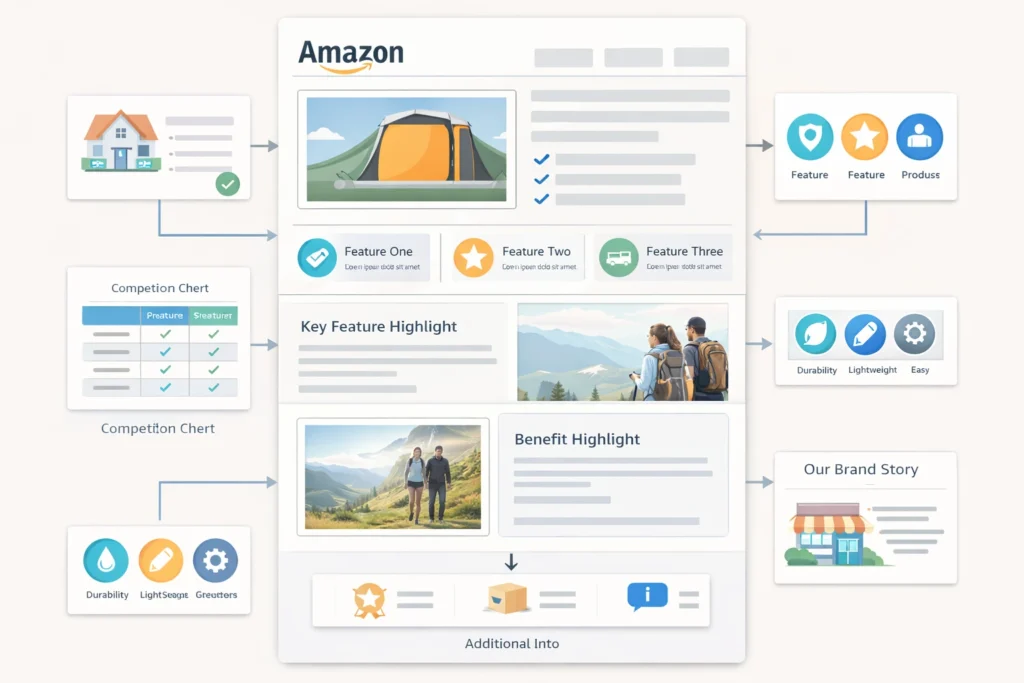 Content Design layout showing optimized product modules for higher conversions” class=”wp-image-7045″/>
Amazon A Plus Content Design can change how buyers see your-product-listings/”>Your Product. It helps you explain value clearly and quickly.
Firstly, Most Sellers ignore this tool and lose sales. Secondly, you can use it to build trust and boost conversions.
Table of Contents
- What is A Plus Content
- Why Amazon A Plus Content Design Matters
- Key Elements of A Plus Content
- Steps to Create High Converting Content
- Comparison of Basic and Premium A Plus
- Common Mistakes to Avoid
- Frequently Asked Questions
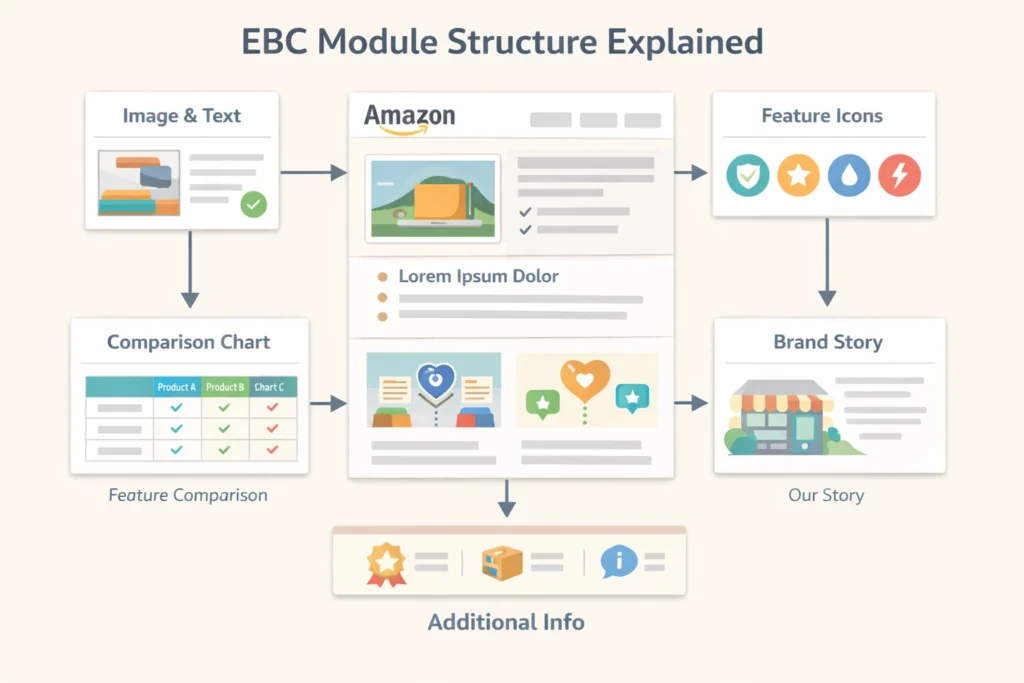 Enhanced Brand Content Service diagram showing how modules connect in a listing” class=”wp-image-7046″/>
What is A Plus Content
Firstly, A Plus content lets you add images and text blocks. Secondly, it replaces basic product descriptions with rich layouts.
In fact, sellers also call it EBC or Enhanced Brand Contnet. However, Amazon now uses the A Plus name.
Also, you need brand registry to use it. Therefore, most serious sellers invest in this early.
- Image modules explain features clearly
- Comparison charts help buyers decide faster
- Brand story builds trust
In addition, many sellers use an Amazon A Plus Content Service. That means experts handle design and layout.
Why Amazon A Plus Content Design Matters
Firstly, design affects how buyers feel about your product. Secondly, clean layouts reduce confusion.
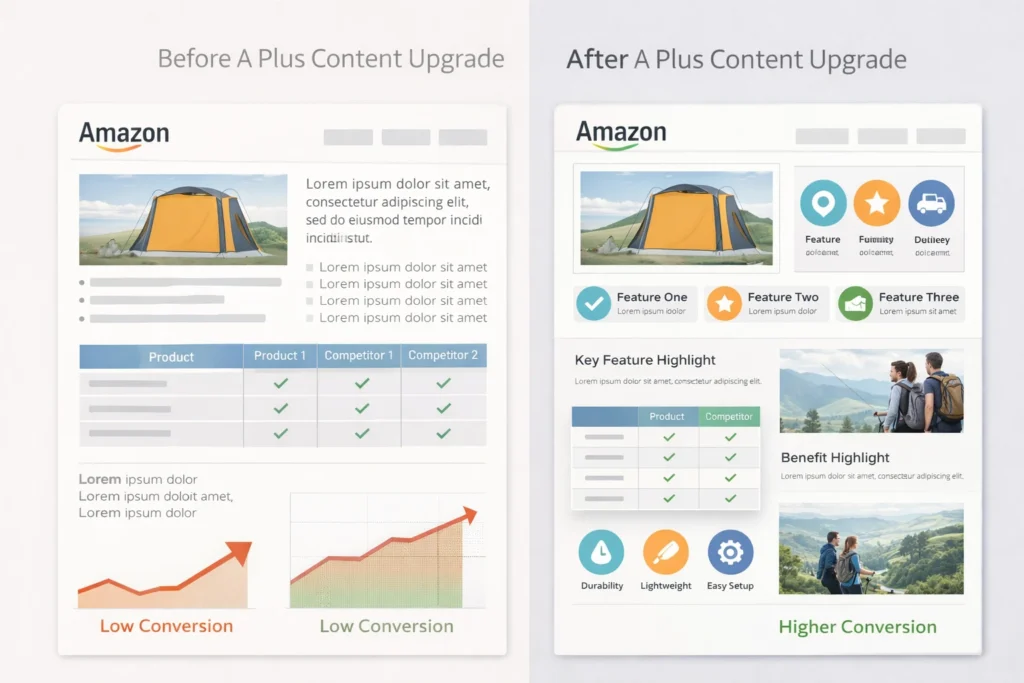
Most importantly, Amazon A Plus Content Design improves conversion rates. As a result, you get more sales from same traffic.
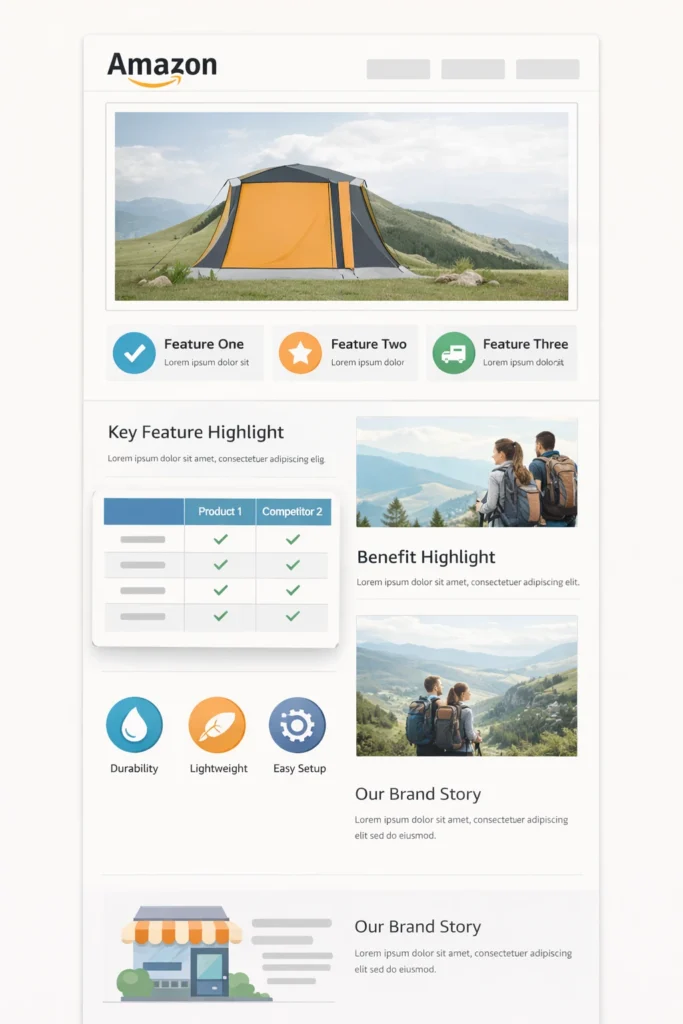
However, poor design can hurt trust. Therefore, always keep things simple and clear.
- Use clear images with real product context
- Keep text short and easy
- Focus on benefits, not features only
Pro Tip: Use real lifestyle images to show product use clearly.
Additionally, you can study tools from Amazon A Plus tools page. This helps you understand available modules.
Key Elements of A Plus Content
Firstly, strong Amazon A Plus Content Design uses a clear structure. Secondly, each section should answer one buyer question.
Images
Images should show product use clearly. For instance, lifestyle shots work better than plain photos.
Text Blocks
Text should stay short and direct. In other words, avoid long paragraphs.
Comparison Tables
Tables help buyers compare options quickly. As a result, they choose faster.
Brand Story
Story builds trust and loyalty. Meanwhile, it shows your brand personality.
Also, many sellers upgrade to Amazon Premium A Plus Content. This gives video and advanced layouts.
Warning: Do not overload content with too much text or images.
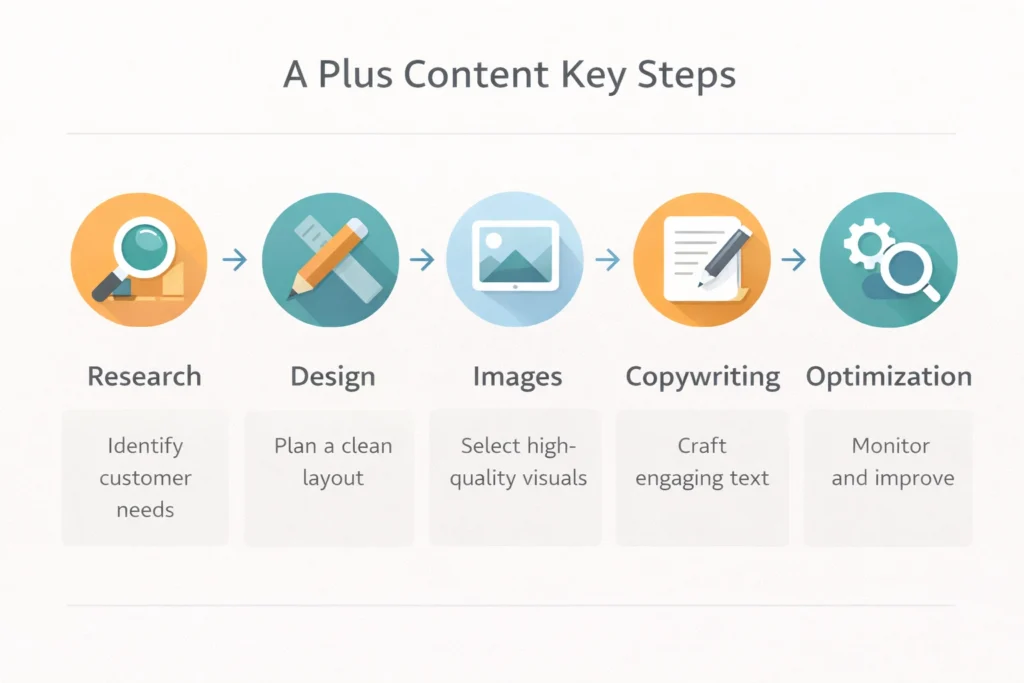
Steps to Create High Converting Content
Firstly, start with Keyword Research. Secondly, align content with buyer intent.
- Define your target customer
- Plan content sections clearly
- Create images with clear message
- Write short benefit driven text
- Test and improve based on results
In addition, check guidelines on Amazon content help page. This avoids rejection issues.
Also, you can use an Amazon A+ Contnet service to speed things up. That means experts handle everything for you.
Meanwhile, if you need strategy help, book a Free Amazon Consultation. This helps you plan better content.
Comparison of Basic and Premium A Plus
Firstly, not all content types offer the same value. Secondly, premium options provide more flexibility.
| Feature | Basic A Plus | Premium A Plus |
|---|---|---|
| Modules | Standard layouts | Advanced layouts |
| Video | No | Yes |
| Interactivity | Limited | Higher |
| Brand Story | Basic | Enhanced |
Table: Differences between standard and premium A Plus content
In contrast, premium suits large brands. However, basic still works for new sellers.
Common Mistakes to Avoid
Firstly, many sellers copy competitors blindly. Secondly, this leads to weak content.
- Using too much text
- Ignoring mobile layout
- Poor image quality
- No clear message
However, good Amazon A Plus Content Design avoids these issues. Therefore, always review your layout before publishing.
Frequently Asked Questions
What is Amazon A Plus Content Design?
It is a way to enhance product pages with rich images and text. Does A Plus content increase sales?
Yes, it improves trust and clarity, which leads to higher conversions. What is EBC?
EBC stands for Enhanced Brand Content, which is the old name. Should new sellers use A Plus?
Yes, it helps build trust even for new brands. Do I need a service for A Plus content?
You can do it yourself, but services save time and improve results.
Ready to grow your Amazon business?
Get a free strategy call with Advertpreneur.Book Your Free Consultation
Conclusion
Amazon A Plus Content Design plays a key role in product success. It helps buyers understand value fast.
Therefore, strong design leads to better conversions and more sales. In short, every seller should invest in it.
Introduction
Amazon A+ Content (Enhanced Brand Content) is one of the most powerful tools for increasing product conversions. Studies show that A+ Content can boost conversion rates by 5-10% and significantly reduce returns by setting proper customer expectations.
But creating effective A+ Content isn’t just about adding pretty images—it’s about strategic storytelling, conversion optimization, and understanding what makes customers click “Add to Cart.”
In this comprehensive guide, we’ll teach you everything you need to know about creating Amazon A+ Content that converts browsers into buyers and drives real sales growth.
What is Amazon A+ Content?
Amazon A+ Content (also called Enhanced Brand Content or EBC) is premium content that allows brand-registered sellers to add rich media, detailed product information, and brand storytelling to their product listings.
Key Features:
- Rich visual content – Images, infographics, comparison charts
- Extended product information – Beyond standard listing fields
- Brand storytelling – Connect with customers emotionally
- Mobile-optimized – Automatically responsive
- Free for Brand Registry sellers – No additional cost
Who Can Use A+ Content?
- Brand Registry sellers – Must be enrolled in Amazon Brand Registry
- Vendor Central sellers – Automatic access
- Some third-party sellers – Limited access in certain categories
Why Amazon A+ Content Matters
The Impact of A+ Content:
Conversion Rate Increase:
- Average 5-10% conversion rate boost
- Some sellers see 15-20% increases
- Higher conversions = better organic rankings
Return Rate Reduction:
- Better set expectations = fewer returns
- Detailed product info = informed purchases
- Visual storytelling = reduced buyer’s remorse
Brand Building:
- Tell your brand story – Build emotional connection
- Showcase brand values – Stand out from competitors
- Professional appearance – Builds trust and credibility
SEO Benefits:
- Indirect SEO boost – Higher conversions improve rankings
- More time on page – Signals quality to Amazon
- Lower bounce rate – Engaged customers stay longer
Types of Amazon A+ Content Modules
Amazon offers various A+ Content modules. Here are the most effective:
1. Standard Image with Text
- Best for: Feature highlights, benefits
- Layout: Image on left/right, text on opposite side
- Use case: Explain key features with visuals
2. Standard Single Image and Sidebar
- Best for: Hero product shots
- Layout: Large image with sidebar text
- Use case: Main product showcase
3. Standard Four Image and Text
- Best for: Multiple features
- Layout: 4 images with text blocks
- Use case: Comprehensive feature overview
4. Standard Single Image and Specifications
- Best for: Technical products
- Layout: Image with detailed specs table
- Use case: Electronics, appliances, technical items
5. Comparison Chart
- Best for: Competitive advantage
- Layout: Side-by-side comparison
- Use case: Show why your product is better
6. Standard Image and Dark Text Overlay
- Best for: Lifestyle images
- Layout: Text overlaid on image
- Use case: Emotional storytelling
7. Standard Three Images and Text
- Best for: Product variations
- Layout: 3 images with descriptions
- Use case: Show different models/colors
Amazon A+ Content Best Practices
1. Lead with Benefits, Not Features
❌ Bad: “Our headphones have Bluetooth 5.0 technology” ✅ Good: “Wireless Freedom: Advanced Bluetooth 5.0 keeps you connected up to 33 feet away, perfect for workouts, commuting, or working from home.”
2. Use High-Quality Images
Image Requirements:
- Minimum 970px width for standard modules
- High resolution – Crisp, professional photos
- Consistent style – Match your brand aesthetic
- Optimized file size – Fast loading times
Image Types to Include:
- Lifestyle photos – Product in real use
- Infographics – Key features and benefits
- Comparison charts – Your product vs competitors
- Detail shots – Close-ups of important features
- Size guides – Help customers visualize
3. Tell Your Brand Story
Effective Brand Story Elements:
- Origin story – How your brand started
- Mission and values – What you stand for
- Quality commitment – Why customers should trust you
- Customer focus – How you serve buyers
Example Structure:
- Who We Are – Brand introduction
- Our Mission – What drives you
- Quality Promise – Why you’re different
- Customer Commitment – How you serve buyers
4. Address Customer Pain Points
Identify Pain Points:
- Read customer reviews – What problems do they mention?
- Check competitor reviews – What do customers complain about?
- Analyze Q&A sections – What questions come up?
- Use keyword research – What problems do searches reveal?
Address in A+ Content:
- Show how your product solves specific problems
- Use before/after comparisons
- Highlight problem-solving features
- Include testimonials or social proof
5. Use Social Proof Strategically
Types of Social Proof:
- Customer testimonials – Real quotes (with permission)
- Usage statistics – “Trusted by 50,000+ customers”
- Awards and certifications – Build credibility
- Press mentions – Media recognition
Placement:
- Near the top for immediate trust
- Throughout content for reinforcement
- At the bottom to close the sale
6. Optimize for Mobile
Mobile Considerations:
- 70%+ of Amazon traffic is mobile – Must look great on phones
- Test on devices – View your A+ Content on mobile
- Large, readable text – Easy to read on small screens
- Touch-friendly layouts – Consider thumb navigation
- Fast loading – Optimize image sizes
7. Include Clear CTAs
Effective CTAs in A+ Content:
- “Add to Cart” reminders (subtle, not pushy)
- “Learn More” for additional information
- “See All Features” to drive engagement
- “Check Reviews” to build trust
Amazon A+ Content Design Strategy
Design Principles:
1. Visual Hierarchy
- Most important info first – Lead with key benefits
- Use headings – Break up content for scannability
- White space – Don’t overcrowd modules
- Consistent styling – Match your brand
2. Color Psychology
- Brand colors – Reinforce brand identity
- Contrast – Ensure readability
- Emotional triggers – Use colors that match product type
- Accessibility – High contrast for readability
3. Typography
- Readable fonts – Clear, professional typefaces
- Size hierarchy – Headings > subheadings > body
- Line spacing – Comfortable reading experience
- Bold for emphasis – Highlight key points
4. Image Selection
- Professional photography – High-quality images
- Consistent style – Cohesive visual identity
- Relevant images – Support the content
- Optimized sizes – Fast loading, high quality
Step-by-Step: Creating Your A+ Content
Step 1: Research and Planning
Before You Start:
Step 2: Content Outline
Structure Your Content:
- Hero Section – Main product showcase
- Key Features – Top 3-5 benefits
- Problem/Solution – Address pain points
- Comparison – Why choose you?
- Brand Story – Connect emotionally
- Social Proof – Build trust
- Final CTA – Encourage purchase
Step 3: Create Visual Assets
Assets Needed:
- Product lifestyle photos
- Feature infographics
- Comparison charts
- Brand elements (logos, colors)
- Size/usage guides
Tools for Creating A+ Content:
- Canva – Easy graphic design
- Adobe Photoshop/Illustrator – Professional design
- Figma – Collaborative design
- Amazon’s A+ Content Manager – Built-in tools
Step 4: Write Compelling Copy
Copywriting Tips:
- Lead with benefits – What’s in it for them?
- Use power words – “Transform”, “Revolutionary”, “Ultimate”
- Be specific – “30-hour battery” not “long battery”
- Create urgency – “Limited time”, “Exclusive”
- Address objections – “Worried about fit? See our size guide”
Step 5: Build in A+ Content Manager
In Amazon Seller Central:
- Go to Advertising → A+ Content Manager
- Click “Create A+ Content”
- Choose template or custom layout
- Add modules and content
- Preview on desktop and mobile
- Submit for approval
Step 6: Submit and Wait for Approval
Approval Process:
- Usually 7 days for review
- Common rejections: Copyright issues, poor quality images, prohibited content
- Fix and resubmit if rejected
- Once approved – Assign to products
Amazon A+ Content Examples and Templates
Example 1: Electronics Product
Structure:
- Hero image with key benefit headline
- Feature grid (4 key features with icons)
- Technical specifications table
- Comparison chart vs competitors
- Brand story section
- Customer testimonials
Example 2: Fashion/Apparel
Structure:
- Lifestyle hero image
- Material and quality highlights
- Size and fit guide
- Styling suggestions
- Care instructions
- Brand values and sustainability
Example 3: Home & Kitchen
Structure:
- Product in use (lifestyle)
- Key features with benefits
- How it works (step-by-step)
- Comparison with alternatives
- Customer reviews highlights
- Warranty and support info
Common A+ Content Mistakes to Avoid
1. Too Much Text, Not Enough Visuals
❌ Mistake: Walls of text that overwhelm ✅ Solution: Balance text with compelling visuals
2. Generic Content
❌ Mistake: Same content for all products ✅ Solution: Customize for each product’s unique value
3. Poor Image Quality
❌ Mistake: Low-res, unprofessional images ✅ Solution: Invest in professional photography
4. Ignoring Mobile
❌ Mistake: Only designing for desktop ✅ Solution: Test and optimize for mobile first
5. No Clear Value Proposition
❌ Mistake: Features without benefits ✅ Solution: Always explain “what’s in it for me”
6. Missing Brand Story
❌ Mistake: Only product features ✅ Solution: Include brand narrative and values
7. Not Testing
❌ Mistake: Set it and forget it ✅ Solution: A/B test different versions
Measuring A+ Content Success
Key Metrics:
- Conversion Rate
- Before vs after A+ Content
- Target: 5-10% increase
- Track in Seller Central
- Time on Page
- Longer engagement = better signal
- Use Amazon Brand Analytics
- Compare to category average
- Return Rate
- Lower returns = better expectations set
- Track in Seller Central
- Compare pre/post A+ Content
- Sales Velocity
- Units sold per day/week
- Higher velocity = better rankings
- Monitor for consistency
A+ Content Optimization Tips
1. A/B Testing
- Test different headlines
- Try different image styles
- Compare module layouts
- Measure what converts best
2. Seasonal Updates
- Update for holidays
- Seasonal imagery
- Holiday-specific messaging
- Plan 2-3 months ahead
3. Competitor Analysis
- See what competitors do
- Identify gaps in their content
- Find opportunities to differentiate
- Learn from their successes
4. Customer Feedback Integration
- Use review insights
- Address common questions
- Highlight praised features
- Fix mentioned issues
A+ Content for Different Product Categories
Electronics:
- Technical specifications
- Compatibility information
- Setup guides
- Warranty details
Fashion/Apparel:
- Size guides
- Material information
- Care instructions
- Styling tips
Home & Kitchen:
- Usage instructions
- Cleaning guides
- Safety information
- Recipe ideas (if applicable)
Beauty/Personal Care:
- Ingredient lists
- Usage instructions
- Results expectations
- Safety warnings
Conclusion: Create A+ Content That Converts
Amazon A+ Content is a powerful tool for increasing conversions, reducing returns, and building your brand. But success requires strategic planning, high-quality assets, and customer-focused messaging.
Key Takeaways:
- Lead with benefits – Always explain what’s in it for customers
- Use quality visuals – Professional images make a difference
- Tell your story – Build emotional connection with your brand
- Address pain points – Show how you solve problems
- Test and optimize – Continuously improve based on data
Remember: A+ Content should convert browsers into buyers, not just look pretty. Every element should serve the goal of driving sales.
Need Professional A+ Content Design?
Our A+ Content Design service creates conversion-optimized Enhanced Brand Content that boosts sales and reduces returns. We handle everything from strategy to design to Amazon submission.
Related Resources
- → Amazon PPC Basics: Simple Guide for Beginners
- → 7 Amazon Sponsored Products Strategies That Lower ACoS by 40%
- → Amazon Listing Optimization: 15 Ways to Improve Your Product Listings
- → Complete Guide to Amazon SEO: How to Rank Your Products on Page 1 in 2025
- → Amazon Keyword Research: The Ultimate Guide to Finding Profitable Keywords
- → Amazon Product Title Optimization: How to Write Titles That Rank and Convert