
Most Amazon sellers are still optimizing for a search algorithm that no longer runs the show alone.
They’re counting keyword frequency. Stuffing backends. Tweaking titles for A9. Meanwhile, Amazon has quietly deployed two AI systems, Rufus and Cosmo, that evaluate your listings in ways A9 never did. And the rules are different.
This is not a future thing. Rufus handled 274 million daily queries by late 2024. During Black Friday 2025, it ran inside 38% of all Amazon shopping sessions. Shoppers who used it were 60% more likely to complete a purchase than those who did not. Amazon projects it will add $10 billion in annualized sales.
Your listing is already being read by an AI that your optimization strategy was not written for.
What Rufus Actually Does (And Why It Is Not A9)
Rufus is Amazon’s generative AI shopping assistant. It sits inside the mobile app and desktop experience, and shoppers talk to it the way they would talk to a knowledgeable friend.
“What’s a good running shoe for flat feet under $100?” “Which of these coffee makers is quieter in the morning?” “Is this supplement safe to take with blood pressure medication?”
Rufus reads your full listing, including title, bullets, description, A+ content, Q&A, and customer reviews, and decides whether your product fits the shopper’s intent. Then it either recommends you or skips you.
The difference from A9 is significant. A9 matched keywords. Rufus evaluates meaning. It does not care how many times you wrote “waterproof vinyl sticker” in your backend. It cares whether your listing clearly answers the question a shopper just asked out loud.
Rufus also does not just read your page. It reads the web. External blog posts, trade publications, YouTube videos, all of it can influence which products Rufus recommends. A competitor with one mention in a well-indexed industry article may outrank your fully optimized listing if Rufus finds that external source more relevant to the query.

What Cosmo Does on Top of That
Cosmo is the ranking system that works alongside Rufus. Rufus handles the conversational layer. Cosmo handles semantic relevance at the ranking level. Together they form the AI backbone of how Amazon now mediates product discovery.
Cosmo looks at use-case fit. It evaluates whether your listing communicates the real-world situations where your product works. A sticker listing that says “weatherproof vinyl decal for outdoor use” will rank differently in Cosmo’s eyes than one that says “vinyl decal” followed by a list of dimensions.
Context of use matters now. Compatibility matters. The answers your Q&A section provides matter. Cosmo reads all of it.
ZonGuru now offers a Cosmo and Rufus AI Readiness Report specifically designed to tell sellers whether their listings are built for this new layer of evaluation. The fact that a tool like this exists tells you how real the shift already is.

What Rufus Is Actually Looking For In Your Listing
Here is what earns Rufus recommendations, based on how the system evaluates product pages.
Use-case clarity. Rufus rewards listings that name real situations. “For dogs with joint pain” beats “for all dogs.” “Ideal for apartment balconies” beats “great for outdoor spaces.” Specificity is the signal.
Natural language, not keyword strings. The old way was keyword density. The new way is a listing that reads like a knowledgeable person wrote it. “Orthopedic dog bed for large breeds with joint pain, featuring washable memory foam that supports hip and spine health during sleep” outperforms “dog bed large dog bed washable dog bed orthopedic dog bed.” Rufus is trained on conversation. Robotic keyword strings fail on both the human and AI side.
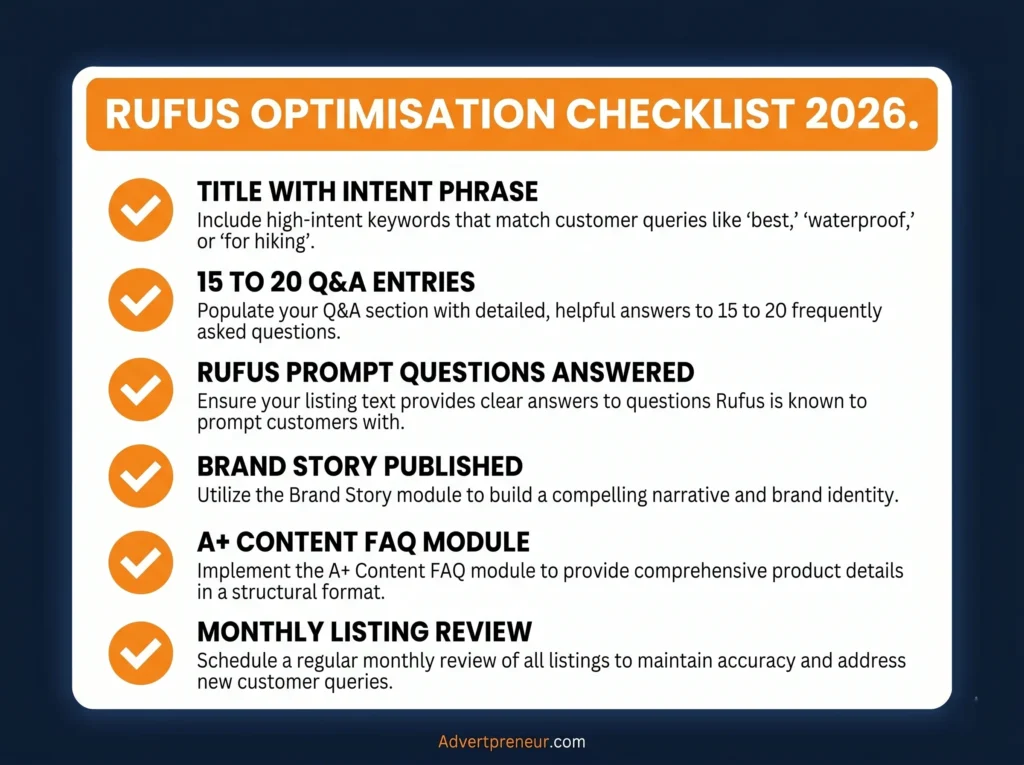
Q&A depth. For any ASIN doing over $10,000 monthly revenue, target 15 to 20 substantive Q&As. Rufus reads this section when evaluating your product against conversational queries. Thin Q&A is invisible Q&A.

Review content that covers multiple use cases. Rufus uses reviews as evidence. If your reviews describe five to eight distinct use cases, Rufus has more surface area to match your product against shopper queries. If all your reviews say “great product, fast shipping,” Rufus has nothing to work with.
A+ content depth. Two or three basic A+ modules no longer cut it. Sellers in competitive categories are reporting organic ranking changes on ASINs where they expanded A+ depth. Rufus reads A+ content and weighs it as part of Listing Completeness.
Rating hygiene. Rufus factors in review ratings as a trust signal. A product with 3.8 stars competes at a disadvantage in AI-mediated recommendations regardless of keyword optimization.
The Visibility Problem Sellers Have No Control Over
Here is the uncomfortable part. Amazon provides no reporting on Rufus performance. No dashboard. No Rufus-specific impressions. No transparency into why it recommended your product or why it skipped you.
What you can do: check your Search Query Performance reports for movement on conversational long-tail queries. If you see impression share climbing on queries that read like questions, such as “stickers for outdoor use in rain” or “vinyl decals that don’t fade in sun,” Rufus is likely routing some of that traffic your way. If those impressions drop on head terms without a corresponding revenue drop, Rufus may be rerouting discovery traffic through its own recommendation layer.
Brand-registered sellers can find partial Rufus attribution data inside Brand Analytics. It is incomplete, but it gives you directional signals.
How Traditional Amazon SEO Fits Into This
Traditional search still drives roughly 80 to 85% of discovery traffic as of early 2026. Rufus is not replacing A9. It is layering on top of it.
Optimize for both. Your keywords still matter for the majority of searches. But Rufus is growing fast, from roughly 13% of Amazon searches in late 2024 to projections of 35% by end of 2025, and sellers who do not adapt now will face a painful catch-up later.
The practical approach: write listings for humans first, structure them so AI can parse them second. Listings that read naturally and answer real questions perform well under both systems. Keyword-stuffed, robotic listings lose under both.
An Honest Look at What You Need to Change
If your current Listing Optimization strategy looks like this:
- Title: max characters with primary keyword at the front
- Bullets: 5 lines of feature dumps
- Description: copy-pasted from bullets
- A+: basic template with 3 modules
- Q&A: left to customers to answer
You are optimizing for 2022. In 2026, the listing that wins under Rufus looks more like this:
- Title: Keyword-rich and descriptive of the actual use case
- Bullets: Each one answers a real shopper question (“Will this stick to my car door in the rain?”)
- A+: Expanded with clear use-case context, comparison modules, lifestyle imagery with descriptive alt text
- Q&A: Proactively populated with 15 or more questions that real buyers ask
- Reviews: Managed to surface varied real-world applications, not just star ratings
- Backend: Still keyword-loaded, but structured around intent terms, not just search volume
What This Means for Sellers With Large Catalogs
If you manage dozens or hundreds of ASINs, you cannot rewrite every listing at once. Prioritize by revenue. Start with your top 20% of ASINs by monthly revenue and run a Rufus readiness audit on each one.
Ask yourself four questions per ASIN:
- Does the listing name at least three distinct real-world use cases?
- Does the Q&A section answer questions a shopper might ask conversationally?
- Does the A+ content go beyond three basic feature modules?
- Do the reviews cover multiple applications, or only generic praise?
Any ASIN where you answer “no” to two or more of these is underperforming in Rufus, even if it ranks fine in traditional search today.
The Window to Move Early Is Open Right Now
Rufus optimization is still a young discipline. Most sellers are not doing it. Most agencies are not offering it as a distinct service. The sellers who audit and rewrite their listings for AI-mediated discovery in the next six months will have a structural advantage before this becomes standard practice.
The intent gap is real. Rufus closes the distance between what a shopper asks and what they actually buy, but only for products whose listings give it enough signal to work with. Listings that communicate clearly, answer real questions, and cover realistic use cases earn AI recommendations. Listings that do not get skipped by an AI that handles tens of millions of daily queries.
Your competitors’ listings are being evaluated right now. So are yours.

Need Help Optimizing Your Listings for Rufus and Cosmo?
At Advertpreneur, we have been optimizing Amazon listings since 2016. We understand how Amazon’s search systems evolve and we build listing strategies that perform across both traditional and AI-mediated discovery.
If you want a Rufus readiness audit on your catalog or a full listing rewrite built for 2026’s search landscape, reach out to us at advertpreneur.
amazon Rufus AI listing optimization
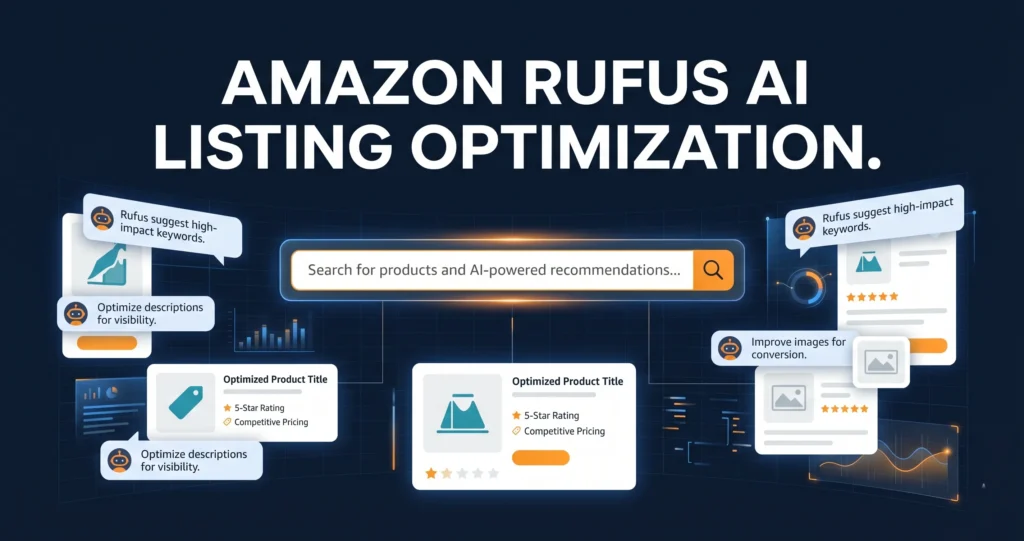
Amazon Rufus AI listing optimization is no longer optional for sellers who want to compete. Rufus, Amazon’s AI shopping assistant, now handles over 274 million queries every day, and it decides which products buyers see first.
Table of Contents
- What Is Amazon Rufus and Why Does It Matter?
- How Rufus Reads your Product Listings
- Amazon Rufus AI Listing Optimization: Step-by-Step
- Intent-Based Keyword Targeting for Rufus
- The Amazon A10 Algorithm and Rufus in 2026
- Standard SEO vs Rufus Optimisation: Key Differences
- Common Mistakes Sellers Make with Rufus
- Frequently Asked Questions
- Conclusion
What Is Amazon Rufus and Why Does It Matter?
Rufus is Amazon’s built-in AI shopping assistant. It answers shopper questions directly inside the Amazon app and search results.
Firstly, Rufus does not just match keywords. Instead, it reads your entire listing to understand what your product does and who it suits.
For example, a shopper might type: “What’s the quietest blender for a small apartment?” Rufus then scans listings and picks the products whose content best answers that question.
So, if your listing doesn’t answer real buyer questions, Rufus skips it. As a result, your competitor gets the sale.
In fact, Rufus users convert at a 60% higher rate than shoppers who don’t use Rufus. That means Amazon Rufus AI listing optimization directly affects your revenue, not just your rankings.
Pro Tip: Go to your product page on Amazon. Scroll down and look at the questions Rufus prompts buyers to ask. Use those exact questions to guide your bullet points and A+ Content copy.
How Rufus Reads Your Product Listings
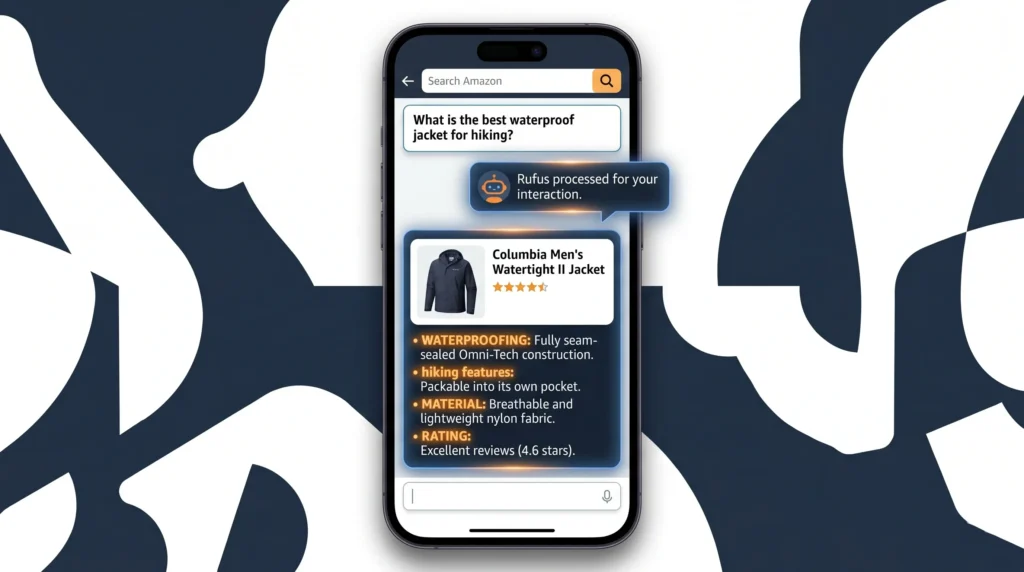
Rufus doesn’t just read your title and bullets. It also scans your Q&A section, your A+ Content, your reviews, and your Brand Story module.
Specifically, Rufus looks for three things in every listing. First, it wants clear answers to buyer questions. Second, it needs specific product details with real numbers and features. Third, it checks whether your content matches the shopper’s actual intent.
For instance, a listing that says “waterproof material” performs worse than one that says “IPX7 waterproof, tested at 30 metres for 30 minutes.” Rufus prefers specific facts.
Additionally, Rufus reads your Q&A section more than Most Sellers realise. A listing that went from 4 Q&A entries to 18 specific answers saw a 9% lift in conversion rate, according to research from Ecom Clips. That’s a significant gain from one section alone.
Therefore, your goal is to make every section of your listing a self-contained answer to a specific buyer question. Think of each bullet point as a reply to a Rufus query.
What Rufus Ignores
Rufus deprioritises keyword-stuffed copy that doesn’t read naturally. It also ignores thin Q&A sections with vague answers like “Please refer to the product description.”
Similarly, Rufus skips A+ Content that’s mostly decorative. Content must contain real, specific information to be useful to the AI.
Amazon Rufus AI Listing Optimization: Step-by-Step
Amazon Rufus AI listing optimization follows a clear process. You can start applying it today, even if your listings are already live.
Step 1: Pull the Rufus Questions From Your Listing
Open your live product page on Amazon. Rufus displays suggested questions near the product images. Write them all down.
Next, check if your listing actually answers those questions. Most listings don’t, and that’s the gap you need to close.
Step 2: Rewrite Your Bullets as Question Answers
Each bullet should open with a benefit, then answer a common buyer question with a specific detail. For example: “100% Waterproof: Survives rain, sweat, and spills so you never miss a workout.”
Also, avoid repeating the same phrase in every bullet. Rufus reads all five bullets together, so vary your language and cover different use cases.
Step 3: Build Out Your Q&A Section
Aim for at least 15 to 20 detailed Q&A entries per listing. Write natural, conversational answers that use the words real buyers use.
For instance, if buyers ask “Is this safe for children?”, don’t answer “Yes.” Instead, write: “Yes, this product meets ASTM F963 safety standards and contains no BPA. It’s safe for children aged 3 and above.”
Step 4: Add a Specific, Story-Driven Brand Story Module
Your Brand Story is not just a brand registry checkbox. Rufus reads it. Use it to explain who your product is for and what problem it solves.
In addition, your Brand Story unlocks access to Premium A+ Content. Premium A+ boosts conversion rates by up to 20% compared to plain text, according to Amazon’s own data.
Step 5: Optimise Your A+ Content for Rufus
Include comparison tables, FAQ modules, and use-case infographics. Rufus pulls structured content from A+ much more readily than it pulls from plain description text.
Most importantly, don’t treat A+ Content as decoration. Every module should answer a buyer question or remove a purchase objection.
- Use the FAQ module to pre-answer the top 5 objections from your reviews.
- Use the comparison table to show how your product beats alternatives on the metrics buyers care about.
- Use image alt text with natural language descriptions, not keyword strings.
- Use the “Regimen” or carousel module to show real-world use cases.
- Add video to Premium A+ if available. Rufus uses video metadata to understand product context.
Warning: Unanswered Q&A questions are a direct signal to Rufus that your listing is incomplete. Every unanswered question is a reason Rufus will surface a competitor instead.
Intent-Based Keyword Targeting for Rufus
Intent-based keyword targeting is the single biggest shift sellers need to make for Amazon AI search ranking in 2026. Old-school Keyword Research finds what people type. Intent-based research finds what people mean.
For example, the old approach targets “waterproof hiking boots men size 10.” The Rufus-era approach targets “best waterproof boots for hiking in wet Scottish weather.” These are very different phrases, and Rufus rewards the second style.
To build your intent keyword list, start by reading your one-star and three-star reviews. Buyers spell out exactly what they wanted but didn’t get. Those phrases are your highest-value intent keywords.
Secondly, use the autocomplete bar in Amazon search to find question-style keywords. Search “hiking boots for” and record every suggestion. Each one is a real buyer intent signal.
Thirdly, check the “Customers also ask” section in Google for your product category. Those questions map directly to what Rufus answers inside Amazon.
- Target phrases that start with “best”, “for”, “that works with”, “safe for”, and “under $X”.
- Include size, weight, age range, and material details in your copy, not just in the title.
- Write at least one bullet that addresses a common misuse or wrong-fit scenario to build trust.
- Use your backend search terms to index for spelling variations and synonym phrases.
Our SEO team at Advertpreneur builds full intent keyword maps for clients across every category. You can get a free strategy review to see where your listing is missing key intent signals.
The Amazon A10 Algorithm and Rufus in 2026
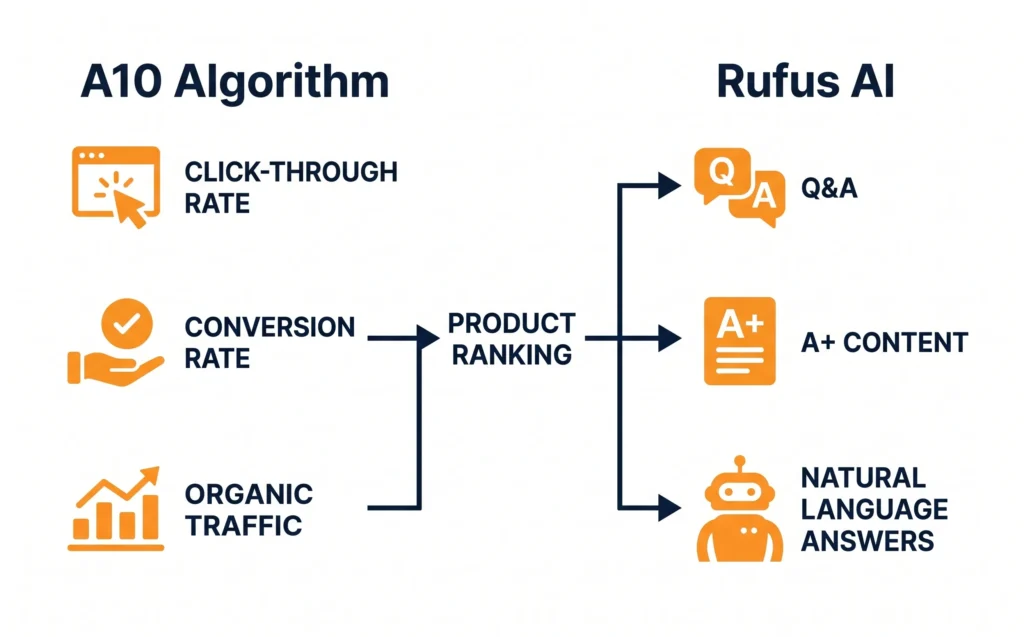
The Amazon A10 algorithm and Rufus now work together as a two-layer system. A10 decides your organic search rank. Rufus decides whether you get recommended in AI-driven answers.
Specifically, A10 still rewards click-through rate, conversion rate, and off-Amazon traffic. But Rufus adds a new layer: it rewards content depth, answer quality, and natural language relevance.
So, you need to satisfy both. A thin listing might rank well organically but still get skipped by Rufus. Conversely, a rich listing with poor keyword coverage won’t appear in either system.
For Amazon Listing Optimization 2026, the winning formula combines A10 keyword discipline with Rufus-ready conversational content. You can’t choose one over the other.
In addition, A10 now places significant weight on off-Amazon traffic. Driving buyers from TikTok, Pinterest, or email to Your Amazon Listing gives your ranking a genuine boost. Rufus then takes over once the buyer lands on your page.
Also, AI shopping assistant optimization is not a one-time task. Amazon updates Rufus regularly. Sellers who monitor their Rufus question prompts monthly and update their listings accordingly will outpace those who set and forget.
Standard SEO vs Rufus Optimisation: Key Differences
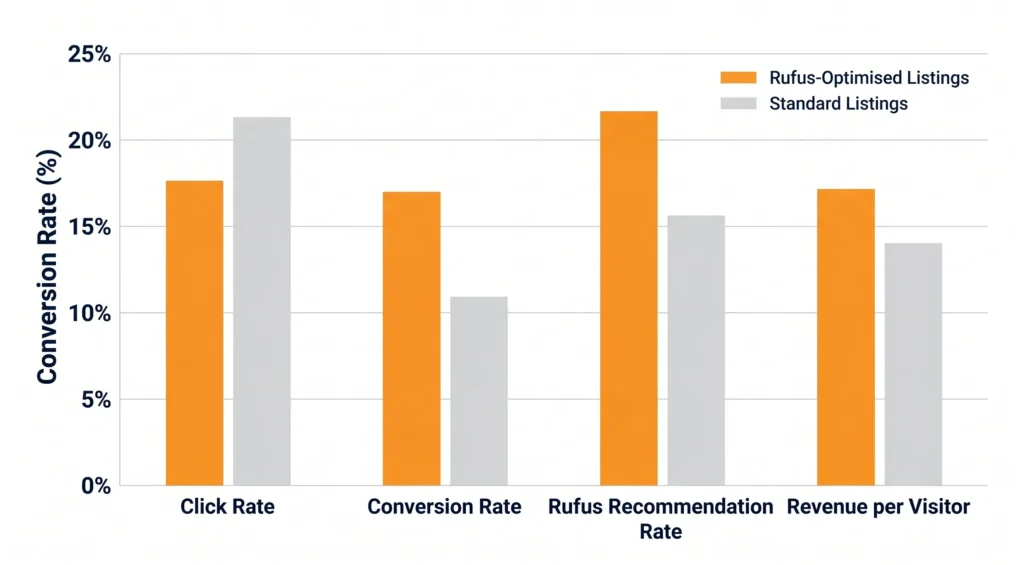
Many sellers try to apply old Amazon SEO rules to a Rufus world. The two approaches differ in almost every important way.
Table: Standard Amazon SEO vs Rufus-Ready Listing Optimisation in 2026
| Factor | Standard Amazon SEO | Rufus Optimisation |
|---|---|---|
| Keyword Style | Short, high-volume exact match | Long-tail, question-style, intent-based |
| Bullet Points | Feature-first with keyword insertion | Answer-first with specific details |
| Q&A Section | Often ignored or left to buyers | Actively managed with 15 to 20 entries |
| A+ Content | Brand storytelling focus | FAQ modules, comparison tables, use cases |
| Backend Keywords | Max keyword stuffing | Synonyms, misspellings, Spanish variants |
| Title Structure | Keyword heavy, front-loaded | Keyword + context + use-case phrase |
| Content Length | As short as possible | As detailed as needed to answer all questions |
| Update Frequency | Quarterly or after rank drop | Monthly, tracking Rufus prompts |
For an expert breakdown of how Amazon’s ranking systems are evolving, read this detailed Amazon listing optimisation guide from Incrementum Digital. It covers the data behind Rufus’s influence on sales.
Common Mistakes Sellers Make with Rufus
Most sellers lose visibility to Rufus not because their products are bad but because their listings don’t give Rufus enough to work with.
Mistake 1: Ignoring the Q&A Section
This is the most common gap. Rufus actively pulls from Q&A to answer shopper queries. An empty or vague Q&A section is a direct competitive disadvantage.
Mistake 2: Keyword-First Bullet Points
Bullets like “PREMIUM QUALITY: Made with the best materials for superior performance” tell Rufus nothing. Rufus can’t use that to answer a real buyer question. Specifics win every time.
Mistake 3: Treating A+ Content as Visual Branding Only
Sellers who use A+ purely for brand aesthetic miss the structured content opportunity. Rufus reads text inside A+ modules. Decorative layouts without real product answers waste the space.
Mistake 4: Not Monitoring Rufus Prompt Changes
Amazon updates the suggested Rufus questions on your product page regularly. Sellers who check these monthly and update their content accordingly stay ahead. Those who don’t slowly lose Rufus recommendations to faster-moving competitors.
For a deep dive into Q&A optimisation and how it affects AI recommendations, see this Amazon Q&A optimisation guide from Ecom Clips. It’s one of the best practical resources available right now.
- Don’t copy competitor listings. Rufus sees duplicate content patterns across the catalogue.
- Don’t use generic phrases like “high quality” or “great value.” Rufus can’t use them to answer specific buyer questions.
- Don’t skip your Brand Story module. It’s required for Premium A+ access and Rufus reads it.
- Don’t neglect negative reviews. Mine them for the objections your listing currently fails to address.
Frequently Asked Questions
What is Amazon Rufus and how does it affect my listings?
Rufus is Amazon’s AI shopping assistant. It answers buyer questions by scanning product listings, Q&A sections, reviews, and A+ Content. If your listing doesn’t answer real buyer questions with specific details, Rufus recommends your competitors instead. Amazon Rufus AI listing optimization means structuring your content so Rufus can extract clear, useful answers from every section of your listing. Does Rufus affect my organic Amazon search ranking?
Rufus and the Amazon A10 algorithm work as two separate systems. A10 controls your organic search rank based on keywords, conversion rate, and click-through rate. Rufus controls whether your product gets recommended in AI-generated answers. You need to satisfy both. A Rufus-optimised listing with good A10 keyword coverage will outperform listings that focus on only one of the two systems. How many Q&A entries do I need for Rufus to recommend my product?
There’s no fixed minimum, but the data points to at least 15 to 20 detailed Q&A entries per listing. Each answer must be specific and use natural language. A listing that expanded from 4 to 18 Q&A entries saw a 9% conversion rate lift according to industry research. Thin, vague answers don’t help. Write Q&A entries the way you’d answer a customer on a phone call. What is intent-based keyword targeting and how is it different from standard keyword research?
Standard keyword research finds words people type into Amazon search. Intent-based keyword targeting finds what buyers actually mean and want. For example, “men’s running shoes size 10” is a keyword. “Best running shoes for flat feet that don’t cause knee pain” is an intent phrase. Rufus understands intent phrases and rewards listings that answer them directly. You build your intent keyword list from reviews, Rufus prompt questions, and Google’s People Also Ask box. Is Premium A+ Content worth it for smaller sellers in 2026?
Yes, if you qualify. Premium A+ Content Boosts Conversion Rates by up to 20% compared to plain text, according to Amazon’s own data. To unlock it, you need a published Brand Story across all your ASINs and at least five approved A+ Content projects in the past 12 months. Rufus also reads Premium A+ modules, especially FAQ and comparison table modules. For any hero ASIN, Premium A+ is one of the highest-return investments you can make. How often should I update my listing for Rufus optimisation?
Check your Rufus prompt questions monthly. Amazon updates these regularly based on shifting buyer behaviour. When the questions change, update your bullets, Q&A, and A+ Content to match. Also revisit your listing after every product review batch. New negative reviews often reveal gaps that Rufus is currently unable to answer from your content.
Ready to grow your Amazon business?
Get a free strategy call with Advertpreneur.Book Your Free Consultation
Conclusion
Amazon Rufus AI listing optimization is the most important shift in Amazon selling since the A9 algorithm first launched. Rufus now controls a significant share of buyer discovery, and sellers who ignore it will lose ground fast in 2026.
To summarise, you need to treat every section of your listing as a structured answer to a real buyer question. Rewrite your bullets with specific details. Build out your Q&A section. Use A+ Content modules that answer objections. Apply intent-based keyword targeting across all your copy. And check your Rufus prompt questions every month to stay current.
Finally, the sellers winning on Amazon in 2026 are the ones who think like their buyers, not like search bots. Rufus rewards content that genuinely helps people make good decisions. Start with your highest-revenue ASIN, apply this framework, and then work through the rest of your catalogue. The results will compound.
How amazon A content-boosts-conversion-rates-fast/”>Plus Content Design Helps You Increase Conversions Fast
 Content Design layout showing optimized product modules for higher conversions” class=”wp-image-7045″/>
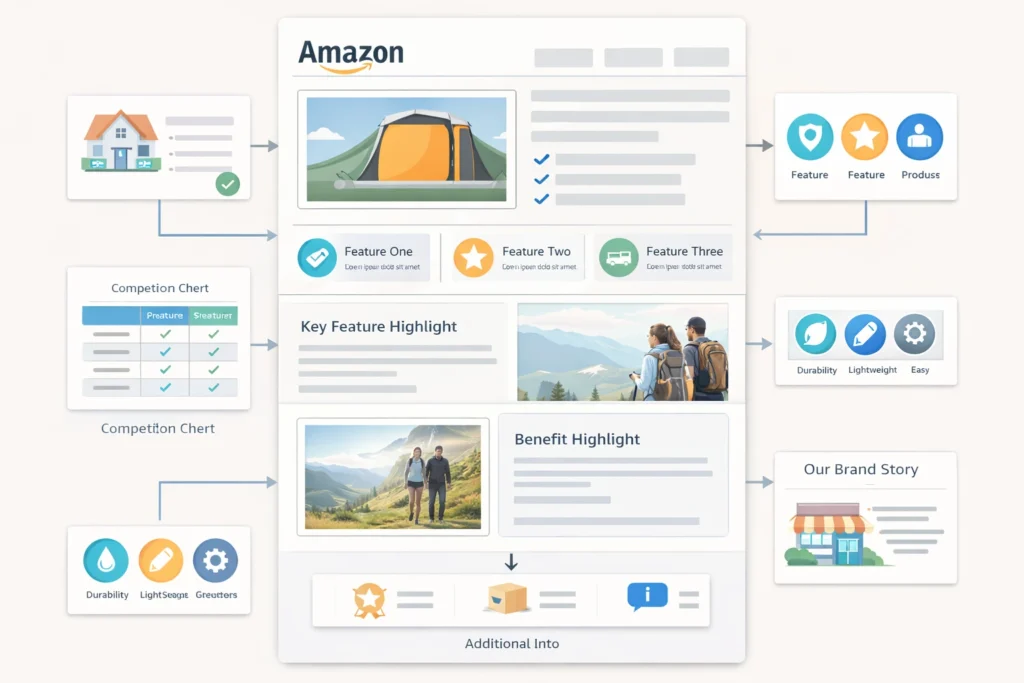
Amazon A Plus Content Design can change how buyers see your-product-listings/”>Your Product. It helps you explain value clearly and quickly.
Firstly, Most Sellers ignore this tool and lose sales. Secondly, you can use it to build trust and boost conversions.
Table of Contents
- What is A Plus Content
- Why Amazon A Plus Content Design Matters
- Key Elements of A Plus Content
- Steps to Create High Converting Content
- Comparison of Basic and Premium A Plus
- Common Mistakes to Avoid
- Frequently Asked Questions
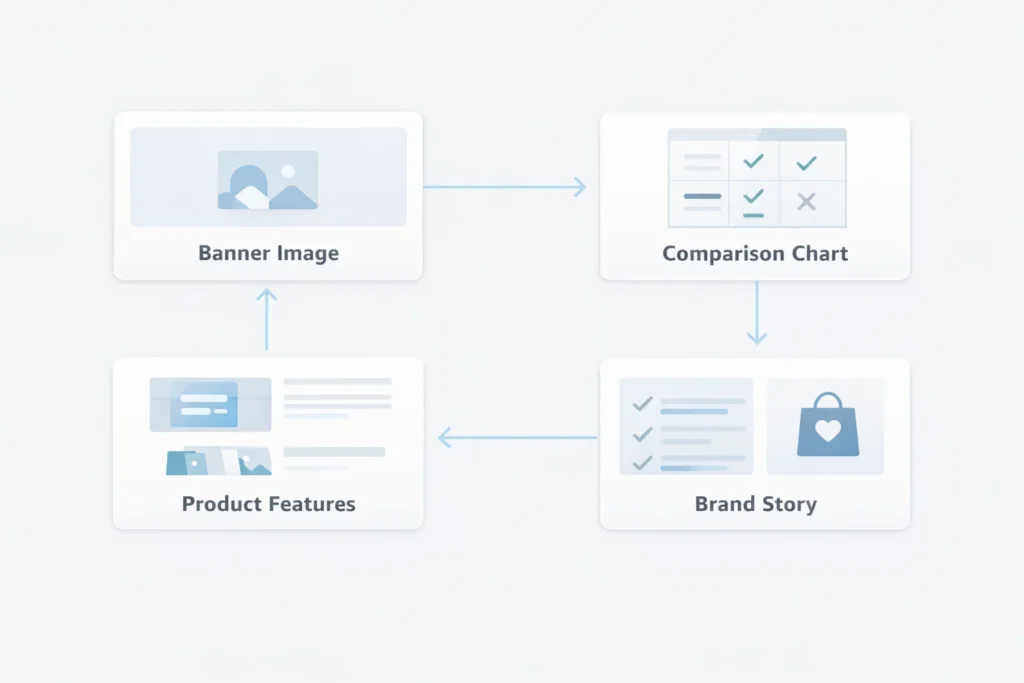
 Enhanced Brand Content Service diagram showing how modules connect in a listing” class=”wp-image-7046″/>
What is A Plus Content
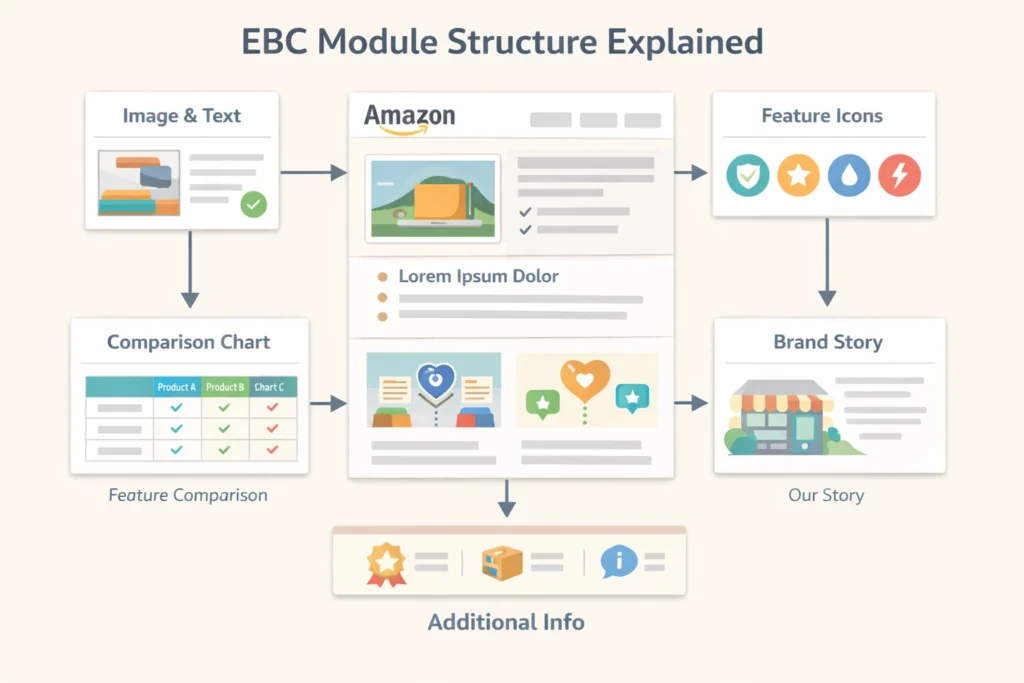
Firstly, A Plus content lets you add images and text blocks. Secondly, it replaces basic product descriptions with rich layouts.
In fact, sellers also call it EBC or Enhanced Brand Contnet. However, Amazon now uses the A Plus name.
Also, you need brand registry to use it. Therefore, most serious sellers invest in this early.
- Image modules explain features clearly
- Comparison charts help buyers decide faster
- Brand story builds trust
In addition, many sellers use an Amazon A Plus Content Service. That means experts handle design and layout.
Why Amazon A Plus Content Design Matters
Firstly, design affects how buyers feel about your product. Secondly, clean layouts reduce confusion.
Most importantly, Amazon A Plus Content Design improves conversion rates. As a result, you get more sales from same traffic.
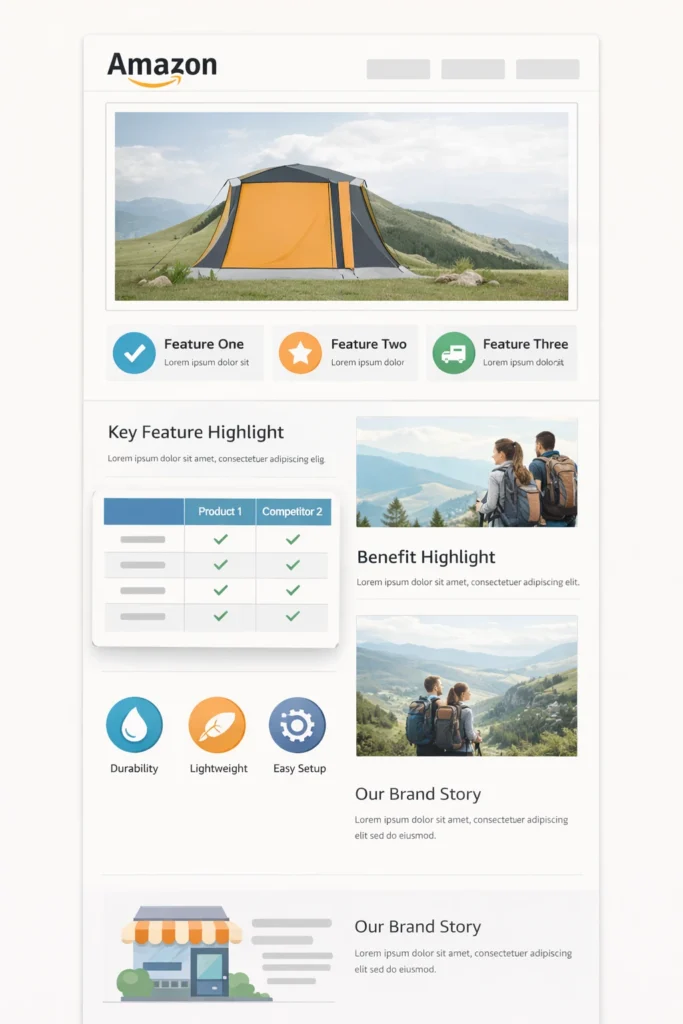
However, poor design can hurt trust. Therefore, always keep things simple and clear.
- Use clear images with real product context
- Keep text short and easy
- Focus on benefits, not features only
Pro Tip: Use real lifestyle images to show product use clearly.
Additionally, you can study tools from Amazon A Plus tools page. This helps you understand available modules.
Key Elements of A Plus Content
Firstly, strong Amazon A Plus Content Design uses a clear structure. Secondly, each section should answer one buyer question.
Images
Images should show product use clearly. For instance, lifestyle shots work better than plain photos.
Text Blocks
Text should stay short and direct. In other words, avoid long paragraphs.
Comparison Tables
Tables help buyers compare options quickly. As a result, they choose faster.
Brand Story
Story builds trust and loyalty. Meanwhile, it shows your brand personality.
Also, many sellers upgrade to Amazon Premium A Plus Content. This gives video and advanced layouts.
Warning: Do not overload content with too much text or images.
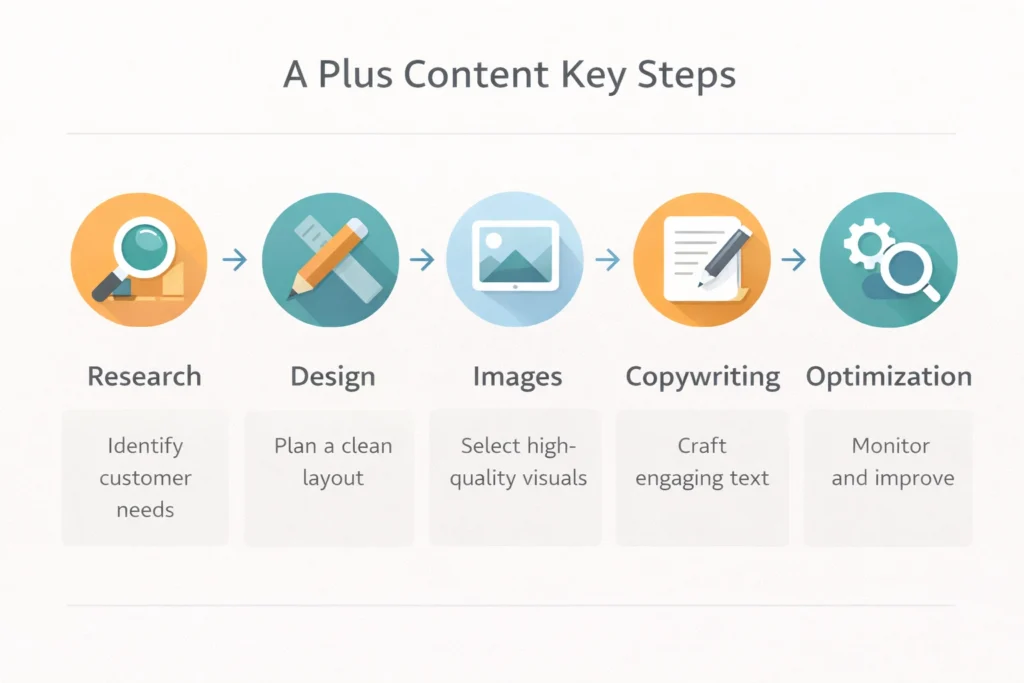
Steps to Create High Converting Content
Firstly, start with Keyword Research. Secondly, align content with buyer intent.
- Define your target customer
- Plan content sections clearly
- Create images with clear message
- Write short benefit driven text
- Test and improve based on results
In addition, check guidelines on Amazon content help page. This avoids rejection issues.
Also, you can use an Amazon A+ Contnet service to speed things up. That means experts handle everything for you.
Meanwhile, if you need strategy help, book a Free Amazon Consultation. This helps you plan better content.
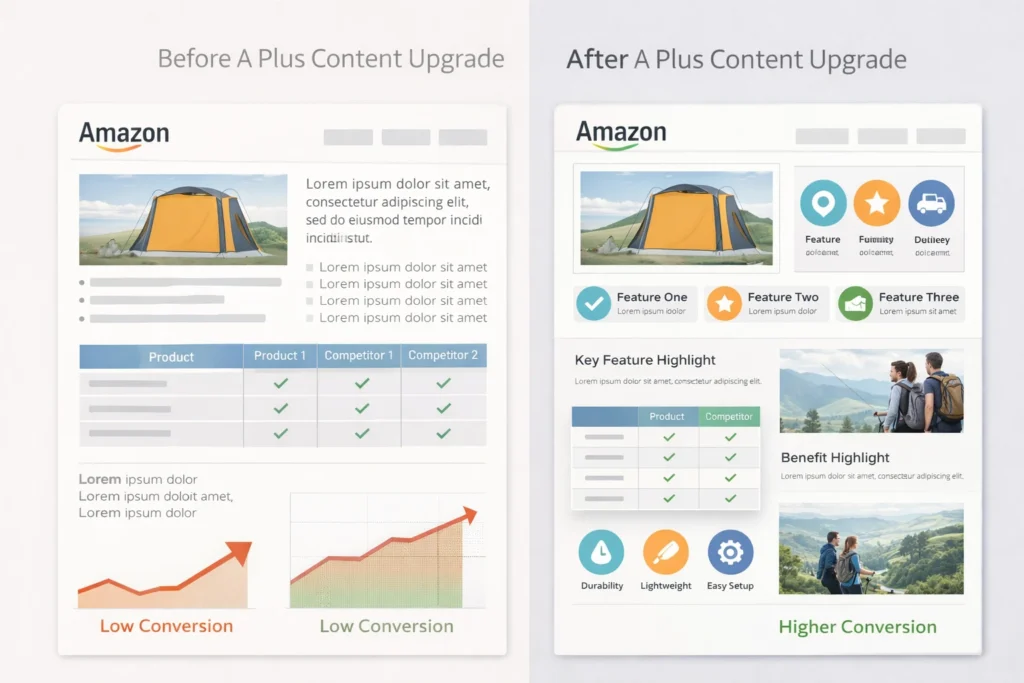
Comparison of Basic and Premium A Plus
Firstly, not all content types offer the same value. Secondly, premium options provide more flexibility.
| Feature | Basic A Plus | Premium A Plus |
|---|---|---|
| Modules | Standard layouts | Advanced layouts |
| Video | No | Yes |
| Interactivity | Limited | Higher |
| Brand Story | Basic | Enhanced |
Table: Differences between standard and premium A Plus content
In contrast, premium suits large brands. However, basic still works for new sellers.
Common Mistakes to Avoid
Firstly, many sellers copy competitors blindly. Secondly, this leads to weak content.
- Using too much text
- Ignoring mobile layout
- Poor image quality
- No clear message
However, good Amazon A Plus Content Design avoids these issues. Therefore, always review your layout before publishing.
Frequently Asked Questions
What is Amazon A Plus Content Design?
It is a way to enhance product pages with rich images and text. Does A Plus content increase sales?
Yes, it improves trust and clarity, which leads to higher conversions. What is EBC?
EBC stands for Enhanced Brand Content, which is the old name. Should new sellers use A Plus?
Yes, it helps build trust even for new brands. Do I need a service for A Plus content?
You can do it yourself, but services save time and improve results.
Ready to grow your Amazon business?
Get a free strategy call with Advertpreneur.Book Your Free Consultation
Conclusion
Amazon A Plus Content Design plays a key role in product success. It helps buyers understand value fast.
Therefore, strong design leads to better conversions and more sales. In short, every seller should invest in it.
How amazon a plus content helps sellers increase conversions
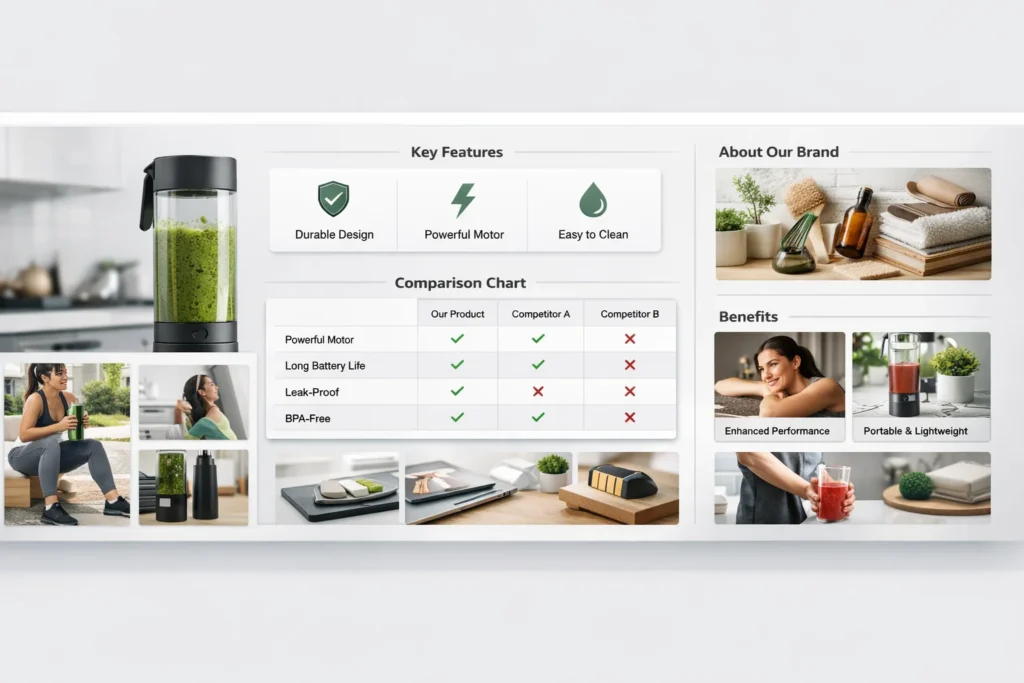
amazon a plus content helps sellers turn traffic into sales. Firstly, it improves how buyers see your product. Secondly, it builds trust fast. Therefore, more people click buy.
Table of Contents
- What is amazon a plus content
- Why it boosts conversions
- amazon a plus Content Design tips
- Comparison with basic listings
- Common mistakes to avoid
- FAQ
- Conclusion
 Enhanced Brand Content structure diagram with modules and layout blocks” class=”wp-image-6998″/>
What is amazon a plus content
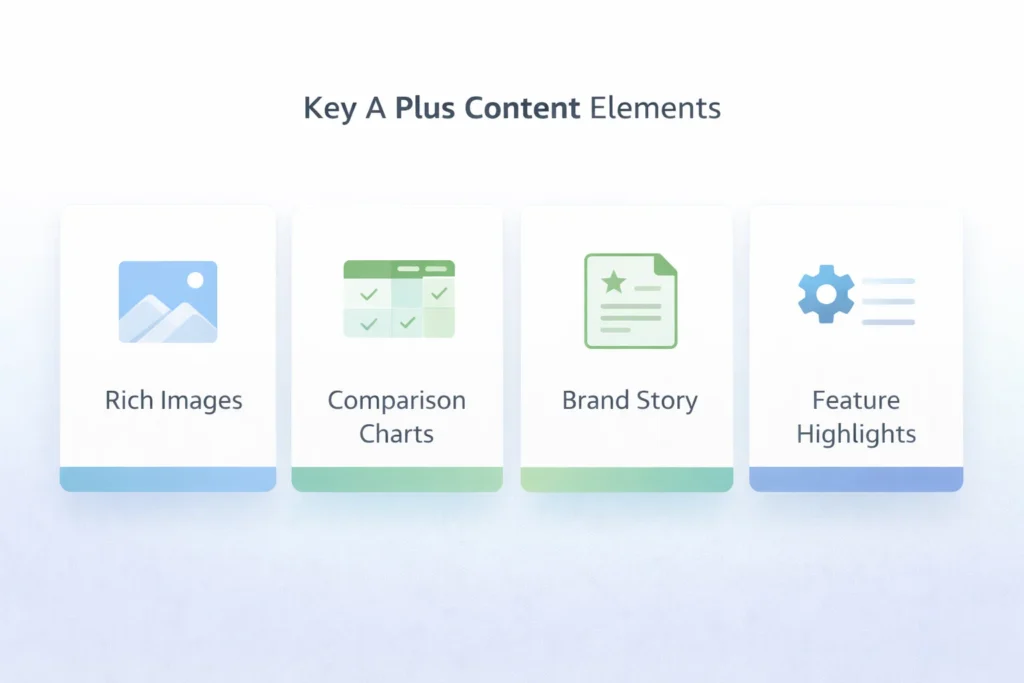
Firstly, amazon a plus content replaces plain text with rich visuals. Secondly, it adds images, charts, and brand story blocks. Therefore, buyers understand your product faster.
In fact, Amazon first called this amazon ebc. However, they later renamed it enhanced brand content. That means sellers now get more design control.
Additionally, you can use modules like comparison charts. For example, you can show features side by side. As a result, buyers make decisions quickly.
To start, check the official guide here Amazon A Plus Content tool guide.
Also, you can explore strategy insights here Amazon A Plus Content guide.
Meanwhile, if you need expert help, visit our A Plus Content service page.
- Improves product understanding
- Builds brand identity
- Reduces buyer hesitation
- Supports upselling
Why amazon a plus content boosts conversions
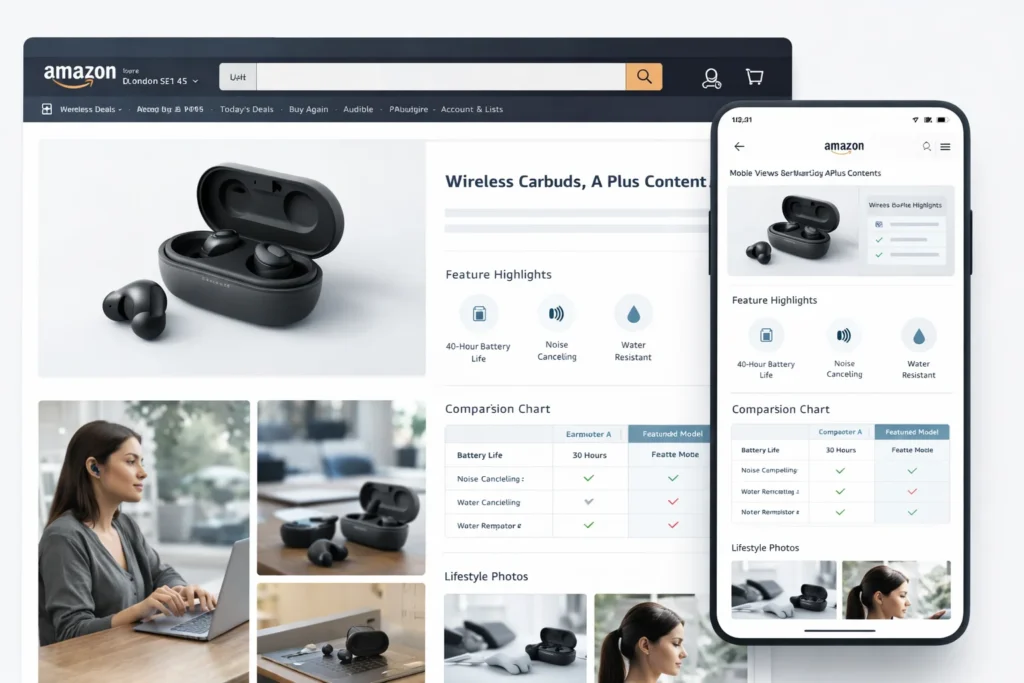
Firstly, visuals increase trust instantly. Secondly, buyers prefer images over text. Therefore, they stay longer on your page.
In contrast, plain listings feel weak. However, rich layouts look more reliable. That means your Amazon Listing conversion rate improves.
Most importantly, A Plus helps explain benefits clearly. For instance, you can show use cases. As a result, buyers imagine owning the product.
Additionally, good amazon image optimization supports better storytelling. So, you guide buyers step by step.
Pro Tip: Use lifestyle images that show real usage. Buyers connect faster.
Similarly, comparison charts help reduce confusion. That means fewer doubts before checkout.
Finally, strong branding increases repeat buyers. So, you build long term growth.
- Add clear benefit focused images
- Use simple text overlays
- Keep sections clean and readable
- Guide the buyer journey visually
amazon a Plus Content Design tips
Firstly, focus on clean layouts. Secondly, avoid cluttered designs. Therefore, buyers scan content easily.
Next, use consistent colours and fonts. In addition, match your brand style. That means your page looks professional.
For example, use icons to highlight features. Also, use short text blocks. As a result, content feels easy to read.
In fact, strong amazon a plus content design combines visuals and clarity. So, every section should answer a question.
- Use high resolution images
- Keep text short and clear
- Add comparison modules
- Show real life usage
However, avoid keyword stuffing in images. Instead, focus on clarity. That means better user experience.
Warning: Avoid too much text in images. Buyers skip heavy content quickly.
Comparison with basic listings
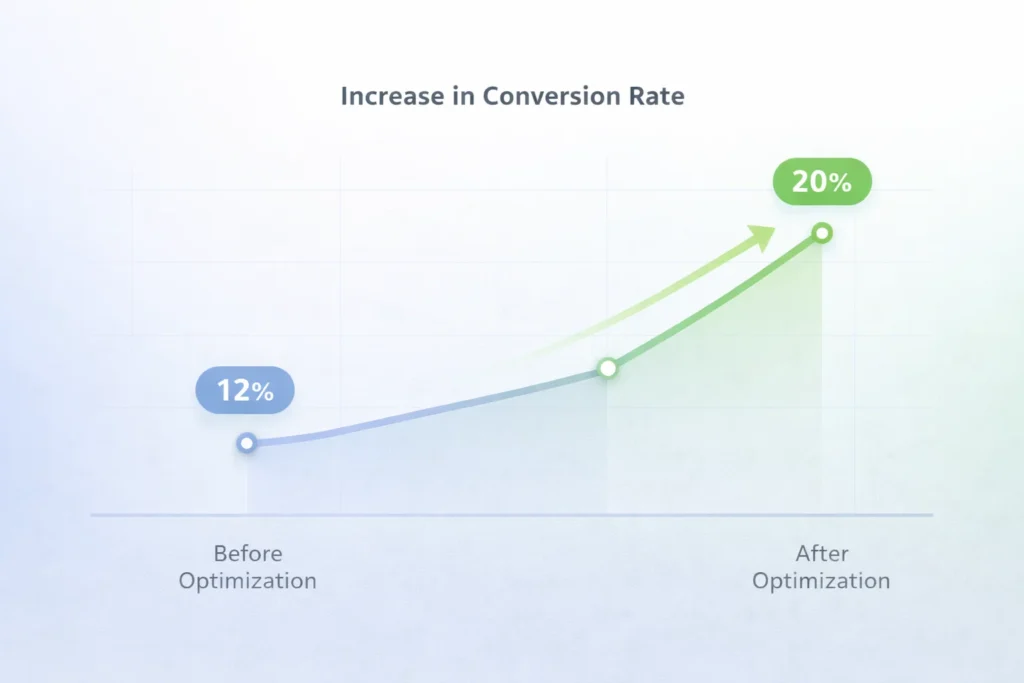
Firstly, basic listings rely on bullet points. Secondly, they lack visual depth. Therefore, they convert lower.
| Feature | Basic Listing | A Plus Content |
|---|---|---|
| Visuals | Limited | Rich images and layouts |
| Brand Story | Missing | Strong presence |
| Conversion Rate | Lower | Higher |
| Buyer Trust | Low | High |
Table: Basic listing vs A Plus Content performance
In contrast, A Plus builds confidence. So, buyers feel safe purchasing.
Common mistakes to avoid
Firstly, many sellers overload images with text. Secondly, they ignore design flow. Therefore, buyers feel confused.
However, simple layouts perform better. So, keep things clean and clear.
- Using low quality images
- Adding too much text
- Ignoring mobile view
- Lack of clear structure
Meanwhile, avoid copying competitors. Instead, build your own brand voice.
Frequently Asked Questions
What is amazon a plus content?
It is a feature that adds rich visuals and branding to product pages. Does A Plus Content increase sales?
Yes, it improves trust and clarity, which increases conversions. Is amazon ebc the same as A Plus?
Yes, Amazon renamed EBC to A Plus Content. How does design impact conversions?
Good design makes content easy to read and builds trust quickly. Do I need professional help?
Not always, but experts can improve results faster.
Ready to grow your Amazon business?
Get a free strategy call with Advertpreneur.Book Your Free Consultation
Conclusion
amazon a plus content helps sellers improve trust and clarity. Therefore, it increases conversions over time.
In short, strong visuals guide buyers better. So, they feel confident before buying.
Finally, if you want better results, invest in amazon a plus content today. It can change how your listings perform.
Introduction
Amazon A+ Content (Enhanced Brand Content) is one of the most powerful tools for increasing product conversions. Studies show that A+ Content can boost conversion rates by 5-10% and significantly reduce returns by setting proper customer expectations.
But creating effective A+ Content isn’t just about adding pretty images—it’s about strategic storytelling, conversion optimization, and understanding what makes customers click “Add to Cart.”
In this comprehensive guide, we’ll teach you everything you need to know about creating Amazon A+ Content that converts browsers into buyers and drives real sales growth.
What is Amazon A+ Content?
Amazon A+ Content (also called Enhanced Brand Content or EBC) is premium content that allows brand-registered sellers to add rich media, detailed product information, and brand storytelling to their product listings.
Key Features:
- Rich visual content – Images, infographics, comparison charts
- Extended product information – Beyond standard listing fields
- Brand storytelling – Connect with customers emotionally
- Mobile-optimized – Automatically responsive
- Free for Brand Registry sellers – No additional cost
Who Can Use A+ Content?
- Brand Registry sellers – Must be enrolled in Amazon Brand Registry
- Vendor Central sellers – Automatic access
- Some third-party sellers – Limited access in certain categories
Why Amazon A+ Content Matters
The Impact of A+ Content:
Conversion Rate Increase:
- Average 5-10% conversion rate boost
- Some sellers see 15-20% increases
- Higher conversions = better organic rankings
Return Rate Reduction:
- Better set expectations = fewer returns
- Detailed product info = informed purchases
- Visual storytelling = reduced buyer’s remorse
Brand Building:
- Tell your brand story – Build emotional connection
- Showcase brand values – Stand out from competitors
- Professional appearance – Builds trust and credibility
SEO Benefits:
- Indirect SEO boost – Higher conversions improve rankings
- More time on page – Signals quality to Amazon
- Lower bounce rate – Engaged customers stay longer
Types of Amazon A+ Content Modules
Amazon offers various A+ Content modules. Here are the most effective:
1. Standard Image with Text
- Best for: Feature highlights, benefits
- Layout: Image on left/right, text on opposite side
- Use case: Explain key features with visuals
2. Standard Single Image and Sidebar
- Best for: Hero product shots
- Layout: Large image with sidebar text
- Use case: Main product showcase
3. Standard Four Image and Text
- Best for: Multiple features
- Layout: 4 images with text blocks
- Use case: Comprehensive feature overview
4. Standard Single Image and Specifications
- Best for: Technical products
- Layout: Image with detailed specs table
- Use case: Electronics, appliances, technical items
5. Comparison Chart
- Best for: Competitive advantage
- Layout: Side-by-side comparison
- Use case: Show why your product is better
6. Standard Image and Dark Text Overlay
- Best for: Lifestyle images
- Layout: Text overlaid on image
- Use case: Emotional storytelling
7. Standard Three Images and Text
- Best for: Product variations
- Layout: 3 images with descriptions
- Use case: Show different models/colors
Amazon A+ Content Best Practices
1. Lead with Benefits, Not Features
❌ Bad: “Our headphones have Bluetooth 5.0 technology” ✅ Good: “Wireless Freedom: Advanced Bluetooth 5.0 keeps you connected up to 33 feet away, perfect for workouts, commuting, or working from home.”
2. Use High-Quality Images
Image Requirements:
- Minimum 970px width for standard modules
- High resolution – Crisp, professional photos
- Consistent style – Match your brand aesthetic
- Optimized file size – Fast loading times
Image Types to Include:
- Lifestyle photos – Product in real use
- Infographics – Key features and benefits
- Comparison charts – Your product vs competitors
- Detail shots – Close-ups of important features
- Size guides – Help customers visualize
3. Tell Your Brand Story
Effective Brand Story Elements:
- Origin story – How your brand started
- Mission and values – What you stand for
- Quality commitment – Why customers should trust you
- Customer focus – How you serve buyers
Example Structure:
- Who We Are – Brand introduction
- Our Mission – What drives you
- Quality Promise – Why you’re different
- Customer Commitment – How you serve buyers
4. Address Customer Pain Points
Identify Pain Points:
- Read customer reviews – What problems do they mention?
- Check competitor reviews – What do customers complain about?
- Analyze Q&A sections – What questions come up?
- Use keyword research – What problems do searches reveal?
Address in A+ Content:
- Show how your product solves specific problems
- Use before/after comparisons
- Highlight problem-solving features
- Include testimonials or social proof
5. Use Social Proof Strategically
Types of Social Proof:
- Customer testimonials – Real quotes (with permission)
- Usage statistics – “Trusted by 50,000+ customers”
- Awards and certifications – Build credibility
- Press mentions – Media recognition
Placement:
- Near the top for immediate trust
- Throughout content for reinforcement
- At the bottom to close the sale
6. Optimize for Mobile
Mobile Considerations:
- 70%+ of Amazon traffic is mobile – Must look great on phones
- Test on devices – View your A+ Content on mobile
- Large, readable text – Easy to read on small screens
- Touch-friendly layouts – Consider thumb navigation
- Fast loading – Optimize image sizes
7. Include Clear CTAs
Effective CTAs in A+ Content:
- “Add to Cart” reminders (subtle, not pushy)
- “Learn More” for additional information
- “See All Features” to drive engagement
- “Check Reviews” to build trust
Amazon A+ Content Design Strategy
Design Principles:
1. Visual Hierarchy
- Most important info first – Lead with key benefits
- Use headings – Break up content for scannability
- White space – Don’t overcrowd modules
- Consistent styling – Match your brand
2. Color Psychology
- Brand colors – Reinforce brand identity
- Contrast – Ensure readability
- Emotional triggers – Use colors that match product type
- Accessibility – High contrast for readability
3. Typography
- Readable fonts – Clear, professional typefaces
- Size hierarchy – Headings > subheadings > body
- Line spacing – Comfortable reading experience
- Bold for emphasis – Highlight key points
4. Image Selection
- Professional photography – High-quality images
- Consistent style – Cohesive visual identity
- Relevant images – Support the content
- Optimized sizes – Fast loading, high quality
Step-by-Step: Creating Your A+ Content
Step 1: Research and Planning
Before You Start:
Step 2: Content Outline
Structure Your Content:
- Hero Section – Main product showcase
- Key Features – Top 3-5 benefits
- Problem/Solution – Address pain points
- Comparison – Why choose you?
- Brand Story – Connect emotionally
- Social Proof – Build trust
- Final CTA – Encourage purchase
Step 3: Create Visual Assets
Assets Needed:
- Product lifestyle photos
- Feature infographics
- Comparison charts
- Brand elements (logos, colors)
- Size/usage guides
Tools for Creating A+ Content:
- Canva – Easy graphic design
- Adobe Photoshop/Illustrator – Professional design
- Figma – Collaborative design
- Amazon’s A+ Content Manager – Built-in tools
Step 4: Write Compelling Copy
Copywriting Tips:
- Lead with benefits – What’s in it for them?
- Use power words – “Transform”, “Revolutionary”, “Ultimate”
- Be specific – “30-hour battery” not “long battery”
- Create urgency – “Limited time”, “Exclusive”
- Address objections – “Worried about fit? See our size guide”
Step 5: Build in A+ Content Manager
In Amazon Seller Central:
- Go to Advertising → A+ Content Manager
- Click “Create A+ Content”
- Choose template or custom layout
- Add modules and content
- Preview on desktop and mobile
- Submit for approval
Step 6: Submit and Wait for Approval
Approval Process:
- Usually 7 days for review
- Common rejections: Copyright issues, poor quality images, prohibited content
- Fix and resubmit if rejected
- Once approved – Assign to products
Amazon A+ Content Examples and Templates
Example 1: Electronics Product
Structure:
- Hero image with key benefit headline
- Feature grid (4 key features with icons)
- Technical specifications table
- Comparison chart vs competitors
- Brand story section
- Customer testimonials
Example 2: Fashion/Apparel
Structure:
- Lifestyle hero image
- Material and quality highlights
- Size and fit guide
- Styling suggestions
- Care instructions
- Brand values and sustainability
Example 3: Home & Kitchen
Structure:
- Product in use (lifestyle)
- Key features with benefits
- How it works (step-by-step)
- Comparison with alternatives
- Customer reviews highlights
- Warranty and support info
Common A+ Content Mistakes to Avoid
1. Too Much Text, Not Enough Visuals
❌ Mistake: Walls of text that overwhelm ✅ Solution: Balance text with compelling visuals
2. Generic Content
❌ Mistake: Same content for all products ✅ Solution: Customize for each product’s unique value
3. Poor Image Quality
❌ Mistake: Low-res, unprofessional images ✅ Solution: Invest in professional photography
4. Ignoring Mobile
❌ Mistake: Only designing for desktop ✅ Solution: Test and optimize for mobile first
5. No Clear Value Proposition
❌ Mistake: Features without benefits ✅ Solution: Always explain “what’s in it for me”
6. Missing Brand Story
❌ Mistake: Only product features ✅ Solution: Include brand narrative and values
7. Not Testing
❌ Mistake: Set it and forget it ✅ Solution: A/B test different versions
Measuring A+ Content Success
Key Metrics:
- Conversion Rate
- Before vs after A+ Content
- Target: 5-10% increase
- Track in Seller Central
- Time on Page
- Longer engagement = better signal
- Use Amazon Brand Analytics
- Compare to category average
- Return Rate
- Lower returns = better expectations set
- Track in Seller Central
- Compare pre/post A+ Content
- Sales Velocity
- Units sold per day/week
- Higher velocity = better rankings
- Monitor for consistency
A+ Content Optimization Tips
1. A/B Testing
- Test different headlines
- Try different image styles
- Compare module layouts
- Measure what converts best
2. Seasonal Updates
- Update for holidays
- Seasonal imagery
- Holiday-specific messaging
- Plan 2-3 months ahead
3. Competitor Analysis
- See what competitors do
- Identify gaps in their content
- Find opportunities to differentiate
- Learn from their successes
4. Customer Feedback Integration
- Use review insights
- Address common questions
- Highlight praised features
- Fix mentioned issues
A+ Content for Different Product Categories
Electronics:
- Technical specifications
- Compatibility information
- Setup guides
- Warranty details
Fashion/Apparel:
- Size guides
- Material information
- Care instructions
- Styling tips
Home & Kitchen:
- Usage instructions
- Cleaning guides
- Safety information
- Recipe ideas (if applicable)
Beauty/Personal Care:
- Ingredient lists
- Usage instructions
- Results expectations
- Safety warnings
Conclusion: Create A+ Content That Converts
Amazon A+ Content is a powerful tool for increasing conversions, reducing returns, and building your brand. But success requires strategic planning, high-quality assets, and customer-focused messaging.
Key Takeaways:
- Lead with benefits – Always explain what’s in it for customers
- Use quality visuals – Professional images make a difference
- Tell your story – Build emotional connection with your brand
- Address pain points – Show how you solve problems
- Test and optimize – Continuously improve based on data
Remember: A+ Content should convert browsers into buyers, not just look pretty. Every element should serve the goal of driving sales.
Need Professional A+ Content Design?
Our A+ Content Design service creates conversion-optimized Enhanced Brand Content that boosts sales and reduces returns. We handle everything from strategy to design to Amazon submission.
Related Resources
- → Amazon PPC Basics: Simple Guide for Beginners
- → 7 Amazon Sponsored Products Strategies That Lower ACoS by 40%
- → Amazon Listing Optimization: 15 Ways to Improve Your Product Listings
- → Complete Guide to Amazon SEO: How to Rank Your Products on Page 1 in 2025
- → Amazon Keyword Research: The Ultimate Guide to Finding Profitable Keywords
- → Amazon Product Title Optimization: How to Write Titles That Rank and Convert