Every week, a business owner asks some version of the same question: Should I build on Shopify or WordPress?
It feels like a technical question. It is not. It is a business decision with a three-year tail and picking the wrong answer costs more to fix than it cost to build in the first place.
This guide gives you a straight comparison. No platform loyalty. No vague “it depends.” Just the information you need to make the call before you spend a dollar on development.
The Core Difference Nobody Explains Clearly
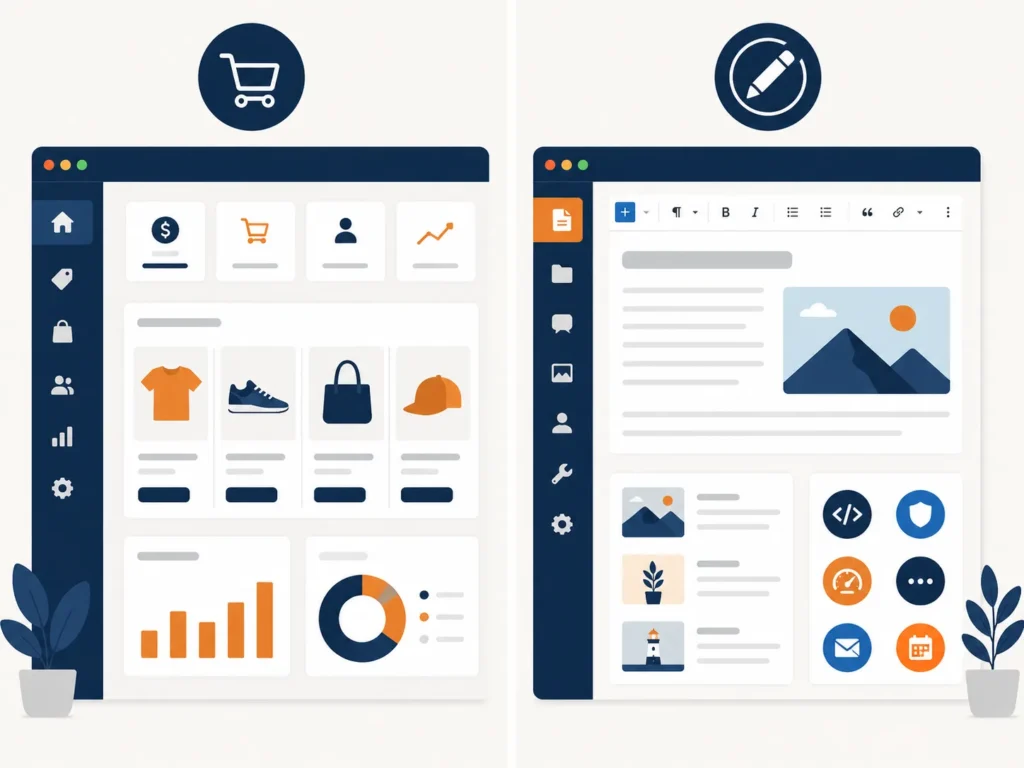
Shopify is a hosted commerce platform. You rent space on Shopify’s infrastructure, follow Shopify‘s rules, and in exchange, you never think about servers, security patches, or uptime.
WordPress is a self-hosted content management system. You own the code, the database, and the infrastructure. You control everything and you are responsible for everything.
If your business primarily sells services, content, or information, WordPress is almost always the right choice. If your business primarily sells physical or digital products, Shopify is almost always the right choice. That one sentence filters about 70% of the decisions correctly.
The other 30% is where the nuance lives.

Ease of Use and Time to Launch
Shopify is best for beginners who want a fast, all-in-one ecommerce setup with minimal technical work. WordPress with WooCommerce offers greater flexibility, customization, and long-term scalability.
The launch timeline difference is significant. A non-technical owner can have a Shopify store accepting payments within 24 hours, with basic setup complete in one to five days. WordPress/WooCommerce requires two to three weeks minimum for basic setup, with realistic timelines extending to three to four weeks or longer for typical non-technical users.
For business owners wearing ten hats, that gap matters. For businesses with a development partner handling the build, it matters less.
What this means for you: If you need to generate revenue in 30 days, Shopify gets you there faster. If you have a six-week runway and a clear growth vision, WordPress gives you a foundation you will not outgrow.
Real Costs in 2026 (Not the Marketing Numbers)
Both platforms mislead on pricing Shopify by burying transaction fees, WordPress by advertising a $0 entry point.
Shopify’s True Cost
Shopify’s pricing is predictable: Basic plans start at $39 per month, but realistic budgets including payment processing (2.9% plus $0.30 per transaction), essential apps, and backups typically reach $89 to $549 per month depending on sales volume. At $10,000 in monthly revenue, total costs land around $240 to $520 per month in fees alone.
There is also a checkout wall. Checkout customization is severely limited on standard plans and requires Shopify Plus with custom pricing starting around $2,300 per month. Most brands never hit that ceiling, but fast-growing stores do.
WordPress’s True Cost
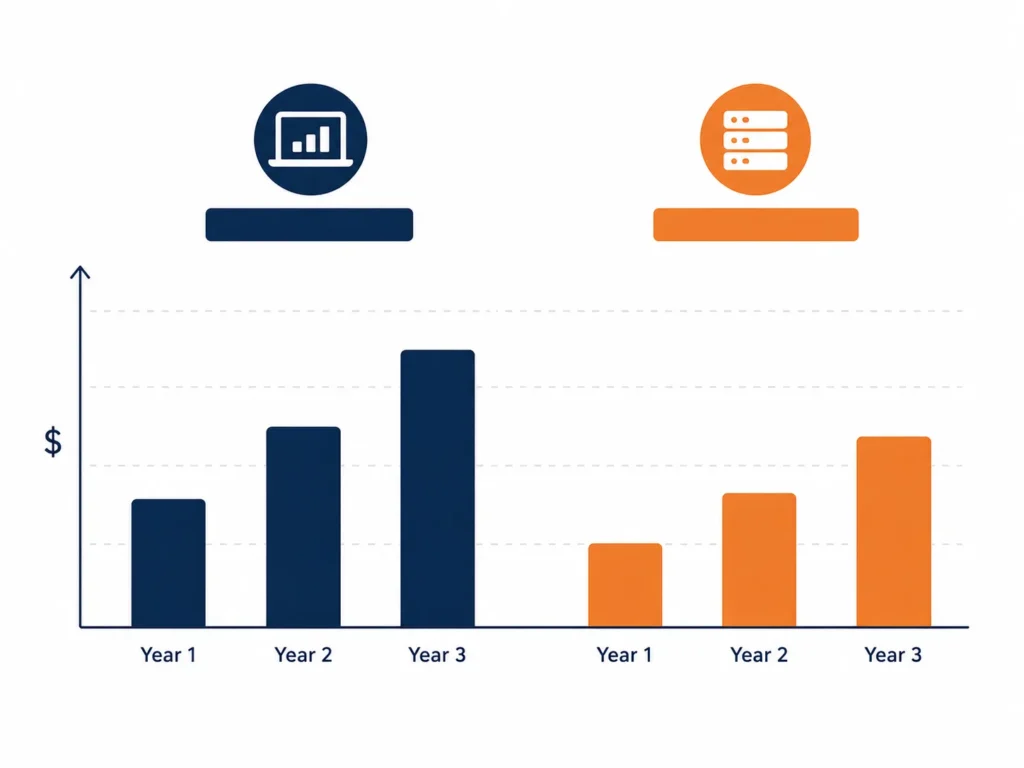
For WordPress with WooCommerce, the marketing claim of “$150 per year” masks true operating costs. Competitive small business stores cost $1,200 to $1,600 in Year 1 when including domain, hosting, essential plugins like security and abandoned cart recovery, and payment processing fees.
Year two costs more when promotional hosting rates expire typically $1,500 to $2,000 annually.
The long-term math favors WordPress for volume sellers. WordPress does not charge platform transaction fees; high-volume stores can save tens of thousands of dollars annually. Over a three-year perspective, the lower recurring fees often make WordPress the more profitable choice for established brands.
SEO: Where WordPress Still Wins
This is the clearest category in the comparison.
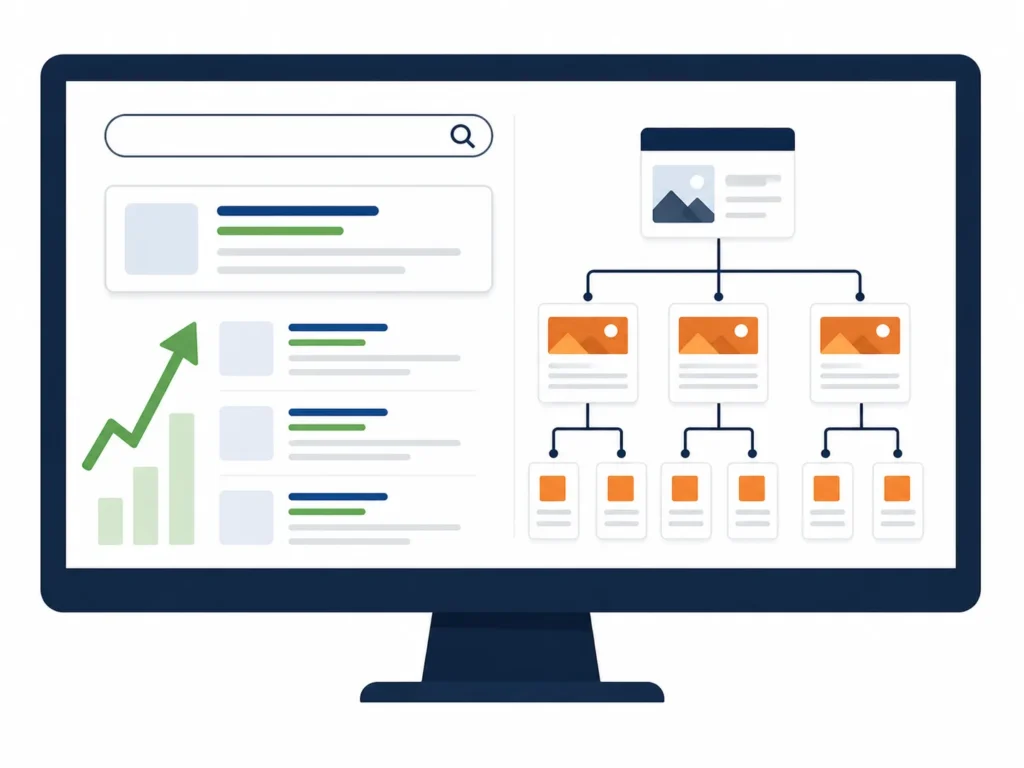
WordPress dominates when it comes to search engine optimization. With the right plugins — like Yoast SEO, Rank Math, or All in One SEO you can fine-tune every aspect of your site’s SEO strategy.
Shopify has improved significantly in recent years, but structural limitations remain. Shopify has limited ability to edit robots.txt, canonical tags, or implement advanced schema without custom coding or apps. These restrictions do not ruin your chances of ranking, but they can be a challenge for advanced SEO users.
For content-heavy strategies blogs, resource libraries, educational hubs WordPress is the stronger foundation. WordPress was built for content publishing. Creating, organizing, and optimizing large volumes of content is significantly easier on WordPress than on Shopify, which treats blog functionality as secondary to the shopping experience.
If you are investing in organic traffic as a core growth channel, this point alone often makes the decision.
Customization and Flexibility
Businesses looking for flexibility, SEO strength, content marketing, and long-term digital ownership should choose WooCommerce. It is also the number one choice for developers and agencies customizing ecommerce solutions and building bespoke customer experiences for clients with complex requirements.
Shopify handles standard commerce exceptionally well. The limits show up when your store needs something unusual. Shopify’s Liquid templating language lets you customize how content displays but restricts access to core business logic meaning you are customizing presentation, not business logic.
WordPress runs on open-source code. With 60,000 plus plugins available, WordPress can be extended to do almost anything: membership sites, online booking systems, course platforms, client portals, appointment scheduling, multi-language sites, and complex directory structures. If your website needs to do something unusual or highly specific to your business workflow, WordPress almost certainly has a plugin for it.
Custom integrations, third-party APIs, unique checkout flows all significantly easier to execute on WordPress.
Scalability and Infrastructure
Shopify’s infrastructure scales automatically. Shopify automatically configures servers to allocate resources based on your traffic, SKU count, and order volume. This low-maintenance scalability is hugely beneficial for fast-growth brands that lack a dedicated technical team.
WordPress scales according to your hosting infrastructure and technical architecture. A store running on a properly configured managed WordPress environment including object caching, a CDN, database optimization, and a staging pipeline handles millions of monthly visitors. But you need the right hosting setup from the start, or you will hit performance walls at inconvenient moments.
For DTC brands scaling fast with a lean team: Shopify. For brands that want full infrastructure control and have a technical partner: WordPress.
Which Platform Fits Which Business?
| Business Type | Recommended Platform |
|---|---|
| Product-only store, fast launch needed | Shopify |
| Content-driven brand, SEO is a priority | WordPress |
| High order volume, complex checkout | WordPress / WooCommerce |
| Service business or agency site | WordPress |
| Beginner, solo founder, no technical team | Shopify |
| Multi-vendor marketplace or custom integrations | WordPress |
| Scaling DTC brand, minimal dev overhead | Shopify |

The Question Most People Skip
Before choosing a platform, ask yourself: What does this site need to do in 18 months that it cannot do today?
Most businesses choose their platform for the wrong reason, usually because someone they know uses it end up limited by that choice within 18 months, and pay significantly more to migrate than they would have paid to choose correctly the first time.
That migration cost is real. Moving a store with product history, customer data, SEO equity, and established integrations from one platform to another is a five-figure project. It is not a weekend task.
Build for where your business is going, not where it is today.

How Advertpreneur Approaches Both Platforms
At Advertpreneur, we build and optimize on both. Shopify development for brands that need speed, clean product management, and reliable uptime. WordPress development for clients who need content depth, SEO flexibility, and custom functionality that off-the-shelf solutions do not cover.
The platform recommendation always comes after understanding the business not before. There is no universal winner. There is only the right tool for your specific situation.
If you are unsure which platform suits your goals, reach out. We will give you a straight answer.
Best with-ai/”>free wordpress themes That Keep your Site fast

Firstly, wordpress themes can make or break your site speed. Secondly, new site owners often pick heavy themes and slow everything down.
Therefore, you need smart choices from the start. As a result, you save time, money, and ranking potential.
Table of Contents
- Why Speed Matters for wordpress themes
- What Makes wordpress themes Fast
- Best Free wordpress themes in 2026
- Theme Comparison Table
- How to Choose the Right Theme
- Common Mistakes to Avoid
- Frequently Asked Questions
- Conclusion
Why Speed Matters for wordpress themes
Firstly, speed affects user experience right away. Secondly, slow pages make users leave fast.
Therefore, Google ranks faster sites higher. As a result, you gain more traffic without extra cost.
- Firstly, fast sites keep users longer
- Secondly, they reduce bounce rate
- Additionally, they improve SEO rankings
- Finally, they boost conversions
In fact, most beginners ignore this early. However, fixing speed later costs more time.
What Makes wordpress themes Fast
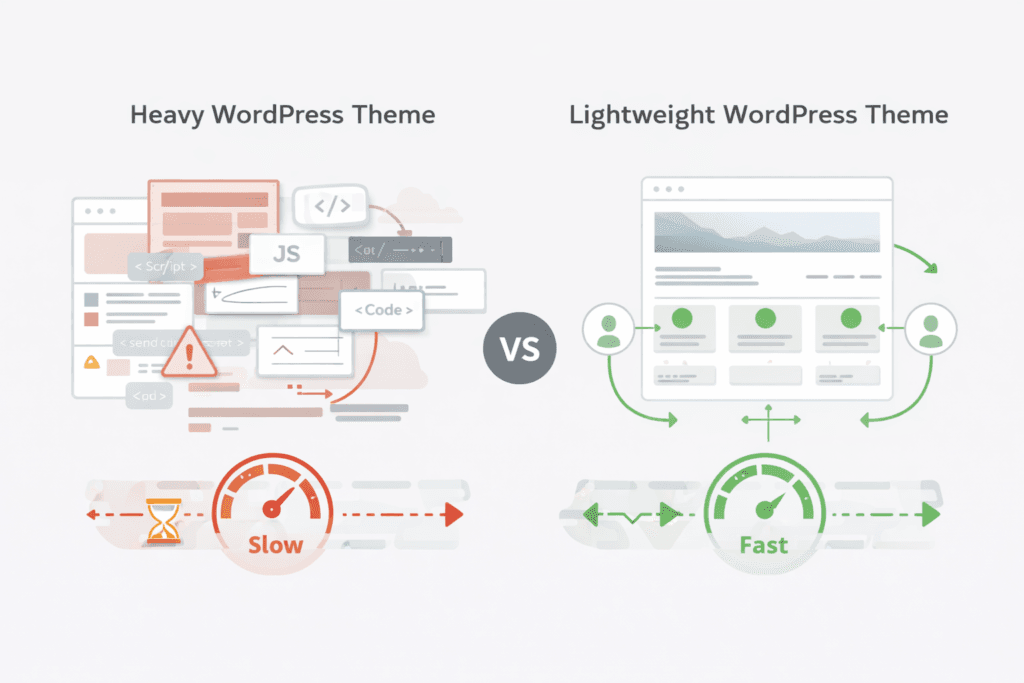
Firstly, lightweight wordpress themes use clean code. Secondly, they avoid heavy scripts and extra files.
Therefore, pages load faster and smoother. As a result, users enjoy a better experience.
- Minimal design structure
- Clean CSS and JS files
- Fewer plugin dependencies
- Optimised mobile layout
Meanwhile, fast wordpress themes also support caching tools. Similarly, they work well with CDN setups.
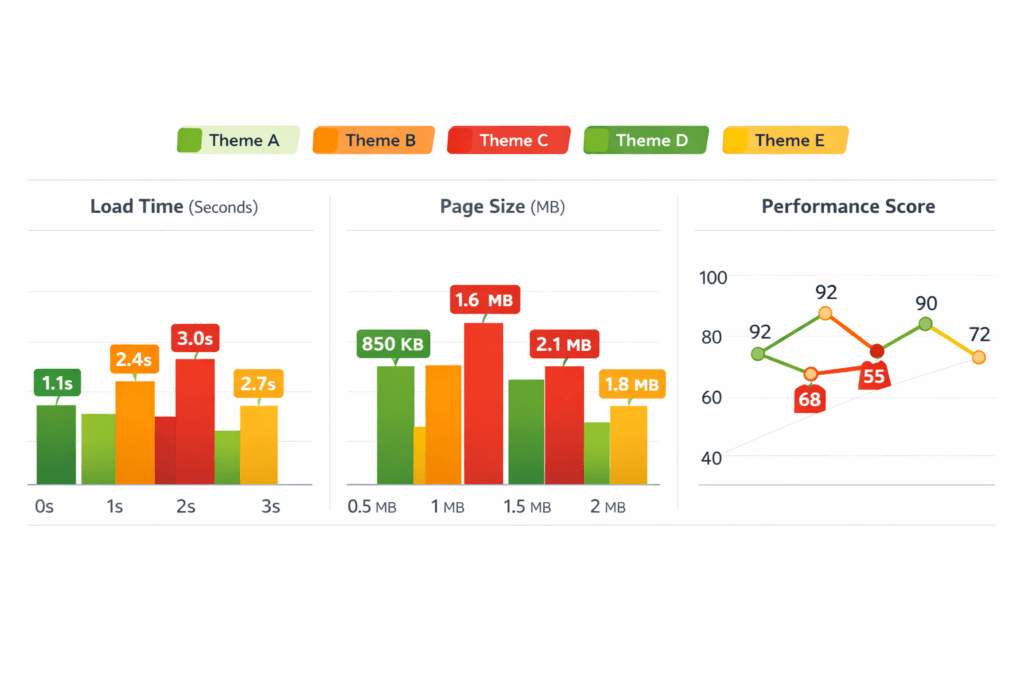
Pro Tip: Always test your theme with PageSpeed Insights before final use
Best Free wordpress themes in 2026
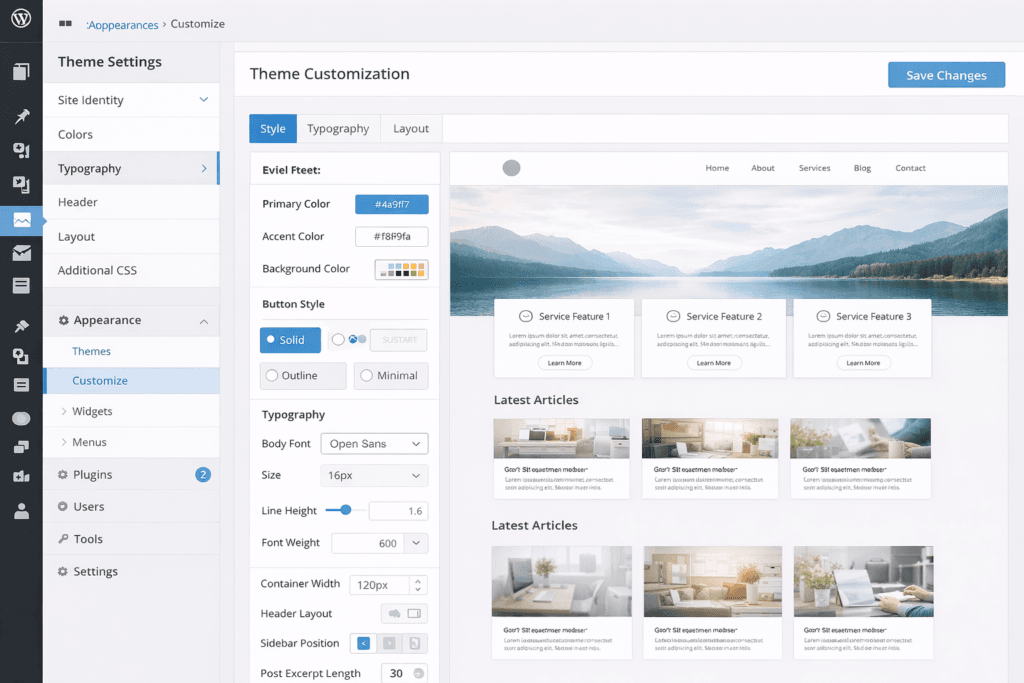
Firstly, not all wordpress themes perform equally well. Secondly, some free options still deliver great speed.
Astra
Firstly, Astra loads very fast out of the box. Secondly, it works well with most builders.
GeneratePress
Secondly, GeneratePress focuses on clean code. Therefore, it offers one of the best speed scores.
Neve
Thirdly, Neve works well for Small Businesses. As a result, it supports mobile-first design.
Hello Theme
Additionally, Hello works best with Elementor users. However, it stays very lightweight.
For example, you can explore more options on WordPress theme directory. Similarly, real user feedback appears on WordPress Reddit discussions.
Theme Comparison Table
| Theme | Speed | Ease of Use | Best For |
|---|---|---|---|
| Astra | Very Fast | Easy | Beginners |
| GeneratePress | Very Fast | Moderate | Bloggers |
| Neve | Fast | Easy | Small Business |
| Hello | Very Fast | Advanced | Elementor Users |
Table: Comparison of popular fast wordpress themes
How to Choose the Right Theme
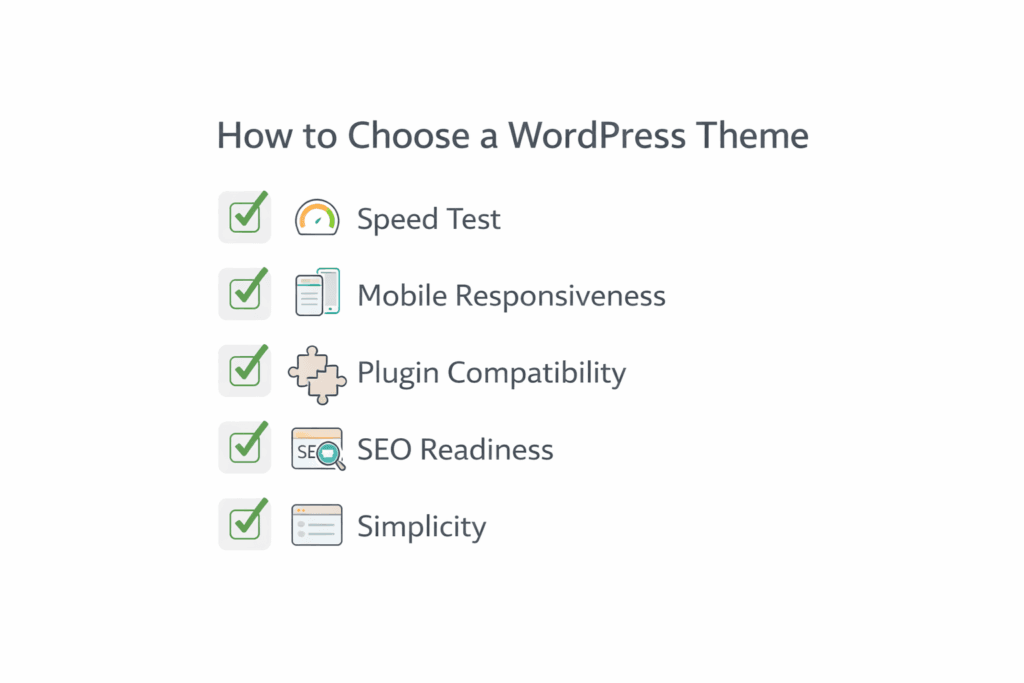
Firstly, define your goal before picking wordpress themes. Secondly, match the theme to your site type.
- Choose a lightweight base
- Test demo speed
- Check mobile design
- Review plugin support
In addition, always think about long term use. Therefore, avoid themes that lock you in.
If you want expert help, check our WordPress Website service for better setup.
Warning: Heavy themes can slow your site even with strong hosting
Common Mistakes to Avoid
Firstly, many users pick themes based on design only. Secondly, they ignore speed and SEO.
- Installing too many plugins
- Using bloated page builders
- Ignoring mobile performance
- Not testing theme demos
However, SEO friendly themes wordpress improve ranking chances. As a result, your site grows faster.
Frequently Asked Questions
Which wordpress themes are best for beginners?
Firstly, Astra and Neve work best for beginners. Secondly, they offer easy setup and fast speed. Are free wordpress themes good for SEO?
Yes, many free themes support SEO well. However, you must still optimise your content. Do wordpress themes affect site speed?
Yes, themes directly affect loading time. Therefore, choose lightweight options always. Can I change wordpress themes later?
Yes, you can switch themes anytime. However, layout changes may affect your design. What are lightweight wordpress themes?
These themes use minimal code and design. As a result, they load faster and perform better.
Ready to grow your Amazon business?
Get a free strategy call with Advertpreneur.Book Your Free Consultation
Conclusion
Firstly, wordpress themes play a key role in site success. Secondly, speed and simplicity should guide your choice.
Therefore, choose lightweight wordpress themes for better results. As a result, your site loads faster and ranks higher.
wordpress Website design Service Guide for WordPress 7.0
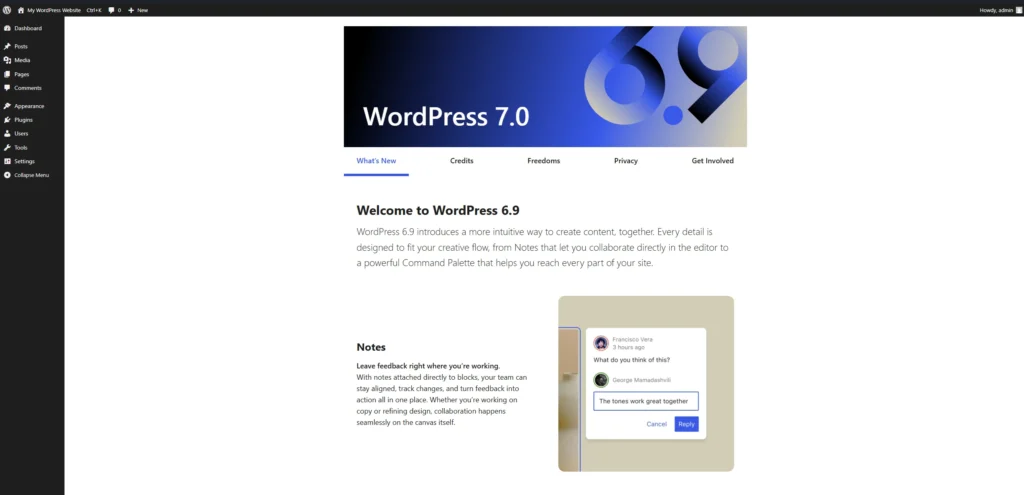
A strong WordPress Website Design Service helps businesses launch fast and scalable websites. WordPress 7.0 introduces better speed, improved editing tools, and helpful changes for ecommerce owners.
Table of contents
- What WordPress 7.0 Means for Businesses
- Important WordPress features in version 7.0
- How WordPress Supports ecommerce Websites
- Performance Improvements in WordPress 7.0
- WordPress Compared amazon-ppc-optimization-with-ai/”>with Other Platforms
- How WordPress Helps eCommerce growth
- Frequently Asked Questions
- Conclusion
 Amazon Listing optimization” class=”wp-image-6095″/>
What WordPress 7.0 Means for Businesses
Firstly, WordPress powers millions of websites across the world. Many companies depend on a WordPress Website Design Service to manage content and sales pages.
WordPress 7.0 improves the editing system and reduces page load time. As a result, business owners can publish content faster.
Additionally, developers now control layouts more easily. This change benefits agencies working on WordPress Website Design Service projects for online stores.
- Faster block editor
- Better template editing
- Improved plugin compatibility
- Cleaner site structure
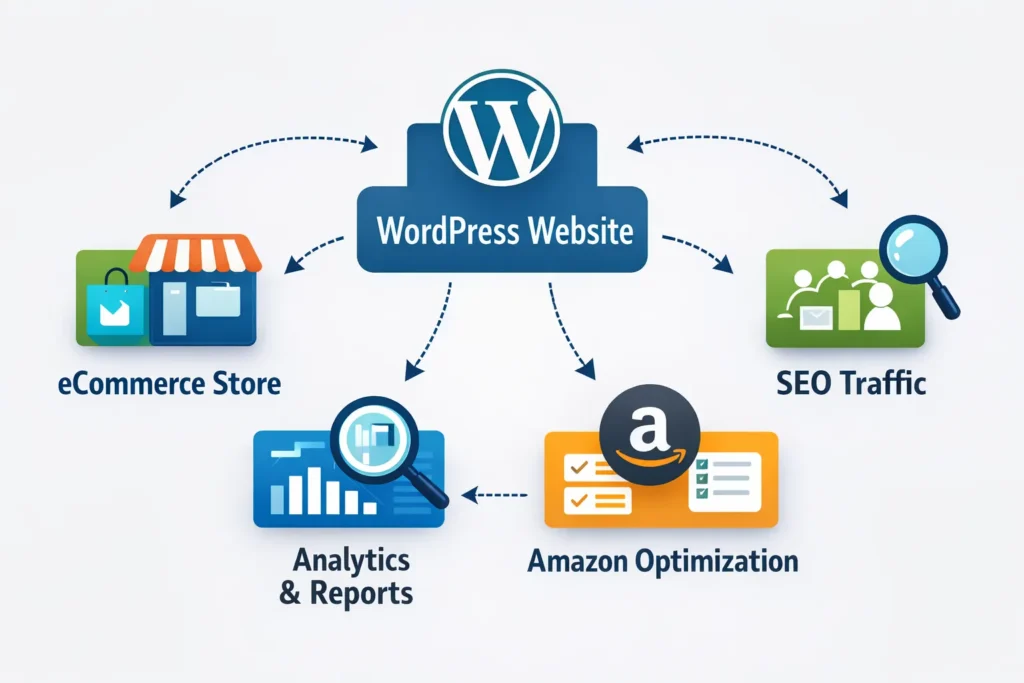
Pro Tip: Many businesses combine WordPress with Amazon Listing Optimization strategies to increase traffic and brand awareness.
Important WordPress features in version 7.0
Secondly, WordPress introduces new tools that simplify page creation. These updates help beginners and experienced developers.
For example, block patterns now offer better layout control. Therefore, website owners design pages without heavy coding.
Most importantly, improved theme editing helps agencies offering WordPress Website Design Service solutions.
Block editor improvements
The block editor now loads faster and handles large pages smoothly. Consequently, content teams publish blogs and product pages without delay.
- Better layout alignment
- Improved typography controls
- Simplified reusable blocks
Theme customization
Additionally, WordPress allows easier theme editing inside the dashboard. This feature reduces reliance on external design tools.
Businesses can also adjust design sections quickly. As a result, a WordPress Website Design Service becomes faster to deliver.
Warning: Installing too many plugins can slow your site and create security risks.
How WordPress Supports ecommerce Websites
Thirdly, WordPress works well for ecommerce websites. WooCommerce allows businesses to sell products online with flexibility.
For example, sellers connect product pages with Amazon listing optimization strategies. This approach increases visibility and conversions.
Additionally, agencies offering WordPress Website Design Service often integrate payment gateways and marketing tools.
Benefits for online stores
- Flexible product catalog management
- Strong SEO capabilities
- Full design control
- Integration with marketing platforms
Many store owners also link their sites with Amazon strategies. You can request a Free Amazon Consultation to understand this approach.
Performance Improvements in WordPress 7.0
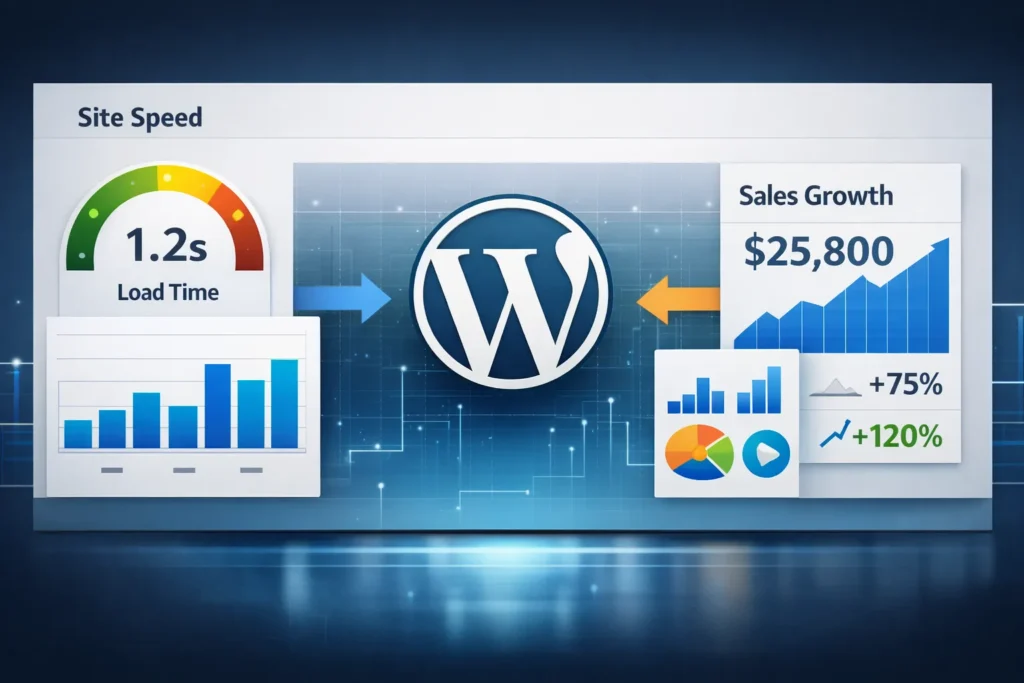
Performance matters for search ranking and user experience. WordPress 7.0 focuses heavily on loading speed.
Firstly, the system reduces unnecessary scripts. Secondly, caching support improves page delivery.
Consequently, websites load faster and provide better user experience.
Speed improvements
- Reduced database queries
- Optimized block rendering
- Better media handling
- Improved theme performance
In addition, many businesses rely on a WordPress Website Design Service to implement these improvements correctly.
WordPress Compared With Other Platforms
Some business owners compare WordPress with hosted website builders. However, WordPress provides more flexibility.
The table below highlights common differences.
Table: Comparison of website platforms
| Feature | WordPress | Hosted Website Builder |
|---|---|---|
| Design flexibility | Very high | Limited |
| Plugin ecosystem | Extensive | Restricted |
| SEO control | Strong | Moderate |
| Customization | Full control | Platform limitations |
Developers often recommend WordPress Website Design Service projects for scalable websites.
How WordPress Helps eCommerce growth
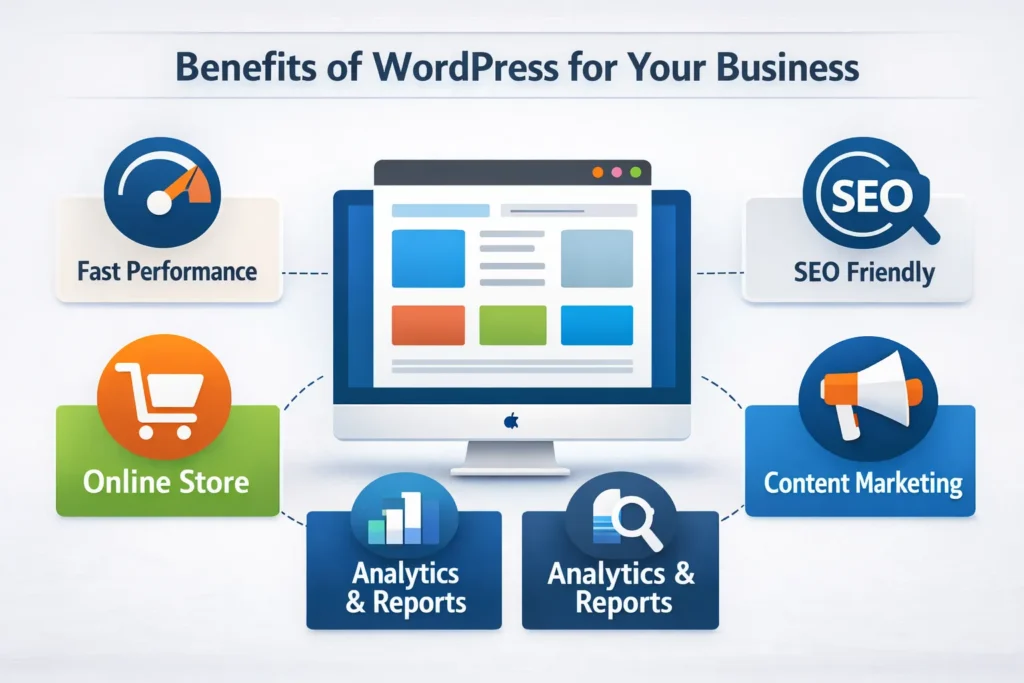
WordPress supports content marketing and product promotion. Therefore businesses use blogs to attract search traffic.
For example, companies combine educational articles with Amazon listing optimization campaigns. This approach builds authority and trust.
Additionally, WordPress integrates easily with marketing platforms and analytics tools.
- Email marketing integrations
- SEO plugins
- Analytics tracking
- Content marketing support
Businesses often publish product tutorials on YouTube video marketing channels. These videos then drive visitors back to WordPress product pages.
Developers also study the official WordPress documentation when planning complex websites.
Note: A professional WordPress Website Design Service ensures the site structure supports SEO and marketing goals.
Frequently Asked Questions
What is new in WordPress 7.0?
WordPress 7.0 introduces faster editing tools, improved block design features, and stronger performance optimization. Why should businesses use WordPress for ecommerce?
WordPress provides design flexibility, strong SEO tools, and integration with ecommerce systems such as WooCommerce. Does WordPress help with Amazon listing optimization?
Yes. Many businesses use WordPress content pages to support Amazon listing optimization through traffic and brand authority. How does WordPress improve eCommerce growth?
WordPress supports blogging, product pages, and SEO plugins. These tools help attract visitors and increase sales. Do businesses need a WordPress Website Design Service?
A professional WordPress Website Design Service helps businesses launch faster websites with better performance and structure.
Ready to grow your Amazon business?
Get a free strategy call with Advertpreneur. We help Amazon Sellers in Pakistan and worldwide grow faster.Book Your Free Consultation
Conclusion
WordPress continues to improve with every release. WordPress 7.0 focuses on performance, usability, and better design tools.
A professional WordPress Website Design Service helps businesses use these features effectively. As a result, websites perform better and attract more customers.
Finally, companies that combine WordPress content marketing with ecommerce strategies often see stronger growth.
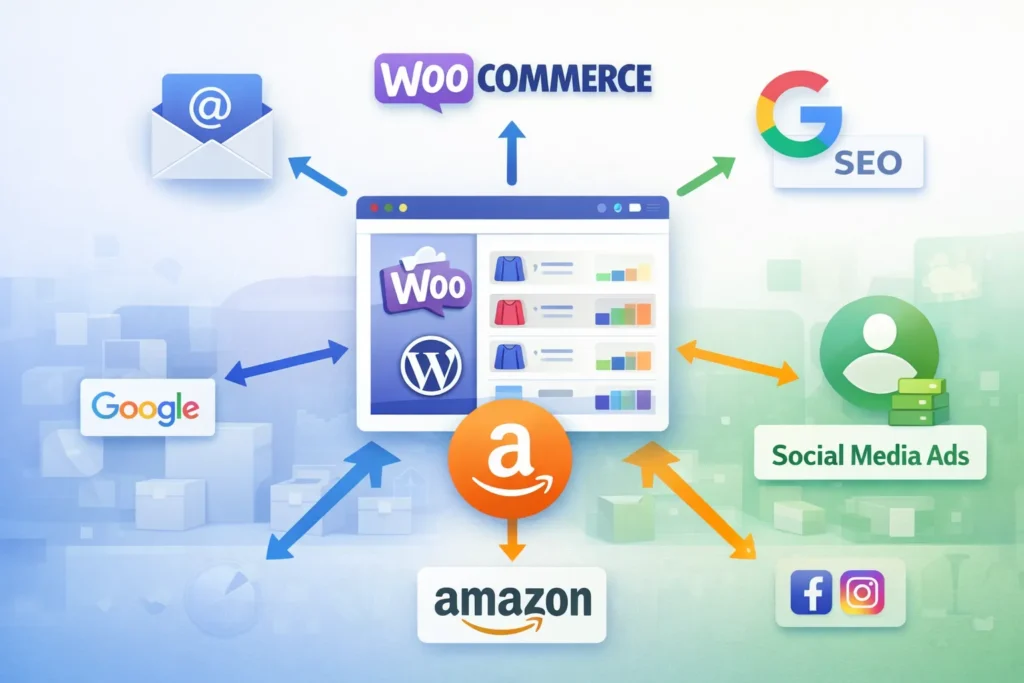
Choosing between woocommerce store Development and shopify is one of the most important decisions an amazon seller can make when expanding off-platform. Both solutions offer powerful eCommerce tools, yet they serve very different business needs. In this guide, Advertpreneur breaks down every key difference so you can invest your time and money wisely.
- Why Amazon Sellers Need Their Own Store
- WooCommerce Store Development: What It Offers
- Shopify: What It Offers
- Head-to-Head Comparison: WooCommerce vs Shopify
- WooCommerce Pros for Amazon Sellers
- WooCommerce Cons for Amazon Sellers
- Shopify Pros and Cons for Amazon Sellers
- When WooCommerce Store Development Is the Best Choice
- Frequently Asked Questions
- Conclusion
Why Amazon Sellers Need Their Own Store
Amazon is a powerful sales channel, but it limits your brand control significantly. You do not own your customer data, and Amazon can suppress or delist Your Products at any time. Therefore, building an independent store protects your revenue and strengthens your brand identity.
Furthermore, owning a website lets you capture email subscribers, run retargeting ads, and create loyalty programs. These are all impossible on Amazon alone. As a result, top-performing sellers consistently diversify onto platforms like WooCommerce or Shopify to reduce dependency risk.
Additionally, having your own store boosts your brand’s perceived legitimacy. Customers trust businesses with professional websites. For example, a well-built store increases average order value and repeat purchases over time.
Pro Tip: Amazon sellers who add an independent eCommerce store typically see 20–35% more total revenue within the first year, according to industry data from Shopify’s seller research.
WooCommerce Store Development: What It Offers
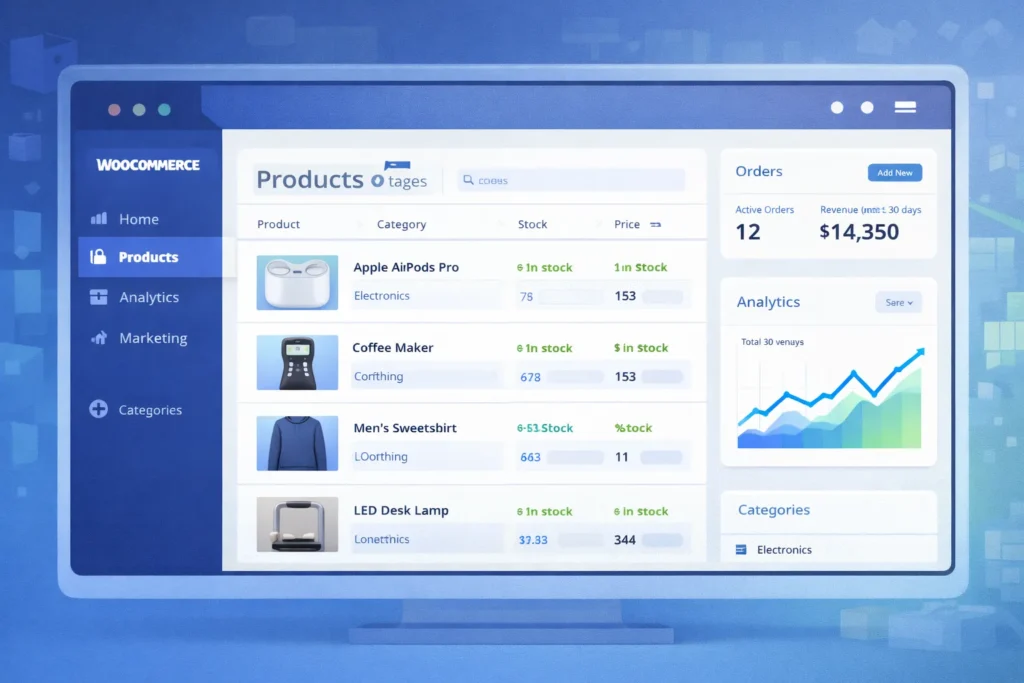
WooCommerce Store Development means building a fully customised online shop on top of wordpress. It is open-source, highly flexible, and powers over 36% of all eCommerce websites worldwide. Consequently, a vast developer ecosystem and thousands of plugins are available to you.
A professional WordPress Website Design Service can transform a basic WooCommerce install into a high-converting storefront. Design freedom is nearly unlimited because you control every line of code. Additionally, you own your hosting, your data, and your complete store architecture.
WordPress eCommerce Development also integrates deeply with SEO tools like Yoast and Rank Math. Firstly, your blog and product pages sit under one domain. Secondly, you can build topic clusters and internal links that Amazon never allows.
Key WooCommerce Features
- 100% open-source with no monthly SaaS licence fee
- Unlimited product variations and custom attributes
- Deep integration with WordPress SEO Optimization Service tools
- Hundreds of payment gateway options including Stripe, PayPal, and local gateways
- Full control over checkout flow and customer data
- Built-in blogging for content marketing and SEO
- Amazon FBA fulfilment plugins for seamless order sync
WooCommerce Setup Requirements
- Purchase reliable managed WordPress hosting (e.g., Kinsta, WP Engine, or SiteGround)
- Install WordPress and activate the WooCommerce plugin
- Choose and configure a high-quality WooCommerce theme
- Set up payment gateways and shipping zones
- Install SEO, security, and performance plugins
- Migrate or import your Amazon Product catalog
- Connect Amazon FBA inventory sync tools
Shopify: What It Offers
Shopify is a fully hosted eCommerce platform designed for simplicity and speed to launch. It handles hosting, security, and updates automatically, so you focus entirely on selling. However, that convenience comes with a monthly fee and significant customisation restrictions.
Shopify’s App Store offers over 8,000 integrations, including direct Amazon channel selling tools. Furthermore, Shopify Payments removes third-party gateway fees for eligible merchants. Most importantly, the drag-and-drop store builder requires zero technical knowledge to operate.
In contrast to WooCommerce, Shopify limits your SEO control and charges transaction fees if you use external payment gateways. Consequently, sellers with large catalogs or complex needs often find Shopify too restrictive over time.
Key Shopify Features
- Fully hosted with 99.9% uptime guarantee
- Fast setup — store live within hours
- Built-in Amazon sales channel app
- Mobile-optimised themes out of the box
- Shopify Payments for simplified checkout
- Basic SEO tools with limited customisation
- 24/7 customer support via chat and phone
Head-to-Head Comparison: WooCommerce vs Shopify
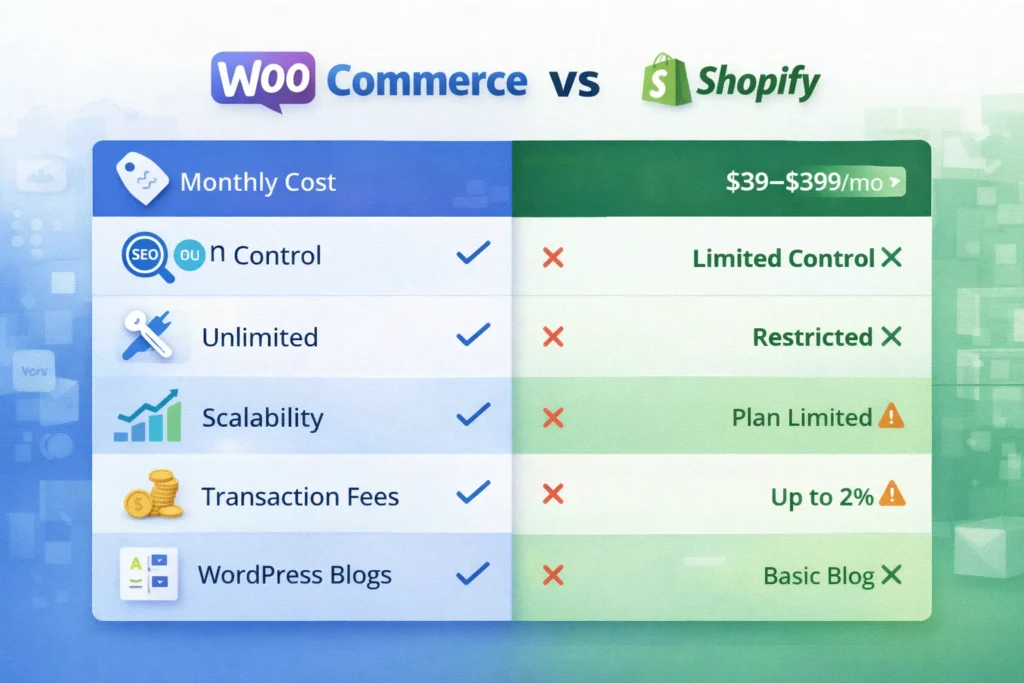
The table below compares both platforms across the metrics that matter most to Amazon sellers. Use this to identify which solution aligns with your growth goals and technical resources.
Table: WooCommerce Store Development vs Shopify — Key Metrics for Amazon Sellers
| Feature / Metric | WooCommerce (WordPress) | Shopify |
|---|---|---|
| Monthly Platform Cost | Free plugin (hosting ~$20–$80/mo) | $39–$399/mo (Basic to Advanced) |
| Transaction Fees | None (gateway fees only) | 0.5%–2% unless using Shopify Payments |
| SEO Control | Full — custom meta, schema, URLs | Limited — URL structures locked |
| Customisation Flexibility | Unlimited with code/plugins | Restricted to theme/app framework |
| Amazon FBA Integration | Via plugins (WooCommerce Amazon Fulfillment) | Built-in Amazon sales channel |
| Content Marketing (Blog) | Full WordPress CMS power | Basic built-in blog |
| Data Ownership | 100% yours | Stored on Shopify servers |
| Setup Difficulty | Moderate — needs technical help | Easy — beginner-friendly |
| Scalability | Unlimited with right hosting | Limited by plan tier |
| Payment Gateways | 100+ options globally | ~100 but penalises non-Shopify Payments |
WooCommerce Pros for Amazon Sellers
WooCommerce Store Development gives Amazon sellers unmatched control over their brand experience. You design every page element, set every SEO parameter, and own your complete customer database. In contrast, Shopify locks you inside its proprietary framework.
Furthermore, WooCommerce is genuinely free to use as a plugin. Your only recurring costs are hosting and any premium plugins you choose. Therefore, sellers with high order volumes save significantly compared to Shopify’s percentage-based transaction fees.
A professional WordPress Website Design Service can also create a visually unique brand that stands out in your niche. Additionally, WordPress eCommerce Development lets you build rich content ecosystems — long-form guides, category pages, and comparison articles — that rank on Google and drive organic traffic.
Pro Tip: Pairing your WooCommerce store with a dedicated Free Amazon Consultation from Advertpreneur helps you map the right integration strategy between your Amazon FBA account and your new website storefront.
SEO Advantages of WooCommerce
A WordPress SEO Optimization Service leverages Yoast SEO, Rank Math, and Google Search Console integration to maximise organic visibility. You can fully customise title tags, meta descriptions, canonical URLs, and structured data for every product. Consequently, your store can rank for thousands of long-tail keywords that Shopify’s URL structure restricts.
Additionally, WordPress’s native blog is the most powerful content marketing platform available. You can build topic clusters, internal link networks, and buyer intent content that Amazon sellers rarely exploit. As a result, your website generates consistent free traffic alongside your paid campaigns.
Cost Savings at Scale
Consider a seller generating $50,000 per month in off-Amazon revenue. On Shopify Advanced ($399/mo plus 0.5% transaction fees), that seller pays roughly $649 per month in platform costs. In contrast, a WooCommerce store on premium hosting costs under $100 per month with zero transaction fees. Therefore, the annual saving exceeds $6,500 — enough to fund significant marketing campaigns.
WooCommerce Cons for Amazon Sellers
WooCommerce Store Development requires a higher initial time investment than Shopify. You must manage hosting, plugin updates, security patches, and site performance yourself. Consequently, sellers without technical experience should work with an expert agency from day one.
Additionally, the setup process is more complex than Shopify’s one-click install. Firstly, you need to select and configure hosting. Secondly, you must choose a compatible theme, configure WooCommerce settings, and install necessary plugins. However, a skilled WordPress eCommerce Development partner makes this process fast and stress-free.
Finally, WooCommerce’s built-in Amazon sales channel integration is less native than Shopify’s. You must install third-party plugins like WP-Lister or WooCommerce Amazon Fulfillment to sync inventory. For example, incorrect plugin configuration can cause stock discrepancies between channels.
Warning: Never launch a WooCommerce store on shared hosting if you expect significant traffic. Cheap hosting causes slow load times, which directly harms your SEO rankings and conversion rates. Always invest in managed WordPress hosting from the start.
Maintenance Responsibilities
- Monthly plugin and theme updates are mandatory for security
- Regular database optimisation keeps site speed fast
- SSL certificates must be renewed annually
- Backups should run daily to prevent data loss
- Security scans protect against malware and intrusions
Shopify Pros and Cons for Amazon Sellers
Shopify’s biggest advantage is speed and simplicity. A seller with no technical background can launch a professional-looking store in under 24 hours. Furthermore, Shopify’s built-in Amazon sales channel lets you list and sync products directly from your Shopify dashboard.
However, Shopify’s SEO limitations are a serious concern for long-term growth. URL structures include mandatory subdirectories that you cannot remove. Additionally, Shopify’s blogging tool is far weaker than WordPress, limiting your content marketing potential significantly.
Most importantly, Shopify’s transaction fees add up fast at scale. For example, a seller using PayPal on the Basic Shopify plan pays an additional 2% per transaction on top of PayPal’s standard fees. As a result, high-volume sellers consistently migrate to WooCommerce Store Development as their revenue grows.
When Shopify Makes Sense
Shopify is a strong choice if you need a store live immediately with minimal setup effort. It suits sellers with small catalogs (under 200 products) who prioritise ease over customisation. Additionally, Shopify works well as a temporary storefront while you plan a more robust WooCommerce Store Development migration.
Note: Many Amazon sellers start on Shopify for speed, then migrate to WooCommerce once their monthly revenue justifies the investment in a more powerful, scalable platform. Plan this migration early to avoid SEO disruption.
When WooCommerce Store Development Is the Best Choice
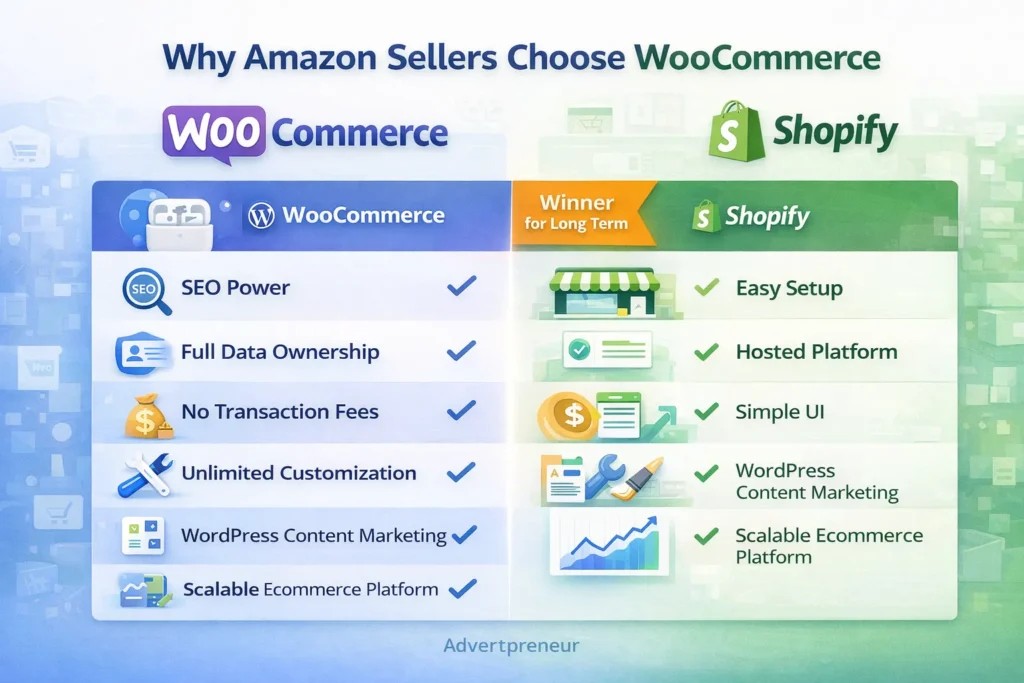
WooCommerce Store Development is the superior choice for serious Amazon sellers who want full brand ownership and long-term scalability. If you generate over $10,000 per month in revenue, the cost savings and SEO benefits outweigh the setup complexity. Furthermore, WordPress eCommerce Development gives you a publishing platform powerful enough to compete with major eCommerce content sites.
Additionally, WooCommerce is ideal if you sell internationally. You can configure multi-currency, multi-language stores that Shopify restricts behind expensive plan upgrades. Consequently, global sellers consistently choose WooCommerce to serve diverse customer bases without paying premium subscription tiers.
Finally, if SEO-driven organic traffic is central to your growth strategy, WooCommerce is non-negotiable. A dedicated WordPress SEO Optimization Service combined with WooCommerce’s full technical SEO capabilities can generate compounding organic revenue for years. In summary, WooCommerce Store Development is the long-term winner for Amazon sellers serious about building a brand.
According to W3Techs usage statistics, WordPress powers 43% of all websites on the internet — evidence of its unmatched reliability, developer support, and ecosystem maturity for any serious eCommerce project.
- You want full SEO control and content marketing capabilities
- Your monthly revenue exceeds $10,000 and transaction fees are significant
- You need a highly customised user experience or checkout flow
- You plan to build a brand with a long-term organic traffic strategy
- You sell internationally and need flexible multi-currency support
- You want 100% ownership of your customer data and purchase history
Frequently Asked Questions
Is WooCommerce or Shopify better for Amazon sellers who are just starting out?
Shopify is faster to launch for complete beginners, but WooCommerce Store Development offers far more long-term value. If you have a small budget and need a store live immediately, Shopify works for the short term. However, most sellers migrate to WooCommerce once they outgrow Shopify’s limitations around SEO, customisation, and transaction fees. Starting with WooCommerce from day one, with the help of a professional agency, saves you the cost and disruption of migrating later. How much does professional WooCommerce Store Development cost?
WooCommerce Store Development costs vary based on the scope of your project. A basic store with 50–100 products typically ranges from $800 to $2,500. A fully custom store with advanced integrations, SEO setup, and Amazon sync tools can range from $3,000 to $8,000 or more. Ongoing monthly maintenance and a WordPress SEO Optimization Service add $150–$500 per month depending on your needs. These costs are significantly offset by the platform savings compared to Shopify’s monthly fees and transaction charges at scale. Can I connect my WooCommerce store directly to Amazon FBA?
Yes, you can connect WooCommerce to Amazon FBA using plugins like WooCommerce Amazon Fulfillment, WP-Lister Pro, or Sellbrite. These tools sync your WooCommerce inventory with your Amazon seller account and automatically route orders to FBA for fulfilment. Furthermore, they update stock levels in real time across both channels. Consequently, you avoid overselling and maintain accurate inventory without manual management. Does WooCommerce or Shopify rank better on Google?
WooCommerce on WordPress consistently outperforms Shopify in SEO potential. WordPress gives you full control over URL structures, meta tags, schema markup, and site architecture — all critical ranking factors. Additionally, WordPress’s powerful blogging capabilities let you build content clusters that drive sustained organic traffic. Shopify’s locked URL structures and weaker blog tools limit your SEO ceiling significantly. A dedicated WordPress SEO Optimization Service further amplifies WooCommerce’s natural SEO advantages. What is a WordPress Website Design Service and do I need one?
A WordPress Website Design Service is a professional service that designs, develops, and launches a WordPress-based website tailored to your brand and business goals. It typically includes custom theme design, page layout creation, mobile optimisation, plugin configuration, and performance tuning. Amazon sellers benefit significantly from this service because a professionally designed WooCommerce store converts visitors far better than a default template. Furthermore, a proper design service ensures your brand identity transfers consistently from Amazon to your independent store. How long does WooCommerce Store Development take?
A standard WooCommerce Store Development project typically takes 3–6 weeks from kickoff to launch. Simple stores with under 50 products can go live in 2–3 weeks. Complex stores with custom design, advanced integrations, and large product catalogs may take 6–10 weeks. Working with an experienced WordPress eCommerce Development team shortens timelines significantly because they avoid common setup errors and follow proven workflows. Advertpreneur delivers full WooCommerce store projects with SEO setup included in the launch package.
Ready to Build Your WooCommerce Store and Grow Beyond Amazon?
Get a free strategy call with Advertpreneur — Pakistan’s leading Amazon and eCommerce growth agency. We design, develop, and launch high-converting WooCommerce stores built to rank and scale.Book Your Free Consultation
Conclusion
Both WooCommerce and Shopify offer genuine value for Amazon sellers looking to expand off-platform. However, for sellers who prioritise SEO, scalability, data ownership, and long-term cost efficiency, WooCommerce Store Development is clearly the stronger investment. Furthermore, combining WordPress eCommerce Development with a professional WordPress SEO Optimization Service creates a powerful organic growth engine that compounds over time.
Shopify suits sellers who need speed and simplicity right now. In contrast, WooCommerce Store Development suits sellers who are building a serious brand for the long term. Additionally, the cost savings at scale — especially on transaction fees — consistently justify the higher upfront setup investment for growing businesses.
In summary, the best platform is the one aligned with Your Business goals, technical resources, and growth timeline. If you want expert guidance on whether WooCommerce Store Development is right for your Amazon business, Advertpreneur is ready to help you make the right decision and execute it flawlessly.