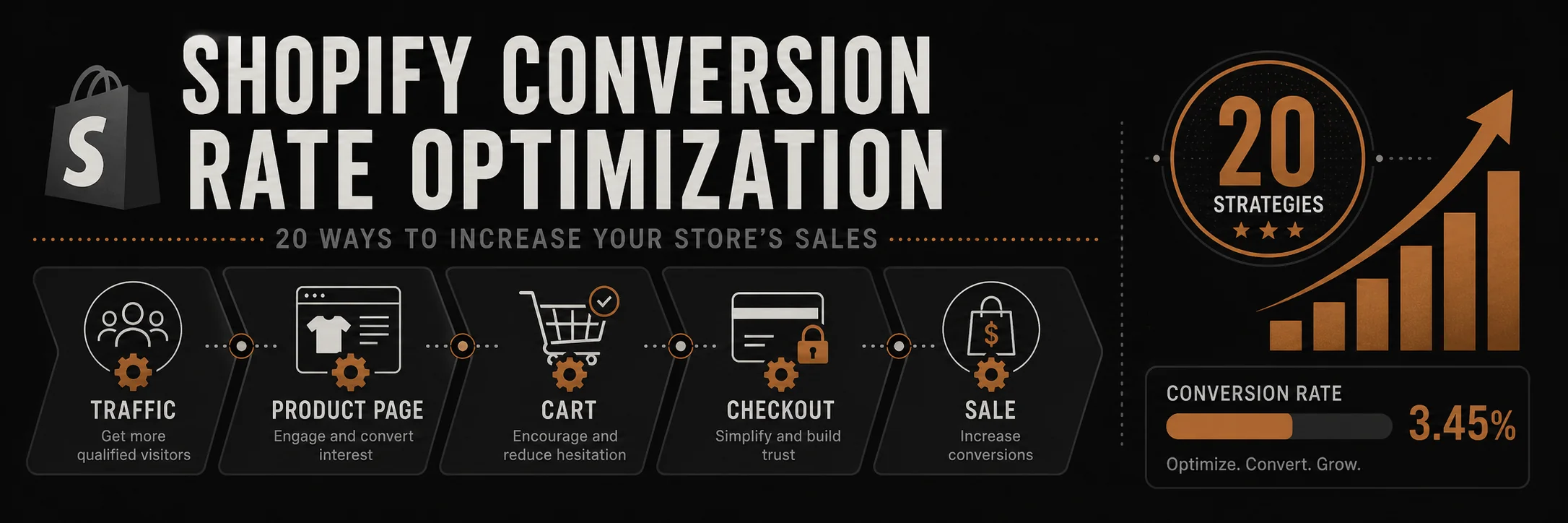
Conversion rate optimization (CRO) is the process of improving your Shopify store to turn more visitors into customers. Even small improvements in conversion rate can significantly impact revenue. This guide covers 20 proven strategies to optimize your Shopify store and increase sales.
Most Shopify stores convert between 1 and 3 percent of visitors. These 20 strategies are designed to move that number higher without increasing ad spend.
Why Conversion Rate Optimization Matters
Impact on Revenue
- 1% increase in conversion rate can increase revenue by 10-15%
- Better ROI on advertising spend
- Lower customer acquisition costs
- Higher average order value
Current Benchmarks
- Average e-commerce conversion rate: 2-3%
- Top performers: 5%+ conversion rates
- Mobile conversion: Typically 1-2% lower than desktop
- Industry varies: Fashion (1-2%), Electronics (2-3%), Health (3-4%)
20 Shopify Conversion Rate Optimization Strategies
1. Optimize Product Pages
High-Quality Product Images
- Multiple angles: Show product from all sides
- Zoom functionality: Allow customers to see details
- Lifestyle images: Show product in use
- Video content: Product videos increase conversions by 80%
- Image quality: High-resolution, professional photos
Compelling Product Descriptions
- Benefit-focused: Focus on customer benefits, not just features
- Scannable format: Use headers, bullet points, short paragraphs
- Social proof: Include customer reviews and testimonials
- Clear CTAs: Prominent “Add to Cart” buttons
- Urgency: Limited stock or time-sensitive offers
2. Simplify Checkout Process
Streamline Checkout
- Guest checkout: Don’t force account creation
- Progress indicators: Show checkout steps
- Auto-fill: Enable address autocomplete
- Multiple payment options: Credit cards, PayPal, Apple Pay, etc.
- One-page checkout: Reduce steps when possible
Remove Friction
- Clear pricing: Show all costs upfront
- No surprises: Transparent shipping costs
- Trust badges: Security badges and guarantees
- Mobile optimization: Easy mobile checkout
- Save cart: Allow customers to save for later
3. Improve Site Speed
Performance Optimization
- Page load time: Aim for under 3 seconds
- Image optimization: Compress and lazy load images
- Minimize apps: Remove unused apps that slow site
- CDN: Use content delivery network
- Caching: Enable browser and server caching
Mobile Speed
- Mobile-first: Optimize for mobile devices
- AMP pages: Consider Accelerated Mobile Pages
- Reduce redirects: Minimize redirect chains
- Optimize code: Minify CSS and JavaScript
4. Add Social Proof
Customer Reviews
- Product reviews: Display on product pages
- Review widgets: Show recent reviews prominently
- Photo reviews: Encourage customers to upload photos
- Review summaries: Show overall ratings clearly
- Respond to reviews: Engage with customer feedback
Trust Signals
- Customer count: “Join 10,000+ satisfied customers”
- Testimonials: Feature customer testimonials
- Press mentions: Show media coverage
- Awards and certifications: Display credentials
- Money-back guarantee: Clear return policy
5. Create Urgency and Scarcity
Limited Availability
- Low stock alerts: “Only 3 left in stock”
- Countdown timers: For sales or limited offers
- Limited edition: Highlight exclusive products
- Seasonal items: Emphasize limited-time availability
Time-Sensitive Offers
- Flash sales: Limited-time discounts
- Daily deals: Rotating special offers
- Cart abandonment: Send time-sensitive recovery emails
- Exit-intent popups: Last-chance offers
6. Optimize Mobile Experience
Mobile-First Design
- Responsive design: Works on all screen sizes
- Touch-friendly: Large buttons and easy navigation
- Mobile menu: Simple, accessible navigation
- Fast loading: Optimized for mobile networks
- Mobile checkout: Streamlined mobile payment
Mobile-Specific Features
- Click-to-call: Easy contact options
- SMS notifications: Order updates via text
- Mobile apps: Consider Shopify mobile app
- Progressive Web App: PWA for app-like experience
7. Improve Product Search
Search Functionality
- Autocomplete: Suggest products as customers type
- Filters and sorting: Easy product filtering
- Search results: Relevant, accurate results
- No results page: Helpful suggestions when no matches
- Search analytics: Track what customers search for
Navigation
- Clear categories: Logical product organization
- Breadcrumbs: Show navigation path
- Mega menus: For stores with many categories
- Quick links: Easy access to popular products
8. Use Exit-Intent Popups
Strategic Popups
- Discount offers: 10-15% off for email signup
- Free shipping: Offer free shipping on first order
- Newsletter signup: Build email list
- Abandoned cart: Remind about items in cart
- Timing: Show at right moment (not immediately)
Best Practices
- Value proposition: Clear benefit for customer
- Easy to close: Don’t trap customers
- Mobile-friendly: Works on mobile devices
- A/B test: Test different offers and timing
9. Implement Live Chat
Customer Support
- Real-time help: Answer questions immediately
- Reduce friction: Help customers find products
- Build trust: Personal interaction builds confidence
- Increase AOV: Upsell and cross-sell opportunities
- Reduce cart abandonment: Address concerns before checkout
Chat Best Practices
- Quick response: Respond within minutes
- Proactive: Offer help when customers seem stuck
- Knowledgeable: Train staff on products
- Friendly: Professional but approachable tone
10. Optimize Product Recommendations
Personalized Recommendations
- “You may also like”: Based on browsing history
- “Frequently bought together”: Bundle suggestions
- “Recently viewed”: Show recently viewed products
- “Trending now”: Popular products
- “Complete the look”: Style recommendations
Recommendation Placement
- Product pages: Below product description
- Cart page: Suggest add-ons
- Homepage: Featured recommendations
- Checkout: Last-minute additions
11. Add Video Content
Product Videos
- Demonstration videos: Show product in action
- How-to videos: Usage instructions
- Customer videos: User-generated content
- Brand videos: Tell your brand story
- 360-degree views: Interactive product views
Video Placement
- Product pages: Above the fold
- Homepage: Hero video or brand story
- About page: Company introduction
- Email campaigns: Video in emails
12. Improve Trust and Security
Security Indicators
- SSL certificate: HTTPS and security badges
- Payment security: Show secure payment methods
- Privacy policy: Clear privacy information
- Terms of service: Transparent policies
- Contact information: Easy to find contact details
Guarantees
- Money-back guarantee: Risk-free purchase
- Free returns: Easy return process
- Warranty information: Product warranties
- Satisfaction guarantee: Customer satisfaction promise
13. Optimize Email Marketing
Abandoned Cart Emails
- Timing: Send within 1 hour, 24 hours, 72 hours
- Personalization: Include customer name and products
- Incentive: Offer discount or free shipping
- Clear CTA: Easy return to cart
- Mobile-optimized: Easy to click on mobile
Email Campaigns
- Welcome series: Onboard new subscribers
- Product recommendations: Based on purchase history
- Re-engagement: Win back inactive customers
- Seasonal campaigns: Holiday and sale emails
14. A/B Test Everything
What to Test
- Headlines: Different value propositions
- CTAs: Button colors, text, placement
- Product images: Different angles or styles
- Pricing: Display formats and strategies
- Checkout flow: Single vs. multi-step
Testing Best Practices
- One variable: Test one thing at a time
- Statistical significance: Wait for valid results
- Document results: Track what works
- Continuous testing: Always be optimizing
15. Improve Product Filtering
Advanced Filters
- Price range: Easy price filtering
- Size and color: Visual filters
- Brand: Filter by brand
- Rating: Filter by review rating
- Availability: In stock vs. all products
Filter UX
- Visual filters: Color swatches, size charts
- Clear filters: Easy to reset
- Filter count: Show number of results
- Mobile-friendly: Works well on mobile
16. Add Wishlist Functionality
Wishlist Benefits
- Return visits: Customers come back to wishlist
- Email reminders: Notify about wishlist items
- Gift registry: For gift purchases
- Social sharing: Share wishlists
- Conversion tool: Convert wishlist to purchase
Wishlist Features
- Easy to add: One-click wishlist
- Email updates: Price drop notifications
- Shareable: Social sharing options
- Mobile access: Access from any device
17. Optimize for Local SEO
Local Optimization
- Location pages: If you have physical locations
- Local keywords: Target local search terms
- Google My Business: Claim and optimize listing
- Local content: Location-specific content
- Local reviews: Encourage local reviews
Local Features
- Store locator: Find nearby stores
- Local pickup: Offer local pickup option
- Local events: Promote local events or pop-ups
- Community involvement: Show local engagement
18. Improve Product Bundling
Bundle Strategies
- Frequently bought together: Suggest bundles
- Buy more, save more: Volume discounts
- Complete sets: Bundle related products
- Gift sets: Curated gift bundles
- Subscription: Recurring product bundles
Bundle Presentation
- Clear savings: Show discount amount
- Visual bundling: Show products together
- Easy to add: One-click bundle add
- Flexible options: Allow customization
19. Enhance Customer Onboarding
Welcome Experience
- Welcome email: Introduce your brand
- First purchase discount: Incentive for first order
- Tutorial content: Help customers get started
- Account benefits: Show account value
- Loyalty program: Introduce rewards program
Onboarding Flow
- Clear value: Explain benefits immediately
- Easy signup: Simple registration process
- Progressive disclosure: Don’t overwhelm
- Helpful guidance: Guide through first purchase
20. Monitor and Analyze
Key Metrics
- Conversion rate: Overall and by traffic source
- Cart abandonment rate: Identify drop-off points
- Average order value: Track AOV trends
- Bounce rate: Page-level engagement
- Time on site: Engagement metric
Analytics Tools
- Google Analytics: Comprehensive tracking
- Shopify Analytics: Built-in store analytics
- Heatmaps: Visual user behavior
- Session recordings: Watch user sessions
- A/B testing tools: Test and measure
Conversion Rate Optimization Checklist
Common Questions About CRO
What’s a good conversion rate?
Average is 2-3%, but top performers achieve 5%+. Focus on improving your rate rather than comparing to others.
How long does CRO take?
Results can be seen in weeks, but comprehensive optimization is ongoing. Expect 3-6 months for significant improvements.
Should I hire a CRO agency?
If you lack expertise or time, a CRO agency can accelerate results. Many improvements can be done in-house with proper guidance.
How much should I invest in CRO?
ROI is typically high. Start with quick wins (free/low-cost improvements), then invest in tools and professional help as needed.
Conclusion
Shopify conversion rate optimization is an ongoing process that can significantly impact your store’s revenue. By implementing these 20 strategies systematically, testing what works, and continuously improving, you can turn more visitors into customers and increase your average order value.
Start with the quick wins—site speed, product images, checkout optimization—then move to more advanced strategies like personalization and advanced analytics. Remember, even small improvements compound over time.
Need help optimizing your Shopify store? Contact advertpreneur for expert Shopify conversion rate optimization services. We help stores increase conversion rates and maximize revenue.
Architect Signature
Haseeb
Leads all web development and design at Advertpreneur. With a background in graphic design since 2009, he builds storefronts that rank on Google and convert the traffic they earn through speed and SEO-structured architecture.