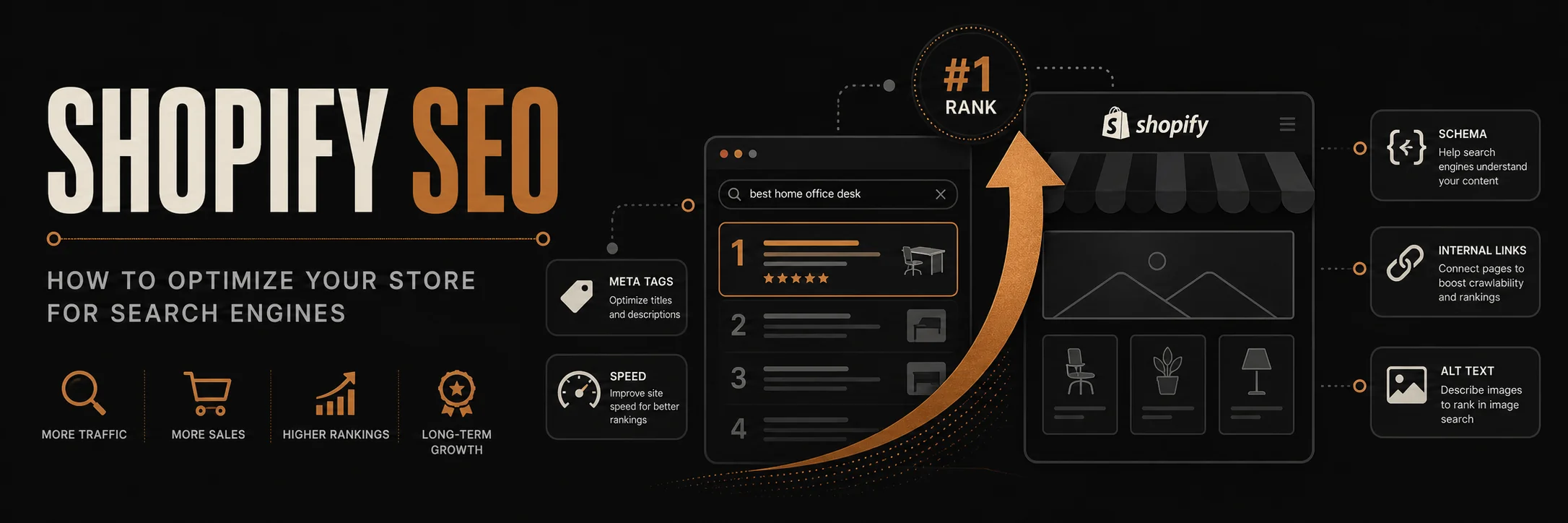
Shopify SEO is essential for driving organic traffic to your online store. With proper optimization, you can rank higher in search results, attract qualified customers, and reduce your dependence on paid advertising. This comprehensive guide covers everything you need to know about optimizing your Shopify store for search engines.
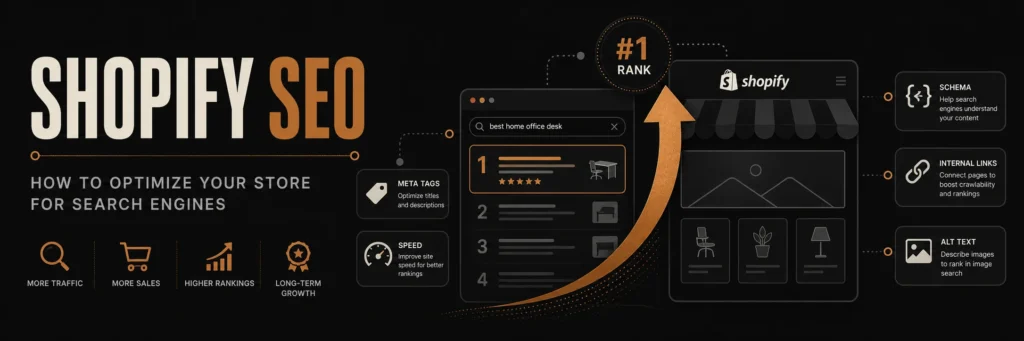
Shopify has built-in SEO features, but using them well requires a deliberate strategy. This guide covers every optimization that moves your store up in search.
Why Shopify SEO Matters
Impact on Business
- Organic traffic is free and sustainable long-term
- SEO drives 53% of website traffic for e-commerce sites
- Better rankings lead to increased brand visibility
- Reduced advertising costs by relying on organic search
Shopify SEO Advantages
- Built-in SEO-friendly structure
- Mobile-responsive themes
- Fast loading speeds
- Clean URL structure
- Automatic sitemap generation
Shopify SEO Fundamentals
On-Page SEO Elements
- Title Tags: Appear in search results and browser tabs
- Meta Descriptions: Descriptions shown in search results
- Header Tags (H1-H6): Structure content hierarchy
- URL Structure: Clean, keyword-rich URLs
- Image Alt Text: Descriptions for images
- Internal Linking: Connect related pages
- Content Quality: Valuable, relevant content
Technical SEO
- Site speed optimization
- Mobile responsiveness
- SSL certificate (HTTPS)
- XML sitemap
- Robots.txt file
- Schema markup
Optimizing Shopify Product Pages
Product Title Optimization
Best Practices:
- Include primary keyword at the beginning
- Keep titles under 60 characters
- Make titles descriptive and compelling
- Include brand name if relevant
- Avoid keyword stuffing
Example:
- Bad: “Product”
- Good: “Wireless Bluetooth Headphones – Noise Cancelling Over-Ear”
Product Description Optimization
- Length: 300-500 words minimum
- Structure: Use headers (H2, H3) to organize content
- Keywords: Include primary and related keywords naturally
- Benefits: Focus on customer benefits, not just features
- Readability: Use bullet points, short paragraphs, clear language
Product Image SEO
- File Names: Use descriptive, keyword-rich names
- Alt Text: Describe images with relevant keywords
- Size: Optimize images for fast loading
- Format: Use WebP or optimized JPEG
- Quality: High-resolution images that load quickly
Product URL Structure
Shopify automatically creates clean URLs, but you can optimize:
- Use product type and vendor in URL
- Keep URLs short and descriptive
- Include primary keyword when possible
- Avoid special characters and numbers
Optimizing Shopify Collections
Collection Page Optimization
- Title: Include target keyword
- Description: Write unique, keyword-rich descriptions (200-300 words)
- Meta Description: Compelling 150-160 character description
- Header Tags: Use H1 for collection name, H2 for sections
- Internal Links: Link to related collections and products
Collection URL Optimization
- Use descriptive collection names
- Keep URLs short and keyword-focused
- Organize collections logically
- Create collection hierarchies
Shopify Blog SEO
Blog Post Optimization
- Title: Include primary keyword
- Meta Description: Compelling 150-160 character summary
- Content: 1,500+ words for comprehensive topics
- Headers: Use H2, H3 for structure
- Internal Links: Link to products and collections
- Images: Optimize with alt text and descriptive names
Blog Categories and Tags
- Create category pages with descriptions
- Use tags for related topics
- Link between related blog posts
- Build topic clusters
Technical SEO for Shopify
Site Speed Optimization
- Image Optimization: Compress and resize images
- Theme Selection: Choose fast-loading themes
- App Management: Remove unused apps
- CDN: Use Shopify’s CDN or third-party CDN
- Lazy Loading: Enable lazy loading for images
Mobile Optimization
- Responsive Design: Ensure mobile-friendly theme
- Mobile Speed: Optimize for mobile loading
- Touch-Friendly: Large buttons and easy navigation
- Mobile Testing: Test on actual devices
SSL and Security
- HTTPS: Shopify provides SSL automatically
- Security Headers: Configure security settings
- Privacy Policy: Include privacy policy page
- GDPR Compliance: Ensure compliance if serving EU customers
Schema Markup
Add structured data for:
- Products: Product schema with price, reviews, availability
- Organization: Business information
- Breadcrumbs: Navigation structure
- FAQ: Frequently asked questions
Keyword Research for Shopify
Primary Keywords
- Brand Keywords: Your brand name and variations
- Product Keywords: Main product category terms
- Long-Tail Keywords: Specific, lower-competition terms
- Local Keywords: Location-based terms if applicable
Keyword Research Tools
- Google Keyword Planner: Free keyword research
- Ahrefs: Comprehensive SEO tool
- SEMrush: Keyword and competitor analysis
- Ubersuggest: Free keyword suggestions
- Answer The Public: Question-based keywords
Keyword Implementation
- Include primary keyword in title, H1, and first paragraph
- Use related keywords naturally throughout content
- Target long-tail keywords in blog posts
- Create content around question-based keywords
Content Marketing for Shopify SEO
Blog Content Strategy
- How-To Guides: Step-by-step tutorials
- Product Guides: Detailed product information
- Industry News: Relevant industry updates
- Customer Stories: Case studies and testimonials
- Comparison Posts: Product comparisons
Content Optimization
- Length: 1,500+ words for comprehensive topics
- Structure: Use headers, bullet points, images
- Keywords: Natural keyword integration
- Internal Links: Link to products and collections
- External Links: Link to authoritative sources
Link Building for Shopify
Internal Linking
- Link between related products
- Link from blog posts to products
- Create topic clusters
- Use descriptive anchor text
- Build logical site structure
External Link Building
- Guest Posting: Write for industry blogs
- Directory Listings: Submit to relevant directories
- Social Media: Share content on social platforms
- Influencer Partnerships: Collaborate with influencers
- PR Outreach: Get featured in publications
Shopify SEO Apps and Tools
Recommended SEO Apps
- Plug in SEO: Comprehensive SEO audit tool
- TinyIMG: Image optimization
- Smart SEO: Advanced SEO features
- Breadcrumb Navigation: Improved site structure
- Schema Plus: Enhanced schema markup
Analytics Tools
- Google Analytics: Track traffic and behavior
- Google Search Console: Monitor search performance
- Shopify Analytics: Built-in store analytics
- Hotjar: User behavior analysis
Common Shopify SEO Mistakes
Mistake 1: Duplicate Content
- Using default product descriptions
- Copying manufacturer descriptions
- Duplicate meta descriptions
- Solution: Write unique content for every page
Mistake 2: Poor Image Optimization
- Large, unoptimized images
- Missing alt text
- Generic file names
- Solution: Compress images, add descriptive alt text
Mistake 3: Ignoring Mobile SEO
- Not testing on mobile devices
- Slow mobile loading
- Poor mobile user experience
- Solution: Optimize for mobile-first indexing
Mistake 4: Thin Content
- Short product descriptions
- Missing collection descriptions
- No blog content
- Solution: Create comprehensive, valuable content
Mistake 5: Neglecting Technical SEO
- Slow site speed
- Broken links
- Missing sitemap
- Solution: Regular technical SEO audits
Shopify SEO Checklist
On-Page SEO
Technical SEO
Content SEO
Analytics and Monitoring
Measuring Shopify SEO Success
Key Metrics
- Organic Traffic: Visitors from search engines
- Keyword Rankings: Positions for target keywords
- Conversion Rate: Sales from organic traffic
- Bounce Rate: Visitors leaving quickly
- Page Load Speed: Site performance metrics
Tools for Measurement
- Google Analytics: Traffic and behavior data
- Google Search Console: Search performance
- Ahrefs/SEMrush: Keyword rankings and backlinks
- PageSpeed Insights: Site speed analysis
Advanced Shopify SEO Strategies
International SEO
- Hreflang Tags: Language and region targeting
- Currency Optimization: Multi-currency support
- Local SEO: Location-based optimization
- Translation: Proper content translation
Voice Search Optimization
- Question-Based Content: Answer common questions
- Featured Snippets: Optimize for position zero
- Natural Language: Conversational keywords
- Local Queries: “Near me” optimization
E-A-T Optimization
- Expertise: Demonstrate product knowledge
- Authoritativeness: Build industry authority
- Trustworthiness: Customer reviews and trust signals
Common Questions About Shopify SEO
How long does it take to see SEO results?
Typically 3-6 months for noticeable results, but can vary based on competition and optimization quality.
Do I need a Shopify SEO app?
While not required, SEO apps can help with technical optimization, audits, and advanced features.
Can I do SEO myself on Shopify?
Yes, Shopify’s built-in SEO features make it accessible, but professional help can accelerate results.
How important is blog content for Shopify SEO?
Very important. Blog content helps with keyword targeting, internal linking, and establishing authority.
Conclusion
Shopify SEO is a long-term investment that can significantly impact your store’s success. By optimizing product pages, creating valuable content, building quality links, and monitoring performance, you can improve your search rankings and drive sustainable organic traffic.
Start with the fundamentals: optimize your product pages, create a blog, and ensure technical SEO is in place. Then continuously improve based on data and search trends.
Need help with Shopify SEO? Contact advertpreneur for expert Shopify website design and SEO services. We optimize Shopify stores for search engines and drive organic traffic.
Architect Signature
Haseeb
Leads all web development and design at Advertpreneur. With a background in graphic design since 2009, he builds storefronts that rank on Google and convert the traffic they earn through speed and SEO-structured architecture.