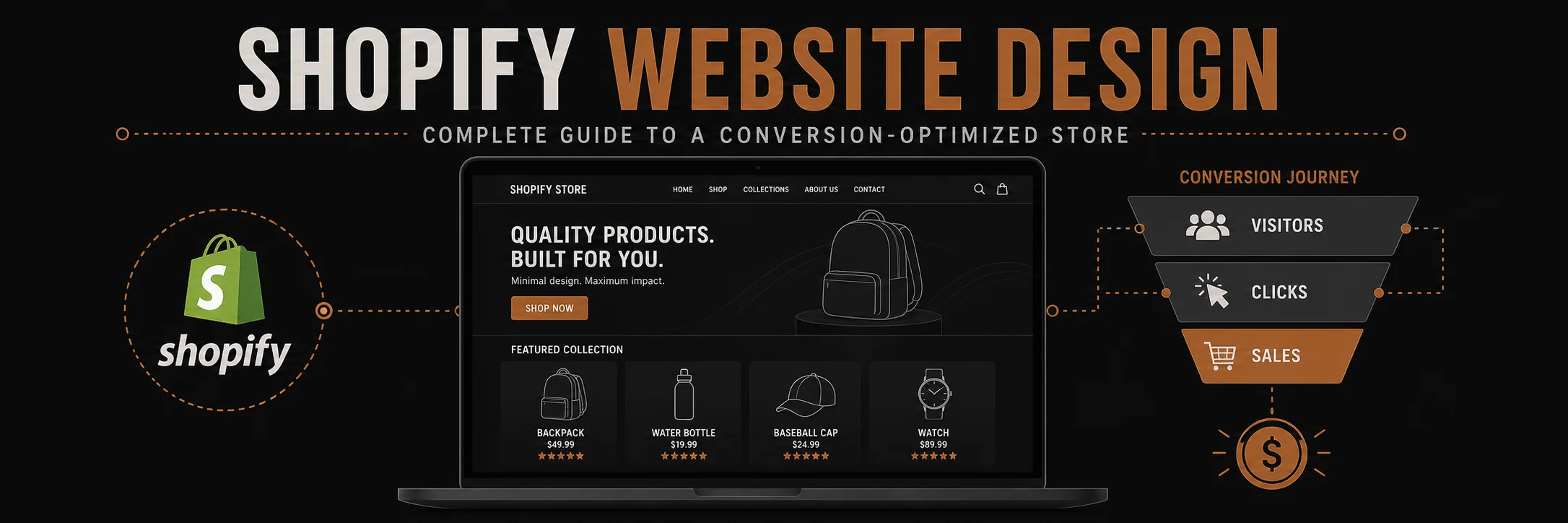
Your Shopify store design is the foundation of your e-commerce success. A well-designed Shopify store can increase conversion rates by 20-40% compared to poorly designed stores, while a bad design can kill sales before customers even see your products.
But creating a conversion-optimized Shopify website isn’t just about making it look pretty—it’s about strategic design, user experience optimization, and understanding what makes customers click “Add to Cart.”
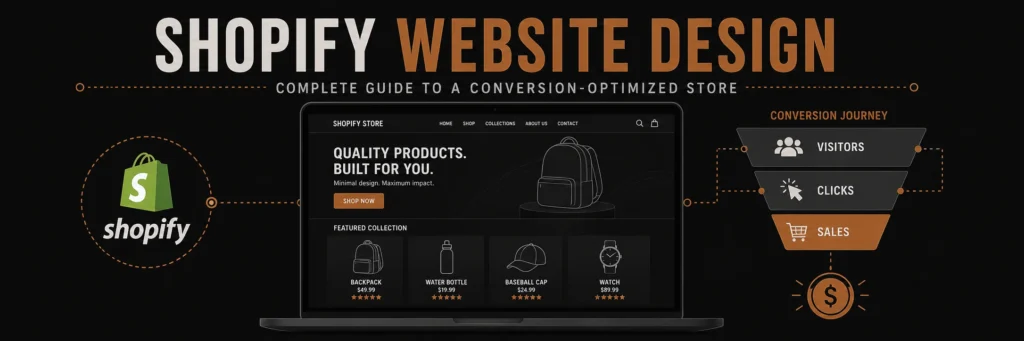
Your Shopify store design directly affects how many visitors become buyers. This guide covers every layout, UX, and conversion decision that matters.
In this comprehensive guide, we’ll teach you everything you need to know about Shopify website design. You’ll learn proven strategies, best practices, and actionable tips to create a store that not only looks great but drives real sales.
Why Shopify Website Design Matters
The Impact of Design:
Conversion Rate Impact:
- Well-designed stores: 2-4% average conversion rate
- Poorly designed stores: 0.5-1% conversion rate
- Difference: 2-4x more sales with good design
User Experience Impact:
- Fast-loading stores: 40% higher conversion
- Mobile-optimized: 70% of traffic is mobile
- Clear navigation: 30% more time on site
- Trust signals: 25% higher conversion
Business Impact:
- Professional design: Builds trust and credibility
- Better UX: Reduces cart abandonment
- SEO benefits: Better rankings
- Brand building: Stands out from competitors
Key Elements of Conversion-Optimized Shopify Design
1. Homepage Design
Critical Elements:
Hero Section
- Compelling headline – Clear value proposition
- High-quality image – Professional, on-brand
- Clear CTA – “Shop Now”, “Browse Collection”
- Above the fold – Most important info visible immediately
Navigation
- Clear menu structure – Easy to find products
- Search functionality – Help customers find products
- Cart icon – Always visible
- Mobile-friendly – Hamburger menu on mobile
Trust Signals
- Customer reviews – Social proof
- Security badges – SSL, payment security
- Shipping info – Free shipping, fast delivery
- Return policy – Easy returns build trust
Product Showcase
- Featured products – Best sellers, new arrivals
- Category previews – Quick access to collections
- Visual appeal – High-quality product images
- Clear CTAs – “Shop [Category]”
2. Product Page Design
Conversion-Critical Elements:
Product Images
- Multiple angles – 5-7 high-quality images
- Zoom functionality – Let customers inspect
- Lifestyle photos – Product in use
- Size guides – Help with fit/sizing decisions
Product Information
- Clear title – Descriptive, keyword-rich
- Compelling description – Benefits, not just features
- Key features – Bullet points, easy to scan
- Specifications – Technical details for those who want them
Pricing and Options
- Clear pricing – Prominent, easy to see
- Variants – Size, color, style options
- Stock status – “In Stock” or “Only 3 left”
- Add to Cart – Prominent, above the fold
Social Proof
- Customer reviews – Real feedback
- Star ratings – Visual trust indicator
- Customer photos – User-generated content
- FAQ section – Address common questions
3. Checkout Optimization
Critical for Conversion:
Streamlined Process
- Guest checkout – Don’t force account creation
- Progress indicator – Show checkout steps
- Auto-fill – Address autocomplete
- Multiple payment options – Credit card, PayPal, etc.
Trust and Security
- Security badges – SSL, payment security
- Return policy – Clear, visible
- Shipping calculator – Show costs upfront
- Order summary – Clear breakdown
Mobile Optimization
- Mobile-first design – 70%+ traffic is mobile
- Large buttons – Easy to tap
- Simplified forms – Minimal fields
- Fast loading – Under 3 seconds
Shopify Design Best Practices
1. Mobile-First Design
Why it matters:
- 70%+ of traffic comes from mobile
- Mobile conversion often lower than desktop
- Google prioritizes mobile-friendly sites
- User experience critical on small screens
Best Practices:
- Responsive design – Works on all devices
- Touch-friendly – Large buttons, easy navigation
- Fast loading – Optimize images, minimize code
- Simplified navigation – Hamburger menu, clear structure
- Thumb-friendly – Important elements within thumb reach
2. Fast Loading Speed
Impact on Conversion:
- 1 second delay = 7% conversion drop
- 3+ seconds = 40% abandonment
- Target: Under 3 seconds load time
Optimization Tips:
- Optimize images – Compress, use WebP format
- Minimize apps – Only essential apps
- Use CDN – Fast content delivery
- Lazy loading – Load images as needed
- Clean code – Remove unused code
3. Clear Navigation
Navigation Principles:
- Simple structure – 5-7 main categories max
- Logical grouping – Related products together
- Search functionality – Help customers find products
- Breadcrumbs – Show location in site
- Footer links – Important pages accessible
4. High-Quality Images
Image Requirements:
- Professional photography – High-quality, consistent
- Multiple angles – Show product completely
- Lifestyle images – Product in use
- Consistent style – Match brand aesthetic
- Optimized size – Fast loading, high quality
5. Trust Building Elements
Trust Signals:
- Customer reviews – Real feedback
- Security badges – SSL, payment security
- Social proof – “Join 10,000+ happy customers”
- Guarantees – Money-back, satisfaction
- Contact info – Easy to reach support
6. Clear Value Proposition
Communicate Value:
- Headline – What you offer, why it matters
- Benefits – What’s in it for customers
- Differentiation – Why choose you
- Urgency – Limited time, limited stock
- Social proof – Others love it
Shopify Theme Selection
Choosing the Right Theme:
Free Themes:
- Dawn – Modern, fast, mobile-optimized
- Debut – Simple, clean, versatile
- Brooklyn – Bold, fashion-focused
- Minimal – Clean, minimal design
Best for:
- New stores
- Budget-conscious sellers
- Simple product catalogs
- Testing and learning
Premium Themes:
- More features – Advanced functionality
- Better support – Theme developer support
- More customization – Design flexibility
- Better performance – Often optimized better
Best for:
- Established stores
- Complex needs
- Brand-specific design
- Advanced features
Theme Selection Criteria:
- Mobile responsiveness – Must work on all devices
- Loading speed – Fast performance
- Customization – Can match your brand
- Features – Has what you need
- Support – Good documentation/help
- Updates – Regularly updated
Shopify Design Process
Step 1: Planning and Strategy
Before You Start:
Step 2: Design Mockups
Create Visuals:
- Homepage layout
- Product page design
- Checkout flow
- Mobile views
- Brand elements
Step 3: Theme Selection/Customization
Choose or Customize:
- Select theme
- Customize colors/fonts
- Add brand elements
- Configure settings
- Test responsiveness
Step 4: Content Creation
Add Content:
- Product descriptions
- Images and media
- About page
- Policy pages
- Blog content
Step 5: Testing and Optimization
Before Launch:
- Test on multiple devices
- Check all links
- Test checkout process
- Verify payment methods
- Speed testing
- SEO check
Step 6: Launch and Monitor
After Launch:
- Monitor analytics
- Track conversion rates
- Gather user feedback
- A/B test elements
- Continuously optimize
Shopify Conversion Optimization
1. Homepage Optimization
Key Elements:
- Clear value proposition – What you offer
- Compelling hero image – Professional, on-brand
- Featured products – Best sellers, new arrivals
- Trust signals – Reviews, guarantees, security
- Clear CTAs – “Shop Now”, “Browse Collections”
2. Product Page Optimization
Conversion Drivers:
- High-quality images – Multiple angles, zoom
- Compelling copy – Benefits-focused
- Social proof – Reviews, ratings
- Clear pricing – Prominent, no surprises
- Easy add to cart – Prominent button
- Related products – Cross-sell opportunities
3. Checkout Optimization
Reduce Abandonment:
- Guest checkout – Don’t force registration
- Progress indicator – Show steps
- Multiple payments – Credit card, PayPal, etc.
- Shipping calculator – Show costs upfront
- Trust badges – Security, guarantees
- Order summary – Clear breakdown
4. Mobile Optimization
Mobile-First:
- Responsive design – Works on all screens
- Fast loading – Under 3 seconds
- Touch-friendly – Large buttons
- Simplified navigation – Easy to use
- Thumb-friendly – Important elements accessible
Common Shopify Design Mistakes
1. Poor Mobile Experience
❌ Mistake: Desktop-only design ✅ Solution: Mobile-first, responsive design
2. Slow Loading Speed
❌ Mistake: Unoptimized images, too many apps ✅ Solution: Optimize images, minimize apps, use CDN
3. Confusing Navigation
❌ Mistake: Too many categories, unclear structure ✅ Solution: Simple, logical navigation (5-7 categories)
4. Weak Product Images
❌ Mistake: Low-quality, few images ✅ Solution: Professional photos, multiple angles
5. No Trust Signals
❌ Mistake: Missing reviews, security badges ✅ Solution: Customer reviews, trust badges, guarantees
6. Poor Checkout Experience
❌ Mistake: Forced registration, complicated process ✅ Solution: Guest checkout, streamlined process
7. Weak Value Proposition
❌ Mistake: Unclear what you offer ✅ Solution: Clear headline, benefits, differentiation
Measuring Shopify Design Success
Key Metrics:
- Conversion Rate
- Sales ÷ Visitors
- Target: 2-4%+
- Industry average: 1-2%
- Average Order Value (AOV)
- Total Revenue ÷ Number of Orders
- Increase through upselling
- Target: Increase 10-20%
- Cart Abandonment Rate
- Abandoned Carts ÷ Started Checkouts
- Target: Under 70%
- Industry average: 60-80%
- Bounce Rate
- Single-page visits ÷ Total visits
- Target: Under 50%
- Lower = better engagement
- Time on Site
- Average time visitors spend
- Higher = better engagement
- Target: 2+ minutes
- Pages per Session
- Average pages viewed
- Higher = better navigation
- Target: 3+ pages
Shopify Design Tools and Resources
Design Tools:
- Canva – Easy graphic design
- Adobe Creative Suite – Professional design
- Figma – Collaborative design
- Unsplash – Free stock photos
Shopify Apps for Design:
- PageFly – Custom page builder
- Shogun – Drag-and-drop page builder
- Gempages – Landing page builder
- Judge.me – Reviews and trust
Testing Tools:
- Google PageSpeed Insights – Speed testing
- GTmetrix – Performance analysis
- Hotjar – User behavior tracking
- Google Analytics – Traffic and conversion
Conclusion: Design for Conversion
Shopify website design is about more than aesthetics—it’s about creating an experience that converts visitors into customers. Every design decision should serve the goal of driving sales.
Key Principles:
- Mobile-first – 70%+ of traffic is mobile
- Fast loading – Under 3 seconds
- Clear navigation – Easy to find products
- Trust building – Reviews, security, guarantees
- Conversion-focused – Every element drives sales
Remember: Great design is invisible. Customers shouldn’t notice the design—they should notice how easy it is to find and buy products.
Need Professional Shopify Website Design?
Our Shopify website design service creates conversion-optimized stores that drive sales. We handle everything from strategy to design to development, ensuring your store looks great and converts visitors into customers.
Architect Signature
Haseeb
Leads all web development and design at Advertpreneur. With a background in graphic design since 2009, he builds storefronts that rank on Google and convert the traffic they earn through speed and SEO-structured architecture.